A Practical Guide to Tracking Website Performance, Detecting Problems, and Protecting Customer Experiences After Publishing
You've finally finished improving your business website.
You've reviewed your content.
Tested your AI assistant.
Checked your Contact forms.
Approved your changes.
And clicked the Publish button.
Congratulations!
But there's one important thing to understand:
PUBLISHING YOUR WEBSITE UPDATE ISN'T THE END OF THE PROCESS.
It's the beginning of the next stage.
What happens when real visitors start using your updated website?
Will your Contact forms continue working?
Will your AI assistant provide accurate answers?
Will the new features work on different devices?
And what happens if something unexpected breaks?
That's where post-launch monitoring becomes important.
Post-launch monitoring means observing your website after a change has been published to identify technical issues, customer experience problems, and unexpected behavior.
It helps you verify that the website continues working as intended.
For entrepreneurs, this process doesn't have to be complicated.
You can begin with a simple monitoring checklist, a few meaningful measurements, and a clear response plan.
In Blog #114, we're exploring 50 practical strategies for creating an AI website post-launch monitoring plan that helps you catch problems early and keep your business moving forward.
PART 1: UNDERSTAND POST-LAUNCH MONITORING
1. Know What Post-Launch Monitoring Means
Post-launch monitoring involves checking a website after publishing changes to verify that important features remain reliable.
2. Understand Why Publishing Isn't the Finish Line
Some issues appear only after changes reach the live website.
3. Recognize That Real Customer Behavior Can Reveal Problems
Visitors may use features in ways that weren't covered during testing.
4. Make Monitoring Part of Every Important Release
Include monitoring in your launch process rather than treating it as an optional extra.
5. Match Monitoring Effort to Release Risk
A small text correction may require a brief check.
A major AI assistant or payment integration update may require more extensive monitoring.
PART 2: VERIFY YOUR LIVE WEBSITE
6. Confirm That the Correct Update Is Published
Check that the live website displays the intended changes.
7. Test Important Navigation Links
Verify that visitors can reach key pages.
8. Check Important Buttons
Make sure calls to action perform their intended functions.
9. Verify Contact Forms
Submit safe, clearly labeled test information and confirm that it reaches the intended private destination.
10. Check Mobile Functionality
Test important customer journeys on smaller screens.
PART 3: MONITOR AI ASSISTANT PERFORMANCE
11. Test Common Customer Questions
Ask your AI assistant questions customers frequently ask.
12. Review Answer Accuracy
Compare responses with approved business information.
13. Check for Invented Information
Look for unsupported prices, promises, timelines, or policies.
14. Monitor Human Handoffs
Confirm customers can reach appropriate support when the assistant cannot help.
15. Review Repeated AI Failures
Identify patterns such as looping responses, misunderstandings, or incorrect links.
PART 4: MONITOR CUSTOMER INQUIRIES
16. Verify Inquiry Storage
Check that submitted inquiries appear in the correct private administrative area.
17. Verify Email Notifications
If your website sends notifications, confirm they arrive when expected.
18. Review Confirmation Messages
Customers should receive an appropriate confirmation only after the submission has actually succeeded.
19. Check Failed Submissions
Review available errors and reports for failed inquiries.
20. Protect Customer Privacy
Keep customer contact details, private inquiries, and sensitive information out of public monitoring reports.
PART 5: MONITOR TECHNICAL RELIABILITY
21. Check Website Availability
Use an appropriate uptime monitoring service or periodic availability checks.
22. Review Page Loading Performance
Look for meaningful changes in loading speed.
23. Check Browser Compatibility
Test important workflows in relevant browsers.
24. Monitor Integration Failures
Review payment, email, form, and automation integrations that are affected by the update.
25. Investigate Unexpected Error Patterns
Repeated errors may indicate an issue that needs further attention.
PART 6: REVIEW CUSTOMER EXPERIENCE
26. Monitor Important Customer Journeys
Check whether visitors can move from learning about a service to taking the next appropriate action.
27. Review Customer Feedback
Look for recurring questions or complaints following the update.
28. Check Mobile Usability
Review touch interactions, navigation, text readability, and layout.
29. Review Accessibility
Check for new barriers involving keyboard access, labels, focus behavior, and other accessibility features.
30. Avoid Assuming Silence Means Success
A lack of customer complaints doesn't prove that everything works.
Combine feedback with direct testing and relevant performance data.
PART 7: CREATE A MONITORING DASHBOARD
31. Choose Meaningful Metrics
Possible metrics include website availability, successful form submissions, AI answer accuracy, and technical errors.
32. Define Your Baseline
Compare post-launch behavior with relevant pre-launch measurements when available.
33. Separate Actual Results From Estimates
Only report measurements you can support.
34. Track Changes Over Time
Look for patterns rather than reacting to every small fluctuation.
35. Keep the Dashboard Simple
Focus on information that helps you make decisions.
PART 8: CREATE AN ALERT AND RESPONSE PROCESS
36. Define Critical Alerts
Examples may include suspected data exposure, compromised administrative access, or a major failure of an essential workflow.
37. Define High-Priority Alerts
Examples include repeated Contact form failures or widespread incorrect AI responses.
38. Define Routine Alerts
Minor display problems and nonessential content issues may be suitable for scheduled review.
39. Decide Who Receives Alerts
For a solo business, that may be you.
Use supported notifications that fit your workflow.
40. Document Your Response Steps
Know how to investigate, correct, verify, and communicate about important incidents.
PART 9: PREPARE FOR UNEXPECTED PROBLEMS
41. Keep a Record of the Release
Document what changed and when it was published.
42. Review Recovery Options
Understand the backup, version history, or restoration features your website platform actually supports.
43. Know When to Disable a Feature
A malfunctioning AI assistant or integration may need to be temporarily disabled when doing so is the safest available option.
44. Retest After Corrections
Verify that the original problem is resolved and related functions still work.
45. Communicate Appropriately
When a serious issue affects customers, provide accurate and timely information through appropriate channels.
Security and privacy incidents may also create legal or contractual notification obligations.
PART 10: IMPROVE YOUR MONITORING PLAN
46. Review the First 24 Hours
For significant releases, pay particular attention to essential functionality shortly after publication.
47. Review the First 72 Hours
Check whether errors, customer inquiries, or unexpected behavior are emerging.
48. Complete a Seven-Day Review
Evaluate early results and unresolved issues.
49. Complete a 30-Day Review
Assess longer-term performance when sufficient data is available.
50. Improve Your Monitoring Process
Use lessons from each release to refine your checklist, alerts, and response procedures.
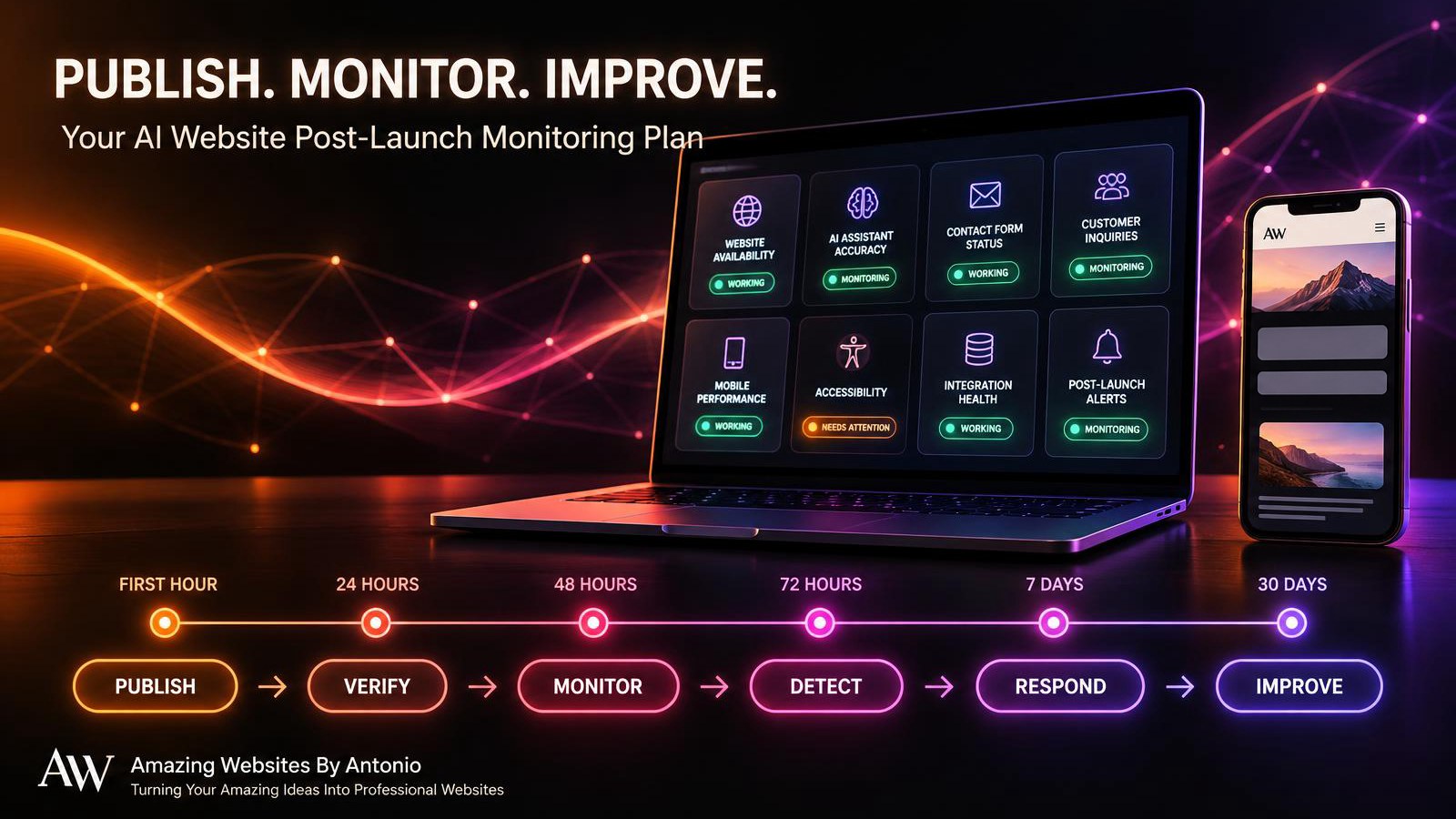
PUBLISH → VERIFY → MONITOR → DETECT → RESPOND → IMPROVE
YOUR FIRST 72 HOURS: AI WEBSITE POST-LAUNCH MONITORING SCHEDULE
The following schedule is an example for a meaningful website update. Adjust the frequency to the release's risk, your business hours, and the monitoring tools available.
FIRST HOUR — IMMEDIATE VERIFICATION
Main Goal: Confirm the Live Website Works
- Verify that the intended update is published.
- Check the homepage and affected pages.
- Test important navigation.
- Submit a safe Contact form test.
- Verify private inquiry storage.
- Confirm the expected notification arrives.
- Test important AI assistant questions.
- Review essential mobile functionality.
Milestone: Complete the initial live-site verification.
HOURS 1–6 — EARLY RELIABILITY REVIEW
Main Goal: Identify Immediate Problems
- Review available error reports.
- Check affected integrations.
- Review form submission failures.
- Check AI assistant behavior.
- Investigate unexpected technical issues.
Milestone: Identify and respond to significant early problems.
HOURS 6–24 — FIRST-DAY REVIEW
Main Goal: Evaluate Early Performance
- Review website availability.
- Examine meaningful performance changes.
- Check customer inquiries.
- Review AI accuracy samples.
- Document newly discovered issues.
- Confirm important corrections have been tested.
Milestone: Complete the first-day monitoring report.
HOURS 24–48 — SECOND-DAY REVIEW
Main Goal: Look for Emerging Patterns
- Review recurring errors.
- Examine customer feedback.
- Check essential workflows.
- Verify any fixes made during the first day.
- Update the issue tracker.
Milestone: Identify patterns that require additional attention.
HOURS 48–72 — THIRD-DAY REVIEW
Main Goal: Assess Release Stability
- Review unresolved issues.
- Compare available results with the baseline.
- Test representative customer journeys.
- Confirm critical workflows remain reliable.
- Determine whether additional monitoring is necessary.
Milestone: Complete the 72-hour release review.
Important: Automated alerts for critical issues should operate according to the risks involved, rather than waiting for a scheduled manual review.
YOUR AI WEBSITE POST-LAUNCH MONITORING DASHBOARD
Use this sample structure to organize the information you can reliably collect.
| Monitoring Area | What to Check | Action if Problem Found |
|---|---|---|
| Website availability | Is the site accessible? | Investigate outages |
| Contact forms | Are submissions succeeding? | Test and correct the workflow |
| Email notifications | Are expected alerts arriving? | Review notification integration |
| AI answer accuracy | Are responses supported by approved information? | Correct source content or configuration |
| Human handoffs | Can visitors reach support? | Repair handoff links or instructions |
| Mobile usability | Do important features work on mobile? | Fix affected layouts or interactions |
| Accessibility | Are essential controls accessible? | Investigate and address barriers |
| Website performance | Are there meaningful loading problems? | Diagnose affected pages |
| Security and privacy | Are access controls and data handling appropriate? | Escalate and contain serious risks |
COPY-READY POST-LAUNCH MONITORING REPORT
BUSINESS NAME: [Enter Business Name]
WEBSITE UPDATE: [Enter Update Name]
RELEASE ID OR VERSION: [Enter Identifier]
PUBLISH DATE: [Enter Date]
MONITORING PERIOD: First Hour / First Day / 72 Hours / Seven Days / 30 Days
PREPARED BY: [Enter Name]
SECTION 1 — WEBSITE STATUS
- Website Available: Yes / No / Not Verified
- Correct Update Published: Yes / No / Not Verified
- Important Pages Working: Yes / No / Not Verified
- Mobile Experience Reviewed: Yes / No / Not Verified
SECTION 2 — AI ASSISTANT
- Questions Tested: [Enter Number or Details]
- Accuracy Findings: [Enter Findings]
- Incorrect Responses: [Enter Findings]
- Human Handoff Status: Working / Needs Attention / Not Tested
SECTION 3 — CUSTOMER INQUIRIES
- Contact Form Status: Working / Needs Attention / Not Tested
- Inquiry Storage Verified: Yes / No / Not Tested
- Email Notifications Verified: Yes / No / Not Tested
- Customer Feedback Themes: [Enter Findings]
SECTION 4 — TECHNICAL RELIABILITY
- Availability Findings: [Enter Details]
- Performance Findings: [Enter Details]
- Integration Errors: [Enter Details]
- Security or Privacy Concerns: [Enter Details Without Exposing Sensitive Data]
SECTION 5 — ISSUES DISCOVERED
- Issue ID: [Enter ID]
- Issue Description: [Enter Description]
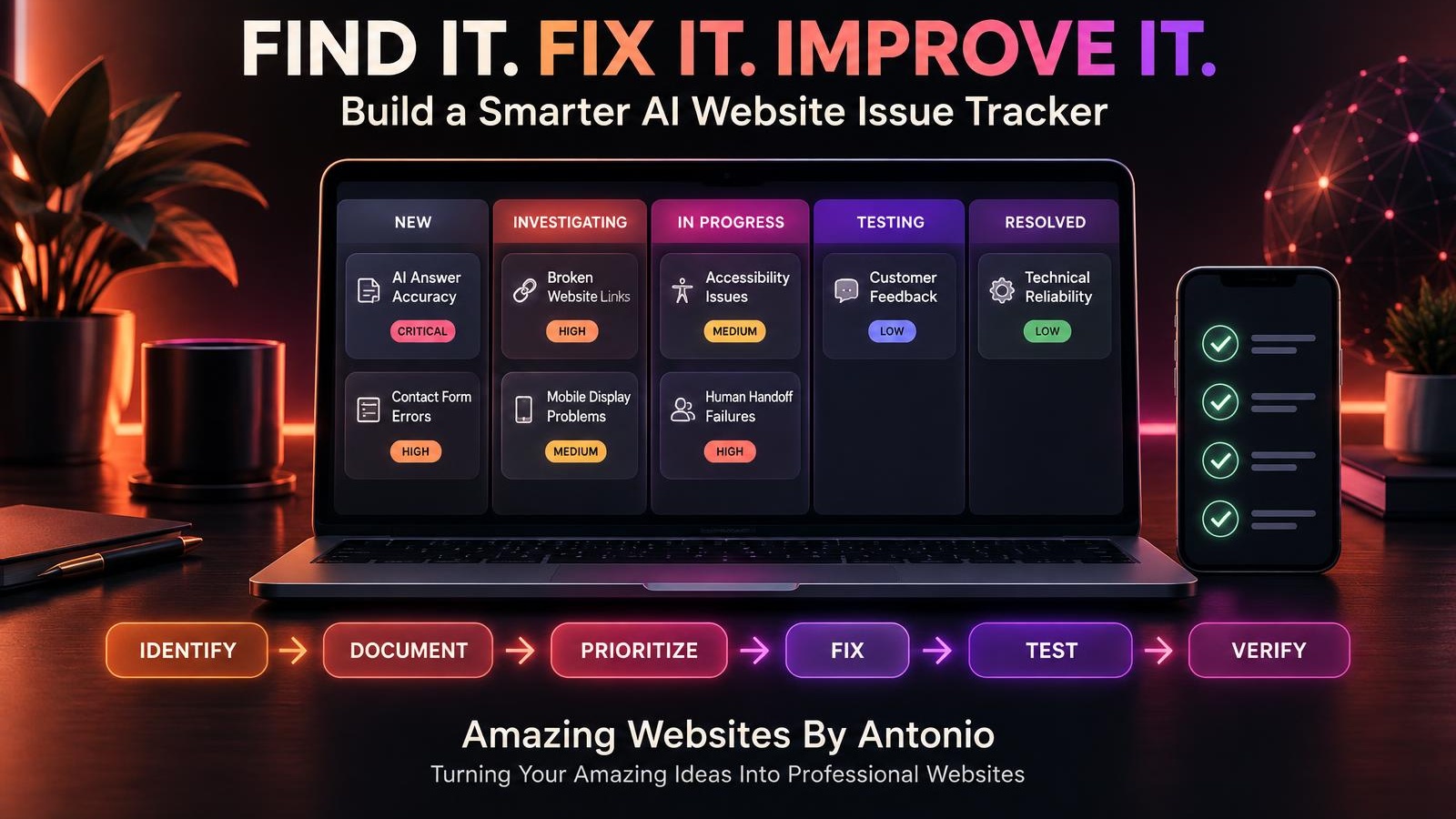
- Priority: Critical / High / Medium / Low
- Status: New / Investigating / In Progress / Testing / Resolved
- Assigned To: [Enter Name]
SECTION 6 — CORRECTIVE ACTIONS
- Action Taken: [Describe Changes]
- Retest Results: [Enter Results]
- Remaining Risks: [Enter Details]
SECTION 7 — FINAL REVIEW
- Overall Release Status: Stable / Monitoring / Action Required / Recovery Required
- Next Review Date: [Enter Date]
- Next Steps: [Enter Actions]
YOUR 30-DAY POST-LAUNCH MONITORING IMPLEMENTATION PLAN
WEEK 1 — BUILD THE MONITORING FOUNDATION
- Identify essential website features.
- Choose meaningful monitoring metrics.
- Define alert priorities.
- Create a monitoring checklist.
- Prepare an incident response process.
Goal: Establish a clear monitoring system.
WEEK 2 — PRACTICE LIVE VERIFICATION
- Select a low-risk website update.
- Complete appropriate pre-launch testing.
- Publish the approved change.
- Verify affected features.
- Record the results.
Goal: Practice the monitoring workflow.
WEEK 3 — REVIEW ALERTS AND RESPONSE PROCEDURES
- Review available monitoring notifications.
- Test alert delivery where safe and supported.
- Practice documenting an issue.
- Review recovery options.
- Improve escalation procedures.
Goal: Prepare to respond effectively when something goes wrong.
WEEK 4 — EVALUATE AND REFINE
- Review monitoring records.
- Identify repeated issues.
- Remove unnecessary checks.
- Add missing checks.
- Update the monitoring plan.
Goal: Create a sustainable post-launch monitoring routine.
THE POST-LAUNCH INCIDENT RESPONSE FRAMEWORK
DETECT — Identify a problem through testing, monitoring, or customer feedback.
↓
ASSESS — Determine its severity and customer impact.
↓
CONTAIN — Take appropriate steps to prevent further harm.
↓
INVESTIGATE — Identify the cause.
↓
CORRECT — Implement an appropriate fix or recovery action.
↓
VERIFY — Test the corrected functionality.
↓
DOCUMENT — Record what happened and what was done.
↓
PREVENT — Improve testing and monitoring to reduce recurrence.
COMPLETE AI WEBSITE POST-LAUNCH MONITORING CHECKLIST
- ☐ The intended website update is live.
- ☐ Important pages have been verified.
- ☐ Navigation links work.
- ☐ Important buttons work.
- ☐ Contact forms have been tested.
- ☐ Private inquiry storage has been verified.
- ☐ Email notifications have been checked.
- ☐ AI assistant accuracy has been reviewed.
- ☐ Human handoff options work.
- ☐ Mobile usability has been reviewed.
- ☐ Accessibility concerns have been considered.
- ☐ Important integrations have been checked.
- ☐ Relevant performance data has been reviewed.
- ☐ Customer feedback has been examined.
- ☐ Monitoring alerts are configured appropriately.
- ☐ Critical problems have a response process.
- ☐ Recovery options are understood.
- ☐ Discovered issues are documented.
- ☐ Corrective actions are retested.
- ☐ The 72-hour review is complete when appropriate.
- ☐ The seven-day review is scheduled.
- ☐ The 30-day review is planned.
- ☐ Lessons learned will improve future releases.
FINAL THOUGHTS
Publishing a website update is an exciting accomplishment.
You've improved your content.
Enhanced your features.
Tested your work.
And shared those improvements with the world.
But a professional website doesn't stop needing attention when you click Publish.
Real customers begin using your updated features.
New questions appear.
Unexpected problems may emerge.
And opportunities for improvement continue.
That's why post-launch monitoring matters.
It helps you stay informed.
It helps you identify issues.
It helps you protect important customer experiences.
And it gives you a structured way to respond when something needs attention.
DON'T JUST PUBLISH YOUR WEBSITE AND HOPE EVERYTHING WORKS.
PUBLISH, VERIFY, MONITOR, AND KEEP IMPROVING.
You don't need the most expensive monitoring software to begin.
Start with your essential website functions.
Choose meaningful checks.
Create a response plan.
Document what you discover.
And improve your process over time.
Because a successful website isn't simply one that launches.
IT'S ONE THAT CONTINUES TO SERVE ITS CUSTOMERS.
PUBLISH WITH CONFIDENCE.
MONITOR WITH PURPOSE.
RESPOND WITH CARE.
KEEP BUILDING BETTER WEBSITES.
Amazing Websites By Antonio
Turning Your Amazing Ideas Into Professional Websites