A Practical Guide to Reviewing Website Updates, Making Confident Publishing Decisions, and Protecting the Customer Experience
Imagine you've spent several days improving your business website.
You've updated your services.
Improved your AI website assistant.
Added helpful customer information.
Fixed important issues.
And tested your new features.
Everything looks ready.
You move your cursor toward the Publish button.
But before you click it, one important question comes to mind:
IS EVERYTHING REALLY READY TO GO LIVE?
Have the important tests passed?
Are the prices and service descriptions correct?
Are customer forms working?
Are private records protected?
Do you have a plan if something unexpected happens?
And have you confirmed that the changes are approved for publication?
These questions are exactly why a website launch approval process matters.
A launch approval process is a structured way to review changes, confirm requirements, evaluate risks, and decide whether an update is ready for customers.
For AI-powered websites, this process is especially valuable because you're not only publishing traditional website content.
You may also be changing AI assistant instructions, knowledge base information, automations, and integrations.
The good news is that a launch approval process doesn't have to be complicated.
Even a solo entrepreneur can create a professional system.
In Blog #113, we're exploring 50 practical strategies for publishing AI website updates with greater confidence.
PART 1: UNDERSTAND LAUNCH APPROVAL
1. Know What Launch Approval Means
Launch approval is the decision that a website update meets its defined requirements and is ready to publish.
2. Understand the Difference Between Testing and Approval
Testing determines whether features behave as expected.
Approval considers test results, remaining risks, business readiness, and whether publishing should proceed.
3. Recognize That Not Every Update Has the Same Risk
Correcting a spelling mistake is different from changing a payment workflow.
Your review process should reflect the impact of the change.
4. Establish Clear Publishing Responsibility
Know who is authorized to approve and publish website updates.
5. Create a Repeatable Process
Use the same basic decision framework each time, adjusting the depth of review for the change.
PART 2: DEFINE THE UPDATE BEFORE APPROVING IT
6. Write a Clear Update Description
Document exactly what is changing.
7. Identify Affected Website Pages
List the pages and features that may be impacted.
8. Identify Affected AI Features
Consider assistant responses, knowledge bases, conversation flows, and integrations.
9. Explain the Purpose
What problem does the update solve?
10. Define Expected Results
Know what successful behavior should look like before approving publication.
PART 3: REVIEW COMPLETED TESTING
11. Confirm Required Tests Were Performed
Review the quality assurance checklist.
12. Review Failed Tests
Understand which tests failed and whether corrective work is complete.
13. Check Retest Results
A corrected problem should be tested again.
14. Review Unresolved Issues
Identify issues that remain open and evaluate their severity.
15. Verify Important Customer Workflows
Make sure essential actions such as contacting your business still work.
PART 4: APPROVE CONTENT AND BRANDING
16. Verify Service Descriptions
Ensure published information accurately reflects your offerings.
17. Review Pricing and Packages
Check that displayed prices are correct.
18. Confirm Contact Details
Verify the information customers need to reach your business.
19. Check Branding Consistency
Use approved logos, colors, and messaging.
20. Review Public-Facing Language
Check spelling, readability, and clarity.
For Amazing Websites By Antonio, the approved tagline is:
Turning Your Amazing Ideas Into Professional Websites
PART 5: REVIEW AI WEBSITE ASSISTANT CHANGES
21. Confirm Knowledge Base Accuracy
Make sure approved business information is current.
22. Test Representative Questions
Include common, unusual, and ambiguous customer questions.
23. Check for Invented Information
Verify that the assistant avoids unsupported prices, guarantees, and promises.
24. Review Human Handoffs
Confirm customers can reach an appropriate human support option.
25. Check AI Limitations
Make sure the assistant responds appropriately when it doesn't have enough information.
PART 6: REVIEW PRIVACY AND SECURITY
26. Check Private Data Access
Confirm that customer inquiries and administrative records are appropriately protected.
27. Review Permissions
Verify that only authorized people can access sensitive functions.
28. Check Forms and Data Handling
Ensure information is collected, stored, and shared appropriately.
29. Review External Integrations
Confirm that integrations use appropriate security controls and approved configurations.
30. Treat Critical Risks as Launch Blockers
Do not knowingly publish changes that introduce unresolved critical security or privacy problems.
PART 7: PREPARE FOR PUBLICATION
31. Choose an Appropriate Publishing Window
Consider when you can monitor the website after publishing.
32. Confirm the Correct Version
Verify that the changes you're about to publish are the intended changes.
33. Prepare a Recovery Plan
Determine how you'll respond if the update creates problems.
34. Review Backup or Version History Options
Use supported recovery capabilities where available.
Don't assume every website platform offers one-click rollback.
35. Record the Previous Working State
Document relevant settings, versions, and important functionality before making high-impact changes.
PART 8: MAKE THE GO/NO-GO DECISION
36. Establish Approval Criteria
Decide which conditions must be satisfied before publishing.
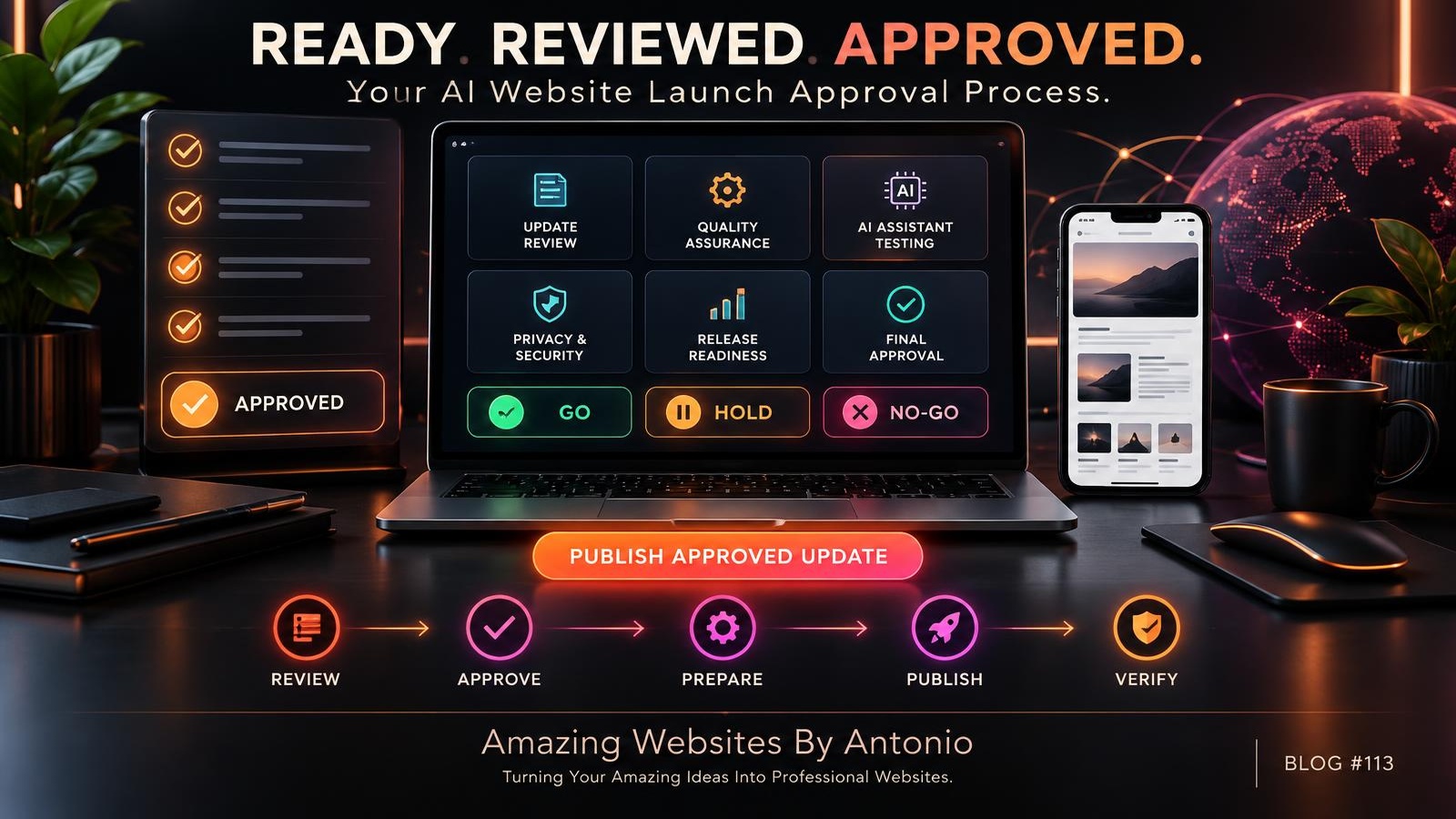
37. Define a GO Decision
GO means required checks are complete and remaining risks are acceptable.
38. Define a NO-GO Decision
NO-GO means the update should not be published until important problems are addressed.
39. Define a HOLD Decision
HOLD means more information, testing, or approval is needed.
40. Document the Decision
Record who made the decision, when, and why.
PART 9: PUBLISH AND VERIFY
41. Publish the Approved Changes
Release only the intended update.
42. Confirm the Live Website Has Updated
Check the published site rather than relying only on the preview.
43. Test Essential Features Again
Verify important buttons, forms, links, and AI responses.
44. Monitor for Unexpected Problems
Review relevant error reports, failed submissions, and customer feedback.
45. Activate the Recovery Plan if Needed
If the update causes serious problems, use the appropriate corrective or recovery process.
PART 10: LEARN FROM EVERY LAUNCH
46. Record the Launch Outcome
Document what was published and whether verification succeeded.
47. Review Problems Discovered After Publishing
Identify anything the pre-launch process missed.
48. Update Your Checklist
Add checks that could prevent similar problems.
49. Keep a Release History
Maintain a record of significant website changes.
50. Improve Your Approval Process Over Time
A good release process should become more effective as you gain experience.
REVIEW → APPROVE → PREPARE → PUBLISH → VERIFY → LEARN
THE AI WEBSITE LAUNCH APPROVAL FRAMEWORK
STEP 1 — CHANGE REVIEW
What is being updated?
↓
STEP 2 — QUALITY ASSURANCE
Have required tests passed?
↓
STEP 3 — RISK REVIEW
Are there unresolved security, privacy, or critical functionality concerns?
↓
STEP 4 — BUSINESS APPROVAL
Are content, branding, and customer workflows ready?
↓
STEP 5 — RELEASE READINESS
Is the correct version prepared, with a suitable recovery plan?
↓
STEP 6 — GO / HOLD / NO-GO
Make and document the publishing decision.
↓
STEP 7 — PUBLICATION
Publish the approved update.
↓
STEP 8 — LIVE VERIFICATION
Confirm essential functionality on the published website.
↓
STEP 9 — POST-LAUNCH REVIEW
Document results and lessons learned.
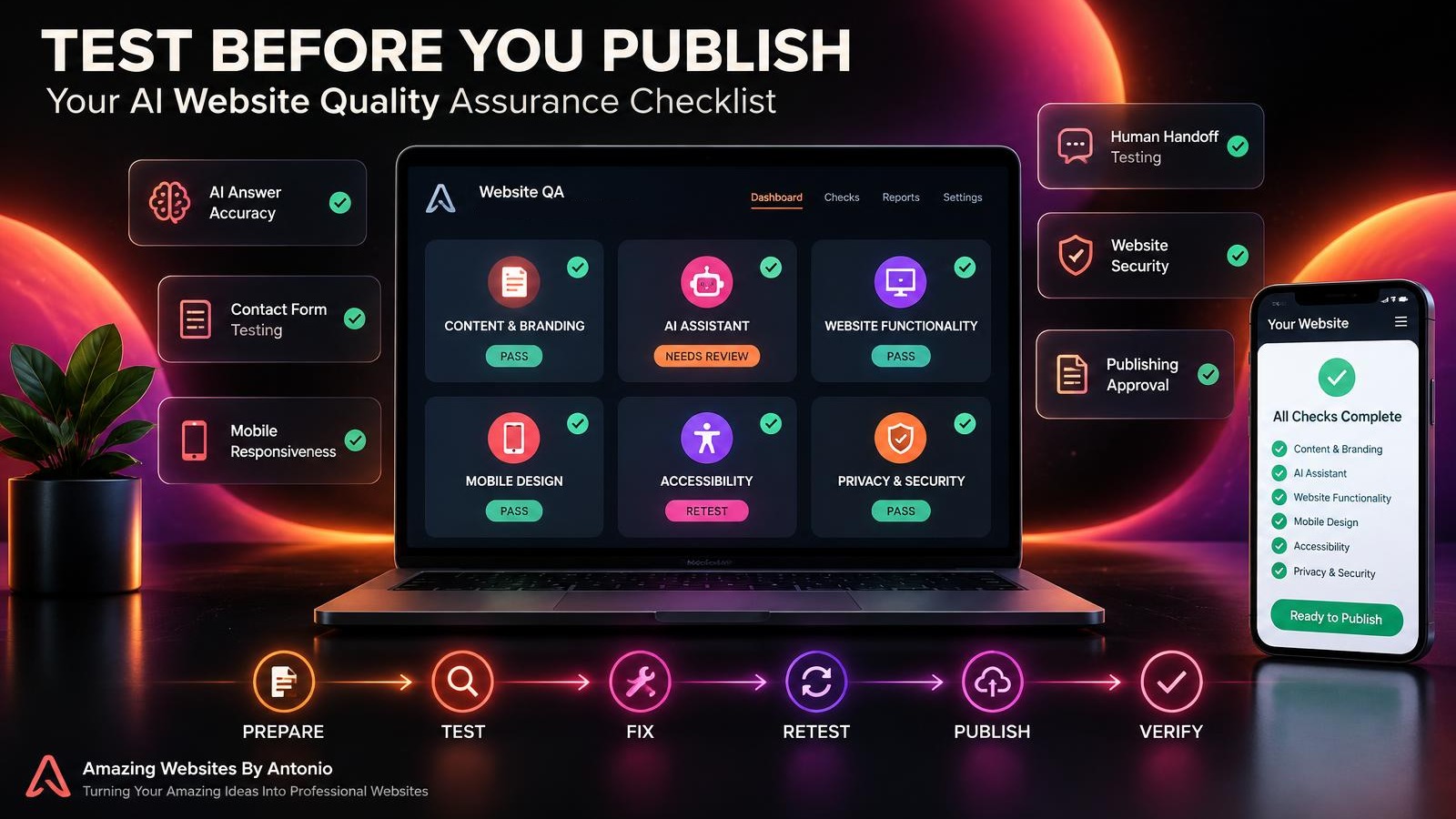
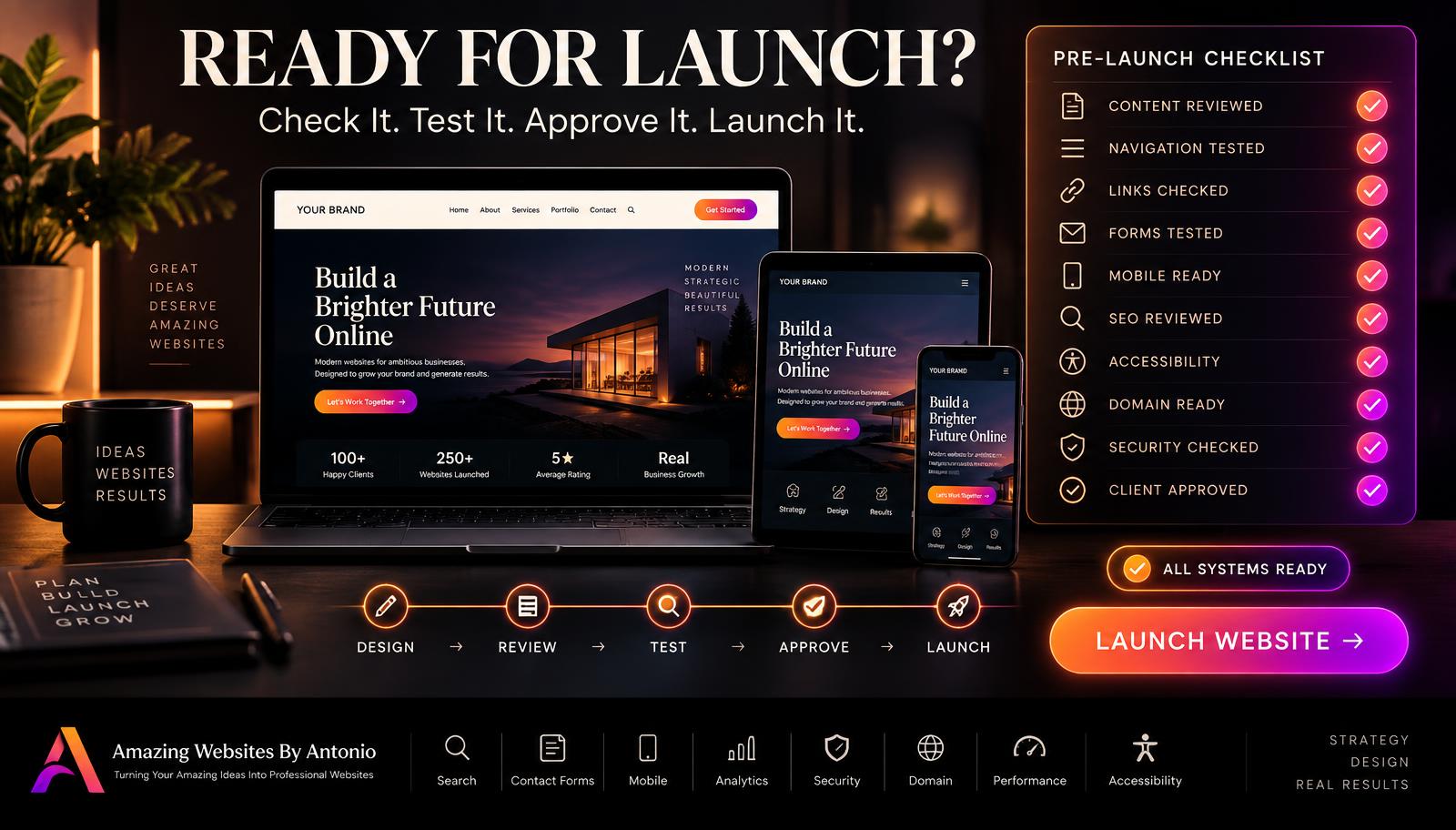
COMPLETE AI WEBSITE LAUNCH APPROVAL CHECKLIST
SECTION 1 — UPDATE INFORMATION
- ☐ The update has a clear title.
- ☐ The purpose is documented.
- ☐ Affected pages are identified.
- ☐ Affected AI features are identified.
- ☐ Expected results are defined.
SECTION 2 — QUALITY ASSURANCE
- ☐ Required tests are complete.
- ☐ Test results are documented.
- ☐ Failed tests have been reviewed.
- ☐ Necessary corrections have been retested.
- ☐ Unresolved issues have been evaluated.
- ☐ Important customer workflows pass testing.
SECTION 3 — CONTENT AND BRANDING
- ☐ Service descriptions are accurate.
- ☐ Prices and packages are correct.
- ☐ Contact details are current.
- ☐ The approved logo is used.
- ☐ Brand colors are consistent.
- ☐ The correct tagline appears.
- ☐ Public-facing wording has been reviewed.
SECTION 4 — AI ASSISTANT
- ☐ Common questions have been tested.
- ☐ Approved business information is accurate.
- ☐ Unknown questions are handled appropriately.
- ☐ Unsupported promises are avoided.
- ☐ Human support options work.
- ☐ Relevant AI integrations have been checked.
SECTION 5 — SECURITY AND PRIVACY
- ☐ Administrative access is protected.
- ☐ Customer records remain private.
- ☐ Relevant permissions are appropriate.
- ☐ Forms handle information appropriately.
- ☐ Critical security issues are resolved.
- ☐ Critical privacy issues are resolved.
SECTION 6 — RELEASE PREPARATION
- ☐ The intended version is selected.
- ☐ A suitable publishing window is chosen.
- ☐ Recovery options have been reviewed.
- ☐ The previous working state is documented where appropriate.
- ☐ Someone is available to verify the launch.
SECTION 7 — FINAL APPROVAL
- ☐ Required criteria are satisfied.
- ☐ Remaining risks are understood.
- ☐ The publishing decision is documented.
- ☐ Publication is authorized.
SECTION 8 — POST-PUBLISHING VERIFICATION
- ☐ The live website displays the intended changes.
- ☐ Important buttons and links work.
- ☐ Contact forms work.
- ☐ Relevant AI responses are correct.
- ☐ Essential integrations function.
- ☐ Unexpected problems are documented.
- ☐ The launch outcome is recorded.
COPY-READY WEBSITE LAUNCH APPROVAL FORM
BUSINESS NAME:
[Enter Business Name]
UPDATE TITLE:
[Enter Update Name]
VERSION OR RELEASE ID:
[Enter Identifier]
PLANNED PUBLISH DATE:
[Enter Date]
PREPARED BY:
[Enter Name]
1. UPDATE SUMMARY
What is changing?
[Describe Update]
Why is the change necessary?
[Explain Purpose]
Which pages or features are affected?
[List Features]
2. TESTING REVIEW
Required Tests Completed:
Yes / No / Not Applicable
Critical Tests Passed:
Yes / No / Not Applicable
Outstanding Issues:
[List Issues]
Retesting Completed:
Yes / No / Not Applicable
3. CONTENT AND AI APPROVAL
Content Accuracy Confirmed:
Yes / No
Branding Confirmed:
Yes / No
AI Assistant Testing Completed:
Yes / No / Not Applicable
Human Handoff Verified:
Yes / No / Not Applicable
4. PRIVACY AND SECURITY
Relevant Access Controls Reviewed:
Yes / No / Not Applicable
Private Customer Data Protected:
Yes / No / Not Applicable
Critical Risks Outstanding:
Yes / No
5. RELEASE READINESS
Correct Version Selected:
Yes / No
Recovery Plan Prepared:
Yes / No / Not Applicable
Live Verification Plan Prepared:
Yes / No
6. FINAL DECISION
DECISION:
GO / HOLD / NO-GO
REASON:
[Explain Decision]
APPROVED BY:
[Name]
APPROVAL DATE:
[Date]
PUBLISH DATE AND TIME:
[Enter Details]
7. POST-LAUNCH RESULTS
Live Website Verified:
Yes / No
Important Features Tested:
Yes / No
Problems Discovered:
[Enter Details]
Corrective Actions:
[Enter Details]
Final Launch Status:
Successful / Monitoring / Recovery Required
EXAMPLE GO / HOLD / NO-GO DECISION MATRIX
The following examples are illustrative.
| Situation | Example Decision | Reason |
|---|---|---|
| Required tests passed and no unacceptable risks remain | GO | Release criteria satisfied |
| An important test result is still pending | HOLD | More verification required |
| Contact form fails to save inquiries | NO-GO | Essential customer workflow broken |
| Critical privacy exposure remains unresolved | NO-GO | Unacceptable risk |
| Minor cosmetic issue with no material customer impact | GO or HOLD | Depends on release criteria |
| Recovery method is unverified for a high-risk update | HOLD | Additional preparation needed |
Important: Approval decisions depend on the actual risks and requirements of the specific website update.
YOUR 30-DAY LAUNCH APPROVAL IMPLEMENTATION PLAN
WEEK 1 — DEFINE YOUR APPROVAL PROCESS
- Identify who approves changes.
- Create a release checklist.
- Define GO, HOLD, and NO-GO.
- Identify critical launch blockers.
- Create a release record template.
GOAL: Establish a consistent approval system.
WEEK 2 — ORGANIZE TESTING AND RISK REVIEW
- Connect your QA checklist to launch approval.
- Define required test results.
- Review important privacy and security checks.
- Document how unresolved issues are evaluated.
- Identify recovery options.
GOAL: Make testing and risk review part of every meaningful release.
WEEK 3 — PRACTICE WITH A SMALL UPDATE
- Choose a low-risk website change.
- Document the proposed update.
- Run the required tests.
- Complete the approval form.
- Publish only after approval.
- Verify the live result.
GOAL: Test the complete launch process.
WEEK 4 — REVIEW AND REFINE
- Review the practice release.
- Identify unnecessary steps.
- Add missing checks.
- Improve documentation.
- Prepare the process for future updates.
GOAL: Create a sustainable, repeatable publishing workflow.
AI WEBSITE LAUNCH SUCCESS PRINCIPLES
BE CLEAR
Know exactly what you're publishing.
BE PREPARED
Complete appropriate testing and risk reviews.
BE ACCURATE
Verify business information and AI responses.
BE RESPONSIBLE
Protect customer information and essential workflows.
BE ORGANIZED
Document approvals and important decisions.
BE READY
Have a plan for unexpected problems.
BE THOROUGH
Verify the live website after publication.
KEEP LEARNING
Improve the process after every significant release.
FINAL THOUGHTS
Publishing a website update should feel exciting.
You've invested your time.
You've made improvements.
You've worked to create a better customer experience.
And you're ready to share the results.
But before you publish, make sure the update is truly ready.
A professional launch approval process helps you move beyond simply asking:
"Does everything look good?"
Instead, you ask:
Does everything work?
Is the information accurate?
Are important customer tasks protected?
Have the necessary tests passed?
Are the remaining risks acceptable?
And am I prepared if something unexpected happens?
CONFIDENCE DOESN'T COME FROM SKIPPING THE DETAILS.
IT COMES FROM PREPARING FOR THEM.
You don't need a complicated approval system.
You need a clear one.
Review the update.
Test the important features.
Evaluate the risks.
Make a thoughtful decision.
Publish the approved changes.
And verify the live result.
Because publishing isn't the finish line.
It's the beginning of the next customer experience.
REVIEW WITH PURPOSE.
APPROVE WITH CONFIDENCE.
PUBLISH RESPONSIBLY.
KEEP BUILDING BETTER WEBSITES.
Amazing Websites By Antonio
Turning Your Amazing Ideas Into Professional Websites