Skip to content
Amazing Websites By Antonio logoAmazing Websites By Antonio
HomeServicesPortfolioJingle Studio
Resources
Contact
All articles
🛠️ AI Solutions & Website Management

How to Create an AI Website Issue Tracker That Helps You Fix Problems Before They Grow

A Practical Guide to Finding Website Problems, Organizing Fixes, and Creating Better Customer Experiences

Antonio Humann Oct 20, 2026 10 min read Share on LinkedInShare on YouTube
How to Create an AI Website Issue Tracker That Helps You Fix Problems Before They Grow

A Practical Guide to Finding Website Problems, Organizing Fixes, and Creating Better Customer Experiences

Imagine a customer visiting your business website.

They're interested in your services.

They click a button to learn more.

But nothing happens.

They try again.

Still nothing.

Then they open your AI website assistant and ask a question.

Unfortunately, the assistant provides outdated information.

The customer becomes confused.

And eventually, they leave your website.

Now imagine discovering these problems before they affect more visitors.

You identify the broken button.

You document the incorrect AI response.

You decide which problem needs attention first.

You make the necessary changes.

You test everything.

And you record what was fixed.

THAT'S THE POWER OF AN AI WEBSITE ISSUE TRACKER.

An issue tracker is an organized system for documenting, reviewing, prioritizing, and resolving problems.

It can be as simple as a spreadsheet or as advanced as a dedicated project management system.

The important part isn't how complicated the tool looks.

It's whether the system helps you take action.

For entrepreneurs, especially those managing their own websites, an issue tracker can help prevent small problems from being forgotten.

In Blog #111, we're exploring 50 practical strategies for creating an AI website issue tracker that keeps your website organized and your customers supported.


PART 1: UNDERSTAND THE PURPOSE OF AN ISSUE TRACKER

1. Know What an Issue Tracker Does

An issue tracker records problems that need investigation or correction.

Each issue should include enough information to understand what happened and what needs to happen next.

2. Understand Why Website Issues Matter

A broken feature can interrupt a customer's experience.

Even small problems may create confusion when they affect important tasks.

3. Recognize That AI Can Introduce Different Types of Issues

An AI assistant may produce inaccurate answers, misunderstand questions, repeat itself, or fail to provide appropriate human support.

4. Keep Problems Organized in One Place

Instead of relying on memory or scattered notes, create a central list of issues.

5. Focus on Resolution

The goal isn't to collect the largest number of problems.

It's to understand them, resolve them, and improve the website.


PART 2: IDENTIFY DIFFERENT TYPES OF WEBSITE ISSUES

6. Track AI Answer Errors

Document responses that contain incorrect or unsupported information.

7. Track Broken Website Features

Examples include buttons that don't work, forms that fail, and links that lead to missing pages.

8. Track Navigation Problems

Record situations where visitors struggle to find important information.

9. Track Mobile Display Problems

Look for cut-off text, overlapping elements, unusable menus, and difficult-to-read content.

10. Track Accessibility Issues

Document barriers involving keyboard navigation, form labels, focus behavior, contrast, and other accessibility concerns.


PART 3: CREATE CLEAR ISSUE REPORTS

11. Give Every Issue a Unique ID

For example:

AI-001

WEB-002

FORM-003

A unique ID makes it easier to reference and track each problem.

12. Write a Descriptive Issue Title

Instead of:

"Website broken."

Write:

"Contact form does not display a confirmation after submission."

13. Describe What Happened

Explain the observed problem without making assumptions about its cause.

14. Record the Expected Behavior

Describe what should have happened.

15. Include Steps to Reproduce the Issue

When possible, document the actions that caused the problem.

This helps you test whether the issue has been fixed.


PART 4: COLLECT USEFUL EVIDENCE

16. Record Where the Issue Occurred

Include the relevant page, feature, or AI assistant workflow.

17. Record When the Problem Was Found

Add the date and, when useful, the time.

18. Include Relevant Device Information

For display or technical issues, record the browser, device type, or screen size when available.

19. Attach Helpful Screenshots

A screenshot can help explain visual problems.

Remove or protect private customer information before sharing it.

20. Record Error Messages

Include relevant error messages without exposing passwords, private tokens, or other sensitive information.


PART 5: PRIORITIZE ISSUES BY SEVERITY

21. Create a Critical Priority Level

Critical issues may include serious security or privacy risks and failures that prevent essential business operations.

22. Create a High Priority Level

High-priority issues may significantly interfere with important customer tasks.

23. Create a Medium Priority Level

Medium-priority issues may affect usability without completely blocking essential functions.

24. Create a Low Priority Level

Low-priority issues may involve minor visual inconsistencies or nonessential refinements.

25. Consider Customer Impact

Priority should reflect the seriousness of the issue, not just how easy it is to fix.

A serious problem affecting one customer may still require urgent action.


PART 6: CREATE A SIMPLE ISSUE STATUS SYSTEM

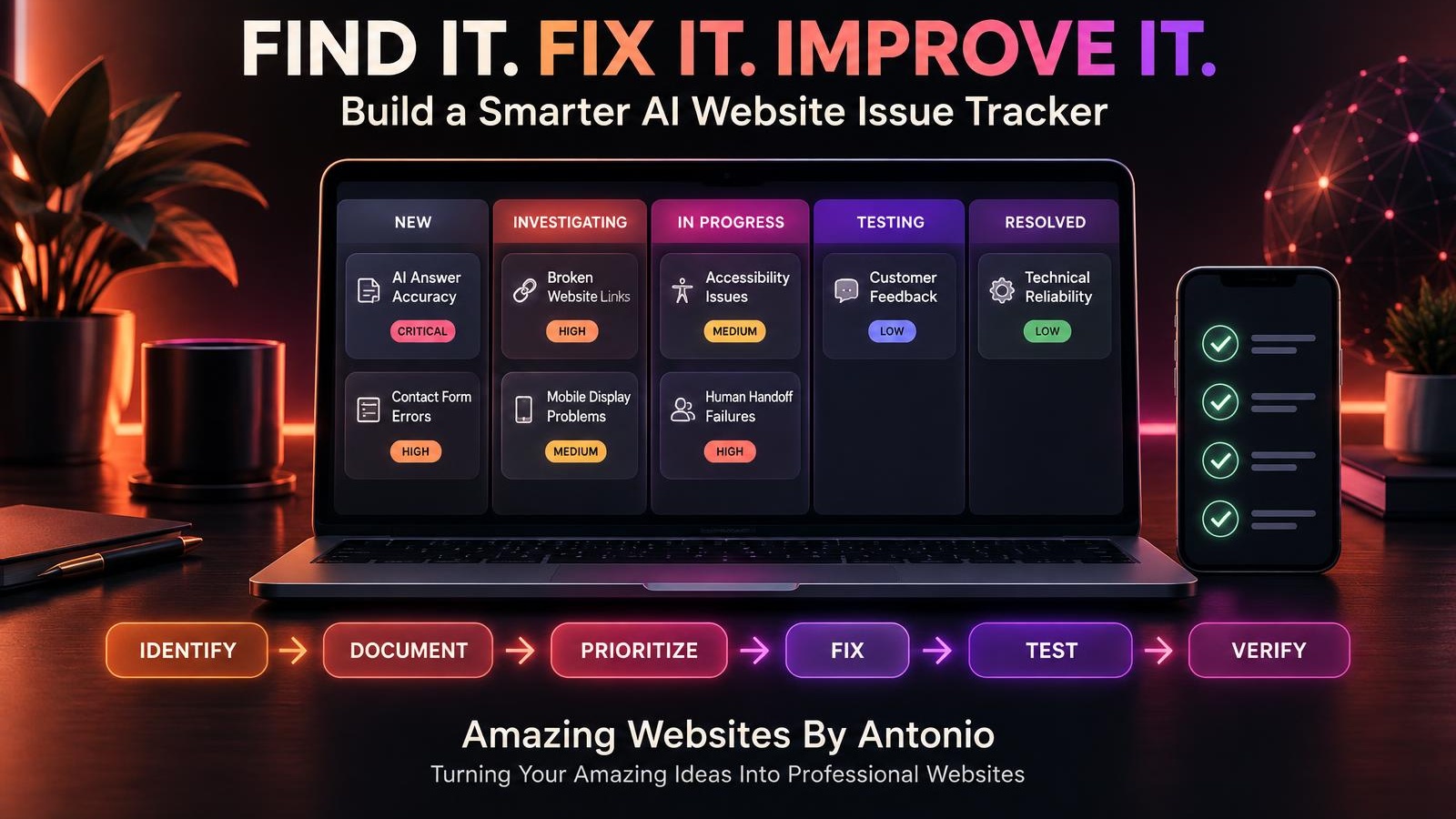
26. Use a NEW Status

The issue has been reported but hasn't yet been reviewed.

27. Use an INVESTIGATING Status

You're reviewing the problem and determining its likely cause.

28. Use an IN PROGRESS Status

Work is underway to correct the issue.

29. Use a TESTING Status

A proposed fix has been implemented and is being verified.

30. Use a RESOLVED Status

The issue has been corrected and the fix has passed the required checks.

You may also use BLOCKED or REOPENED when appropriate.


PART 7: ORGANIZE AI-SPECIFIC PROBLEMS

31. Track Hallucinated Information

Record cases where the assistant invents facts, services, prices, or policies.

32. Track Outdated Knowledge

Identify responses based on information that is no longer current.

33. Track Misunderstood Questions

Document cases where the assistant repeatedly misinterprets what a visitor is asking.

34. Track Failed Human Handoffs

Check whether the assistant provides an appropriate way to contact the business.

35. Track Repetitive Conversations

Identify situations where the assistant loops through the same unhelpful response.


PART 8: MANAGE FIXES AND RESPONSIBILITIES

36. Assign an Issue Owner

Every active issue should have someone responsible for reviewing it.

For a solo business, that may be you.

37. Define the Proposed Fix

Describe what change is expected to address the problem.

38. Record Dependencies

Some fixes may require access to a service provider, an integration update, or additional information.

39. Document the Actual Change

After implementing a fix, record what was changed.

40. Keep a History of Important Decisions

A short history helps explain why a particular solution was chosen.


PART 9: TEST AND VERIFY SOLUTIONS

41. Reproduce the Original Problem

When safe and practical, confirm the issue before making changes.

42. Test the Proposed Fix

Repeat the steps that previously caused the problem.

43. Test Related Features

A change to one workflow can sometimes affect another.

44. Confirm the Live Website Works

If your website platform separates preview and published versions, verify the fix on the appropriate version after publication.

45. Reopen Issues That Return

If the problem persists or returns, reopen the issue rather than pretending it was permanently resolved.


PART 10: PREVENT REPEATED PROBLEMS

46. Review Recurring Issues

Look for problems that appear repeatedly.

47. Identify Root Causes

For example, repeated incorrect AI answers may result from outdated source information.

48. Improve Testing Procedures

Add tests for problems that have occurred before.

49. Review Your Issue Tracker Regularly

A weekly review can help keep ordinary issues moving, while urgent problems should be handled promptly.

50. Use Issue Tracking to Improve Your Website

Every resolved issue is an opportunity to learn something about your website and customer experience.

IDENTIFY → DOCUMENT → PRIORITIZE → FIX → TEST → VERIFY → LEARN


EXAMPLE AI WEBSITE ISSUE TRACKER

The following entries are fictional examples for demonstration purposes.

Issue IDProblemPriorityStatus
AI-001Assistant provides outdated service informationHighInvestigating
FORM-002Contact form submission failsCriticalIn Progress
WEB-003Mobile navigation overlaps page titleMediumTesting
AI-004Assistant repeats an unhelpful answerMediumNew
LINK-005Footer link opens the wrong pageLowResolved

These priorities are illustrative. Actual severity depends on the circumstances, impact, and risks.


COPY-READY AI WEBSITE ISSUE REPORT TEMPLATE

ISSUE ID:

[Enter Unique ID]

ISSUE TITLE:

[Describe the Problem]

DATE REPORTED:

[Enter Date]

REPORTED BY:

[Enter Name or Source]

ISSUE CATEGORY:

AI Assistant / Website Functionality / Contact Form / Mobile Design / Accessibility / Security / Privacy / Other

PAGE OR FEATURE:

[Enter Location]

PROBLEM DESCRIPTION:

[Explain What Happened]

EXPECTED BEHAVIOR:

[Explain What Should Happen]

STEPS TO REPRODUCE:

  1. [Step One]
  2. [Step Two]
  3. [Step Three]

ACTUAL RESULT:

[Describe What Happened]

CUSTOMER IMPACT:

[Describe the Impact]

PRIORITY:

Critical / High / Medium / Low

STATUS:

New / Investigating / In Progress / Testing / Resolved / Blocked / Reopened

ASSIGNED TO:

[Enter Name]

SUPPORTING EVIDENCE:

[Describe Screenshots, Error Messages, or Test Results]

PROPOSED FIX:

[Describe Planned Solution]

ACTUAL FIX:

[Describe Completed Changes]

TEST RESULTS:

[Enter Results]

DATE RESOLVED:

[Enter Date]

FOLLOW-UP NOTES:

[Enter Notes]


EXAMPLE AI ASSISTANT ERROR REPORT

ISSUE ID: AI-006

ISSUE TITLE: AI assistant invents a project completion timeline.

CATEGORY: AI Assistant Accuracy

PROBLEM:

A visitor asks how long a website project takes.

The assistant provides a guaranteed completion date that is not supported by approved business information.

EXPECTED BEHAVIOR:

The assistant should explain that timelines depend on project requirements and direct the visitor to the appropriate contact method for an estimate.

CUSTOMER IMPACT:

Visitors may receive misleading expectations about project delivery.

PRIORITY: High

PROPOSED FIX:

Update the approved knowledge base with accurate timeline guidance and reinforce the assistant's instruction not to invent guarantees.

TEST PLAN:

Ask multiple variations of the timeline question.

Verify that responses avoid unsupported promises.

STATUS: Testing


YOUR 30-DAY ISSUE TRACKER IMPLEMENTATION PLAN

WEEK 1 — BUILD YOUR TRACKER

  • Choose a tracking tool.
  • Create issue categories.
  • Define priority levels.
  • Define issue statuses.
  • Build your reporting template.

Goal: Create a consistent system for recording problems.

WEEK 2 — REVIEW YOUR WEBSITE

  • Test the AI assistant.
  • Check important website functions.
  • Review Contact forms.
  • Examine mobile usability.
  • Record issues you discover.

Goal: Create an initial list of confirmed and suspected problems.

WEEK 3 — PRIORITIZE AND RESOLVE

  • Review issue severity.
  • Address urgent problems.
  • Select manageable fixes.
  • Document completed changes.
  • Test solutions.

Goal: Resolve selected issues and verify the results.

WEEK 4 — IMPROVE YOUR PROCESS

  • Review unresolved issues.
  • Identify recurring problems.
  • Improve testing procedures.
  • Update your weekly website checklist.
  • Plan the next review.

Goal: Establish a sustainable issue management routine.


THE AI WEBSITE ISSUE MANAGEMENT FRAMEWORK

DISCOVER

Identify a potential problem.

↓

DOCUMENT

Record what happened.

↓

EVALUATE

Understand impact and severity.

↓

PRIORITIZE

Determine what needs attention first.

↓

INVESTIGATE

Identify the likely cause.

↓

FIX

Implement an appropriate solution.

↓

TEST

Verify the correction.

↓

RESOLVE

Confirm the issue is addressed.

↓

PREVENT

Improve procedures to reduce recurrence.


AI WEBSITE ISSUE TRACKER CHECKLIST

  • ☐ I have chosen a central issue tracking system.
  • ☐ Every issue receives a unique ID.
  • ☐ Issue titles are descriptive.
  • ☐ Expected and actual behavior are documented.
  • ☐ Reproduction steps are included when possible.
  • ☐ Relevant evidence is recorded safely.
  • ☐ Issues have appropriate priority levels.
  • ☐ Critical risks are handled promptly.
  • ☐ Each active issue has an owner.
  • ☐ Issue statuses are updated.
  • ☐ Proposed fixes are documented.
  • ☐ Actual changes are recorded.
  • ☐ Fixes are tested.
  • ☐ Related functionality is checked.
  • ☐ Published changes are verified when applicable.
  • ☐ Unresolved problems remain visible.
  • ☐ Repeated issues are investigated.
  • ☐ Customer privacy is protected.
  • ☐ The tracker is reviewed regularly.
  • ☐ Lessons learned inform future improvements.

FINAL THOUGHTS

No website is perfect.

Technology changes.

Customer needs evolve.

New features are introduced.

And sometimes things don't work the way they should.

What matters is how you respond.

An organized issue tracker helps you move from confusion to clarity.

Instead of wondering what went wrong, you document the problem.

Instead of trying to fix everything at once, you prioritize.

Instead of assuming a change worked, you test it.

And instead of forgetting what happened, you learn from it.

SMALL PROBLEMS ARE EASIER TO MANAGE WHEN THEY DON'T GET LOST.

You don't need a complicated system to begin.

Start with a simple tracker.

Record meaningful issues.

Choose priorities.

Fix problems carefully.

Test your solutions.

And keep improving.

FIND THE PROBLEM.

UNDERSTAND THE CAUSE.

FIX WHAT MATTERS.

BUILD A BETTER EXPERIENCE.

Because every thoughtful improvement helps create a more reliable and useful business website.

Amazing Websites By Antonio

Turning Your Amazing Ideas Into Professional Websites
Share this article
Facebook Twitter LinkedInYouTube
Previous
How to Create a Weekly AI Website Improvement Routine That Keeps Your Business on Track
Continue your learning

Recommended for you

Smart picks based on this article's category, related topics, and what's trending on Amazing Websites By Antonio.

How to Create a Website Testing Plan Before Making Major Changes
📊 Website Analytics & Business Growth

How to Create a Website Testing Plan Before Making Major Changes

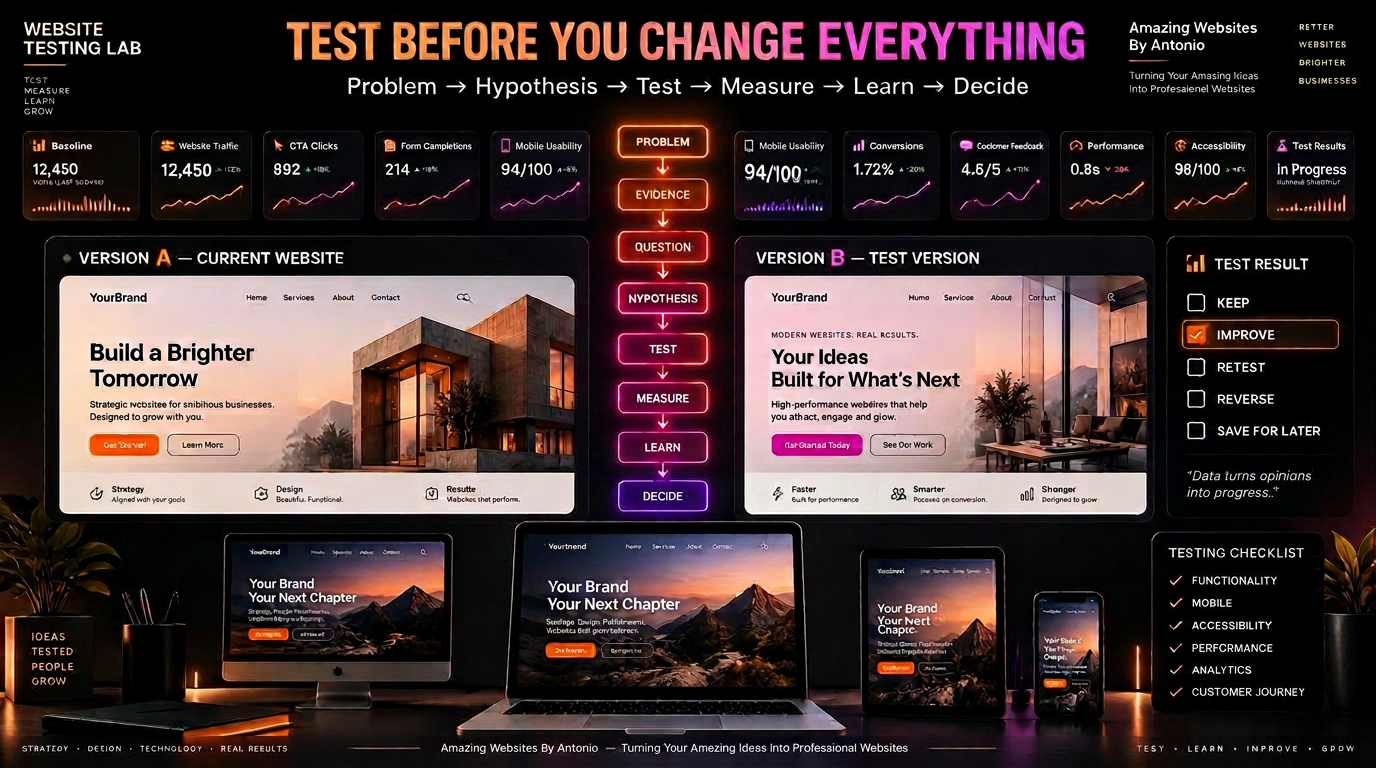
Before you redesign the homepage or change the navigation, build a website testing plan. Learn how to go from problem to hypothesis to test to decision—so every major change is made with purpose, not guesswork.

Oct 5, 2026 11 min read
Continue reading
How to Turn Website Feedback Into a Customer Experience Improvement Plan
🤝 Customer Experience & Website Strategy

How to Turn Website Feedback Into a Customer Experience Improvement Plan

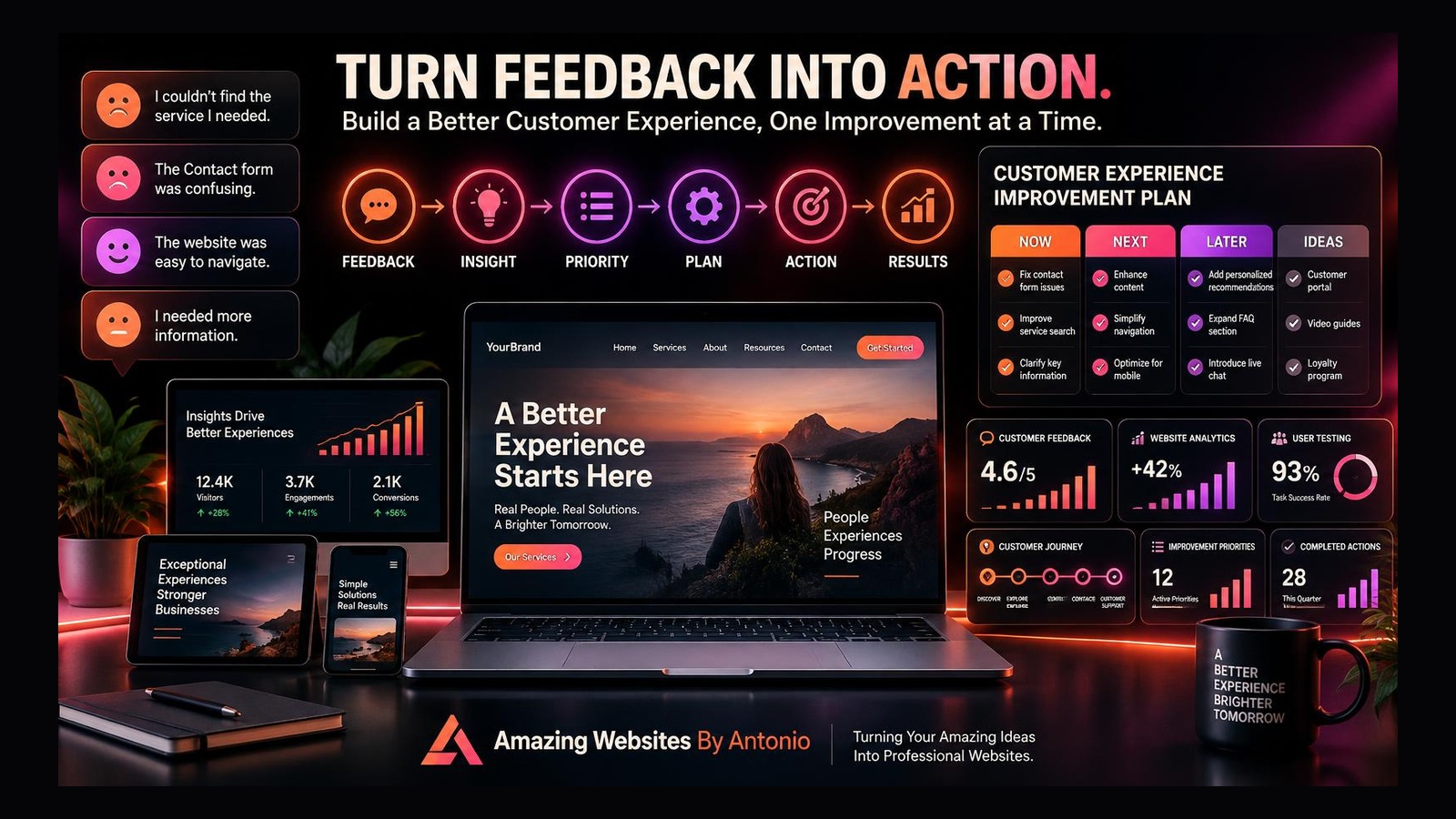
Turn customer feedback, analytics, and website testing into a clear plan that makes every customer journey easier, more helpful, and more effective.

Oct 8, 2026 9 min read
Continue reading
How to Create a Website Project Intake Form That Helps You Understand Your Customer Before the First Meeting
🤝 Website Strategy & Client Experience

How to Create a Website Project Intake Form That Helps You Understand Your Customer Before the First Meeting

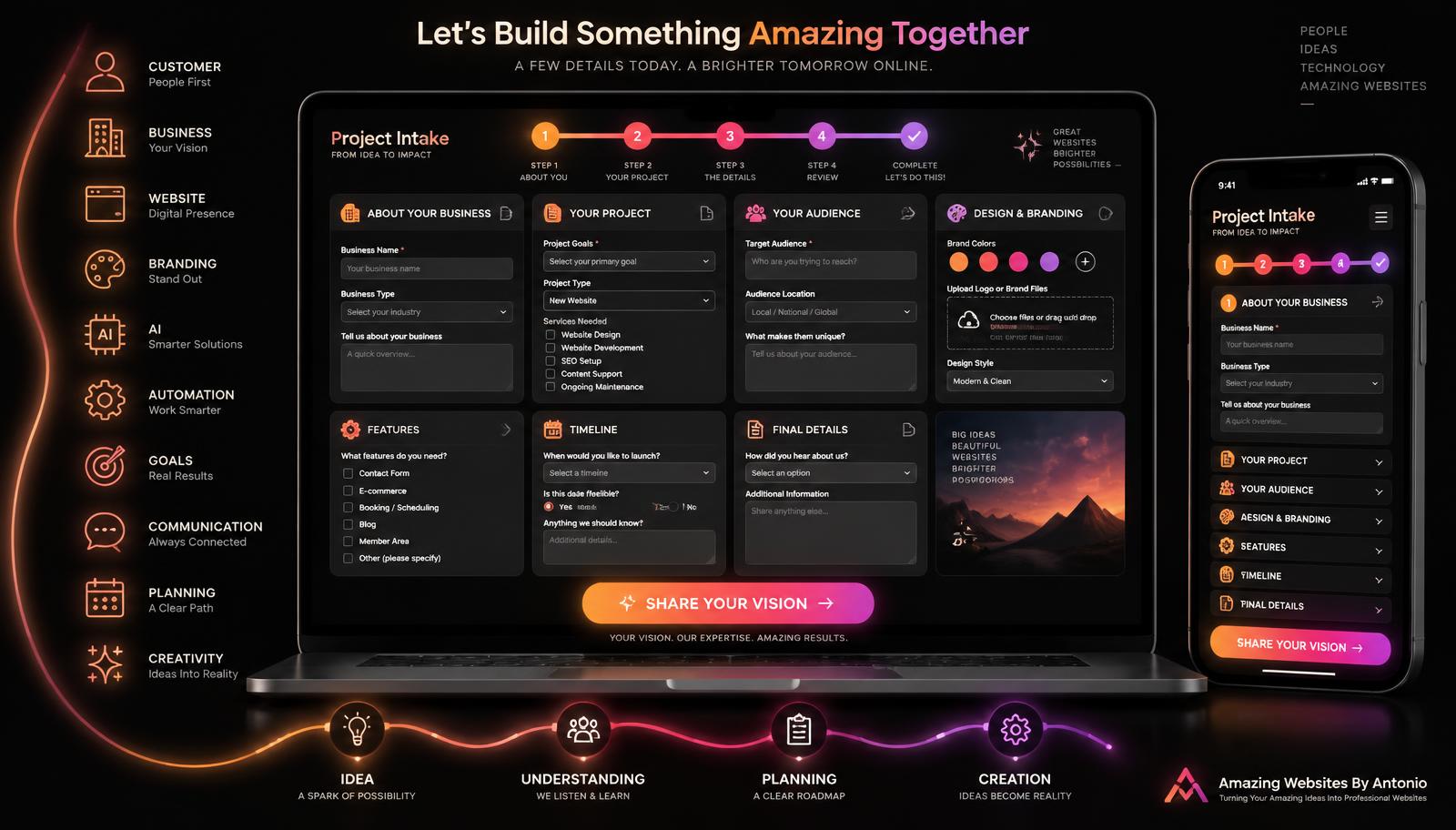
A great project starts with understanding. Learn how to build a project intake form that helps you understand your customer's business, goals, audience, and vision before the first meeting.

Sep 23, 2026 8 min read
Continue reading

Popular this week

Most read
How to Create a Weekly AI Website Improvement Routine That Keeps Your Business on Track
Oct 19, 2026 · 10 min read
Recently updated
How to Build a 90-Day AI Website Improvement Roadmap That Keeps Your Business Moving Forward
Oct 18, 2026 · 11 min read
Editor's pick
How to Prioritize AI Website Improvements Without Wasting Time or Money
Oct 17, 2026 · 9 min read

Explore more categories

🛠️AI Solutions & Website Management

AI website issue tracking, troubleshooting, prioritizing fixes, testing, and maintaining reliable customer experiences.

🤝AI Solutions & Customer Experience

Helpful AI website assistants, accurate customer support, accessible conversations, privacy, and thoughtful human handoffs.

💡AI Solutions & Business Growth

Prioritizing AI investments, managing budgets, and choosing website improvements that deliver real business value.

📊AI Solutions & Website Analytics

AI assistant dashboards, performance metrics, customer question insights, and turning website data into practical improvements.

🤖AI Solutions & Website Innovation

AI-ready websites, responsible AI solutions, thoughtful automation, and practical website innovation.

🤖AI for Business

AI, ChatGPT, automation, agents, prompts, and productivity for small businesses.

🧠Artificial Intelligence & Business Growth

How AI helps small businesses save time, reduce costs, improve productivity, and grow smarter.

🌐Website Design

Planning, homepages, landing pages, responsive design, UX, and best practices.

🧭Website Design & User Experience

Website design, user experience, accessibility, and creating websites that are intuitive and easy to use.

🎯Website Design & Conversion Strategy

Calls to action, landing pages, conversion optimization, and turning website visitors into customers.

⚡Website Performance & Business Growth

Website speed, performance optimization, conversions, and how a faster site drives business growth.

🌐Website Design & Business Growth

Website design, contact pages, landing pages, and business-focused web strategies that turn visitors into customers.

📊Website Strategy & Business Growth

Website analytics, strategy, planning, and data-informed decisions that help businesses grow online.

🚀Website Innovation & Business Growth

Future-ready websites, digital innovation, thoughtful AI, automation, and technology that supports business growth.

🎨Website Strategy & Branding

How website strategy, brand identity, and messaging work together to create a consistent customer experience.

🏆Website Strategy & Personal Branding

Building trust and credibility by showcasing expertise, experience, authentic stories, and professional value online.

🤝Website Strategy & Customer Experience

Building website trust, credibility, and customer confidence through strategic design, clear messaging, and thoughtful user experiences.

🤝Website Strategy & Client Experience

Client intake, onboarding, communication, and project processes that create a smooth, confident experience from first contact to launch.

🚀Client Experience & Business Growth

Client onboarding, welcome experiences, and building strong customer relationships that help businesses grow.

📋Client Experience & Project Management

Client communication, project updates, feedback, approvals, and keeping website projects organized from kickoff to launch.

🗂️Website Strategy & Project Management

Project planning, launch checklists, testing, approvals, and organizing website builds from start to launch.

🧰Website Strategy & Maintenance

Post-launch care, monitoring, backups, security, updates, and keeping a live website healthy and growing.

🧰Website Maintenance & Business Growth

Monthly maintenance routines, health checks, updates, monitoring, and ongoing care that keeps a website working for the business.

🧭Website Strategy & User Experience

Website engagement, user experience, navigation, and creating websites that guide visitors naturally without overwhelming them.

🎯Website Strategy & Lead Generation

Contact pages, lead capture, inquiry forms, and turning website visitors into qualified business leads.

🔍SEO & Digital Marketing

Search engine optimization, keyword strategy, and digital marketing foundations that help businesses get found online.

📊Website Analytics & Business Growth

Website metrics, analytics, conversions, and using data to make smarter business decisions and grow online.

🎨Branding

Brand identity, logos, colors, typography, strategy, and consistency.

🎨Branding & Business

Brand building, business identity, growth strategy, and customer experience for small businesses.

💎Branding & Business Growth

Brand messaging, value propositions, positioning, and differentiation that help businesses stand out and grow.

🎨Branding & Website Strategy

How brand storytelling, identity, and website strategy work together to create a memorable customer experience.

🤝Branding & Customer Connection

Founder stories, authentic messaging, and human-centered branding that help businesses build meaningful customer relationships.

📈Digital Marketing

Marketing, social, email, content, ads, and lead generation.

📈Digital Marketing & Business Growth

Digital marketing, social media, SEO, content strategy, and growth tactics that help businesses attract and convert customers.

🧲Lead Generation & Business Growth

Lead magnets, email capture, conversion strategy, and turning website visitors into loyal customers.

🤝Lead Generation & Customer Relationships

Lead follow-up, nurturing, communication, and building lasting customer relationships.

🚀Small Business Growth

Entrepreneurship, productivity, customer experience, and success stories.

🤝Customer Experience & Business Growth

Customer relationships, loyalty, communication, community building, and experiences that drive business growth.

🤝Customer Experience & Website Strategy

Customer feedback, usability, testing, and purposeful website improvements guided by customer needs and business goals.

🔒Website Security & Business Technology

Website security best practices, cybersecurity tips, technology safety, and protecting your business online.

📝Content Marketing & Business Growth

Content marketing strategy, blog writing, website copy, and valuable content that attracts, engages, and converts customers.

✍️Writing & Digital Content

Website copy, blog writing, content strategy, messaging, and storytelling that connects with your audience.

🛠️Resources & Guides

Tutorials, how-to's, checklists, beginner guides, and FAQs.

📚 Resource Center

Guides, templates, checklists, and tutorials for every stage.

Search another article

Looking for something specific? Search across every blog post and resource.

Get new articles by email

Subscribe for new blogs, AI resources, website tips, and platform updates.

Turning Your Amazing Ideas Into Professional Websites.

Keep exploring

Continue Your Learning

Learning doesn't stop with one article. Explore more resources, practical tools, and educational guides designed to help you build your skills, strengthen your business, and grow with confidence.

🤖 AI Learning Hub

Continue building your AI knowledge with beginner-friendly lessons, practical examples, and structured learning paths.

Explore the AI Learning Hub

💬 Prompt Library

Browse our growing collection of AI prompts for websites, marketing, branding, business, productivity, and content creation.

Open the Prompt Library

📚 Resource Center

Discover guides, templates, checklists, tutorials, and practical resources to support your digital journey.

Browse Resources

📝 Read Another Blog

Discover related, popular, and newest articles across every category.

View All Blog Articles

🛠️ Interactive Tools

Continue learning with hands-on tools: Website Health Check, Where Should I Start? Quiz, and the Interactive Resource Finder.

Try the Interactive Tools

🌐 Professional Services

Need personalized support? Learn how Amazing Websites By Antonio can help with website design, branding, AI guidance, SEO, and digital strategy.

View Services

Every Step Forward Matters

Whether you're learning about AI, improving your website, strengthening your brand, or exploring new digital tools, every article you read brings you one step closer to achieving your goals. Our mission is to make learning practical, approachable, and valuable for everyone.

Stay Connected

Receive updates whenever we publish new educational articles, learning resources, and platform improvements.

Thank you for learning with Amazing Websites By Antonio. We're committed to helping entrepreneurs, nonprofits, creators, and small businesses continue learning, building, and growing with confidence.

Turning Your Amazing Ideas Into Professional Websites.

Amazing Websites By Antonio Logo

Amazing Websites By Antonio

Creating Professional Websites, AI Solutions, and Digital Experiences That Help Businesses Thrive.

Turning Your Amazing Ideas Into Professional Websites!

Amazing Websites By Antonio exists to empower entrepreneurs, creators, educators, students, nonprofits, and small business owners through practical education, innovative technology, professional website solutions, and a supportive learning community.

My mission is to help people transform ideas into opportunities by providing the knowledge, tools, resources, and confidence they need to succeed in today’s digital world.

Whether you’re building your first website, exploring artificial intelligence, strengthening your brand, growing your business, or learning new digital skills, I’m here to support every step of your journey.

Together, I hope to create a future where learning is accessible, innovation serves people, and success is built through curiosity, creativity, collaboration, and continuous growth.

Explore

  • Academy
  • AI Learning Hub
  • Learning Journeys
  • Educational Blog
  • Prompt Library
  • Smart Resource Center
  • Business Growth Suite
  • Community Platform
  • Marketplace & Creator Hub
  • Innovation Lab

Professional Services

  • Website Design
  • Website Audits
  • Branding Strategy
  • SEO Guidance
  • AI Consulting
  • Prompt Engineering
  • Digital Content Creation
  • Business Growth Planning

Contact Me

Follow my journey as I continue building new educational resources, innovative tools, and opportunities that empower people to learn, create, build, grow, and succeed.

antonio.humann@gmail.com605-212-7171Listen to "Your Vision Starts Here"
Send a Message
All pages & resources
HomeLetter From FounderSuccess CenterSmart Resource CenterBusiness Growth SuiteCommunityEcosystemInnovation LabGlobal NetworkV3.1Command CenterAcademyComplete VisionMaster Vision 2040CharterSignature LineMarketplaceMedia CenterBrand ExperienceHall of SuccessLegacy CenterConstitutionImpact ReportJourney CenterExcellence BlueprintDashboardSearchMy MissionMy VisionStart HereLearning JourneysWhere Should I Start?Resource FinderWebsite Health CheckVersion 2.0 RoadmapRoadmapLaunch Priority DashboardServicesCustom Jingle StudioBrand IdentityManifestoPortfolioSuccess StoriesTestimonialsCredentialsBlogComic StudioFree ResourcesResource CenterAI Learning HubPrompt LibraryNewsletterContactAI ProjectsWriting & Digital ContentDownload CenterFeedbackAchievementsVersion 3.0Version 3.0 ReviewWhat's NewFrequently Asked Questions
© 2026 Amazing Websites By Antonio. All Rights Reserved.Helping People Build Brighter Digital Futures.