How to Build a 90-Day AI Website Improvement Roadmap That Keeps Your Business Moving Forward
Turning Your AI Website Goals Into a Practical Plan With Clear Priorities, Weekly Milestones, and Meaningful Results
Artificial intelligence is changing how businesses build websites, communicate with customers, and manage everyday tasks.
From AI-powered website assistants to automated contact forms, entrepreneurs have more opportunities than ever to create useful digital experiences.
But there's an important difference between having ideas and putting those ideas into action.
You might have a list of improvements you want to make.
A smarter AI assistant.
Better customer support.
More accurate answers.
A stronger knowledge base.
Improved website analytics.
More efficient automation.
And a better experience for everyone visiting your website.
But where do you begin?
How do you organize everything?
And how do you avoid becoming overwhelmed?
THE ANSWER IS TO CREATE A ROADMAP.
A roadmap helps you turn a collection of ideas into an organized plan.
Instead of trying to accomplish everything at once, you focus on manageable improvements over a defined period.
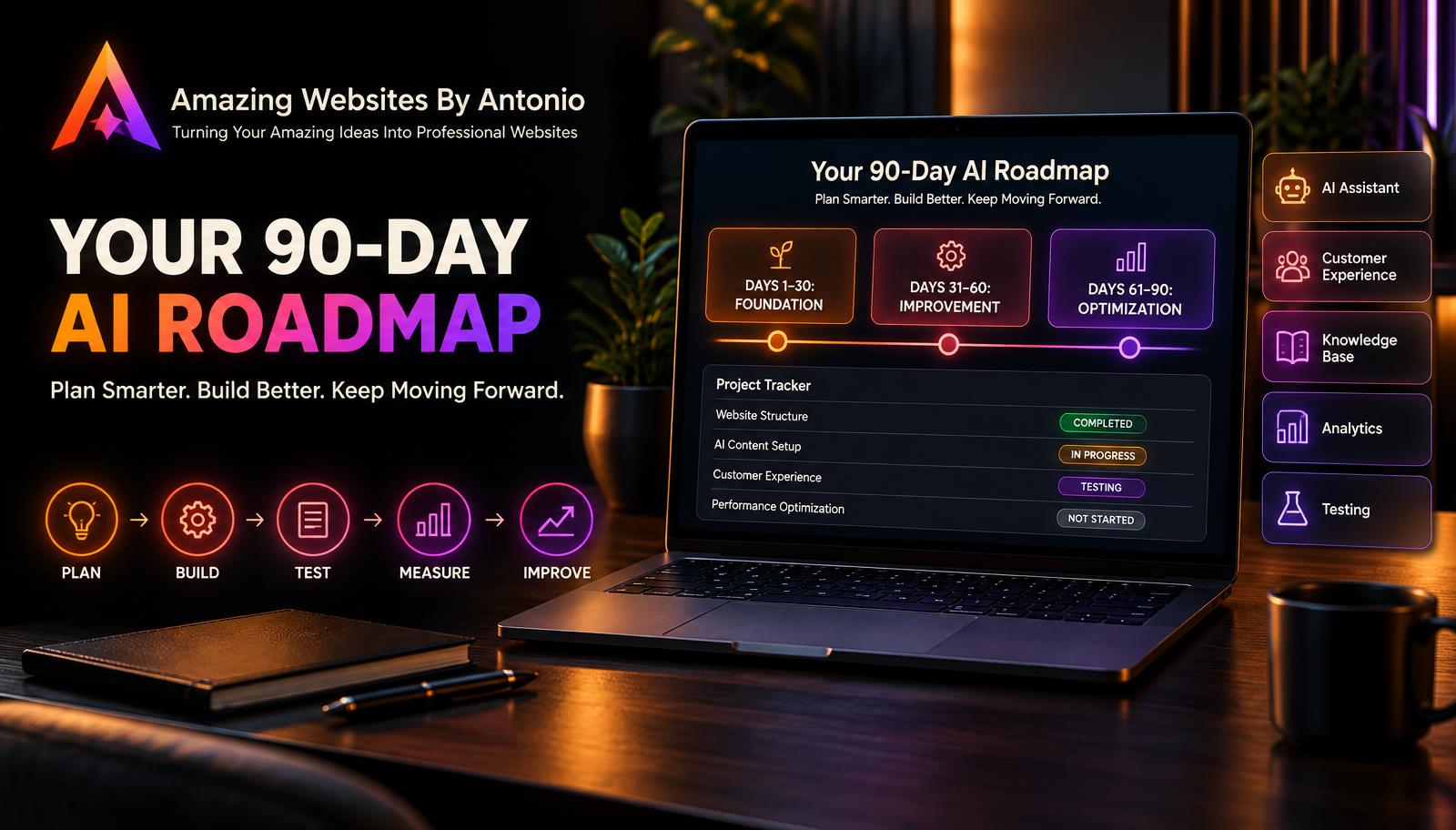
One useful approach is a 90-day AI website improvement roadmap.
Over three months, you can assess your website, choose priorities, implement improvements, test your results, and prepare for the next phase.
You don't have to rebuild your entire website.
You don't have to purchase every new AI tool.
And you don't have to accomplish everything in one week.
You need a clear direction, realistic milestones, and a commitment to improving what matters.
Let's explore 50 practical strategies for building a 90-day roadmap.
PART 1: START WITH A CLEAR VISION
1. Define What You Want to Improve
Begin by identifying the parts of your website that need attention.
Examples include:
- AI assistant accuracy
- Customer service
- Website navigation
- Contact forms
- Knowledge base content
- Accessibility
- Mobile usability
- Website automation
2. Connect Improvements to Business Goals
Every improvement should serve a meaningful purpose.
For example, improving an AI assistant's answers may help visitors understand your services more easily.
3. Identify Your Customers' Needs
Think about the questions visitors ask, the tasks they want to complete, and the problems they encounter.
4. Choose a Clear 90-Day Outcome
Instead of saying:
"I want a better website."
Try:
"I want customers to find accurate service information and reach my Contact form more easily."
5. Keep Your Vision Realistic
Your roadmap should reflect your available time, budget, and technical resources.
PART 2: REVIEW YOUR CURRENT WEBSITE
6. Evaluate Your AI Assistant
Review how well the assistant answers questions and guides customers.
7. Test Your Most Important Website Pages
Check the Home, Services, FAQ, and Contact pages.
8. Review Customer Feedback
Look for repeated concerns, confusing experiences, and improvement suggestions.
9. Identify Technical Problems
Check for broken links, failed forms, slow responses, and unreliable integrations.
10. Document Your Starting Point
Record what works well and what needs improvement before making changes.
This becomes your baseline.
PART 3: CHOOSE YOUR TOP PRIORITIES
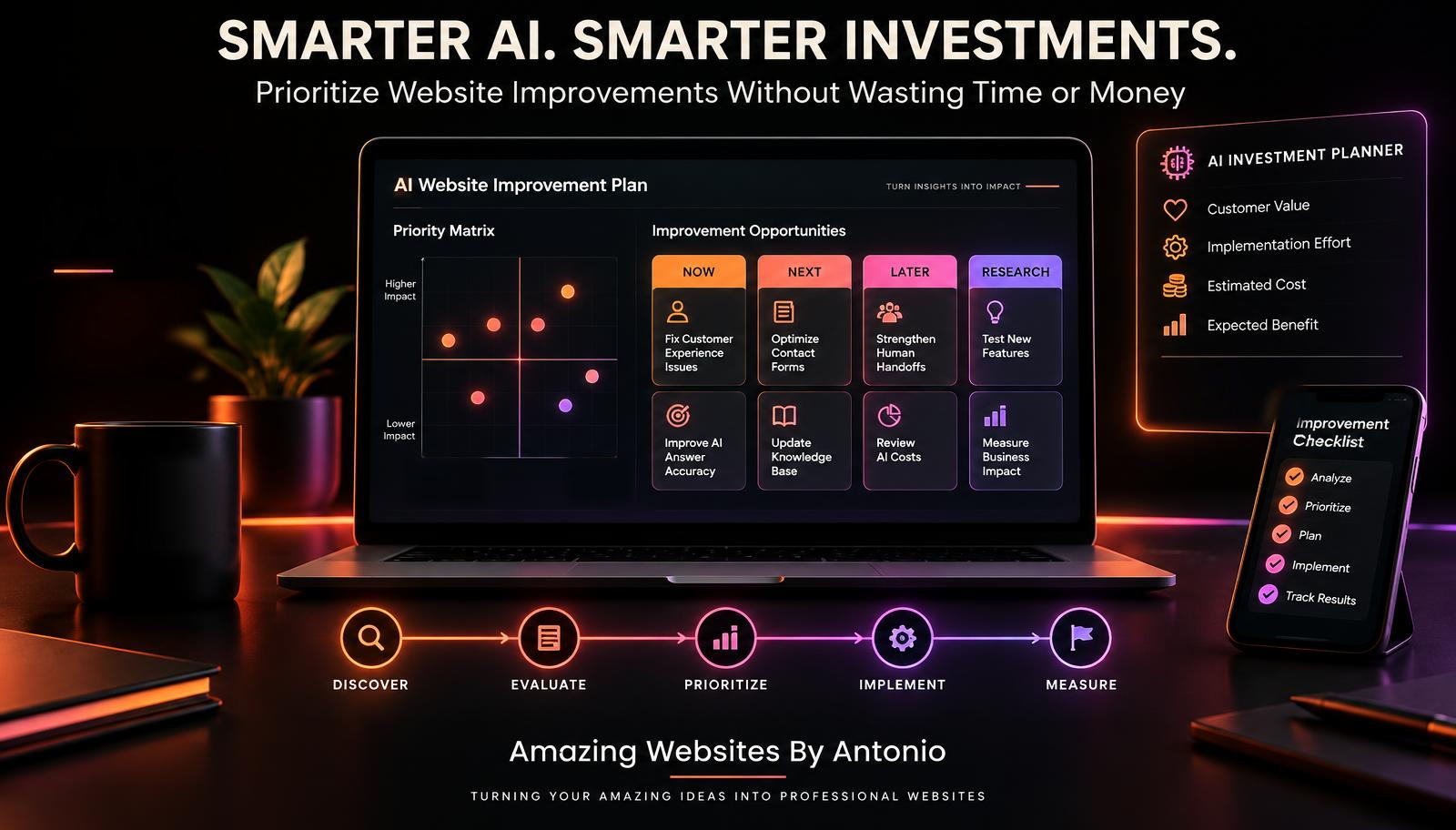
11. Create an Improvement List
Write down the issues and opportunities you've identified.
12. Separate Urgent Problems From Optional Features
Security, privacy, accessibility, and critical functionality issues may require immediate attention.
13. Evaluate Customer Impact
Ask how each improvement affects the customer experience.
14. Evaluate Business Impact
Consider whether the change supports your business goals.
15. Choose Three Main Priorities
For many small businesses, three focused priorities may be easier to manage than fifteen competing projects.
Your actual number should depend on the complexity of the work.
PART 4: ORGANIZE YOUR ROADMAP INTO THREE PHASES
16. Create a Days 1–30 Foundation Phase
Focus on understanding problems, preparing resources, and making essential fixes.
17. Create a Days 31–60 Improvement Phase
Implement selected upgrades and test their functionality.
18. Create a Days 61–90 Optimization Phase
Review results, correct problems, and refine the experience.
19. Identify Dependencies
Some tasks must happen before others.
For example, an AI assistant may need an updated knowledge base before its responses can be improved reliably.
20. Keep Each Phase Manageable
Avoid adding more work than your schedule and resources can support.
PART 5: BUILD WEEKLY MILESTONES
21. Break Large Goals Into Smaller Tasks
A goal such as "Improve AI customer support" might include reviewing common questions, updating answers, and testing human handoffs.
22. Assign Each Task a Week
Weekly milestones help turn a broad plan into concrete actions.
23. Define What Completion Means
A task shouldn't be considered complete simply because someone started working on it.
24. Include Testing Time
Plan time to verify that changes actually work.
25. Leave Room for Unexpected Problems
Technical issues, new customer feedback, and other priorities may require adjustments.
PART 6: PLAN YOUR BUDGET AND RESOURCES
26. Estimate Implementation Costs
Consider software, development, integrations, and any professional assistance.
27. Review Recurring Expenses
AI tools may have subscriptions or usage-based charges.
28. Estimate Your Available Time
Even if you're completing the work yourself, your time has value.
29. Use Existing Tools When Appropriate
Before purchasing another platform, determine whether your current website tools can meet the need.
30. Set Spending Boundaries
Decide what you can reasonably invest during the 90-day period.
Avoid assuming every AI upgrade will generate a financial return.
PART 7: IMPROVE THE CUSTOMER EXPERIENCE
31. Make Important Information Easier to Find
Help visitors locate services, contact options, and answers.
32. Improve AI Answer Accuracy
Use current, approved business information.
33. Strengthen Human Handoffs
Make it easy for customers to contact the business when AI cannot help.
34. Improve Mobile Usability
Test the website and AI assistant on smaller screens.
35. Review Accessibility
Make sure important functions are usable by people with different accessibility needs.
PART 8: MEASURE YOUR PROGRESS
36. Choose Relevant Success Metrics
Possible measurements include:
Answer accuracy.
Customer task completion.
Successful form submissions.
Customer feedback.
Technical reliability.
37. Define Each Metric
Be clear about what counts as success and how it is measured.
38. Compare Against Your Baseline
Use consistent methods to evaluate changes.
39. Track Completed Milestones
Document what has been finished and what remains open.
40. Record Lessons Learned
Keep notes about what worked, what didn't, and what needs further investigation.
PART 9: MANAGE YOUR ROADMAP PROFESSIONALLY
41. Create a Central Project Tracker
Use a spreadsheet, project board, or another manageable tool.
42. Assign Responsibility
For a solo business, identify the tasks you will personally complete.
43. Use Clear Task Statuses
Examples:
Not Started.
In Progress.
Testing.
Completed.
Blocked.
44. Review Progress Weekly
A short weekly review can help identify delays and adjust priorities.
45. Avoid Unnecessary Scope Changes
New ideas will appear.
Record them, but don't automatically interrupt your current work.
PART 10: PREPARE FOR THE NEXT 90 DAYS
46. Review Completed Improvements
Document what was delivered during the roadmap period.
47. Evaluate Customer Outcomes
Look beyond completed tasks.
Did the changes make the website easier or more useful?
48. Identify Unfinished Work
Determine whether remaining tasks should continue, change, or be removed.
49. Choose the Next Priorities
Use new evidence to decide what matters most.
50. Continue Improving With Purpose
A 90-day roadmap isn't the end of website improvement.
It's one manageable chapter in a longer journey.
PLAN → BUILD → TEST → MEASURE → IMPROVE
YOUR COMPLETE 90-DAY AI WEBSITE IMPROVEMENT ROADMAP
PHASE 1: DAYS 1–30 — BUILD THE FOUNDATION
Goal: Understand your website's current performance and prepare for focused improvements.
WEEK 1 — WEBSITE REVIEW
- Review your main website pages.
- Test important customer journeys.
- Evaluate AI assistant responses.
- Check Contact forms.
- Identify obvious technical problems.
Milestone: Complete an initial website assessment.
WEEK 2 — CUSTOMER EXPERIENCE REVIEW
- Review customer questions.
- Examine available feedback.
- Identify confusing website content.
- Test mobile usability.
- Review accessibility issues.
Milestone: Create a prioritized customer experience problem list.
WEEK 3 — KNOWLEDGE BASE REVIEW
- Review service information.
- Update outdated FAQs.
- Correct inaccurate AI knowledge base content.
- Document missing answers.
- Test revised responses.
Milestone: Prepare accurate, approved information for the AI assistant.
WEEK 4 — PRIORITY AND BUDGET PLANNING
- Select the most important improvements.
- Estimate implementation costs.
- Identify dependencies.
- Define success measures.
- Finalize the next phase.
Milestone: Approve a manageable implementation plan.
PHASE 2: DAYS 31–60 — IMPLEMENT IMPROVEMENTS
Goal: Make selected changes and verify that essential functionality works.
WEEK 5 — AI ASSISTANT IMPROVEMENTS
- Improve assistant greetings.
- Refine confusing responses.
- Add useful suggested questions.
- Test common customer requests.
- Correct identified accuracy issues.
Milestone: Complete the first round of AI assistant improvements.
WEEK 6 — CUSTOMER SUPPORT IMPROVEMENTS
- Review human handoff options.
- Test Contact links and forms.
- Improve support instructions.
- Verify submission confirmations.
- Test unsuccessful submission scenarios.
Milestone: Verify the customer support handoff process.
WEEK 7 — WEBSITE EXPERIENCE IMPROVEMENTS
- Improve confusing navigation.
- Clarify important service information.
- Review mobile layouts.
- Address selected accessibility issues.
- Test important website actions.
Milestone: Complete the planned customer experience updates.
WEEK 8 — QUALITY ASSURANCE
- Test updated AI responses.
- Test customer tasks.
- Check integrations.
- Review technical errors.
- Correct issues discovered during testing.
Milestone: Verify that planned changes meet their acceptance criteria.
PHASE 3: DAYS 61–90 — MEASURE AND OPTIMIZE
Goal: Evaluate results, make focused adjustments, and prepare the next roadmap.
WEEK 9 — PERFORMANCE REVIEW
- Review answer accuracy.
- Evaluate task completion.
- Examine customer feedback.
- Review handoff success.
- Identify remaining problems.
Milestone: Complete the first post-improvement performance review.
WEEK 10 — FOCUSED OPTIMIZATION
- Prioritize findings.
- Correct high-impact issues.
- Update knowledge base content.
- Refine confusing interactions.
- Retest affected workflows.
Milestone: Complete a focused optimization cycle.
WEEK 11 — CUSTOMER EXPERIENCE VALIDATION
- Test representative customer scenarios.
- Review mobile usability.
- Check accessibility.
- Evaluate support pathways.
- Document unresolved concerns.
Milestone: Complete the customer experience validation review.
WEEK 12 — ROADMAP EVALUATION
- Review completed milestones.
- Compare available results with the baseline.
- Document actual costs.
- Identify unfinished work.
- Prepare the final report.
Milestone: Draft the 90-day improvement report.
DAYS 85–90 — FINAL REVIEW AND NEXT STEPS
- Review the final report.
- Confirm completed work.
- Identify remaining priorities.
- Set goals for the next 90 days.
- Celebrate meaningful progress.
Milestone: Finalize the next improvement roadmap.
COPY-READY AI WEBSITE PROJECT TRACKER
PROJECT NAME:
90-Day AI Website Improvement Roadmap
BUSINESS NAME:
[Enter Business Name]
START DATE:
[Enter Date]
END DATE:
[Enter Date]
MAIN GOAL:
[Describe the customer or business outcome.]
TOP THREE PRIORITIES:
1. [Priority One]
2. [Priority Two]
3. [Priority Three]
TASK TRACKING TEMPLATE
TASK NAME:
[Enter Task]
DESCRIPTION:
[Describe the work.]
PRIORITY:
Critical / High / Medium / Low
PHASE:
Foundation / Improvement / Optimization
OWNER:
[Enter Name]
START DATE:
[Enter Date]
TARGET COMPLETION DATE:
[Enter Date]
STATUS:
Not Started / In Progress / Testing / Completed / Blocked
ESTIMATED COST:
[Amount]
ACTUAL COST:
[Amount]
SUCCESS CRITERIA:
[Explain what must be true for the task to be complete.]
TEST RESULTS:
[Document findings.]
NOTES:
[Enter Updates]
WEEKLY AI WEBSITE PROGRESS REPORT
WEEK NUMBER:
[Enter Week]
REPORT DATE:
[Enter Date]
WORK COMPLETED:
1. [Completed Task]
2. [Completed Task]
3. [Completed Task]
CURRENT WORK:
[Describe ongoing tasks.]
BLOCKERS:
[Describe any problems.]
CUSTOMER FEEDBACK:
[Summarize relevant findings.]
PERFORMANCE CHANGES:
[Enter measured results or indicate that data is unavailable.]
BUDGET UPDATE:
[Enter spending information.]
NEXT WEEK'S PRIORITIES:
1. [Priority]
2. [Priority]
3. [Priority]
ADJUSTMENTS NEEDED:
[Enter Decisions]
THE 90-DAY ROADMAP SUCCESS FRAMEWORK
VISION
Know what you want to accomplish.
↓
ASSESSMENT
Understand your current website.
↓
PRIORITIES
Choose the most important improvements.
↓
PLANNING
Create realistic milestones and budgets.
↓
IMPLEMENTATION
Make focused changes.
↓
TESTING
Verify functionality and quality.
↓
MEASUREMENT
Evaluate customer outcomes.
↓
IMPROVEMENT
Use evidence to refine the experience.
↓
NEXT ROADMAP
Continue making meaningful progress.
YOUR 90-DAY AI WEBSITE ROADMAP CHECKLIST
- ☐ I have defined a clear 90-day goal.
- ☐ I have reviewed my current website.
- ☐ I have evaluated important customer journeys.
- ☐ I have reviewed AI assistant accuracy.
- ☐ I have identified customer experience problems.
- ☐ I have chosen my main priorities.
- ☐ I have considered privacy and security.
- ☐ I have reviewed accessibility.
- ☐ I have estimated costs.
- ☐ I have reviewed available resources.
- ☐ I have created weekly milestones.
- ☐ I have identified dependencies.
- ☐ I have assigned task responsibilities.
- ☐ I have defined success criteria.
- ☐ I have scheduled testing.
- ☐ I have created a project tracker.
- ☐ I have planned weekly progress reviews.
- ☐ I have identified meaningful performance metrics.
- ☐ I have prepared a final evaluation.
- ☐ I have planned the next improvement cycle.
FINAL THOUGHTS
Building a better AI-powered website doesn't happen overnight.
It takes planning.
Testing.
Patience.
Good decisions.
And a willingness to keep improving.
You don't need to accomplish everything at once.
You need to know what matters most and create a realistic plan for moving forward.
A 90-day roadmap helps turn your ideas into manageable steps.
It gives you direction without requiring perfection.
It helps you manage your time and resources.
And it gives you a way to evaluate whether your improvements are making a difference.
BIG IDEAS BECOME MORE MANAGEABLE WHEN YOU BREAK THEM INTO SMALLER ACTIONS.
Start with your vision.
Choose your priorities.
Build your roadmap.
Complete one milestone at a time.
Measure your progress.
And continue improving.
90 DAYS.
ONE CLEAR DIRECTION.
MEANINGFUL PROGRESS.
Because the future of your website isn't built through ideas alone.
It's built through thoughtful action.
PLAN WITH PURPOSE.
BUILD WITH CONFIDENCE.
IMPROVE WITH INTENTION.
GROW ONE STEP AT A TIME.
Amazing Websites By Antonio
Turning Your Amazing Ideas Into Professional Websites