Turning AI Performance Data Into Better Customer Experiences and Smarter Business Decisions
Imagine adding an AI assistant to your business website.
It looks professional.
It welcomes visitors.
It answers questions.
And it gives your website a modern, interactive experience.
But after a few weeks, you begin wondering:
IS MY AI ASSISTANT ACTUALLY HELPING PEOPLE?
Are customers finding the answers they need?
Are they completing important tasks?
Are they satisfied with the experience?
Is the assistant providing accurate information?
Or is it creating more confusion than convenience?
These questions matter because adding artificial intelligence to a website doesn't automatically improve the customer experience.
The real value of an AI website assistant comes from what it helps customers accomplish.
A chatbot might handle hundreds of conversations.
But if visitors leave without answers, those conversations may not represent success.
That's why entrepreneurs need to measure more than activity.
They need to measure usefulness.
In Blog #106, we're exploring 50 practical ways to evaluate your AI website assistant and turn performance information into meaningful improvements.
PART 1: DEFINE WHAT SUCCESS LOOKS LIKE
1. Start With Your Business Goals
Before reviewing numbers, identify what your AI assistant is supposed to accomplish.
Your goals might include helping visitors understand services, locate information, or contact your business.
2. Define Customer Success
Success isn't simply getting someone to interact with a chatbot.
It's helping them accomplish what they came to do.
3. Identify the Assistant's Main Responsibilities
Create a list of tasks the assistant is designed to support.
For example:
- Answer common questions
- Explain services
- Help visitors navigate
- Guide project inquiries
- Provide contact information
- Offer human assistance
4. Choose Relevant Measurements
Different businesses need different metrics.
An online store may focus on product discovery.
A service business may focus on qualified inquiries.
A support website may focus on resolving common questions.
5. Establish a Starting Point
Before making improvements, record your current results.
This gives you something to compare against later.
PART 2: MEASURE ANSWER ACCURACY
6. Review Whether Answers Are Correct
Compare AI responses against approved business information.
7. Identify Incorrect Information
Look for mistakes involving services, prices, policies, contact information, and processes.
8. Track Unsupported Claims
An assistant shouldn't invent guarantees, timelines, discounts, or services.
9. Test Questions With Missing Answers
When reliable information isn't available, the assistant should acknowledge uncertainty.
10. Calculate Answer Accuracy
A basic formula is:
Answer Accuracy Rate = Correct Answers ÷ Evaluated Answers × 100
Example:
If 90 out of 100 evaluated answers are correct:
90 ÷ 100 × 100 = 90%
This is a sample calculation, not a benchmark or guaranteed result.
Define what counts as correct before evaluating responses.
PART 3: MEASURE CUSTOMER TASK COMPLETION
11. Identify Important Customer Tasks
Examples include:
Finding a service.
Locating a contact method.
Understanding a business process.
Finding an FAQ answer.
Starting a project inquiry.
12. Track Successful Tasks
Determine whether the visitor completed the intended task.
13. Distinguish Answers From Outcomes
An assistant may provide an answer without actually helping the customer complete their goal.
Measure the outcome when possible.
14. Calculate Task Completion Rate
Task Completion Rate = Successfully Completed Tasks ÷ Evaluated Task Attempts × 100
For example:
42 successful tasks out of 50 evaluated attempts:
42 ÷ 50 × 100 = 84%
15. Review Incomplete Tasks
Investigate where customers stop or become confused.
Look for unclear instructions, broken links, missing information, or inappropriate responses.
PART 4: MEASURE CUSTOMER SATISFACTION
16. Ask Whether Answers Were Helpful
A simple feedback question can be valuable:
"Was this answer helpful?"
YES / NO
17. Offer an Optional Feedback Field
Customers may want to explain why an answer was useful or disappointing.
18. Measure Satisfaction Carefully
A helpfulness percentage can be calculated as:
Positive Feedback Rate = Positive Responses ÷ Total Feedback Responses × 100
Remember that people who choose to provide feedback may not represent all visitors.
19. Look for Patterns in Negative Feedback
Repeated comments about confusing answers or missing information can reveal problems.
20. Avoid Relying on Satisfaction Alone
A visitor may give positive feedback even if the answer contains a factual error.
Combine satisfaction with accuracy and task completion measurements.
PART 5: MEASURE HUMAN HANDOFF PERFORMANCE
21. Track Human Assistance Requests
Measure how often visitors request personal support.
22. Evaluate Whether Handoffs Are Appropriate
A high handoff rate isn't automatically bad.
Some requests genuinely require a person.
23. Review Failed Handoffs
Check for broken Contact links, failed forms, missing support information, and confusing instructions.
24. Measure Successful Handoffs
Successful Handoff Rate = Completed Handoffs ÷ Handoff Attempts × 100
Define a completed handoff clearly, such as a successfully submitted support request.
25. Review the Customer Experience After Handoff
Where appropriate, evaluate whether the request reached the correct destination and received follow-up.
A successful form submission doesn't necessarily mean the customer's issue was resolved.
PART 6: IDENTIFY UNANSWERED QUESTIONS
26. Track Questions the Assistant Cannot Answer
These questions can reveal gaps in your knowledge base.
27. Group Similar Questions
For example:
Pricing Questions.
Project Timeline Questions.
Service Questions.
Contact Questions.
Technical Support Questions.
28. Identify Frequently Missing Information
If visitors repeatedly ask the same unanswered question, consider whether the website needs a clearer explanation.
29. Update the Knowledge Base
Add accurate, approved answers to important recurring questions.
30. Retest Previously Unanswered Questions
After updating the information, confirm that the assistant can respond appropriately.
PART 7: MEASURE CONVERSATION QUALITY
31. Evaluate Clarity
Are responses easy to understand?
32. Evaluate Relevance
Does the assistant answer the question that was actually asked?
33. Evaluate Conciseness
Does the assistant provide enough information without overwhelming visitors?
34. Evaluate Conversation Flow
Can customers move naturally from asking questions to taking the next step?
35. Identify Repetitive Conversation Loops
If the assistant repeats the same response without helping, investigate the cause.
PART 8: REVIEW TECHNICAL PERFORMANCE AND ACCESSIBILITY
36. Measure Response Reliability
Track errors, failed requests, and service interruptions.
37. Review Response Time
Long delays may affect the experience.
Measure performance under realistic conditions.
38. Test Mobile Usability
Verify that the assistant works properly on smartphones and tablets.
39. Evaluate Accessibility
Review keyboard operation, readable text, focus behavior, labels, and other accessibility needs.
40. Monitor Privacy and Security
Review whether the system handles information appropriately and respects access controls.
Don't collect unnecessary personal information just to measure performance.
PART 9: BUILD A SIMPLE AI PERFORMANCE SCORECARD
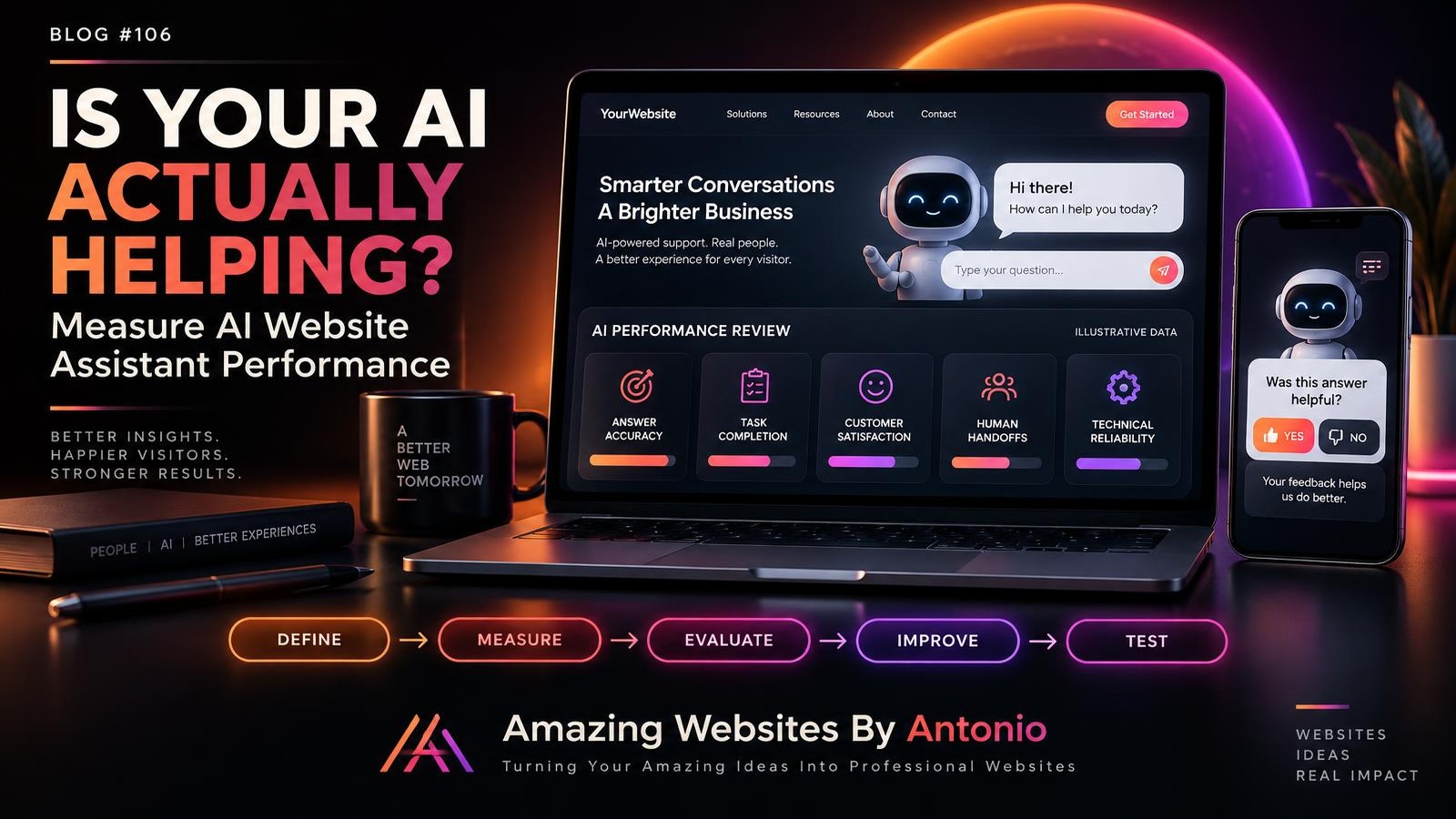
41. Choose Five Core Measurements
A useful starting scorecard might include:
- Answer Accuracy
- Task Completion
- Customer Helpfulness
- Successful Human Handoffs
- Technical Reliability
42. Record Results Consistently
Use the same definitions and evaluation methods across reporting periods.
43. Separate Observed Results From Estimates
Don't present guessed or incomplete information as confirmed performance.
44. Compare Results Over Time
Look for meaningful patterns rather than reacting to every small change.
45. Investigate Before Making Changes
If a metric declines, identify the likely cause before redesigning the assistant.
PART 10: TURN AI DATA INTO REAL IMPROVEMENTS
46. Prioritize Important Problems
Focus first on issues affecting accuracy, safety, privacy, accessibility, or essential customer tasks.
47. Create an Improvement Hypothesis
Example:
"Adding a clearer answer about the website design process may reduce unanswered project questions."
48. Test One Meaningful Change
Update the relevant content or workflow.
Then evaluate whether the experience improves.
49. Review Results With Human Judgment
Numbers provide useful information, but they don't explain every customer experience.
Combine measurements with direct feedback and manual testing.
50. Build a Continuous Improvement Routine
Your AI assistant should be reviewed regularly.
Update its information.
Test its responses.
Evaluate customer outcomes.
Improve what isn't working.
And remove features that don't provide meaningful value.
THE AI WEBSITE ASSISTANT PERFORMANCE SCORECARD
Use this template to evaluate your assistant.
| PERFORMANCE AREA | WHAT TO MEASURE |
|---|---|
| Answer Accuracy | Percentage of evaluated answers that are correct |
| Task Completion | Percentage of evaluated tasks completed successfully |
| Customer Helpfulness | Percentage of feedback responses marked helpful |
| Human Handoff | Percentage of attempted handoffs completed |
| Reliability | Successful requests compared with total requests |
| Unanswered Questions | Number and types of questions without adequate answers |
| Accessibility | Issues found through accessibility reviews |
| Privacy | Data-handling issues requiring correction |
IMPORTANT:
These measurements have different definitions and data sources.
Avoid combining them into a single score without a clear, justified methodology.
EXAMPLE MONTHLY AI ASSISTANT REPORT
BUSINESS NAME:
[Enter Business Name]
REPORTING PERIOD:
[Enter Month and Year]
AI ASSISTANT PURPOSE:
[Describe what the assistant helps visitors accomplish.]
ANSWER ACCURACY:
[Enter evaluated result]
TASK COMPLETION RATE:
[Enter result]
POSITIVE FEEDBACK RATE:
[Enter result]
SUCCESSFUL HANDOFF RATE:
[Enter result]
UNANSWERED QUESTIONS:
[List recurring questions]
TECHNICAL ISSUES:
[List errors or interruptions]
CUSTOMER FEEDBACK THEMES:
[Summarize recurring comments]
TOP THREE IMPROVEMENTS:
- [Improvement]
- [Improvement]
- [Improvement]
PERSON RESPONSIBLE:
[Name]
NEXT REVIEW DATE:
[Date]
COPY-READY CUSTOMER FEEDBACK SURVEY
HOW WAS YOUR AI ASSISTANT EXPERIENCE?
Thank you for using our website assistant!
We'd appreciate your feedback.
QUESTION 1:
Was the assistant's answer helpful?
- Yes
- Partially
- No
QUESTION 2:
Were you able to complete what you came to do?
- Yes
- No
- Not yet
QUESTION 3:
Was the answer easy to understand?
- Yes
- Somewhat
- No
QUESTION 4:
Did you need personal assistance?
- Yes
- No
QUESTION 5:
What could make the experience better?
[Optional Feedback Field]
SUBMIT BUTTON:
Send Feedback
CONFIRMATION MESSAGE:
"Thank you for sharing your feedback! Your response will help us evaluate and improve the website assistant."
Only display the confirmation after successful submission.
Keep feedback private unless separate permission is obtained for public use.
YOUR 30-DAY AI ASSISTANT IMPROVEMENT PLAN
WEEK 1 — DEFINE AND MEASURE
Identify the assistant's purpose.
Choose relevant metrics.
Define how success will be measured.
Review available performance information.
WEEK 2 — EVALUATE QUALITY
Test common questions.
Review accuracy.
Evaluate customer task completion.
Test human handoffs.
Check mobile usability and accessibility.
WEEK 3 — IDENTIFY IMPROVEMENTS
Review unanswered questions.
Study customer feedback.
Identify recurring problems.
Prioritize the most important issues.
WEEK 4 — TEST AND REPORT
Implement one or two focused improvements.
Retest affected workflows.
Compare results where enough data is available.
Document lessons learned.
Create the next improvement plan.
THE AI PERFORMANCE IMPROVEMENT FRAMEWORK
DEFINE
Choose a meaningful customer goal.
↓
MEASURE
Collect relevant performance information.
↓
EVALUATE
Review accuracy, usefulness, and outcomes.
↓
IDENTIFY
Find problems and opportunities.
↓
IMPROVE
Make focused changes.
↓
TEST
Check whether those changes work.
↓
REVIEW
Document results and continue learning.
AI ASSISTANT PERFORMANCE CHECKLIST
- ☐ The assistant has a clearly defined purpose.
- ☐ Important customer tasks are identified.
- ☐ Answer accuracy is evaluated.
- ☐ Unsupported claims are reviewed.
- ☐ Task completion is measured where possible.
- ☐ Customer feedback is collected appropriately.
- ☐ Human handoffs are tested.
- ☐ Unanswered questions are reviewed.
- ☐ Conversation loops are investigated.
- ☐ Technical errors are monitored.
- ☐ Mobile usability is tested.
- ☐ Accessibility is evaluated.
- ☐ Privacy and data handling are reviewed.
- ☐ Results are documented consistently.
- ☐ Improvements are prioritized.
- ☐ Changes are retested.
- ☐ The next review is scheduled.
FINAL THOUGHTS
An AI website assistant shouldn't be judged only by how modern it looks.
Or how many conversations it handles.
Or how many automated messages it sends.
It should be evaluated by how effectively it helps people.
Does it provide accurate answers?
Does it make important tasks easier?
Does it respect customer privacy?
Does it offer human assistance when needed?
And does it improve the overall website experience?
Those are the questions that matter.
You don't need an expensive analytics system to begin.
Start with a few meaningful measurements.
Test real customer questions.
Listen to feedback.
Review the results.
And make thoughtful improvements.
DON'T JUST COUNT CONVERSATIONS.
MEASURE THE VALUE OF THE HELP YOU PROVIDE.
Because successful AI isn't about replacing human connection.
It's about using technology responsibly to create better experiences.
MEASURE WHAT MATTERS.
LEARN FROM YOUR CUSTOMERS.
IMPROVE WITH PURPOSE.
GROW WITH CONFIDENCE.
Amazing Websites By Antonio
Turning Your Amazing Ideas Into Professional Websites