A Practical Guide to Preparing Your Business Website for the Future of AI
Artificial intelligence is changing how businesses work.
Entrepreneurs are exploring AI-powered customer support, content creation, automation, digital assistants, and smarter business tools.
And with so many new possibilities, it's easy to wonder:
IS MY BUSINESS WEBSITE READY FOR AI?
Maybe you've considered adding an AI chatbot.
Maybe you want to automate customer inquiries.
Maybe you're interested in making your website easier for AI-assisted search tools to understand.
Or maybe you're simply trying to figure out where to begin.
Here's something important:
An AI-ready website doesn't need to be complicated.
You don't need dozens of new tools.
You don't need to redesign every page.
And you don't need to automate every interaction.
Instead, focus on building a strong foundation.
A clear website.
Organized information.
Reliable functionality.
Thoughtful automation.
Responsible data practices.
And a customer experience that works.
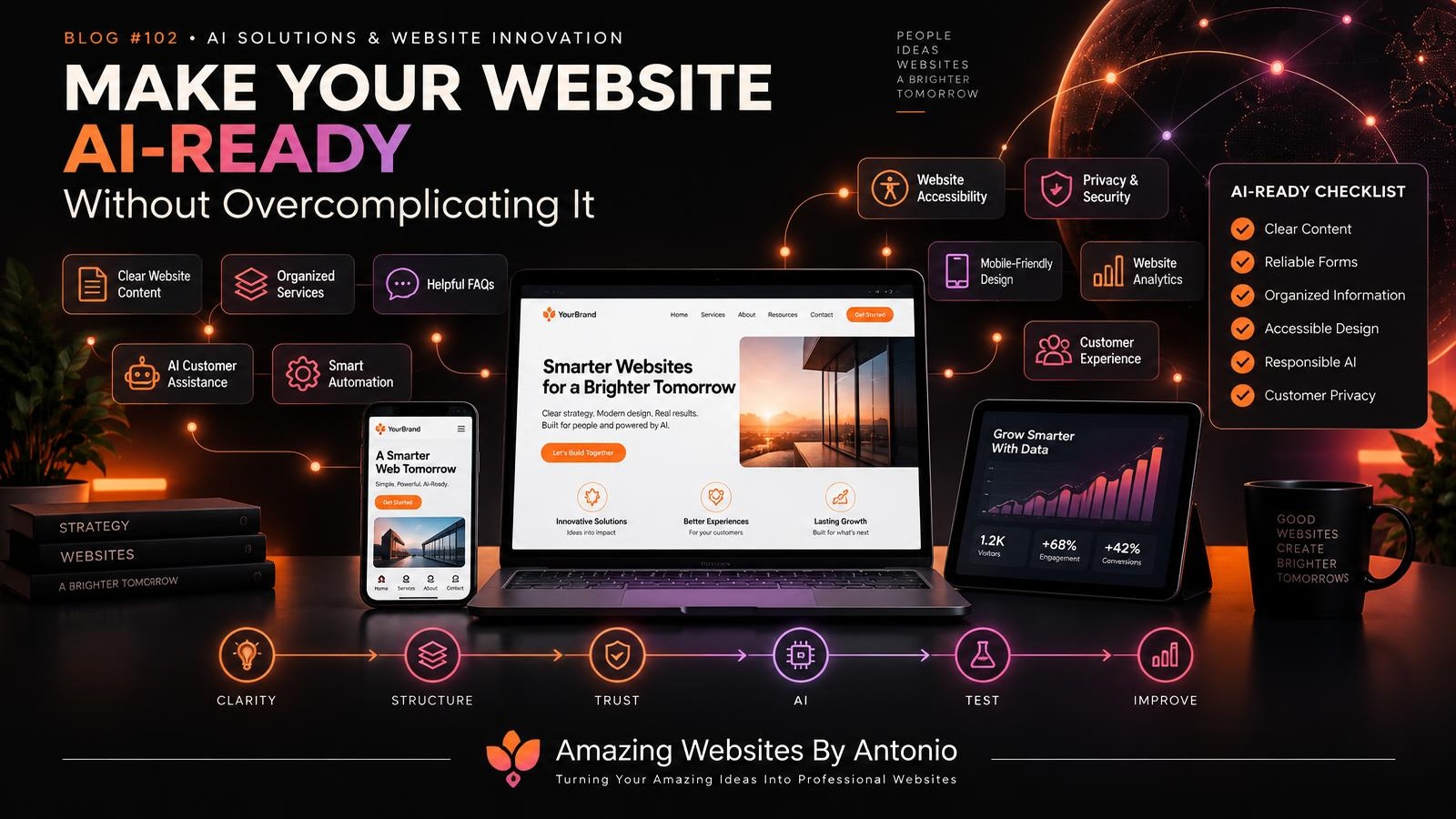
Let's explore 50 practical ways to prepare your business website for AI without losing simplicity or purpose.
PART 1: UNDERSTAND WHAT AI-READY REALLY MEANS
1. Define What AI-Ready Means for Your Business
An AI-ready website is prepared to support useful AI-assisted features and workflows when they make sense.
That might include:
- Organized business information
- Clear website content
- Reliable forms and integrations
- Appropriate automation
- Secure data handling
- Accessible interfaces
Being AI-ready doesn't necessarily mean having AI features installed today.
2. Start With Your Business Goals
Before choosing an AI tool, ask:
What do I want my website to accomplish?
Maybe you want to generate leads, answer common questions, sell products, book appointments, or improve customer support.
Your goals should guide the technology.
3. Identify Real Customer Problems
Don't start with:
"What AI feature should I add?"
Start with:
"What problem are my customers experiencing?"
Perhaps visitors struggle to find the right service.
Maybe customers ask the same questions repeatedly.
Maybe inquiry follow-ups take too long.
These problems can help you identify useful solutions.
4. Understand That AI Is a Tool
AI can assist with many tasks, but it isn't automatically the best solution.
Sometimes a well-written FAQ is more helpful than a chatbot.
Sometimes a simple booking form works better than a complicated automated assistant.
Choose the simplest effective solution.
5. Avoid the Pressure to Adopt Everything
New AI products appear regularly.
You don't need to use every one.
Evaluate each tool based on usefulness, reliability, cost, privacy, and maintenance.
PART 2: BUILD A STRONG WEBSITE FOUNDATION
6. Make Your Homepage Clear
Visitors should quickly understand:
Who you are.
What your business offers.
Who you help.
What they should do next.
A clear homepage supports customers and provides a better foundation for AI-assisted experiences.
7. Organize Your Services
Give each important service a clear description.
Explain:
- What the service is
- Who it's for
- What it includes
- How the process works
- How customers can get started
Organized information is easier to reuse across website tools and support workflows.
8. Improve Your Website Navigation
Use understandable labels.
Keep related pages organized.
Make important information easy to find.
Good navigation remains valuable whether visitors use a menu, search feature, or AI assistant.
9. Create a Helpful FAQ
A well-maintained FAQ can become a useful source of information for customer support tools.
Include accurate answers to common questions about services, processes, pricing where appropriate, and contact methods.
10. Keep Your Information Accurate
AI systems can repeat outdated information if they're connected to outdated sources.
Regularly review business details, service descriptions, policies, and contact information.
Accuracy matters.
PART 3: ORGANIZE CONTENT FOR PEOPLE AND MACHINES
11. Use Descriptive Page Titles
Each important page should have a meaningful title that reflects its content.
12. Use Logical Heading Structures
Organize pages with clear headings and subheadings.
This helps readers navigate and can make content easier for software systems to process.
13. Write in Plain Language
Explain services and processes in words your customers understand.
Avoid unnecessary jargon.
14. Create Dedicated Pages for Important Topics
When appropriate, give major services or resources their own clearly organized pages.
Avoid hiding essential information inside unrelated content.
15. Use Relevant Internal Links
Connect related pages.
For example:
Services → Portfolio → FAQ → Contact
This helps visitors explore and supports a coherent website structure.
16. Consider Appropriate Structured Data
Structured data can help supported search systems understand certain kinds of information.
Use relevant, accurate schema markup where appropriate.
However, structured data doesn't guarantee that an AI assistant or search platform will feature your business.
17. Keep Your Content Original and Useful
Publish information that reflects your actual business, expertise, and customer needs.
Avoid creating large amounts of repetitive content simply to attract AI systems.
18. Review Content Accessibility
Important information should be available in accessible formats.
Don't rely exclusively on images to communicate essential text.
19. Keep Your Blog Organized
Use clear categories, descriptive article titles, and relevant internal links.
A well-organized blog can become a useful resource library.
20. Maintain a Reliable Source of Business Information
Decide where official business information is maintained.
For example:
- Current services
- Business policies
- Approved pricing information
- Contact details
- Frequently asked questions
This can reduce contradictions between website pages and connected tools.
PART 4: EXPLORE USEFUL AI FEATURES
21. Consider AI-Assisted Customer Support
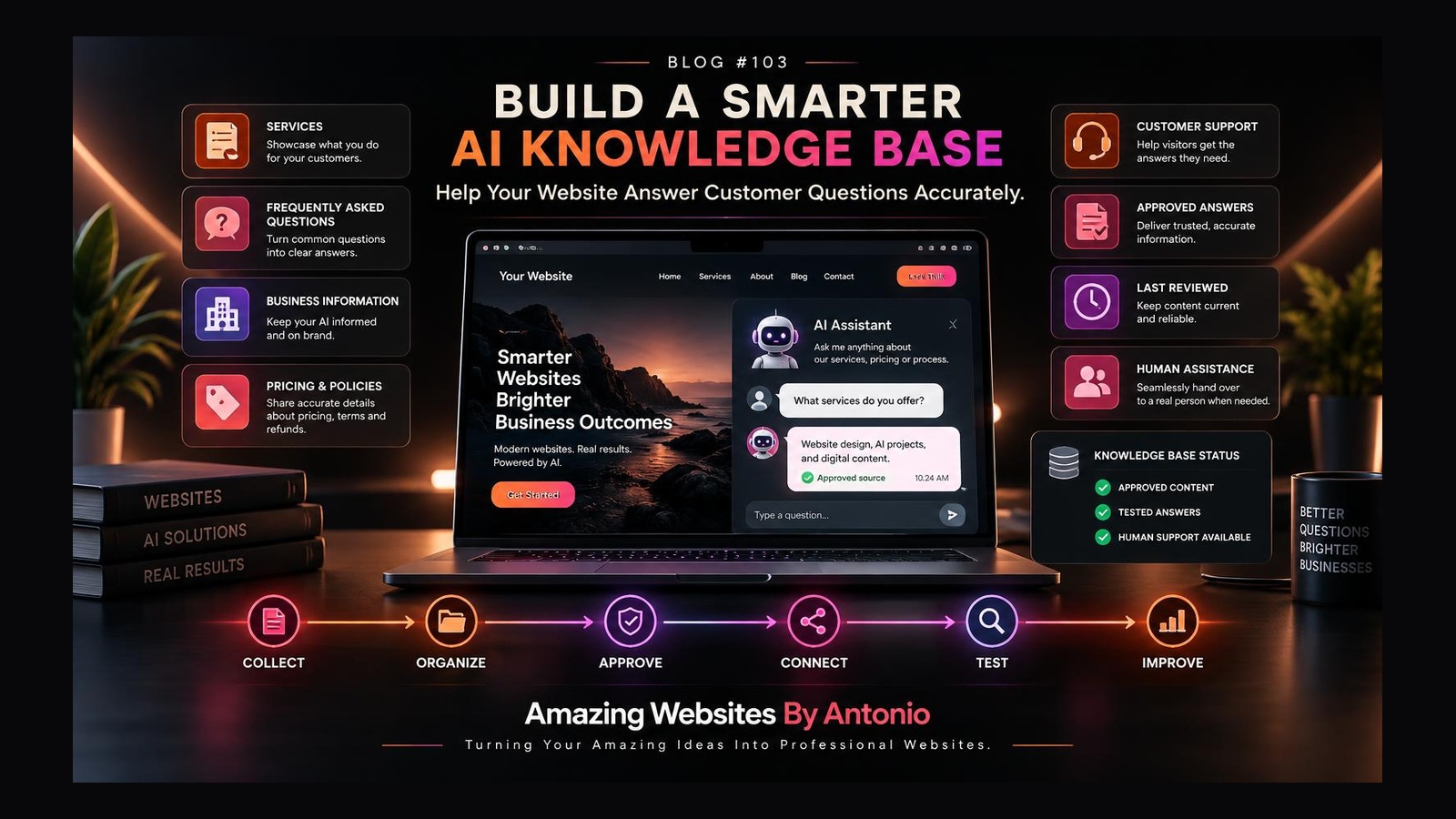
An AI assistant may help answer routine questions using approved business information.
But it should not invent services, guarantees, pricing, or policies.
22. Provide a Human Contact Option
Customers should know how to reach a person when automated assistance isn't enough.
23. Explore AI-Assisted Service Guidance
A guided experience might ask visitors a few questions and suggest relevant service information.
Recommendations should be framed appropriately rather than presented as guaranteed answers.
24. Use AI for Content Drafting
AI can assist with blog outlines, FAQs, and service-page drafts.
Review everything before publishing.
25. Use AI to Identify Common Questions
AI may help summarize recurring customer questions and reveal gaps in your website content.
Protect personal information when processing feedback.
26. Consider AI-Assisted Website Search
Some tools can help visitors search for information using natural language.
Evaluate whether this would genuinely improve your existing navigation and search experience.
27. Explore AI-Assisted Accessibility Workflows
AI tools may help identify certain content issues or suggest alternative text drafts.
However, automated tools do not replace accessibility testing or human review.
28. Use AI to Support Internal Workflows
Some AI features may be more useful behind the scenes.
For example:
Organizing inquiries.
Drafting internal summaries.
Preparing project checklists.
Categorizing feedback.
Not every AI improvement needs to be visible to customers.
29. Avoid AI Features That Create Confusion
An AI assistant that provides unreliable answers can damage trust.
Test features carefully before making them available to visitors.
30. Be Transparent About Automated Assistance
When visitors interact with an AI-powered assistant, communicate that clearly and avoid presenting it misleadingly as a human employee.
PART 5: PREPARE FOR SMARTER AUTOMATION
31. Map Your Existing Workflow
Write down what happens when someone contacts your business.
For example:
VISITOR → CONTACT FORM → CONFIRMATION → REVIEW → RESPONSE → NEXT STEP
Understanding the workflow comes before automating it.
32. Identify Repetitive Tasks
Look for tasks that happen frequently and follow a consistent process.
Examples include sending confirmations, organizing inquiries, or preparing reminders.
33. Automate Simple Tasks First
Start with a low-risk workflow.
For example, automatically confirming that a contact submission was received.
34. Test Every Integration
Verify that information moves to the correct destination and that errors are handled appropriately.
35. Maintain Human Review for Important Decisions
Customer commitments, sensitive requests, financial decisions, and other consequential actions may require human oversight.
Automation should not remove necessary judgment.
PART 6: PROTECT PRIVACY, SECURITY, AND TRUST
36. Understand What Information AI Tools Receive
Before connecting an AI tool, review what data it can access.
Don't assume every integration is appropriate for every type of customer information.
37. Collect Only Necessary Information
Avoid requesting personal information without a clear business purpose.
38. Review Third-Party Providers
Understand relevant provider terms, security features, retention practices, and data-handling arrangements.
39. Protect Administrative Access
Use strong authentication, appropriate permissions, and available multifactor authentication.
40. Create a Process for Correcting AI Errors
If an AI feature provides inaccurate information, there should be a way to identify, correct, and prevent recurring problems.
PART 7: KEEP THE CUSTOMER EXPERIENCE SIMPLE
41. Design for Mobile Devices
Test AI features, chat interfaces, and forms on phones and tablets.
42. Make AI Features Accessible
Interactive assistants should be evaluated for keyboard support, readable content, focus management, and other accessibility needs.
43. Avoid Overwhelming Visitors
Don't fill the website with competing pop-ups, chat windows, and automated prompts.
44. Let Customers Choose How to Interact
Some visitors prefer self-service.
Others prefer forms, email, or direct contact.
Offer appropriate choices.
45. Keep Performance in Mind
New AI features may introduce scripts, network requests, or other resource demands.
Evaluate their impact on website speed and reliability.
PART 8: CREATE YOUR AI-READY ACTION PLAN
46. Audit Your Current Website
Review:
- Content clarity
- Navigation
- FAQs
- Mobile usability
- Accessibility
- Forms
- Security
- Performance
- Integrations
Identify what needs attention before adding new technology.
47. Choose One AI Opportunity
Start with one problem.
For example:
Customers repeatedly ask questions already answered on the website.
Potential improvement:
Create a better FAQ or evaluate an AI assistant grounded in approved information.
48. Define Success Before Implementation
Choose a relevant measure.
Depending on the feature, this could include:
- Successful task completion
- Customer satisfaction
- Fewer unresolved support questions
- Accurate responses
- Time saved
- Reduced manual work
49. Test Before Expanding
Run an appropriate pilot.
Collect feedback.
Review mistakes.
Evaluate costs.
Then decide whether the feature deserves broader use.
50. Keep Improving
AI readiness is not a one-time achievement.
Review your tools, information, workflows, and customer needs regularly.
Technology changes.
Your business changes.
Your website should be able to adapt.
THE SIMPLE AI-READY WEBSITE FRAMEWORK
CLARITY
Make your business information easy to understand.
↓
STRUCTURE
Organize pages, services, and resources.
↓
RELIABILITY
Make sure essential website features work.
↓
TRUST
Protect customer information and communicate transparently.
↓
OPPORTUNITY
Identify one useful AI or automation application.
↓
TESTING
Evaluate accuracy, accessibility, and customer experience.
↓
MEASUREMENT
Determine whether the feature supports your goals.
↓
IMPROVEMENT
Refine, expand, or remove features based on what you learn.
YOUR 30-DAY AI-READY WEBSITE STARTER PLAN
WEEK 1 — REVIEW YOUR FOUNDATION
Review your homepage, Services page, Contact page, navigation, and FAQ.
Correct outdated information.
Identify confusing content.
WEEK 2 — ORGANIZE YOUR INFORMATION
Improve headings, page structure, service descriptions, and internal links.
Document approved business information that future tools may use.
WEEK 3 — IDENTIFY AN AI OPPORTUNITY
Choose one repetitive task or customer problem.
Compare simple solutions with AI-powered alternatives.
Evaluate costs, privacy, and maintenance.
WEEK 4 — TEST AND PLAN
Test a small improvement where practical.
Review functionality, accessibility, accuracy, and customer feedback.
Decide whether to keep, revise, postpone, or expand the solution.
AI-READY WEBSITE CHECKLIST
- ☐ My homepage clearly explains my business.
- ☐ My services are organized and understandable.
- ☐ My contact information is accurate.
- ☐ My FAQ answers real customer questions.
- ☐ My navigation is clear.
- ☐ My website works on mobile devices.
- ☐ Important features are accessible.
- ☐ My forms and integrations work.
- ☐ My content is accurate and up to date.
- ☐ I understand how customer information is handled.
- ☐ I have identified a genuine AI or automation opportunity.
- ☐ I have evaluated whether a simpler solution would work.
- ☐ I have defined how success will be measured.
- ☐ I can provide human assistance when necessary.
- ☐ I have a plan to maintain and review new tools.
FINAL THOUGHTS
Preparing your website for AI doesn't mean making it more complicated.
It means making it more capable.
More organized.
More reliable.
More accessible.
More helpful.
And better prepared to support your business as technology evolves.
Start with the foundation.
Understand your customers.
Organize your information.
Choose technology intentionally.
Test carefully.
And keep the human experience at the center.
AI-READY DOESN'T HAVE TO MEAN AI-COMPLICATED.
The goal isn't to build a website filled with technology nobody needs.
The goal is to create a professional website that uses the right tools to serve people and support meaningful business growth.
PLAN SMART.
BUILD WITH PURPOSE.
AUTOMATE THOUGHTFULLY.
KEEP THE HUMAN CONNECTION.
Amazing Websites By Antonio
Turning Your Amazing Ideas Into Professional Websites