A Special 100th Blog Milestone Celebration
100 Blogs. 100 Ideas. Endless Possibilities.
Every amazing website begins with an idea.
Maybe that idea starts with a small business owner who wants to reach more customers.
Maybe it begins with an entrepreneur who dreams of building something new.
Maybe it's an artist, author, nonprofit organization, or professional who wants to share their work with the world.
Whatever the dream, a website can help bring that vision to life.
And today, we're celebrating something special.
AMAZING WEBSITES BY ANTONIO HAS REACHED BLOG #100!
Over the course of this blog series, we've explored website design, branding, accessibility, content creation, search engine optimization, customer journeys, business growth, AI solutions, automation, website maintenance, analytics, and more.
For this milestone, we're bringing together 100 practical ways to make your business website more amazing.
You don't need to implement all 100 ideas at once.
Start with what matters most to your business and your customers.
Let's celebrate 100 blogs with 100 opportunities to grow!
Part 1: Build a Strong Website Foundation
1. Give Your Website a Clear Purpose
Know exactly what your website is supposed to accomplish. Every important page should support that purpose.
2. Understand Your Target Audience
Build your website around the people you want to serve, their needs, and the questions they bring.
3. Make a Strong First Impression
Your homepage should quickly communicate professionalism, clarity, and value.
4. Write a Clear Homepage Headline
Help visitors understand what your business offers without making them guess.
5. Explain Your Value Proposition
Show why customers should consider your business and what makes your approach meaningful.
6. Use Professional Branding
Create a recognizable visual identity that reflects your business.
7. Keep Your Brand Colors Consistent
Use your colors intentionally throughout your website.
8. Choose Readable Typography
Make sure headings and paragraphs are comfortable to read across devices.
9. Create a Consistent Layout
Use predictable spacing, buttons, and page structures to make navigation easier.
10. Make Every Important Page Serve a Purpose
Avoid adding pages simply to make the website larger.
Part 2: Create a Better User Experience
11. Simplify Website Navigation
Make important pages easy to find.
12. Organize Your Menu Clearly
Use labels visitors understand.
13. Make Your Website Mobile-Friendly
Ensure your content and functionality work well on smartphones.
14. Design for Tablet Users
Test layouts between mobile and desktop sizes.
15. Improve Website Loading Performance
Optimize images, media, scripts, and other resources where appropriate.
16. Use White Space Effectively
Give your content room to breathe.
17. Create Clear Calls to Action
Help visitors understand what they can do next.
18. Make Buttons Easy to Recognize
Use clear labels and accessible interactive designs.
19. Reduce Unnecessary Steps
Make important customer tasks as straightforward as possible.
20. Build an Accessible Website
Consider keyboard navigation, contrast, readable text, alternative text, and accessible forms.
Part 3: Make Your Content More Helpful
21. Write for Your Customers
Use language that speaks to the people you serve.
22. Explain Your Services Clearly
Describe what each service includes and who it helps.
23. Create a Professional About Page
Introduce your business, background, and purpose.
24. Share Your Brand Story
Help visitors understand what inspired your business.
25. Include a Founder's Letter
A thoughtful personal message can help visitors connect with the person behind the business.
26. Create a Useful FAQ Page
Answer common questions before customers need to ask them.
27. Keep Business Information Accurate
Review hours, contact details, services, and other important information.
28. Use Helpful Headings
Organize content so readers can quickly find what matters.
29. Write Clear and Concise Paragraphs
Avoid unnecessary jargon and overly complicated explanations.
30. Update Outdated Content
Keep your website relevant as your business evolves.
Part 4: Build Trust and Credibility
31. Showcase Authentic Testimonials
Share real customer experiences with appropriate permission.
32. Create a Portfolio
Show examples of your work and capabilities.
33. Publish Case Studies
Explain the challenge, your approach, and the results where appropriate.
34. Display Relevant Credentials
Help visitors understand your training, certifications, and experience.
35. Explain Your Business Process
Show what customers can expect when working with you.
36. Make Contact Information Easy to Find
Don't make interested visitors search for a way to reach you.
37. Be Transparent About Your Services
Clarify deliverables, limitations, and expectations.
38. Explain Pricing When Appropriate
Provide enough information to help customers understand their options.
39. Maintain a Professional Visual Presentation
Use consistent imagery, layouts, and messaging.
40. Deliver on Your Website's Promises
Trust grows when the real customer experience matches what your website communicates.
Part 5: Improve Search Visibility
41. Research Relevant Search Topics
Understand the questions and phrases your audience uses.
42. Write Helpful Page Titles
Create unique titles that accurately describe each page.
43. Create Useful Meta Descriptions
Write clear summaries that encourage relevant visitors to explore your pages.
44. Use Descriptive URLs
Make URLs readable and meaningful.
45. Organize Content With Headings
Help visitors and search engines understand your page structure.
46. Add Relevant Internal Links
Connect related pages and useful resources.
47. Optimize Images Appropriately
Use descriptive filenames and meaningful alternative text where needed.
48. Create Original, Useful Content
Focus on answering real customer questions.
49. Review Search Performance
Look for patterns in impressions, clicks, queries, and landing pages.
50. Improve Existing Content
Sometimes updating a helpful page is more valuable than creating another one.
Part 6: Use Blogging to Support Business Growth
51. Start a Business Blog
Use articles to share knowledge and answer common questions.
52. Create a Content Calendar
Plan topics and publication schedules.
53. Write About Customer Questions
Turn recurring questions into useful articles.
54. Create Related Article Series
Help readers explore connected topics.
55. Use Clear Blog Titles
Make the subject and value of each article easy to understand.
56. Add Relevant Featured Images
Use consistent, professional imagery that supports the topic.
57. Connect Blogs to Services
Include relevant next steps without making every article a sales pitch.
58. Share Articles on Social Media
Introduce your content to audiences on appropriate platforms.
59. Refresh Older Blog Posts
Review accuracy, usefulness, links, and relevance.
60. Measure Content Performance
Look beyond page views to understand how articles support customer needs and business goals.
Part 7: Turn Interest Into Customer Action
61. Create an Effective Contact Page
Make it easy for visitors to reach your business.
62. Simplify Contact Forms
Ask only for information needed to handle the inquiry.
63. Create a Project Intake Form
Collect useful details before beginning a client project.
64. Offer Clear Service Packages
Help customers compare options when packages fit your business model.
65. Use Relevant Calls to Action
Guide visitors toward helpful next steps.
66. Create a Helpful Thank-You Page
Confirm that an action was completed and explain what happens next.
67. Offer Useful Lead Magnets
Consider checklists, guides, or templates that provide real value.
68. Create a Thoughtful Follow-Up Process
Respond to inquiries clearly and respectfully.
69. Improve Appointment Booking
Make scheduling easy to understand and complete.
70. Build a Complete Customer Journey
Connect discovery, exploration, trust, contact, onboarding, and follow-up.
Part 8: Use Technology, AI, and Automation Wisely
71. Explore AI-Powered Customer Support
Use AI tools where they can responsibly answer common questions or guide visitors.
72. Automate Repetitive Administrative Tasks
Reduce unnecessary manual work when reliable automation is appropriate.
73. Use Forms to Organize Information
Structure incoming inquiries so they are easier to manage.
74. Connect Appropriate Business Tools
Integrate scheduling, payments, email, and other systems when they support your workflow.
75. Use AI to Brainstorm Content Ideas
Generate possibilities, then review and refine them with human judgment.
76. Personalize Experiences Responsibly
Make content more relevant without unnecessarily collecting personal information.
77. Create Helpful Digital Resources
Consider interactive guides, checklists, and customer tools.
78. Test New Features Before Launching
Verify that integrations and automated workflows function as intended.
79. Keep Human Support Available When Needed
Automation should support customers rather than trap them in frustrating processes.
80. Choose Technology Based on Business Needs
Don't add tools simply because they're new or exciting.
Part 9: Measure, Test, and Improve
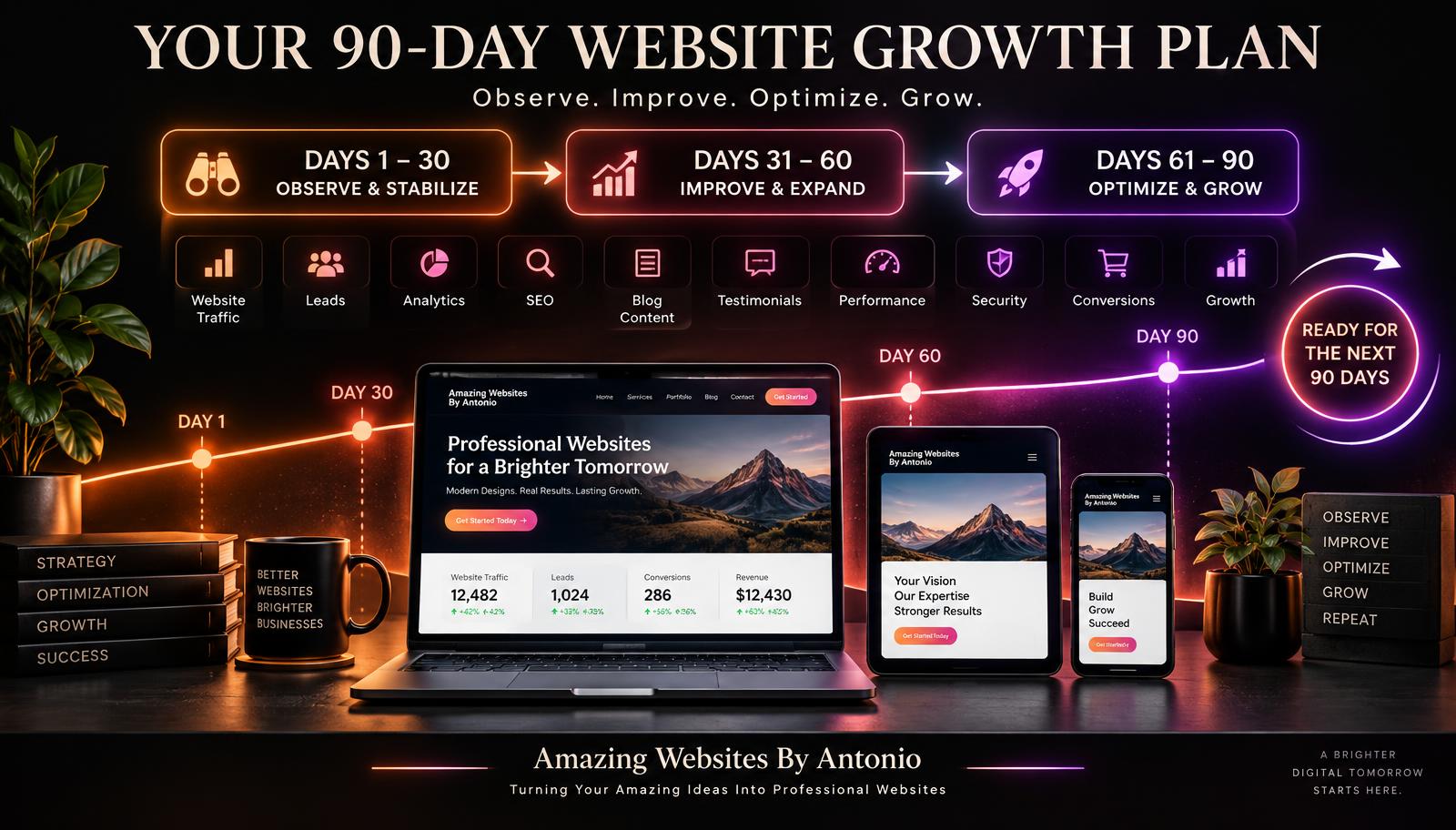
81. Set Clear Website Goals
Define what success means for your business.
82. Choose Meaningful Metrics
Track measurements connected to customer actions and business outcomes.
83. Review Website Analytics
Understand relevant traffic, content, and conversion patterns.
84. Collect Customer Feedback
Use surveys, conversations, and other appropriate channels.
85. Identify Recurring Customer Problems
Look for patterns in confusion, errors, and unmet needs.
86. Create a Website Testing Plan
Define the problem, hypothesis, measurement, and evaluation process before major changes.
87. Test Important Changes
Use appropriate usability tests, controlled experiments, or careful before-and-after reviews.
88. Document What You Learn
Keep a record of changes, results, and decisions.
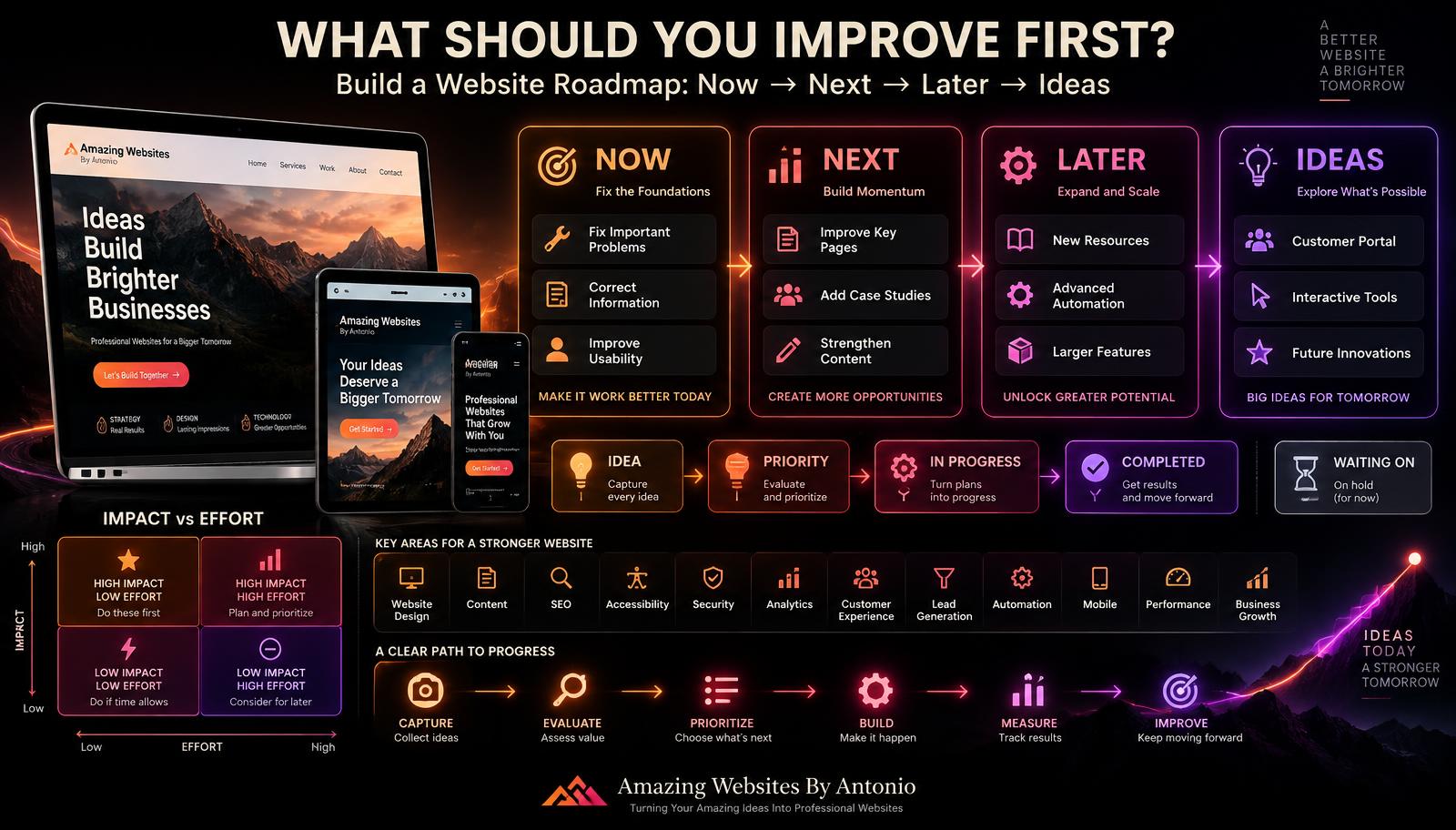
89. Create an Improvement Roadmap
Organize work into Now, Next, Later, and Ideas.
90. Focus on Continuous Improvement
Treat your website as an evolving business asset rather than a one-time project.
Part 10: Prepare Your Website for the Future
91. Perform Monthly Website Maintenance
Review important pages, forms, links, and functionality regularly.
92. Monitor Website Security
Keep access permissions, software, integrations, and other security practices appropriate for your platform.
93. Maintain Backups and Recovery Plans
Understand how your website and business information can be restored when needed.
94. Review Privacy Practices
Collect and handle customer information responsibly.
95. Plan for Business Growth
Build systems and processes that can evolve with your needs.
96. Keep Learning New Skills
Website technology, design practices, and customer expectations continue changing.
97. Listen to Your Customers
Use feedback to understand problems without letting every individual preference control your strategy.
98. Celebrate Your Progress
Recognize completed improvements and meaningful business milestones.
99. Keep Your Vision at the Center
Remember why you started your business and what you want to accomplish.
100. NEVER STOP BUILDING SOMETHING AMAZING
Your website doesn't have to be perfect today.
It needs a purpose, a plan, and a willingness to keep improving.
Every thoughtful improvement is another step toward the business you're building.
The Amazing Website Success Framework
DREAM
Start with your vision.
↓
PLAN
Define your goals and audience.
↓
BUILD
Create a professional website.
↓
CONNECT
Help visitors understand and trust your business.
↓
GROW
Use content, marketing, and customer relationships.
↓
MEASURE
Understand what's working.
↓
IMPROVE
Make thoughtful changes.
↓
REPEAT
Keep moving forward.
A Special Message for Blog #100
Reaching 100 blogs is more than reaching a number.
It's a celebration of ideas.
It's a celebration of creativity.
It's a celebration of learning.
It's a celebration of entrepreneurs who believe in their dreams.
And it's a reminder that every great business begins somewhere.
A website may start with a single page.
A business may start with a single idea.
A blog may start with a single article.
But with dedication, creativity, and a willingness to keep learning, those beginnings can grow into something meaningful.
At Amazing Websites By Antonio, the mission remains:
Turning Your Amazing Ideas Into Professional Websites.
Whether you're launching your first website, improving an existing one, exploring AI-powered solutions, or building a stronger digital presence, your ideas deserve thoughtful attention.
Thank you for being part of this journey through 100 blogs.
Here's to the ideas we've explored.
The lessons we've learned.
The businesses we're helping.
And the amazing possibilities still ahead.
Final Thoughts
100 BLOGS.
100 IDEAS.
ENDLESS POSSIBILITIES.
You don't need to implement all 100 ideas tomorrow.
Choose one.
Make a plan.
Take action.
Learn from the result.
Then choose the next one.
Great websites are built through thoughtful decisions, meaningful improvements, and consistent effort.
And reaching Blog #100 isn't the end of the journey.
It's another beginning.
DREAM IT.
PLAN IT.
BUILD IT.
IMPROVE IT.
KEEP GROWING.
Because your next amazing idea could become your next great opportunity.
HAPPY 100TH BLOG CELEBRATION!
Amazing Websites By Antonio
Turning Your Amazing Ideas Into Professional Websites