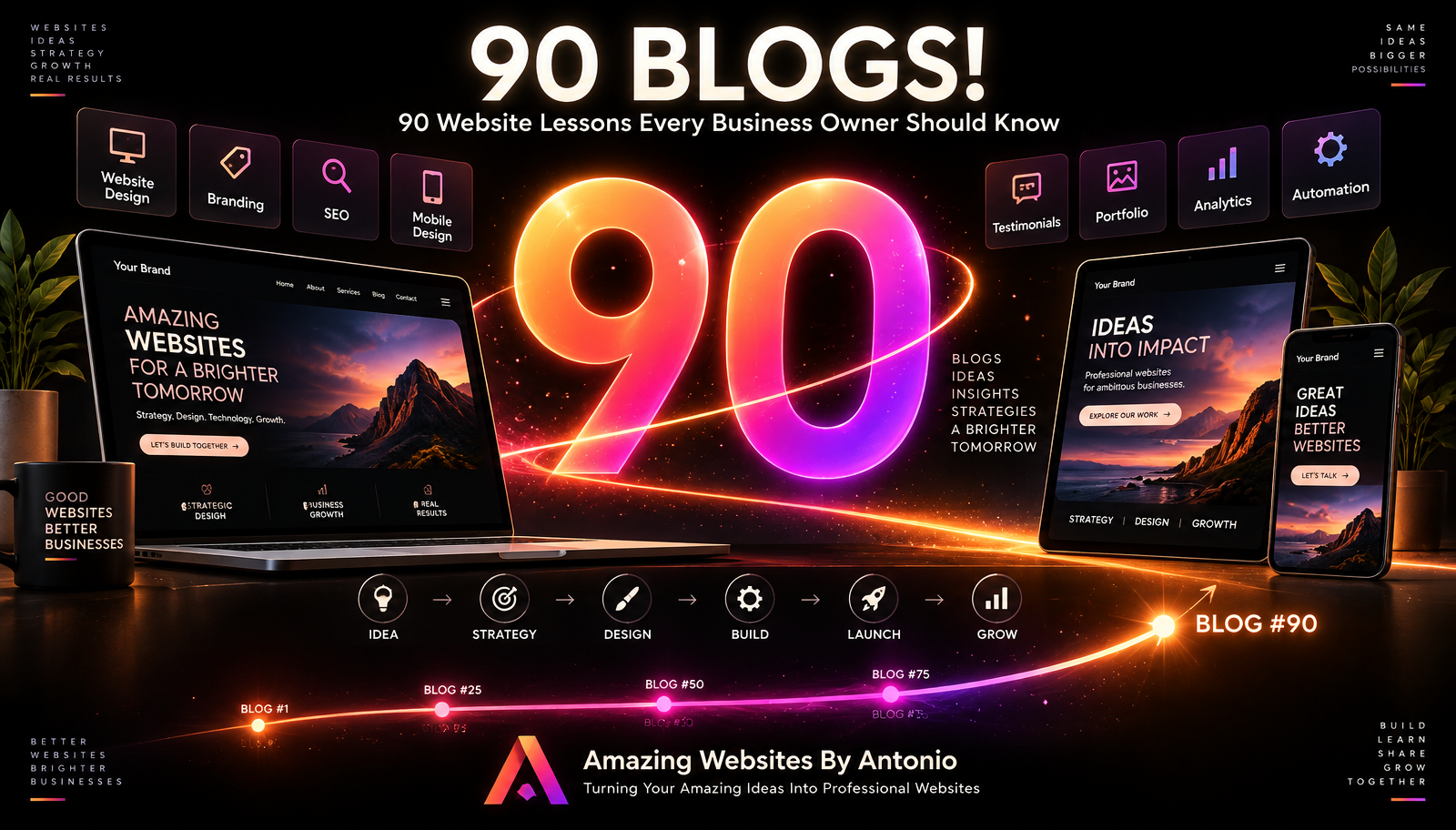
🎉 WELCOME TO BLOG #90! 🎉
When I started creating blogs for Amazing Websites By Antonio, the goal was simple:
Share useful information that helps businesses understand how a professional website can support their ideas, customers, and growth.
Now we've reached Blog #90.
That's 90 opportunities to learn. 90 opportunities to share ideas. 90 opportunities to think differently about websites.
And 90 steps in a journey that is still growing.
To celebrate this milestone, I'm bringing together 90 website lessons every business owner should know.
Some are about design. Some are about branding. Some are about customers. Some are about technology. Some are about trust. Some are about growth.
But they all connect to one bigger idea:
A website should do more than exist.
It should work for your business.
Let's celebrate Blog #90 with 90 lessons.
1. Know the Purpose of Your Website
Before choosing colors, fonts, images, or layouts, understand why the website exists.
What should it accomplish?
That purpose should guide the project.
2. Design for Your Customer
Your website belongs to your business, but it needs to work for your visitors.
Always consider what your customers need to know, find, understand, and do.
3. Make Your Value Clear
Visitors should quickly understand:
- What do you do?
- Who do you help?
- Why should they care?
Clarity comes before cleverness.
4. Create a Strong First Impression
Your homepage should quickly communicate professionalism, purpose, and direction.
Visitors shouldn't have to solve a puzzle to understand your business.
5. Keep Navigation Simple
Make important pages easy to find.
Good navigation helps visitors move confidently through the website.
6. Use Words People Understand
Navigation labels and website copy should be clear.
Don't make visitors decode complicated terminology when simpler language will work.
7. Give Every Page a Purpose
Ask:
- Why does this page exist?
- What should the visitor learn?
- What should they do next?
8. Create a Customer Journey
A website shouldn't feel like disconnected pages.
Guide visitors naturally from:
- DISCOVERY → INFORMATION → TRUST → ACTION
9. Use Internal Links
Connect related pages and content.
Help visitors continue exploring without making them return to the main menu every time.
10. Make Your Homepage a Guide
Your homepage doesn't need to explain everything.
Introduce the most important information and guide visitors deeper into the website.
11. Make Services Easy to Understand
Clearly explain:
- What you offer.
- Who it's for.
- What problem it helps solve.
- What the next step is.
12. Show Your Work
If your business produces visual or project-based work, use a portfolio to demonstrate what you can do.
Proof can be more powerful than promises.
13. Turn Projects Into Case Studies
Don't only show the finished product.
When appropriate, explain:
- The challenge.
- The approach.
- The solution.
- The outcome.
14. Use Testimonials to Build Trust
Authentic customer experiences can help potential customers feel more confident.
Always use real testimonials with appropriate permission.
15. Make Your About Page About Connection
Your About page can explain:
- Who you are.
- Why you do the work.
- What you believe.
- How you help.
People often want to understand the person or purpose behind the business.
16. Tell Your Brand Story
Facts tell visitors what happened.
Stories help them understand why it matters.
17. Use a Founder's Letter When It Fits
A thoughtful founder's letter can create a personal connection and explain the heart behind the business.
18. Show Expertise Without Bragging
Teach. Explain. Share examples. Answer questions.
Let useful information demonstrate your knowledge.
19. Create a Useful FAQ
If customers repeatedly ask the same questions, answer them on your website.
A strong FAQ can reduce uncertainty.
20. Make Contacting You Easy
Don't hide your contact page.
If someone is ready to reach out, make the next step obvious.
21. Keep Contact Forms Simple
Ask for what you need.
Don't turn the first conversation into a 30-minute application.
22. Use Project Intake for Details
A contact form can start the conversation.
A project intake form can collect deeper information when the customer is ready.
23. Explain What Happens Next
After someone submits a form, tell them what to expect.
Uncertainty creates friction.
24. Use Thank-You Pages
A form submission doesn't have to end the journey.
A thank-you page can confirm the action and guide visitors toward useful next steps.
25. Use Clear Calls to Action
Tell visitors what they can do next. Examples:
- VIEW OUR WORK
- EXPLORE SERVICES
- CONTACT US
- START YOUR PROJECT
26. Don't Use Too Many Competing Calls to Action
If everything is screaming for attention, nothing feels important.
Create hierarchy.
27. Make Buttons Descriptive
A button labeled "VIEW OUR PORTFOLIO" usually communicates more than "CLICK HERE."
28. Design for Mobile From the Beginning
Mobile isn't an optional extra.
Visitors may experience your entire business through a phone.
29. Test Tablets Too
Responsive design isn't only desktop versus smartphone.
Check the screen sizes in between.
30. Make Text Easy to Read
Beautiful typography isn't useful if visitors struggle to read it.
Pay attention to size, spacing, contrast, and line length.
31. Use White Space
Not every part of the screen needs content.
Space can improve focus and make a website feel more organized.
32. Don't Overcrowd Pages
More content doesn't automatically create more value.
Prioritize what matters.
33. Use Visual Hierarchy
Headlines, subheadings, buttons, images, and spacing should help visitors understand what deserves attention first.
34. Keep Branding Consistent
Your website should feel like one business from page to page.
Use consistent colors, typography, imagery, messaging, and tone.
35. Use Color With Purpose
Brand colors should create recognition and support the experience.
Don't use colors randomly just because they're available.
36. Protect Readability
A beautiful background isn't worth sacrificing readable text.
Contrast matters.
37. Use High-Quality Images
Images can influence how professional a website feels.
Use visuals that support the brand and message.
38. Optimize Large Images
High-quality doesn't have to mean unnecessarily huge files.
Optimize images so they look good without slowing the website down.
39. Use Video Thoughtfully
Video can add personality, education, demonstrations, testimonials, and storytelling.
But it should serve a purpose.
40. Don't Let Media Overwhelm the Experience
Autoplay, excessive animation, or heavy media can become distracting.
Use motion intentionally.
41. Make Accessibility Part of the Process
Accessibility shouldn't be an afterthought.
Consider it during design, content creation, development, and ongoing updates.
42. Use Meaningful Alternative Text
When an image conveys meaningful information, appropriate alternative text can help people who cannot see it understand its purpose.
43. Use Logical Headings
Headings organize information for readers and assistive technologies.
Create a meaningful structure.
44. Make Keyboard Navigation Possible
Important interactive elements should be usable without requiring a mouse.
45. Use Clear Form Labels
Visitors should know what information belongs in each field.
Don't rely only on placeholder text.
46. Think About SEO From the Start
SEO isn't something that should only be considered after the website is finished.
Site structure, content, page topics, headings, links, and technical setup can all matter.
47. Write for People First
Search engines matter. Your customers matter more.
Create useful content for real people.
48. Give Important Pages Unique Titles
Page titles should accurately describe the page and help distinguish it from other pages.
49. Write Useful Meta Descriptions
Where supported and appropriate, a clear meta description can summarize what someone can expect from the page.
50. Use Clear URLs
A URL such as /website-design is easier to understand than /page-982-final-v4.
51. Blog With a Purpose
Don't publish only because someone said businesses need blogs.
Create content that answers questions, teaches something, builds trust, or supports your audience.
52. Connect Blog Posts
Use internal links to help readers discover related information.
Your blog should become a connected library.
53. Update Older Content
Useful content can become outdated.
Review older articles and update important information when necessary.
54. Build Topic Clusters
Create multiple helpful articles around important subjects and connect them.
This can make your resource library easier to explore.
55. Answer Real Customer Questions
Some of your best content ideas may come directly from questions customers already ask.
56. Don't Copy Your Competitors
Learn from the market. Understand expectations.
Then build an experience that reflects your own business and audience.
57. Make Trust Visible
Trust can be supported through:
- Testimonials.
- Case studies.
- Clear contact information.
- Professional design.
- Accurate information.
- Transparent processes.
58. Don't Invent Proof
Never create fake testimonials, customers, awards, statistics, or case studies.
Trust should be built on truth.
59. Keep Information Current
An outdated phone number or service can create confusion.
Review your website regularly.
60. Create an Organized Footer
Your footer can provide:
- Secondary navigation.
- Contact information.
- Important resources.
- Legal links.
- Social connections.
- A final call to action.
61. Don't Let the Bottom of the Page Become a Dead End
Give visitors somewhere useful to go next.
62. Create a Professional Onboarding Experience
The customer journey continues after someone decides to work with you.
Welcome them and explain what happens next.
63. Set Expectations Early
Clear communication about process, timeline, deliverables, revisions, and responsibilities can prevent confusion later.
64. Keep Project Communication Organized
Clients shouldn't have to search through five different platforms to understand what is happening.
Create a clear communication process.
65. Provide Useful Project Updates
A simple format can be:
- COMPLETED
- CURRENTLY WORKING ON
- NEEDED FROM YOU
- NEXT STEP
66. Ask for Feedback at the Right Time
Don't ask clients to review every tiny change.
Create meaningful review stages.
67. Ask Specific Feedback Questions
Instead of "What do you think?" ask "Does this page clearly communicate your main service?"
Better questions can produce better feedback.
68. Keep Revision Requests Organized
Collect feedback in one place whenever possible.
Track what has been requested and completed.
69. Know the Difference Between a Revision and New Scope
Changing a headline isn't the same as adding an entire online store.
Recognize when a request changes the project.
70. Document Important Approvals
Keep clear records when major stages, content, revisions, or final designs are approved.
71. Test Before Launch
Never let excitement replace quality assurance.
Check the website before it goes live.
72. Test Forms for Real
Don't simply check that the form looks good.
Submit it and verify the message actually arrives.
73. Click Every Important Link
Broken links are easier to fix before customers find them.
74. Review the Website on Real Devices
Previews are useful.
Real devices can reveal additional issues.
75. Check the Live Website After Launch
Publishing isn't the end of testing.
Review the live environment again.
76. Monitor Website Performance
Websites can become slower as content, media, integrations, and features are added.
Keep an eye on performance.
77. Take Security Seriously
Use appropriate account protections, updates, access controls, backups, and platform security practices.
Security is ongoing.
78. Have a Recovery Plan
Know how your website can be restored if something goes wrong.
Don't wait for an emergency to learn.
79. Use Analytics With a Purpose
Don't collect numbers simply to have numbers.
Measure information that can help answer business questions.
80. Don't Overreact to Small Data Sets
A few visitors may not reveal a meaningful trend.
Give data enough time and context.
81. Pay Attention to Customer Behavior
Which pages attract attention? Which services interest visitors? Where do people take action?
Use those patterns to identify opportunities for improvement.
82. Keep Your Portfolio Growing
As your skills and work improve, your portfolio should evolve too.
83. Keep Collecting Authentic Testimonials
New customer experiences can provide new social proof.
Use permission and an organized review process.
84. Maintain Your Website
A website needs ongoing attention. Check:
- Content.
- Links.
- Forms.
- Performance.
- Security.
- Accessibility.
- SEO.
85. Create an Improvement List
Not every new idea needs to be implemented today.
Keep a prioritized list of future improvements.
86. Use Automation to Remove Repetitive Work
Automation can support:
- Form responses.
- Reminders.
- Project updates.
- Lead organization.
- Customer follow-up.
Use it where it genuinely improves the process.
87. Use AI as a Tool — Not a Replacement for Purpose
AI can help brainstorm, organize, create, automate, and analyze.
But technology should serve the business goal.
Start with the problem. Then choose the tool.
88. Let Your Website Grow With Your Business
Your website doesn't need to remain exactly the same forever.
As the business evolves, the website can evolve too.
89. Keep Learning
Technology changes. Design changes. Customer expectations change. Business changes.
Stay curious.
Keep improving your skills and your website.
90. Remember Why the Website Exists
After all the technology, design, SEO, AI, automation, content, analytics, and strategy, come back to the most important question:
HOW CAN THIS WEBSITE HELP THE BUSINESS AND THE PEOPLE IT SERVES?
That is the heart of the entire process.
Final Thoughts
90 blogs.
90 lessons.
And we're still growing.
If there is one message I hope business owners take away from this series, it's this:
A professional website is more than a collection of pages.
It is an experience.
It tells your story. It represents your brand. It introduces your services. It demonstrates your work. It answers questions. It builds trust. It connects people. It creates opportunities.
And when built with purpose, it can become an important part of how your business grows.
So keep learning. Keep creating. Keep improving. Keep dreaming.
And keep turning amazing ideas into professional websites.
Here's to Blog #90... and everything we're going to build next.
Amazing Websites By Antonio
Turning Your Amazing Ideas Into Professional Websites