Your customers are telling you something.
Some are sharing compliments.
Some are asking questions.
Some are reporting problems.
Others are making suggestions.
Your analytics are showing patterns.
Your surveys are collecting responses.
Your website tests are revealing opportunities.
But here's the important question:
WHAT ARE YOU GOING TO DO WITH EVERYTHING YOU'VE LEARNED?
Collecting feedback is only the beginning.
The real opportunity comes when you turn that information into a clear customer experience improvement plan.
Let's build one.
1. Understand What Customer Experience Really Means
Customer experience is about how people interact with your business.
On your website, that includes:
- Finding information
- Understanding services
- Navigating pages
- Reading content
- Completing forms
- Booking appointments
- Making purchases
- Receiving follow-up communication
Every interaction contributes to the overall experience.
2. Start With the Customer's Goal
Before making changes, ask:
WHAT IS THE CUSTOMER TRYING TO ACCOMPLISH?
Maybe they want to:
Find a service.
Compare options.
See examples.
Understand pricing.
Ask a question.
Make a purchase.
Book an appointment.
Your improvement plan should make those goals easier to accomplish.
3. Collect Feedback From Multiple Sources
Useful feedback may come from:
- Website surveys
- Contact forms
- Customer conversations
- Emails
- Testimonials
- Support requests
- User testing
- Social media
- Project follow-ups
Different sources reveal different parts of the customer experience.
4. Combine Feedback With Analytics
Customer feedback tells you what people experienced.
Analytics can help show what visitors did.
For example:
FEEDBACK:
“I couldn't find the Contact page.”
ANALYTICS:
Few visitors reach Contact from important service pages.
Together, these signals create a useful question.
5. Organize Everything in One Place
Create a central improvement log.
Include:
- DATE
- SOURCE
- PAGE
- CUSTOMER GOAL
- FEEDBACK
- PROBLEM
- EVIDENCE
- PRIORITY
- ACTION
- STATUS
This prevents important insights from disappearing.
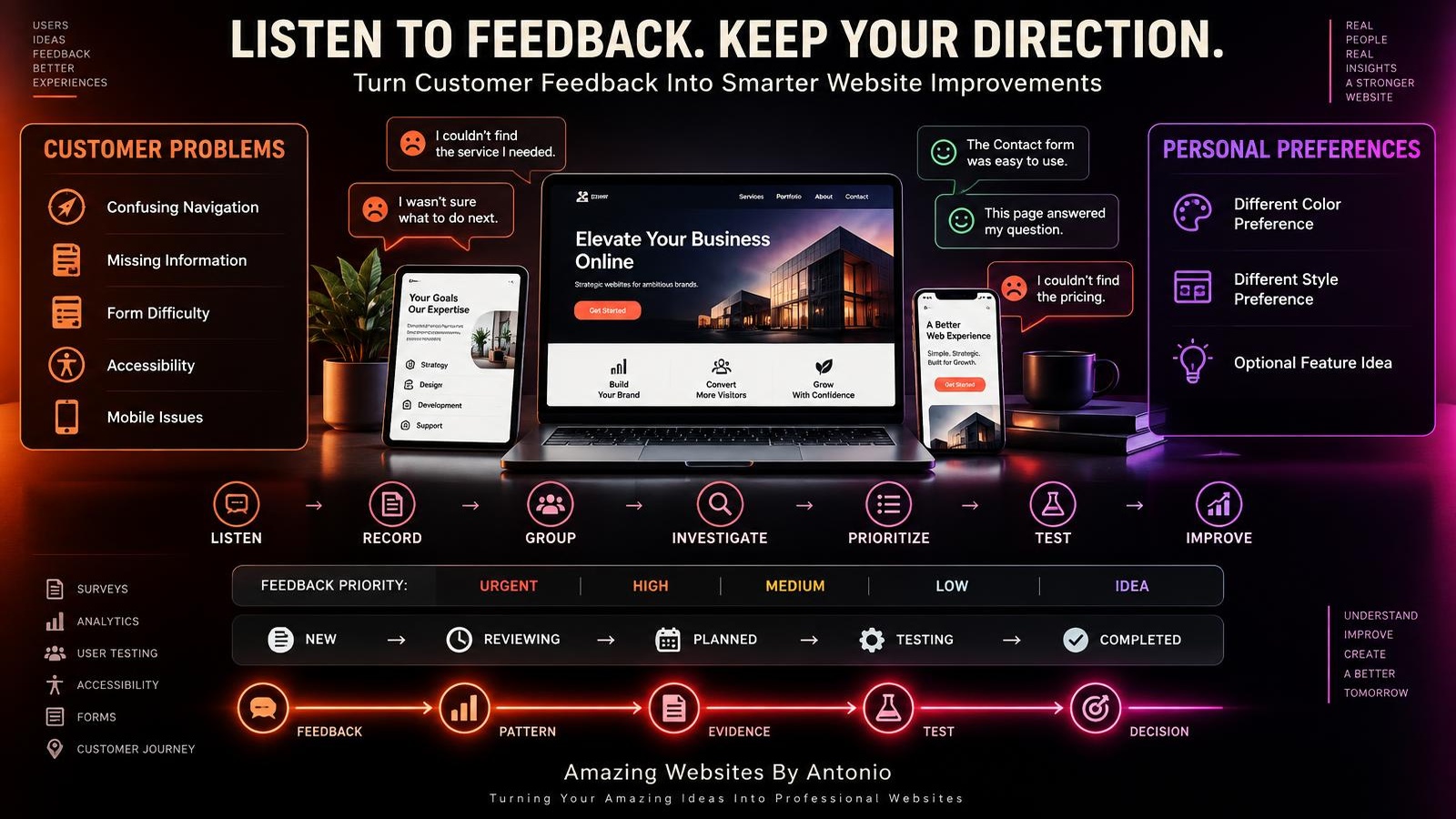
6. Separate Compliments, Problems, and Ideas
Not all feedback means the same thing.
COMPLIMENT:
“The website is easy to navigate.”
PROBLEM:
“I couldn't complete the form.”
IDEA:
“Could you add a service comparison tool?”
Organize each type appropriately.
7. Look for Repeated Patterns
One person may mention confusing navigation.
Several people reporting the same difficulty can suggest a larger problem.
Look for themes involving:
- Navigation
- Content
- Services
- Forms
- Mobile experience
- Accessibility
- Performance
- Trust
8. Consider Problem Severity
Frequency isn't everything.
A broken checkout process may require immediate attention even if only one person reports it.
Consider both:
HOW OFTEN?
and:
HOW SERIOUS?
9. Map the Customer Journey
A typical service-business journey might be:
DISCOVER
↓
EXPLORE
↓
COMPARE
↓
TRUST
↓
CONTACT
↓
BECOME A CUSTOMER
↓
RECEIVE SUPPORT
Review each stage.
Where does the experience work?
Where do people struggle?
10. Identify Customer Friction
Friction is anything that makes an intended action unnecessarily difficult.
Examples:
Confusing navigation.
Unclear services.
Too many form fields.
Slow pages.
Missing information.
Broken buttons.
Unexpected costs.
Find opportunities to reduce unnecessary friction.
11. Review the First Impression
Ask:
Can a new visitor quickly understand what the business offers?
Is the headline clear?
Is the website professional?
Is the next step visible?
First impressions influence whether visitors continue exploring.
12. Review Navigation
Can people easily find:
Services?
Portfolio?
About?
FAQ?
Contact?
Important information should be discoverable without unnecessary effort.
13. Review Service Clarity
Customers should understand:
What you offer.
Who the service is for.
What is included.
What happens next.
How to get started.
Confusing services can create hesitation.
14. Review Trust Signals
Consider whether your website provides appropriate evidence of credibility.
Examples:
Authentic testimonials.
Portfolio examples.
Case studies.
Clear business information.
Professional communication.
Transparent processes.
15. Review Contact Experiences
Check:
Is Contact easy to find?
Are forms understandable?
Do submissions work?
Does the confirmation message appear?
Do customers know what happens next?
16. Review Mobile Experience
A website may look excellent on a laptop but feel difficult on a phone.
Test important journeys across screen sizes.
17. Review Accessibility
Customer experience includes people with disabilities.
Consider:
Keyboard navigation.
Readable text.
Color contrast.
Form labels.
Focus visibility.
Alternative text.
Accessible interactions.
18. Review Website Performance
Slow or unstable pages can interrupt the customer journey.
Investigate important performance problems using appropriate tools.
19. Identify Missing Information
Repeated questions often reveal opportunities.
If customers regularly ask:
“How does the process work?”
consider adding a clear process section.
If they ask:
“Which service is right for me?”
consider improving service comparisons.
20. Identify Positive Experiences
Don't focus only on problems.
Find out what customers appreciate.
Maybe they value:
Simple navigation.
Clear explanations.
Helpful content.
Professional design.
Easy communication.
Protect what already works.
21. Define the Improvement Goal
Don't simply write:
“Improve the website.”
Choose a specific goal.
Example:
Make it easier for visitors to understand and select the right service.
22. Create an Improvement Hypothesis
For example:
IF we explain the differences between our services more clearly,
THEN visitors may choose the right service more confidently,
BECAUSE they'll understand what each option includes.
Now you have something to investigate and test.
23. Prioritize by Customer Impact
Ask:
How many customers may be affected?
How much difficulty does the problem create?
Does it prevent an important action?
Does it affect accessibility?
Does it affect trust?
Customer impact should influence priority.
24. Prioritize by Business Impact
Consider:
Lead generation.
Sales.
Bookings.
Customer satisfaction.
Support workload.
Service clarity.
Retention.
Balance business needs with customer needs.
25. Consider Effort and Resources
Some improvements are quick.
Others require development, design, content, testing, or additional tools.
Evaluate effort before scheduling work.
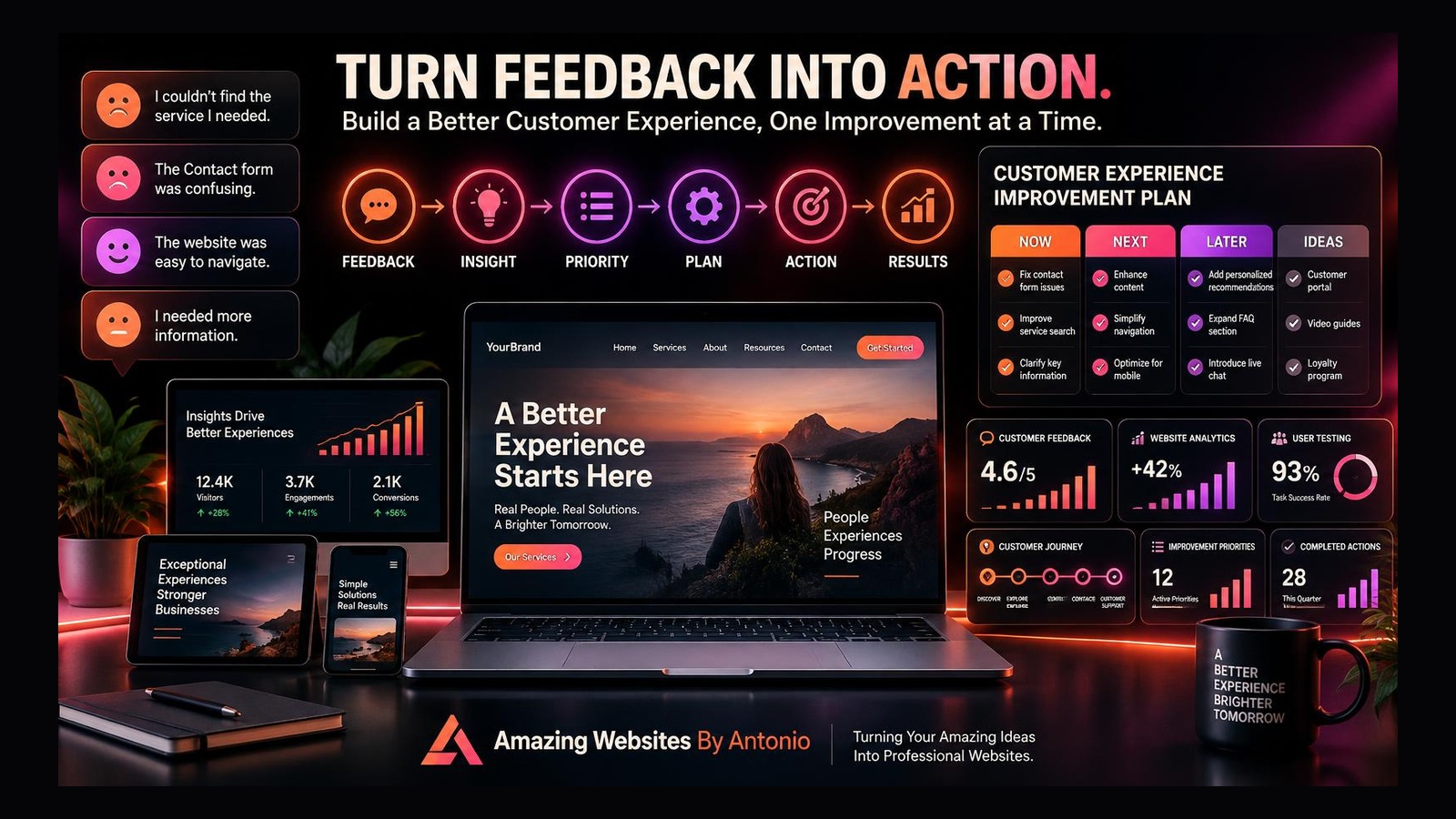
26. Create Four Priority Levels
NOW:
Urgent or high-impact problems.
NEXT:
Important improvements to schedule soon.
LATER:
Useful improvements that aren't immediate priorities.
IDEAS:
Suggestions that need more research.
27. Define an Owner for Each Action
Every improvement needs someone responsible for moving it forward.
That might be:
The business owner.
A website designer.
A developer.
A content writer.
A marketing team member.
Clear responsibility prevents unfinished tasks.
28. Define What Completed Means
Instead of:
“Fix Contact page.”
write:
“Verify that the Contact form works on mobile and desktop, displays confirmation, and sends submissions to the correct destination.”
Specific completion criteria make progress easier to evaluate.
29. Create a Reasonable Timeline
Group actions into:
This week.
This month.
Next month.
Future improvements.
Avoid scheduling more work than you can realistically complete.
30. Start With High-Impact Quick Wins
Examples:
Fix a broken button.
Correct outdated information.
Improve a confusing headline.
Add an important FAQ answer.
Make Contact easier to find.
Small improvements can remove meaningful friction.
31. Test Major Changes
Before making a major redesign, define:
The problem.
The evidence.
The hypothesis.
The goal.
The measurement.
The testing method.
Then evaluate the result.
32. Use Real Customer Tasks
Ask someone to complete a task such as:
“Find the website-design service and explain how you would request a project.”
Observe where they struggle.
This can reveal problems that analytics alone cannot explain.
33. Measure the Right Outcomes
Depending on your goals, consider:
- Completed inquiries
- Qualified leads
- Bookings
- Purchases
- Task completion
- Customer feedback
- Form errors
- Navigation success
Choose measurements that match the problem you're solving.
34. Don't Assume Every Change Caused an Improvement
Traffic sources, seasonality, promotions, and other factors can affect results.
Be careful when comparing before-and-after numbers.
Use controlled tests when practical and appropriate.
35. Collect Feedback After Improvements
Once you've made a change, ask:
Did the experience become easier?
Are customers still confused?
Are new problems appearing?
Did the change create unintended difficulties?
Improvement requires follow-up.
36. Document What You Learned
Record:
What changed.
Why it changed.
What was measured.
What customers said.
What happened afterward.
What you decided.
This creates a useful history.
37. Keep, Revise, or Reverse
Not every change should remain.
Possible decisions:
KEEP
IMPROVE
RETEST
REVERSE
SAVE FOR LATER
Choose based on evidence and business judgment.
38. Connect Improvements to Monthly Maintenance
Customer experience isn't a one-time project.
During monthly maintenance, review:
New feedback.
Broken functionality.
Mobile usability.
Content accuracy.
Important forms.
Performance.
Customer journey issues.
39. Create a Customer Experience Scorecard
Example:
Monthly Customer Experience Scorecard
Customer inquiries:
__________
Qualified leads:
__________
Survey responses:
__________
Most common complaint:
__________
Most common compliment:
__________
Top usability issue:
__________
Important technical issue:
__________
Improvements completed:
__________
Next priority:
__________
Keep the scorecard relevant to your goals.
40. Don't Let Every Opinion Control the Plan
Feedback matters.
But every suggestion doesn't need to become a feature.
Evaluate:
Customer need.
Business goal.
Evidence.
Impact.
Effort.
Brand consistency.
Maintain a clear direction.
41. Keep Your Brand Consistent
Improving usability doesn't mean changing your brand every time someone prefers another style.
Protect:
Brand colors.
Typography.
Messaging.
Visual identity.
Tone.
Consistency can help build recognition and trust.
42. Avoid Feature Overload
Adding more options isn't always better.
Too many features can make a website harder to understand.
Before adding something, ask:
What problem does it solve?
Who needs it?
Will it make the experience simpler?
43. Make Communication Part of the Plan
A good website experience continues after someone contacts you.
Consider:
Confirmation messages.
Response expectations.
Project updates.
Next steps.
Helpful follow-up information.
44. Improve the Post-Conversion Experience
After someone books, buys, or submits an inquiry, the experience shouldn't suddenly stop.
Provide appropriate next steps.
Help customers understand what happens next.
45. Review the Entire Experience
Don't optimize only the homepage.
Review the journey from first visit through follow-up.
The weakest step may be somewhere unexpected.
46. Use AI as a Support Tool
AI can help:
Organize feedback.
Summarize themes.
Draft survey questions.
Suggest hypotheses.
Create checklists.
Structure improvement plans.
But important decisions should still use real evidence and human judgment.
47. Protect Customer Privacy
Handle survey responses, contact information, and analytics responsibly.
Collect only information you need.
Maintain accurate privacy disclosures.
Use appropriate permissions and consent mechanisms.
Follow applicable requirements.
48. Celebrate Completed Improvements
A completed improvement represents progress.
Examples:
A clearer Services page.
An easier Contact form.
Better mobile navigation.
A more useful FAQ.
Celebrate progress while continuing to learn.
49. Build a Repeatable Improvement System
Use this cycle:
COLLECT FEEDBACK
↓
REVIEW ANALYTICS
↓
IDENTIFY PATTERNS
↓
DEFINE PROBLEMS
↓
PRIORITIZE
↓
PLAN
↓
TEST
↓
IMPLEMENT
↓
MEASURE
↓
LEARN
↓
REPEAT
50. Remember Who the Website Serves
Behind every:
Click.
Visit.
Inquiry.
Survey response.
Booking.
Purchase.
is a person trying to accomplish something.
Your customer experience improvement plan should make that journey clearer, easier, and more helpful.
Customer Experience Improvement Plan Template
PRIMARY BUSINESS GOAL:
________________________
PRIMARY CUSTOMER GOAL:
________________________
FEEDBACK SOURCE:
________________________
CUSTOMER PROBLEM:
________________________
SUPPORTING EVIDENCE:
________________________
IMPROVEMENT IDEA:
________________________
EXPECTED BENEFIT:
________________________
PRIORITY:
NOW / NEXT / LATER / IDEA
RESPONSIBLE PERSON:
________________________
TARGET DATE:
________________________
TESTING METHOD:
________________________
SUCCESS METRIC:
________________________
RESULT:
________________________
FINAL DECISION:
KEEP / IMPROVE / RETEST / REVERSE
NEXT REVIEW:
________________________
Final Thoughts
A better website doesn't begin with changing everything.
It begins with understanding people.
Listen to what customers say.
Observe what they do.
Look for patterns.
Investigate problems.
Prioritize meaningful improvements.
Test important changes.
Measure results.
And keep learning.
Customer feedback becomes powerful when it leads to thoughtful action.
FEEDBACK → INSIGHT → PRIORITY → PLAN → ACTION → RESULTS
Your website should continue growing alongside your business and the people you serve.
Because a successful website isn't only about how it looks.
It's about how well it helps people accomplish what they came to do.
Amazing Websites By Antonio
Turning Your Amazing Ideas Into Professional Websites