A Practical Guide to Testing Website Changes, Preventing Mistakes, and Creating Better Customer Experiences
Imagine spending hours improving your business website.
You update your homepage.
You improve your AI website assistant.
You add a new service.
You redesign a Contact form.
And you make everything look beautiful.
You're excited to publish your changes.
But what happens if you forget to test them?
Maybe a button doesn't work.
Maybe your AI assistant gives the wrong information.
Maybe the new design looks beautiful on a computer but gets cut off on a smartphone.
Or perhaps a customer submits a form, but the information never reaches you.
THAT'S WHY QUALITY ASSURANCE MATTERS.
Quality assurance, often called QA, is the process of checking whether a website or feature meets its intended requirements.
It helps you identify problems before they affect your customers.
For entrepreneurs using AI-powered websites, quality assurance is especially important because you're checking both traditional website functionality and AI-generated experiences.
But here's the good news:
YOU DON'T NEED TO BE A PROFESSIONAL SOFTWARE TESTER TO START BUILDING BETTER TESTING HABITS.
You can begin with a practical checklist.
A clear testing routine.
And a commitment to reviewing your work before publishing.
In Blog #112, we're exploring 50 practical strategies for creating an AI website quality assurance checklist that helps your business publish updates with greater confidence.
PART 1: UNDERSTAND WEBSITE QUALITY ASSURANCE
1. Know What Quality Assurance Means
Quality assurance helps verify that website features, content, and workflows meet defined expectations.
2. Understand Why Testing Matters
Even small changes can affect important website functionality.
Testing helps identify problems before customers encounter them.
3. Separate Preview From Published Changes
Some website platforms allow you to make changes in a preview environment before publishing them.
Use this opportunity to test your work.
4. Recognize That AI Requires Special Testing
Traditional website features often have predictable behavior.
AI assistants may respond differently to variations of the same question.
Test multiple realistic scenarios.
5. Make QA Part of Your Publishing Process
Testing should be a regular step before important website updates, not something you remember afterward.
PART 2: TEST YOUR WEBSITE CONTENT
6. Review Page Titles and Headings
Check spelling, grammar, readability, and heading structure.
7. Verify Service Descriptions
Make sure your website accurately explains the services your business offers.
8. Review Pricing and Package Information
If prices are displayed, verify that they match your current offerings.
9. Check Contact Information
Confirm that business contact details are correct.
10. Review Brand Consistency
Check that your logo, colors, messaging, and current tagline are consistent.
For Amazing Websites By Antonio, the current tagline is:
Turning Your Amazing Ideas Into Professional Websites
PART 3: TEST AI WEBSITE ASSISTANT ACCURACY
11. Test Common Customer Questions
Ask questions visitors are likely to ask.
For example:
"What services do you offer?"
"How can I contact you?"
"How do I start a website project?"
12. Check Answers Against Approved Information
Compare AI responses with accurate business content.
13. Test Questions the Assistant Cannot Answer
The assistant should acknowledge uncertainty rather than inventing information.
14. Test Different Ways of Asking the Same Question
Try short questions, detailed questions, and different wording.
15. Check for Unsupported Promises
Verify that the assistant does not invent guarantees, prices, delivery timelines, or business policies.
PART 4: TEST CUSTOMER SUPPORT AND HANDOFFS
16. Verify Human Contact Options
Customers should have an appropriate way to contact your business when AI assistance is insufficient.
17. Test Contact Page Links
Confirm that AI assistant links lead to the correct destination.
18. Test Handoff Instructions
Make sure the assistant clearly explains how to request additional help.
19. Review Sensitive Situations
The assistant should not request unnecessary sensitive information.
20. Confirm the Customer Journey Makes Sense
Test whether a visitor can move from asking a question to taking the next appropriate action.
PART 5: TEST WEBSITE FORMS
21. Test Required Fields
Verify that required fields are clearly labeled and validated.
22. Test Successful Submissions
Use safe, clearly identified test information.
Confirm that the form submission is recorded as expected.
23. Test Error Messages
Check that customers receive understandable instructions when something goes wrong.
24. Verify Notifications
If your workflow sends email notifications, check whether the expected notification arrives.
25. Protect Customer Information
Confirm that private submissions are not publicly exposed.
For testimonials, ensure that submissions requiring approval remain private until appropriately reviewed and approved.
PART 6: TEST MOBILE AND RESPONSIVE DESIGN
26. Review Smartphone Layouts
Check that content fits smaller screens.
27. Test Navigation Menus
Make sure mobile menus open, close, and navigate properly.
28. Check Images and Graphics
Verify that important parts of images, logos, and text aren't cut off.
29. Review Buttons and Forms
Ensure interactive elements are usable on touchscreens.
30. Test Different Screen Sizes
A website that works on one device may still have problems on another.
PART 7: REVIEW ACCESSIBILITY
31. Check Keyboard Navigation
Important website functions should be usable without a mouse.
32. Review Text Readability
Use readable font sizes and sufficient contrast.
33. Check Form Labels
Inputs should have clear, understandable labels.
34. Review Alternative Text
Meaningful images should have appropriate text alternatives.
35. Test Interactive Components
Menus, dialogs, and AI chat interfaces should support accessible interaction.
Automated accessibility tools can help identify issues, but they do not replace manual testing.
PART 8: REVIEW SECURITY, PRIVACY, AND RELIABILITY
36. Check Access Permissions
Verify that private administrative areas and customer information are protected by appropriate access controls.
37. Review Sensitive Data Handling
Avoid collecting more customer information than necessary.
38. Test Important Integrations
Verify that payment, email, form, and other connected workflows behave as intended.
39. Review Error Handling
Check that failures produce appropriate messages and do not expose confidential technical details.
40. Prepare for Unexpected Problems
Consider how you'll respond if a newly published update causes an issue.
Where supported, have a tested backup or rollback plan.
PART 9: CREATE A PROFESSIONAL TESTING PROCESS
41. Define Acceptance Criteria
Before testing, write down what successful behavior should look like.
42. Create Test Cases
Document the actions you will perform and the expected results.
43. Record Actual Results
Don't simply assume a feature works.
Record what happened during testing.
44. Report Problems Clearly
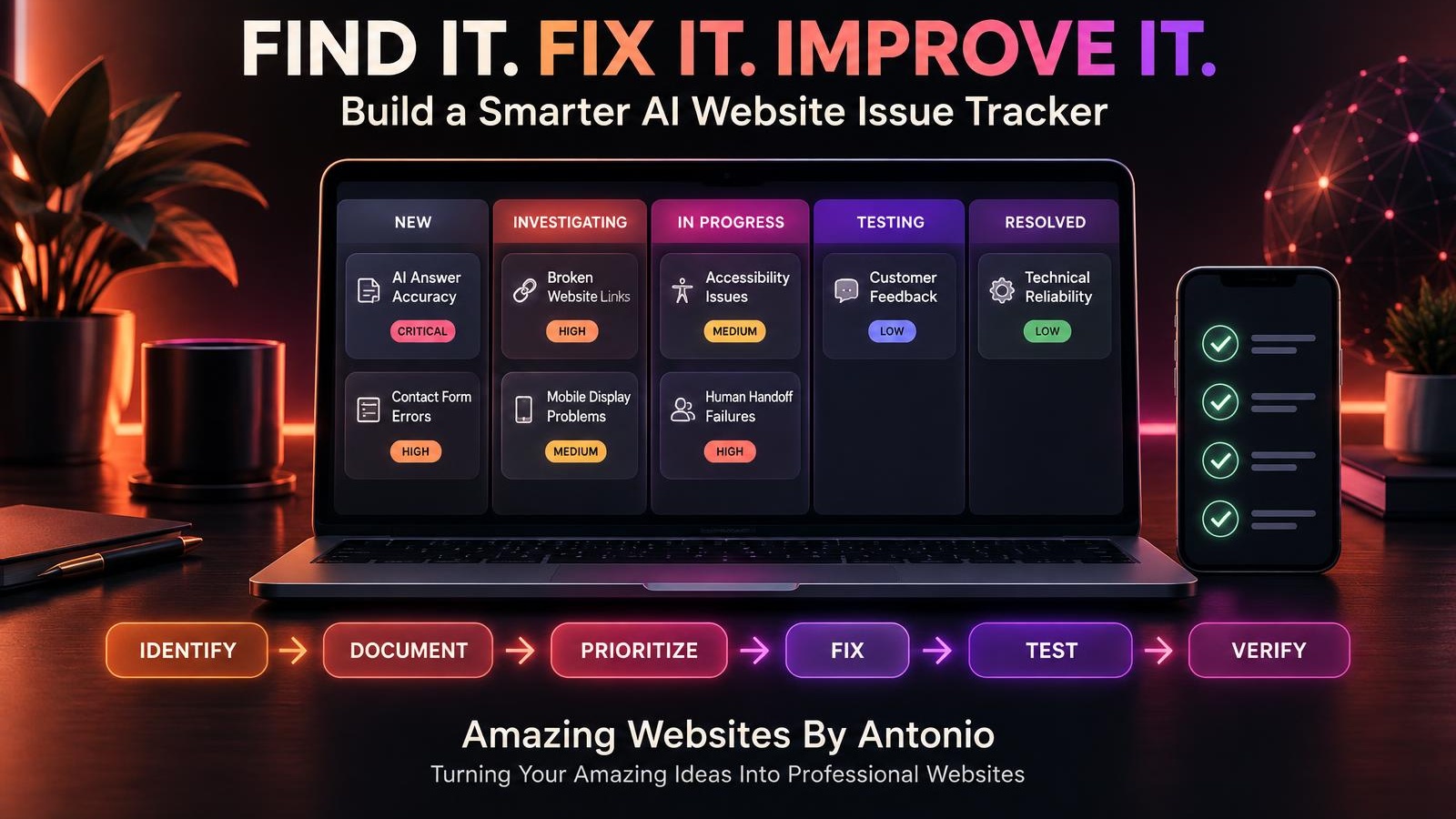
Use an issue tracker to document failed tests and necessary fixes.
45. Retest After Corrections
Once an issue is fixed, repeat the relevant tests and check related functionality.
PART 10: PUBLISH WITH CONFIDENCE
46. Review Outstanding Issues
Identify unresolved problems before publishing.
47. Decide Whether the Update Is Ready
Do not publish a change that introduces unresolved critical security, privacy, or essential-functionality risks.
48. Verify the Published Version
After publishing, check that the intended changes appear on the live website.
49. Monitor Important Workflows
Watch for unexpected errors and customer reports after release.
50. Improve Your Checklist Over Time
Every issue you discover can help you make your testing process more effective.
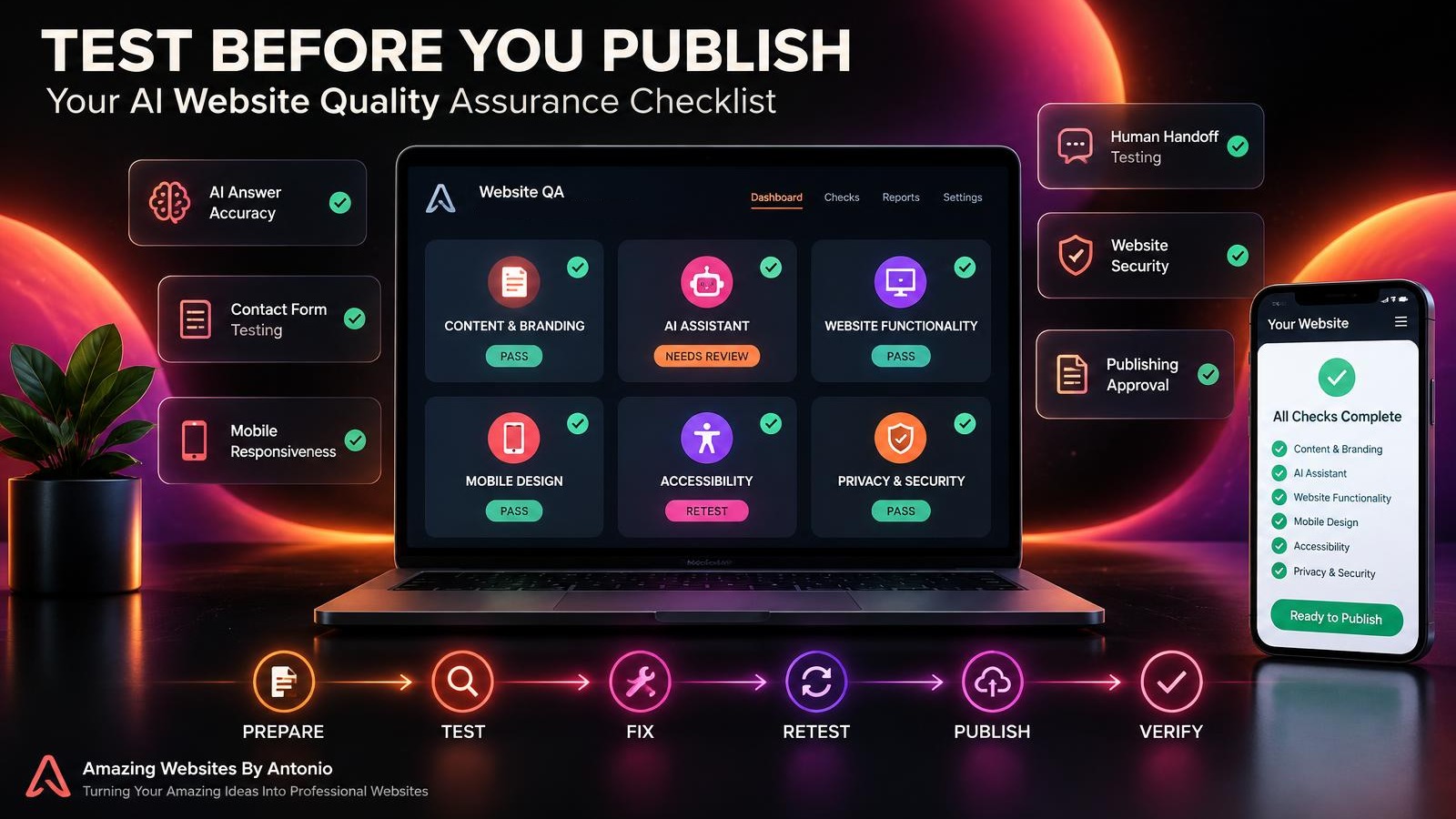
PREPARE → TEST → DOCUMENT → FIX → RETEST → PUBLISH → VERIFY
COMPLETE AI WEBSITE PRE-PUBLISHING QUALITY ASSURANCE CHECKLIST
SECTION 1 — CONTENT AND BRANDING
- ☐ Page titles are correct.
- ☐ Headings are clear.
- ☐ Spelling and grammar have been reviewed.
- ☐ Service descriptions are accurate.
- ☐ Prices and packages are current.
- ☐ Contact information is correct.
- ☐ Brand colors are consistent.
- ☐ The correct logo is displayed.
- ☐ The current business tagline is used.
- ☐ Important images display correctly.
SECTION 2 — AI ASSISTANT
- ☐ Common questions have been tested.
- ☐ Answers match approved business information.
- ☐ Outdated responses have been corrected.
- ☐ Unsupported guarantees are avoided.
- ☐ Unknown questions are handled appropriately.
- ☐ Multiple question variations have been tested.
- ☐ Relevant links work.
- ☐ Human support options are available.
- ☐ Sensitive information is handled appropriately.
- ☐ Repetitive or confusing responses have been reviewed.
SECTION 3 — WEBSITE FUNCTIONALITY
- ☐ Navigation works.
- ☐ Important buttons work.
- ☐ Contact forms submit successfully.
- ☐ Form validation works.
- ☐ Error messages are understandable.
- ☐ Confirmation messages appear appropriately.
- ☐ Expected email notifications arrive.
- ☐ Private submissions remain private.
- ☐ Important integrations work.
- ☐ Broken links have been addressed.
SECTION 4 — MOBILE AND ACCESSIBILITY
- ☐ Smartphone layouts have been reviewed.
- ☐ Mobile menus work.
- ☐ Important text is not cut off.
- ☐ Images display correctly.
- ☐ Buttons are usable on touchscreens.
- ☐ Keyboard navigation has been tested.
- ☐ Text contrast is sufficient.
- ☐ Forms have appropriate labels.
- ☐ Meaningful images have text alternatives.
- ☐ Important interactive features have been reviewed for accessibility.
SECTION 5 — PRIVACY, SECURITY, AND RELIABILITY
- ☐ Private administrative pages have appropriate access controls.
- ☐ Customer data is not publicly exposed.
- ☐ Sensitive information is collected only when necessary.
- ☐ Error messages do not expose secrets.
- ☐ Relevant integrations have been tested.
- ☐ Critical issues have been resolved.
- ☐ Appropriate backups or recovery options have been considered.
- ☐ A post-publishing verification plan exists.
SECTION 6 — FINAL PUBLISHING APPROVAL
- ☐ Required tests have passed.
- ☐ Failed tests have been documented.
- ☐ Necessary fixes have been retested.
- ☐ Unresolved issues have been reviewed.
- ☐ The update is ready for publication.
- ☐ The published website will be verified.
SAMPLE AI WEBSITE QUALITY ASSURANCE REPORT
The following is an illustrative testing report, not an actual report for Amazing Websites By Antonio.
PROJECT: AI Website Assistant Update
TEST DATE: Example Date
TESTED BY: Website Owner
| Test | Expected Result | Example Status |
|---|---|---|
| Service question | Accurate service description | Pass |
| Unknown pricing question | No invented price | Pass |
| Contact form | Submission saved successfully | Pass |
| Email notification | Notification received | Needs Retest |
| Mobile menu | Opens and closes correctly | Pass |
| AI human handoff | Correct contact guidance | Pass |
| Keyboard navigation | Essential controls accessible | Needs Fix |
EXAMPLE RELEASE DECISION:
Not yet approved.
REASON:
Email notification testing is incomplete, and an accessibility issue remains unresolved.
NEXT STEPS:
Investigate the issues, implement appropriate corrections, and retest before approval.
COPY-READY AI WEBSITE QA TEST REPORT TEMPLATE
BUSINESS NAME:
[Enter Business Name]
PROJECT OR UPDATE:
[Enter Project Name]
TEST DATE:
[Enter Date]
TESTED BY:
[Enter Name]
WEBSITE VERSION:
Preview / Staging / Published
TEST CASE ID:
[Enter ID]
FEATURE BEING TESTED:
[Enter Feature]
TEST STEPS:
- [Step One]
- [Step Two]
- [Step Three]
EXPECTED RESULT:
[Describe Correct Behavior]
ACTUAL RESULT:
[Describe What Happened]
STATUS:
Pass / Fail / Blocked / Not Tested
ISSUE ID (IF APPLICABLE):
[Enter Issue ID]
CORRECTION NEEDED:
[Describe Necessary Fix]
RETEST DATE:
[Enter Date]
RETEST RESULT:
[Enter Result]
FINAL APPROVAL:
Approved / Not Approved / Pending Review
ADDITIONAL NOTES:
[Enter Notes]
YOUR 30-DAY AI WEBSITE QA IMPLEMENTATION PLAN
WEEK 1 — CREATE YOUR TESTING FOUNDATION
- Identify important website features.
- Define acceptance criteria.
- Create a QA checklist.
- Prepare test cases.
- Decide how to document results.
GOAL: Establish a consistent testing process.
WEEK 2 — TEST CORE WEBSITE FUNCTIONS
- Test navigation.
- Check Contact forms.
- Verify notifications.
- Review mobile layouts.
- Test essential accessibility features.
GOAL: Identify problems in important customer workflows.
WEEK 3 — TEST AI FEATURES
- Evaluate AI answer accuracy.
- Test unknown questions.
- Review human handoffs.
- Check for unsupported claims.
- Document issues and corrections.
GOAL: Improve AI assistant reliability.
WEEK 4 — PRACTICE A COMPLETE RELEASE REVIEW
- Prepare a small website update.
- Run the QA checklist.
- Document test results.
- Correct failed tests.
- Retest and verify publication when appropriate.
GOAL: Make quality assurance a repeatable part of your publishing workflow.
THE AI WEBSITE QUALITY ASSURANCE FRAMEWORK
PREPARE
Define what the update should accomplish.
↓
TEST
Check content, AI behavior, functionality, accessibility, and security.
↓
DOCUMENT
Record results and discovered issues.
↓
FIX
Correct identified problems.
↓
RETEST
Verify that corrections work.
↓
APPROVE
Determine whether the update is ready.
↓
PUBLISH
Release the approved changes.
↓
VERIFY
Confirm that the live website works as intended.
↓
MONITOR
Watch for problems and continue improving.
FINAL THOUGHTS
Publishing website updates should be an exciting part of growing your business.
But excitement shouldn't replace testing.
A beautiful website isn't enough if important buttons don't work.
An AI assistant isn't helpful if it provides inaccurate information.
And a professional Contact form isn't useful if customer submissions never reach the business.
Quality assurance helps bring everything together.
It encourages you to check the details.
Think about the customer experience.
Correct problems.
And publish with greater confidence.
DON'T JUST ASK WHETHER YOUR WEBSITE LOOKS READY.
ASK WHETHER YOUR WEBSITE WORKS READY.
Before publishing your next update:
Review the content.
Test the AI assistant.
Check the forms.
Review mobile layouts.
Consider accessibility.
Protect customer information.
Fix important problems.
And verify the published result.
Because a professional website should do more than look impressive.
IT SHOULD WORK FOR THE PEOPLE WHO USE IT.
TEST WITH PURPOSE.
PUBLISH WITH CONFIDENCE.
PROTECT THE CUSTOMER EXPERIENCE.
KEEP BUILDING BETTER WEBSITES.
Amazing Websites By Antonio
Turning Your Amazing Ideas Into Professional Websites