Someone visits your website.
They read about your business.
They explore your services.
They like what they see.
They're ready to take the next step.
Then they reach your contact page.
What happens next?
Your contact page may seem like one of the simplest pages on your website, but it can also be one of the most important. It's the point where a visitor can become a conversation, a lead, and eventually a customer.
If contacting you feels confusing or complicated, that opportunity could disappear.
Let's look at what makes a great contact page and how you can make it easier for potential customers to connect with your business.
Start With a Welcoming Headline
“Contact Us” works, but your page can feel much more inviting with a friendly introduction.
Consider language such as:
- Let's Talk About Your Project
- Ready to Get Started?
- Let's Build Something Amazing Together
- Tell Us How We Can Help
A welcoming headline makes the page feel like the beginning of a conversation rather than simply another website form.
Explain What Happens Next
People may hesitate to submit a form when they don't know what will happen afterward.
A short explanation can help.
For example:
“Tell me a little about your project, and I'll review your message and follow up to discuss your goals and next steps.”
This helps visitors understand the process and makes contacting you feel less intimidating.
Keep Your Contact Form Simple
It's tempting to ask potential clients for every possible detail.
But a contact form shouldn't feel like a job application.
Start with the information you genuinely need. For many businesses, that could include:
- Name
- Email address
- Business or organization name
- Project type
- Short message
You can always gather additional information later.
The easier the first step feels, the more comfortable visitors may be taking it.
Ask One Helpful Question
Although your form should remain simple, one thoughtful question can help you understand the visitor's needs.
For example:
“What would you like your website to help you accomplish?”
Answers might include:
- Attract more customers
- Sell products
- Generate leads
- Promote an organization
- Build a personal brand
- Improve an existing website
Now you're not simply collecting contact information. You're beginning to understand the customer's goal.
Give Visitors More Than One Way to Connect
Not everyone prefers contact forms.
Depending on your business, you may also provide appropriate alternatives such as:
- Business email
- Business phone number
- Appointment scheduling
- Social media profiles
Don't overwhelm visitors with ten different choices, though. Provide a few clear options and make your preferred method obvious.
Use a Strong Call to Action
Your contact page should clearly tell visitors what to do.
Instead of a generic button like “Submit,” consider something more specific:
- Start My Project
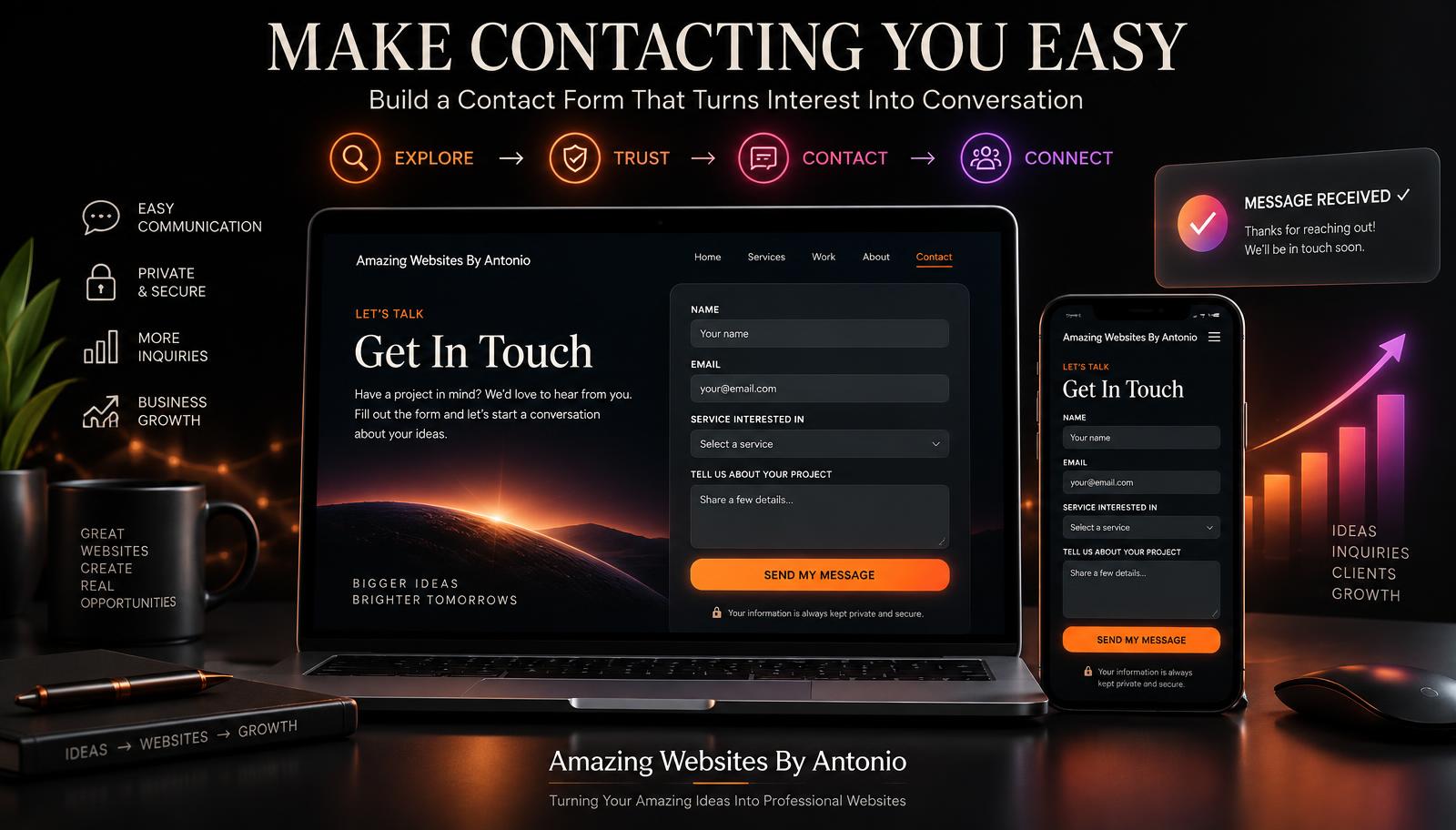
- Send My Message
- Request a Consultation
- Let's Get Started
The button should make the next step clear.
Make Your Contact Page Mobile-Friendly
Imagine a customer finding your business on their phone while they're away from home.
They decide to contact you immediately.
But the form is tiny. The fields don't fit the screen. The button is difficult to tap.
They give up.
That's a missed opportunity.
Your contact page should work smoothly on smartphones, tablets, laptops, and desktop computers. Test it yourself periodically.
Tell People When They Can Expect a Response
Uncertainty can create hesitation.
If possible, provide a realistic response expectation.
For example:
“Messages are typically answered within 1–2 business days.”
Only promise a response time you can consistently meet. Setting expectations helps visitors know their message hasn't disappeared into the internet.
Add Trust Signals
A visitor reaching your contact page may still be deciding whether to work with you.
A few trust-building elements can help. Consider adding:
- A short testimonial
- Professional certifications
- Portfolio examples
- Client logos, with permission
- A professional photo
- A privacy statement near your form
You don't need all of these. Choose the ones that genuinely reinforce your credibility.
Protect Your Visitors' Information
Contact forms collect personal information, so privacy matters.
Only request information you actually need and handle it responsibly.
If your website uses forms, analytics, cookies, email marketing tools, or other technologies that collect information, make sure your privacy practices and policies accurately reflect what your website does.
Trust isn't just something you say. It's something you demonstrate.
Don't Forget Accessibility
Your contact page should be usable by as many people as possible.
That means paying attention to:
- Clear form labels
- Readable text
- Good color contrast
- Keyboard navigation
- Helpful error messages
- Properly sized buttons
For example, if someone forgets to enter an email address, don't simply display “ERROR.” Instead, explain:
“Please enter your email address so we know where to respond.”
Clear instructions create a better experience.
Make Sure the Form Actually Works
This sounds obvious, but it's incredibly important.
Test your contact form regularly. Submit a test inquiry and confirm:
- The form sends successfully
- You receive the message
- The confirmation appears
- The information is readable
- Links and buttons work
- The mobile experience works properly
A beautiful contact form that doesn't deliver messages is worse than having no form at all because you may never know you're losing potential customers.
Create a Helpful Confirmation Message
After someone submits a form, don't leave them wondering whether it worked.
Instead of “Form submitted,” try:
“Thank you! Your message has been received. I'll review your information and follow up soon.”
That small detail reassures visitors that their message was successfully delivered.
Consider a Frequently Asked Questions Section
Some visitors aren't ready to contact you because they still have questions.
Adding a few FAQs near your contact section can reduce uncertainty. Possible questions include:
- How long does a website project take?
- Do you redesign existing websites?
- Can you help with branding?
- Do you work with small businesses?
- Can you integrate AI tools?
Answering common questions can help qualified visitors feel more comfortable reaching out.
Your Contact Page Is More Than a Form
Think of your contact page as the bridge between “I'm interested” and “Let's work together.”
Every unnecessary obstacle makes that bridge harder to cross.
Your goal should be to make the next step:
- Clear
- Simple
- Welcoming
- Trustworthy
That's good website design. And it's good customer service.
Final Thoughts
Your homepage may get the attention. Your portfolio may demonstrate your abilities. Your blog may establish your expertise.
But your contact page is where many visitors finally decide to start a conversation.
Give that page the attention it deserves.
Keep the form simple, provide clear instructions, build trust, set expectations, and test everything regularly.
Sometimes growing your business isn't about getting thousands of additional visitors.
Sometimes it's about making it easier for the visitors you already have to say:
“I'm ready. Let's get started.”
⭐ Antonio's Pro Tip
Complete your own contact form as if you were a first-time customer.
Time yourself. Then ask:
“Was anything confusing, unnecessary, or difficult?”
If the process feels like work to you, simplify it for your visitors.
Every field should have a reason for being there.
🚀 Ready to Turn More Visitors Into Conversations?
At Amazing Websites By Antonio, I believe every part of a website should have a purpose—including the contact page.
From professional website design and branding to AI-powered solutions and digital experiences, the goal is to help businesses create an online presence that makes it easier for customers to discover them, trust them, and take the next step.
Your next customer could already be visiting your website.
Let's make it easy for them to reach you.
Let's build something amazing together.
Turning Your Amazing Ideas Into Professional Websites
Amazing Websites By Antonio
Creating Professional Websites, AI Solutions, and Digital Experiences That Help Businesses Thrive.