A client has completed onboarding.
You''ve discussed their goals.
You''ve collected their information.
The website project has officially started.
Now comes another important part of the customer experience:
Communication.
Clients shouldn''t have to wonder:
“What''s happening with my website?”
But they also don''t need a message every time you change a button, adjust some spacing, or make a small design decision.
Great project communication is about finding the right balance.
Keep the client informed.
Keep the project organized.
Make important decisions clear.
And avoid overwhelming them with unnecessary information.
Here are some ways to keep clients updated throughout a website project.
1. Set Communication Expectations at the Beginning
Before the project gets busy, explain how updates will work.
Tell the client:
- How you''ll communicate
- How often they can expect updates
- Where they should send questions
- When you''ll request feedback
- How approvals will work
When clients know what to expect, silence between updates doesn''t automatically feel like nothing is happening.
2. Choose a Primary Communication Method
Projects can become confusing when information is scattered everywhere.
One decision might be in an email.
Another might be in a text message.
Feedback might arrive through social media.
A file might be sent somewhere else.
Whenever possible, establish one primary place for important project communication.
Other communication methods can still be used when necessary, but major decisions should remain organized and easy to find.
3. Create a Regular Update Schedule
Clients appreciate consistency.
Depending on the project, you might provide updates:
- Weekly
- At major milestones
- After completing a project stage
- Whenever client input is required
The right frequency depends on the project''s size, timeline, and complexity.
The goal is predictable communication—not constant communication.
4. Keep Updates Easy to Understand
Clients don''t need a technical report full of development terminology.
Use clear language.
Instead of:
“We completed responsive breakpoint optimization and component refactoring.”
You might say:
“We''ve improved the mobile layout so the website works more smoothly across phones and tablets.”
Explain what matters and why it matters.
5. Use a Simple Project Update Format
Consistency makes updates easier to understand.
For example:
- Completed: Homepage layout, main navigation, mobile menu
- Currently working on: Services page, portfolio section
- Needed from you: Final service descriptions, three portfolio images
- Next: Complete the Services page, begin the About page
This gives clients useful information without overwhelming them.
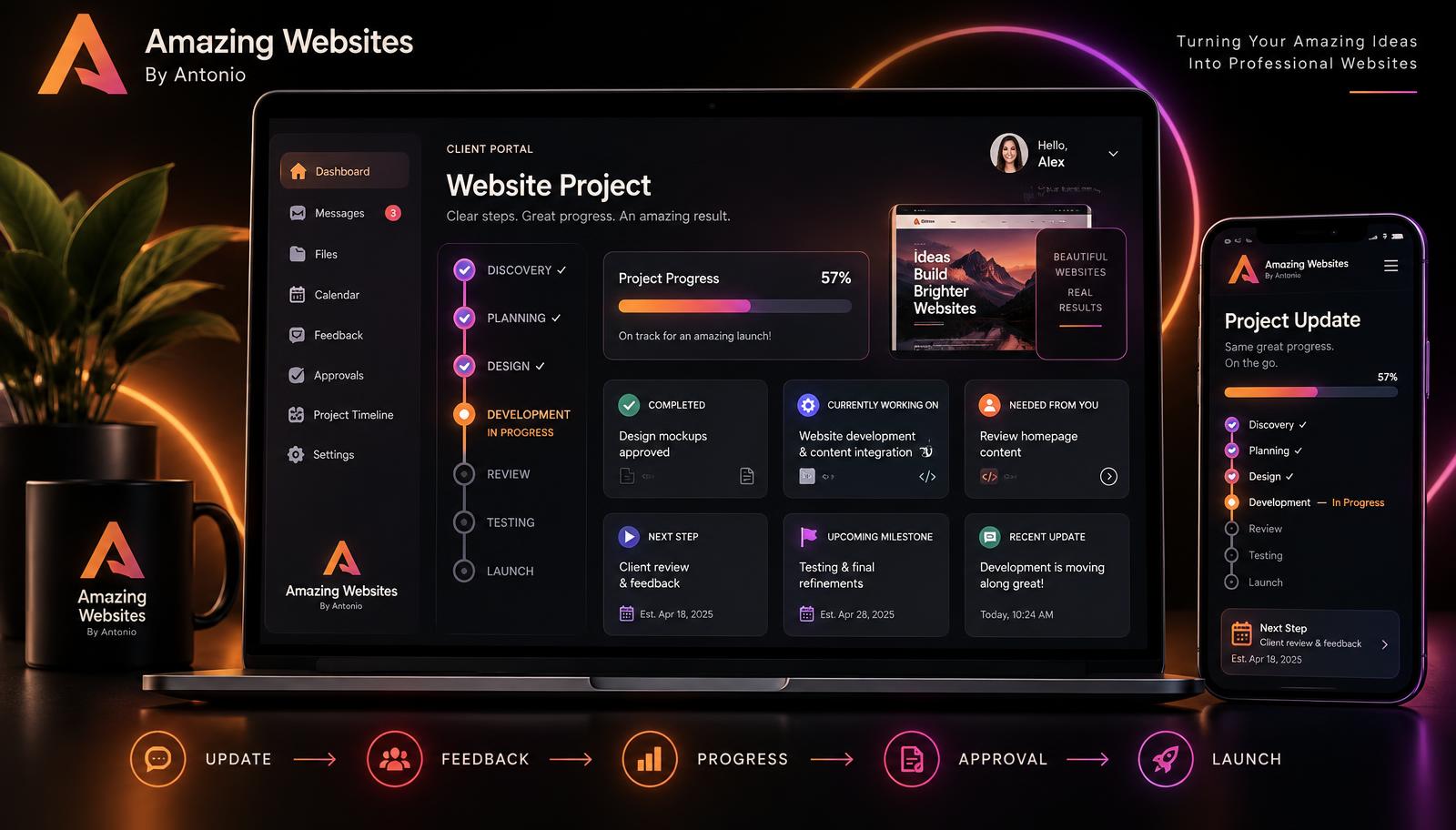
6. Show Progress Visually
Sometimes a visual progress indicator communicates more than a long message.
For example:
- Discovery ✓
- Planning ✓
- Design ✓
- Development — in progress
- Review
- Testing
- Launch
A client can immediately understand where the project stands.
7. Celebrate Milestones
Website projects contain important moments.
Let the client know when you reach them.
For example:
- Homepage design complete
- Mobile design complete
- Website ready for client review
- Final testing underway
- Website ready to launch
Milestones make progress visible and can build excitement.
8. Explain What You Need From the Client
Don''t simply say:
“I need your content.”
Be specific.
For example:
- Final About paragraph
- Updated logo file
- Three team photos
- Approval of homepage headline
Clear requests are easier to complete.
9. Give Clients Deadlines When Necessary
Sometimes your work depends on information or approval from the client.
If something is time-sensitive, explain the deadline clearly.
For example:
“To keep the project moving toward the planned launch date, please send your final service descriptions by September 30.”
This helps clients understand why the deadline matters.
10. Explain When a Delay Affects the Timeline
Projects sometimes pause because information, content, approvals, or files haven''t arrived.
Communicate that professionally.
For example:
“We''re ready to begin the next stage as soon as the final images are received. If they arrive after the planned date, the remaining project timeline may need to shift accordingly.”
Focus on the project rather than blaming the client.
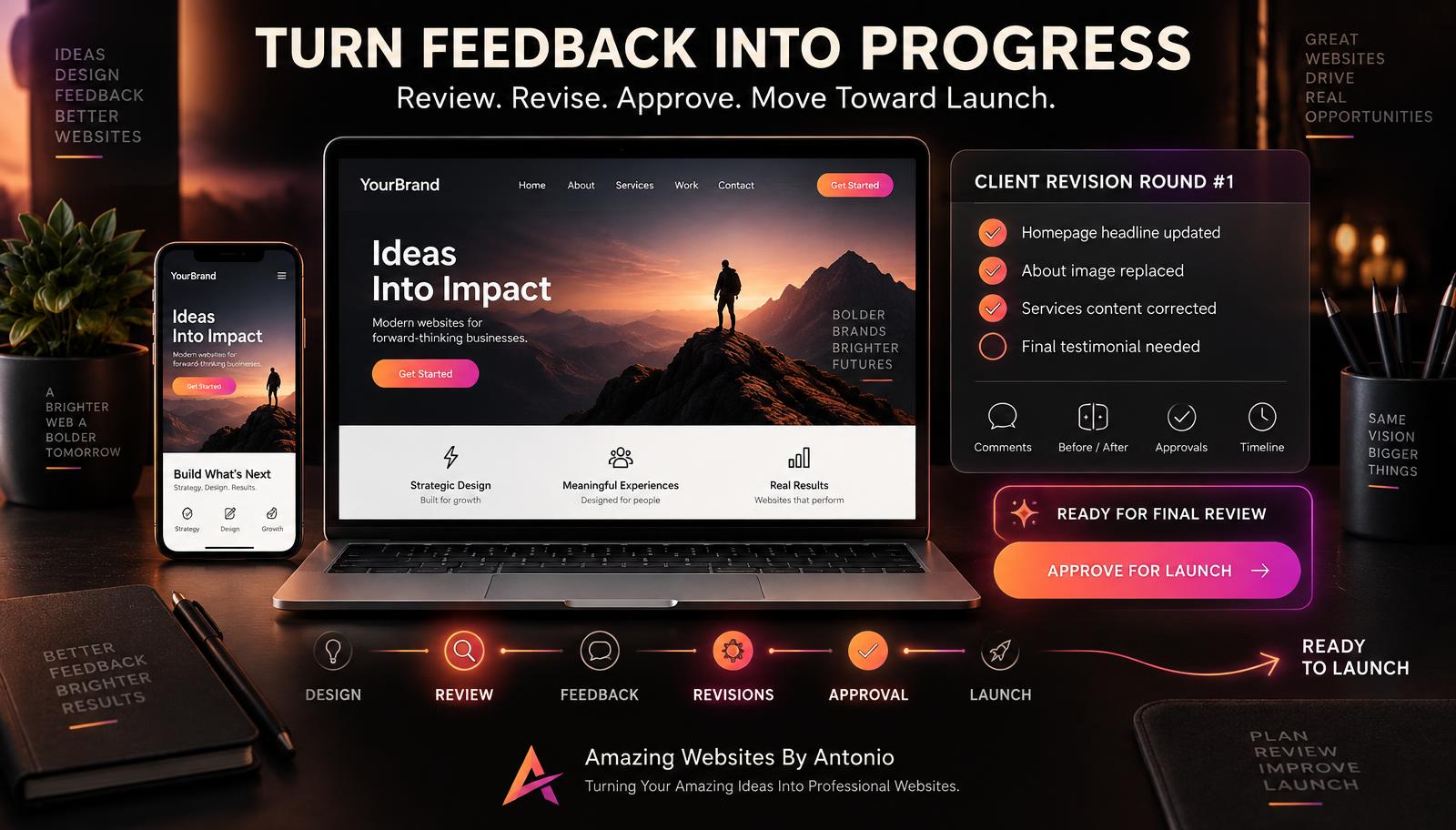
11. Ask for Feedback at the Right Time
Don''t request feedback on every tiny detail.
Instead, create clear review stages.
For example:
- Review #1 — Overall design direction
- Review #2 — Page content and layout
- Review #3 — Final website review
This gives feedback structure.
12. Explain What Type of Feedback You Need
“Tell me what you think” can produce vague answers.
Ask more useful questions.
For example:
- Does this design feel appropriate for your brand?
- Is the main message clear?
- Are any important services missing?
- Is the information accurate?
- Does the page feel appropriate for your audience?
- Is there anything you would like clarified?
Specific questions can produce more useful feedback.
13. Collect Feedback in One Place
If possible, ask the client to combine feedback rather than sending individual changes one message at a time.
For example:
- Change the headline
- Replace the second image
- Update the phone number
- Move the testimonial section higher
Consolidated feedback makes revisions easier to manage.
14. Confirm Important Decisions
When a client approves something important, document it.
For example:
“Thank you! The homepage design direction is approved. We''ll now move forward with the remaining pages using this visual style.”
This creates clarity for both sides.
15. Don''t Disappear During Quiet Project Stages
Some parts of a website project take time.
The client may not see visible changes every day.
If a longer period passes between milestones, a brief update can help.
For example:
“Quick project update: development is progressing as planned. We''re currently building the remaining page layouts and preparing the next version for review.”
A short message can provide reassurance.
16. Don''t Send Updates Just to Send Updates
Communication should be useful.
Avoid messages that don''t provide meaningful information.
Every update should ideally answer at least one of these questions:
- What has been completed?
- What is happening now?
- What happens next?
- Is anything needed from the client?
- Has the timeline changed?
17. Share Previews at Meaningful Stages
Clients often enjoy seeing their website come to life.
Share previews when they are ready enough to evaluate.
A very unfinished page may create confusion because the client doesn''t know which elements are temporary.
When sharing work in progress, clearly explain what is complete and what is still being developed.
18. Make It Clear When Something Is a Draft
Use labels such as:
- Draft
- Concept
- For review
- Not final
This helps prevent a client from thinking an early concept is the finished product.
19. Keep Technical Problems in Perspective
Website projects sometimes encounter unexpected technical issues.
If an issue affects the client, explain:
- What happened
- What part of the project is affected
- What you''re doing next
- Whether the timeline changes
Avoid overwhelming the client with technical details they don''t need.
20. Communicate Changes to the Project Scope
Sometimes clients request additional features after the project begins.
That is normal.
But additional work may affect:
- Timeline
- Price
- Deliverables
- Technical requirements
Don''t quietly add major work and hope everything works out.
Explain the impact and confirm the change before proceeding.
21. Use Automation for Routine Updates
Automation can help with repetitive communication.
For example:
- Meeting reminders
- File reminders
- Feedback reminders
- Payment reminders
- Milestone notifications
- Review requests
Automation can improve consistency.
But important conversations should still feel personal.
22. Personalize Important Messages
A client isn''t just a project number.
Use their name.
Mention their project.
Reference their goals.
For example:
“Your new portfolio section is coming together nicely, and we''ve kept the focus on making your work easy for visitors to explore.”
Small personal touches can make project communication feel more thoughtful.
23. Create a Client Project Dashboard When Appropriate
For larger projects, consider giving clients a simple dashboard or portal.
It could show:
- Project status
- Current stage
- Next milestone
- Tasks
- Files needed
- Recent updates
- Upcoming meetings
- Feedback requests
This can reduce repeated questions because clients have one place to see what is happening.
24. Don''t Overload the Dashboard
A client portal should make the project easier—not create another complicated system they have to learn.
Keep it simple.
Clients usually need to know:
- Where are we?
- What''s finished?
- What''s next?
- What do you need from me?
Those four questions can guide the entire experience.
25. Respond to Questions Clearly
When clients ask questions, answer them as clearly as possible.
If you don''t yet have the answer, tell them when the decision will be addressed.
Good communication isn''t about knowing everything instantly.
It''s about keeping expectations clear.
26. Give Clients Advance Notice Before Launch
Don''t surprise a client with:
“Your website is live!”
Prepare them.
Before launch, confirm important items such as:
- Content approval
- Contact information
- Links
- Forms
- Mobile testing
- Domain setup
- Required integrations
- Final client approval
Launch should feel like the result of an organized process.
27. End Each Update With the Next Step
One simple habit can make project communication much clearer.
End updates by answering:
What happens next?
For example:
“Next step: We''ll complete the Services and About pages and send them for your review.”
or:
“Next step: Once we receive your final photos, we''ll complete the Portfolio page.”
This keeps the project moving forward.
28. Make Communication Part of the Service
Clients aren''t only paying for the finished website.
They''re also experiencing your process.
A beautiful website delivered through a confusing process can leave a different impression than a beautiful website delivered through an organized, professional experience.
Communication is part of the customer experience.
29. Build Confidence Through Clarity
You don''t need to message clients constantly to make them feel supported.
You need to communicate the right information at the right time.
Show progress.
Explain what''s next.
Ask for what you need.
Document decisions.
Address changes.
Celebrate milestones.
Keep moving forward.
Final Thoughts
A client should never have to wonder:
“Did they forget about my project?”
At the same time, they shouldn''t have to sort through dozens of unnecessary messages to understand what is happening.
Great project communication lives between those two extremes.
Be consistent.
Be clear.
Be organized.
Be transparent.
And make every update useful.
Because when clients understand where the project stands and what happens next, they''re more likely to feel confident throughout the journey.
You aren''t simply building a website.
You''re building the experience of working with your business.
Make both worth remembering.
Amazing Websites By Antonio
Turning Your Amazing Ideas Into Professional Websites