Getting someone to visit your website is only the first step.
The next question is: What makes them stay?
A visitor may arrive through Google, social media, a referral, an advertisement, or a link someone shared. They land on your website, look around, and within moments, they decide whether to keep exploring or leave.
That decision often depends on how quickly your website gives them a reason to care.
The goal isn't to trap visitors on your website. It isn't to overwhelm them with pop-ups, animations, or endless information. The goal is to create an experience that feels useful enough that they want to keep exploring.
Let's look at how to do that.
Start With a Strong First Impression
Your opening section should quickly answer:
- Who are you?
- What do you provide?
- Who do you help?
- Why should the visitor keep reading?
A homepage headline such as “Welcome to Our Website” doesn't give visitors much reason to stay.
A stronger message might be: “Professional Websites and AI-Powered Digital Solutions That Help Businesses Stand Out Online.”
Now the visitor immediately understands what the business offers. Clarity creates engagement.
Give Visitors a Reason to Scroll
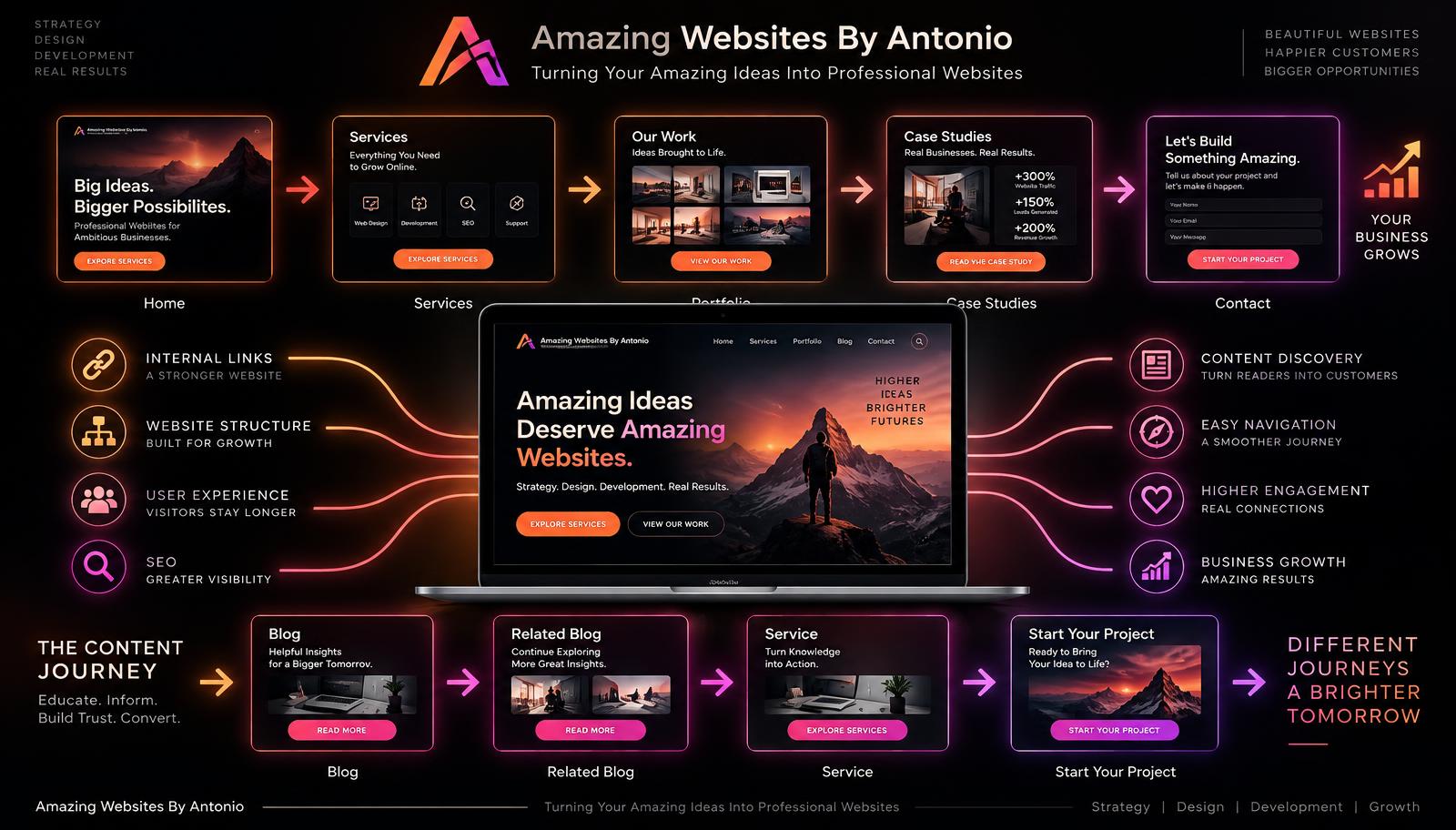
Your first section should naturally lead into the next one. Think of your website like a story. The visitor should think: “Okay, tell me more.”
For example:
- First Section: Explain what you do.
- Next Section: Show how you help.
- Next Section: Show your services.
- Next Section: Show proof.
- Next Section: Explain how to get started.
Each section should create a reason to continue.
Use Storytelling
People connect with stories. Instead of only listing services, explain the journey.
For example:
- The Problem: A business has an outdated website.
- The Challenge: Customers struggle to understand the services.
- The Solution: The website is redesigned with clearer messaging and navigation.
- The Result: Visitors can find information and contact the business more easily.
Stories help visitors imagine how your services could help them too.
Speak to the Visitor
A website shouldn't sound like it's only talking about itself. Too much “We do this. We do that. We are great.” can become repetitive.
Instead, speak directly to the visitor:
- Is your website helping your business grow?
- Are customers struggling to find the information they need?
- Would automation save you time?
Visitors become more engaged when the content feels relevant to their situation.
Break Information Into Smaller Sections
Long blocks of text can feel overwhelming. Even valuable information becomes difficult to read when everything is packed together.
Use:
- Short paragraphs
- Clear headings
- Bullet points
- Visual sections
- Callout boxes
- Images
- Buttons
Make the page easy to scan. Visitors should be able to understand the main ideas even if they don't read every word.
Use Strong Headings
Headings act like road signs.
- Instead of “Our Services,” use “Digital Solutions Designed Around Your Business.”
- Instead of “About,” use “Meet the Person Behind the Ideas.”
- Instead of “Blog,” use “Learn Something New Today.”
Strong headings create curiosity.
Use Images With Purpose
Images can make pages more engaging when they support the content. Useful visuals include portfolio projects, product photos, screenshots, process diagrams, before-and-after examples, team photos, and educational graphics.
Avoid adding images simply to fill space. The best visual answers a question or strengthens the story.
Showcase Your Portfolio
A portfolio gives visitors something concrete to explore. Instead of simply saying “I create websites,” show examples. You can include screenshots, project names, challenges, solutions, tools used, and outcomes.
Visitors often spend longer on websites when they can explore real work.
Add Authentic Testimonials
Testimonials can encourage visitors to continue exploring because they provide social proof. A visitor may think: “What was someone else's experience?” Real testimonials can answer that.
Keep them authentic, clearly labeled, easy to read, and relevant to the service. Don't overload the page with dozens of long testimonials. Show a few and provide a link to more.
Create Internal Links
Internal links help visitors move naturally between related information. For example, a blog about website redesign might link to your website design services. A branding article might link to your branding projects. An AI article might link to your AI Learning Hub.
Internal links turn individual pages into a connected experience.
Recommend Related Content
At the end of a blog article, don't simply let the page stop. Offer another useful article. This gives engaged readers a natural next step.
Use Video Carefully
Video can increase engagement when it adds value. You might use welcome videos, service explanations, product demonstrations, tutorials, customer stories, or project walkthroughs. Keep it concise. Don't autoplay loud audio. Let the visitor choose whether to watch.
Add Interactive Features
Interactive content gives visitors something to do rather than simply read. Examples include quizzes, website assessments, calculators, interactive checklists, business readiness questionnaires, recommendation tools, and before-and-after sliders.
For example, a short quiz titled “Is Your Website Ready for a Redesign?” could ask five questions and provide a personalized result. Interactive experiences can make your website memorable.
Use AI Assistance When It Helps
An AI assistant can make a large website easier to explore. A visitor might ask where to learn about website redesign, whether you offer AI automation, or where your portfolio is. The assistant can guide them to the right information.
But don't make the chatbot the only way to navigate. Traditional navigation should still work well. AI should improve the experience, not replace good website structure.
Let Visitors Choose Their Path
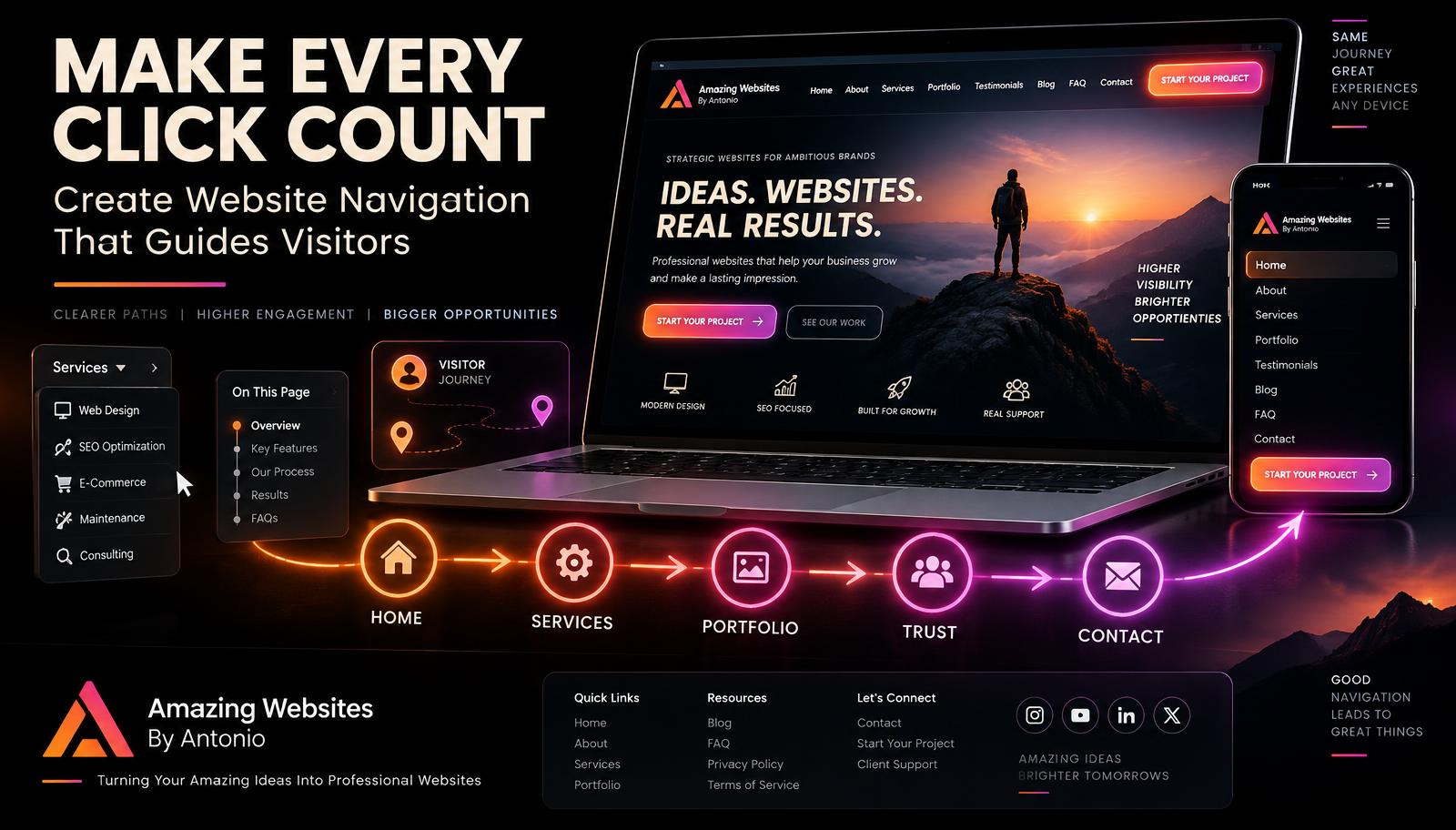
Not every visitor wants the same thing. One may want services, another educational resources, another your portfolio, another pricing, another contact information. Make those pathways clear.
For example: “What Would You Like to Explore?” with options like Build My Website, Improve My Brand, Explore AI Solutions, Learn About AI, and View My Work.
Create Useful Blog Content
Blogs are powerful engagement tools because one article can lead to another. Write about questions your audience actually asks. Topics may include website design, SEO, AI, branding, customer experience, lead generation, automation, and digital marketing.
When someone finds useful information, they have a reason to keep browsing.
Create Content Hubs
If your website contains a lot of information, organize related resources into hubs. For example, a Website Growth Hub might include website design, SEO, conversion tips, analytics, and accessibility. An AI Learning Hub might include AI basics, prompting, automation, chatbots, and AI business tools.
Visitors can explore a topic without feeling lost.
Use Calls to Action Throughout the Journey
Don't wait until the bottom of every page. Place relevant calls to action where they naturally make sense. After explaining a website problem, invite visitors to explore website design services. After a portfolio example, encourage them to start a project. After an educational article, suggest the next guide.
The CTA should feel connected to what the visitor just learned.
Don't Add Too Many Buttons
More buttons don't automatically create more engagement. Too many choices can create indecision. If every section contains five competing actions, visitors may not know where to go.
Choose one primary action and, when appropriate, one secondary action. Clarity beats quantity.
Make Your Website Fast
Engagement becomes difficult if the website loads slowly. Visitors may leave before they ever see your content. Reduce unnecessary huge image files, heavy animations, background videos, scripts, and plugins. A beautiful experience needs to load quickly enough for people to enjoy it.
Make Mobile Engagement Easy
Many visitors will explore your website from a phone. Check menu usability, button size, text readability, page length, forms, interactive features, videos, and pop-ups. A feature that works beautifully on desktop may become frustrating on mobile. Test both.
Avoid Too Many Pop-Ups
A visitor lands on your page and immediately sees: Join our newsletter! Use our chatbot! Download our guide! Allow notifications! That isn't engagement. That's interruption.
Give visitors time to understand your website before asking for multiple actions.
Don't Force Engagement
Avoid techniques designed to make leaving difficult. Examples include hidden close buttons, endless pop-ups, fake urgency, forced account creation, and difficult unsubscribe options. Real engagement happens when visitors find value. Make people want to stay. Don't try to force them.
Create Curiosity
A small amount of curiosity can encourage exploration. For example: “See how one small homepage change can completely transform the customer journey.” Then link to a relevant article.
Curiosity works best when the next step delivers genuine value.
Give Visitors Something Useful
Engagement improves when visitors receive something practical. Examples include checklists, templates, resource guides, tutorials, calculators, quizzes, and planning worksheets. Useful tools give people a reason to remember your website.
Keep Your Content Fresh
A website that never changes gives visitors fewer reasons to return. Fresh content might include new blogs, portfolio projects, resources, tools, testimonials, and business announcements. You don't need to change everything constantly. You simply need to show that the website is alive.
Encourage Return Visits
Not every visitor will become a customer today. Give them a reason to come back. You might offer a newsletter, weekly tips, new blog notifications, resource updates, or an educational series. Returning visitors often develop stronger familiarity with your brand. Familiarity can become trust.
Engagement Is Not the Same as Entertainment
Your website doesn't need constant movement. You don't need flashing graphics, endless animations, background music, or pop-ups everywhere. Engagement comes from relevance. A visitor stays because they are thinking: “This is helpful. This answers my question. I want to see more.” That's meaningful engagement.
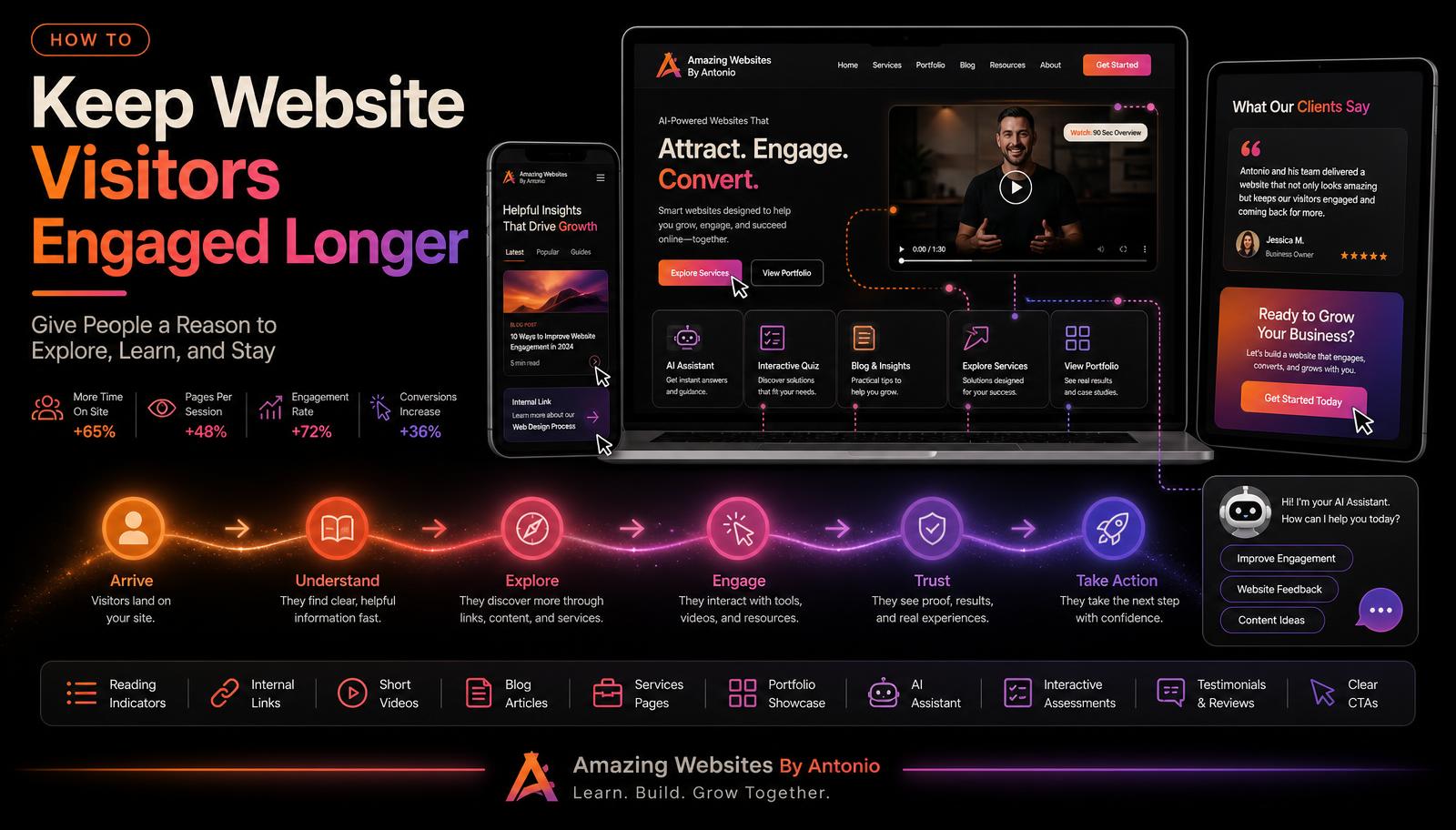
Build a Journey
Think about your website like a guided path:
- Stage 1 — Arrive: What is this website?
- Stage 2 — Understand: Can this business help me?
- Stage 3 — Explore: What do they offer?
- Stage 4 — Trust: Can they prove it?
- Stage 5 — Engage: What else can I learn or explore?
- Stage 6 — Act: What should I do next?
Good website engagement helps visitors move naturally through those stages.
Measure What Visitors Engage With
Use analytics to learn which pages people visit, which blogs they read, which links they click, which videos they watch, which resources they download, which tools they use, and where they leave. Then ask: “What are visitors telling me through their behavior?” Your audience can help show you what to create next.
Final Thoughts
Keeping visitors engaged isn't about making your website louder. It's about making it more useful. Visitors stay when they understand your message, see something relevant, find helpful information, discover real proof, have something interesting to explore, and know what to do next.
Create a website that rewards curiosity. Every click should lead to something valuable. Every section should have a purpose. Every page should make the visitor feel like continuing was worth their time. That's how you build genuine website engagement.
⭐ Antonio's Pro Tip
Choose one important page on your website and look at the bottom of it. Ask: “What happens next?” If the page simply ends, add a meaningful next step. It might be Read the Next Article, Explore This Service, View a Related Project, Take an Assessment, Download a Resource, or Contact Me. Never leave an interested visitor standing at a dead end. Give them somewhere useful to go.
🚀 Give Visitors a Reason to Stay
At Amazing Websites By Antonio, I believe websites should be experiences—not just collections of pages. Professional website design, AI-powered branding, educational content, interactive tools, creative digital solutions, and thoughtful automation. When these elements work together, visitors can discover, learn, explore, and connect at their own pace.
Don't overwhelm your audience. Guide them. Help them. Give them reasons to keep exploring.
Let's build something amazing together.
Turning Your Amazing Ideas Into Professional Websites
Amazing Websites By Antonio
Creating Professional Websites, AI Solutions, and Digital Experiences That Help Businesses Thrive.