A Practical Guide to Correcting Failed Website Controls, Strengthening AI Assistant Safeguards, Improving Automation Protection, Reducing Business Risks, and Building More Reliable Website Systems
Imagine you're managing your professional business website.
Your homepage looks beautiful.
Your services are clearly displayed.
Your Contact form helps potential customers reach you.
Your AI assistant answers questions.
Your automations help your business operate efficiently.
You've established a website problem prevention plan.
You've created preventive controls.
And you've developed a testing plan to evaluate whether those safeguards are working.
Then something unexpected happens.
During a routine control test, you discover that your automation failure notification isn't working.
The automation records an error.
But the expected notification never arrives.
Your safeguard has failed.
Fortunately, you discovered the weakness during testing rather than during an actual customer emergency.
But now you have an important responsibility.
WHAT SHOULD YOU DO WHEN ONE OF YOUR WEBSITE SAFEGUARDS FAILS?
Should you immediately change the configuration?
Should you temporarily disable the affected feature?
Should you create an alternative monitoring procedure?
Should you investigate why the safeguard failed?
And how will you know when the weakness has been adequately corrected?
That's where an AI website control failure remediation plan becomes valuable.
AN AI WEBSITE CONTROL FAILURE REMEDIATION PLAN IS A STRUCTURED APPROACH TO IDENTIFYING, EVALUATING, PRIORITIZING, CORRECTING, AND RETESTING FAILED WEBSITE SAFEGUARDS WHILE MANAGING THE ASSOCIATED BUSINESS RISKS.
Instead of ignoring a failed control, you document it.
Instead of making random configuration changes, you investigate the weakness.
Instead of leaving your website unnecessarily exposed, you consider appropriate temporary protection.
And instead of assuming that a correction worked, you collect evidence through retesting.
For AI-powered websites, control failure remediation may address:
- Failed Contact form validation
- Missing automation failure notifications
- Incorrect AI assistant responses
- Unsuccessful human handoff procedures
- Inadequate access permissions
- Failed backup verification
- Unreliable integration monitoring
- Duplicate customer records
- Missing publishing approvals
- Ineffective website monitoring
- Customer information protection weaknesses
- Failed recovery procedures
- Outdated maintenance safeguards
- Inadequate error handling
The good news?
YOU DON'T NEED A LARGE TECHNOLOGY TEAM TO CREATE A PRACTICAL WEBSITE CONTROL FAILURE REMEDIATION PLAN.
Even a solo entrepreneur can document failed safeguards, prioritize corrective actions, establish temporary protection, and verify improvements.
In Blog #147, we're exploring 50 practical strategies to help you strengthen weak website safeguards and improve long-term reliability.
PART 1: UNDERSTAND WEBSITE CONTROL FAILURES
1. Know What a Control Failure Means
A control failure occurs when a safeguard does not satisfy its intended protective, detective, or recovery requirements.
2. Distinguish a Control Failure From a Website Incident
A website incident is an unwanted operational event.
A control failure is a weakness in a safeguard intended to prevent, detect, or help recover from that event.
3. Understand Why Remediation Matters
Uncorrected control weaknesses can leave important website systems exposed to avoidable risks.
4. Recognize Different Types of Control Weaknesses
A safeguard may be missing, poorly designed, incorrectly configured, inconsistently performed, or no longer appropriate.
5. Establish Remediation Objectives
Define what successful remediation should accomplish and how it will be verified.
PART 2: IDENTIFY AND DOCUMENT FAILED SAFEGUARDS
6. Review Control Testing Results
Examine failed, partially passed, and blocked tests to identify potential weaknesses.
7. Assign Unique Control Failure Identifiers
Use consistent identifiers to connect failures with risks, tests, and corrective actions.
8. Document Expected Control Behavior
Describe what the safeguard was supposed to accomplish.
9. Record Actual Control Behavior
Document what occurred during testing or normal operation.
10. Preserve Relevant Evidence
Maintain appropriate screenshots, test results, and sanitized logs without exposing sensitive information.
PART 3: ASSESS AND PRIORITIZE CONTROL FAILURES
11. Identify the Associated Business Risk
Determine which unwanted event the failed safeguard was intended to address.
12. Evaluate Potential Customer Impact
Consider whether the weakness could affect customer inquiries, service delivery, privacy, or accessibility.
13. Review Existing Protective Measures
Determine whether other safeguards continue to provide meaningful protection.
14. Assign a Remediation Priority
Classify the weakness according to its potential consequences and urgency.
15. Establish Appropriate Remediation Deadlines
Set target dates based on risk, technical complexity, and available resources.
PART 4: ESTABLISH TEMPORARY PROTECTIVE MEASURES
16. Determine Whether Immediate Protection Is Needed
Evaluate whether the failed control creates an unacceptable exposure requiring prompt action.
17. Establish Alternative Monitoring
Use an appropriate temporary monitoring procedure when an automated safeguard is unavailable.
18. Restrict Affected Functionality When Necessary
Consider safely limiting a feature when continued operation creates unacceptable risk.
19. Document Temporary Control Responsibilities
Identify who will perform and review temporary protective activities.
20. Establish Temporary Control Expiration Dates
Ensure temporary safeguards are reviewed and do not become forgotten permanent workarounds.
PART 5: REMEDIATE CONTACT FORM AND CUSTOMER WORKFLOW CONTROLS
21. Correct Required Field Validation Weaknesses
Review verified configuration problems that allow incomplete or invalid submissions.
22. Strengthen Customer Inquiry Protection
Address weaknesses affecting the appropriate storage and handling of customer inquiries.
23. Correct Notification Monitoring Failures
Investigate why expected notifications or failure alerts are not delivered.
24. Review Duplicate Submission Safeguards
Correct verified weaknesses that allow unintended duplicate actions where prevention is required.
25. Retest Complete Customer Workflows
Verify that corrected safeguards protect the intended workflow without preventing legitimate customer activity.
PART 6: REMEDIATE AI ASSISTANT SAFEGUARDS
26. Correct Approved Knowledge Source Weaknesses
Review outdated, inaccurate, or improperly connected information sources.
27. Improve Unsupported Request Handling
Strengthen the assistant's ability to communicate limitations and avoid unsupported claims.
28. Repair Human Handoff Procedures
Correct verified problems preventing customers from reaching appropriate human assistance.
29. Address Sensitive Information Protection Weaknesses
Review access restrictions and data handling controls using authorized methods and synthetic test information.
30. Retest Representative AI Assistant Scenarios
Evaluate whether the corrected assistant meets its approved factual, behavioral, and safety requirements.
PART 7: REMEDIATE AUTOMATION AND INTEGRATION CONTROLS
31. Correct Automation Trigger Weaknesses
Review conditions that cause workflows to activate incorrectly or fail to activate.
32. Strengthen Workflow Error Handling
Improve appropriate error detection, reporting, and response procedures.
33. Repair Failed Monitoring Alerts
Verify that alerts reach the intended responsible person.
34. Address Integration Monitoring Weaknesses
Review supported connection monitoring and authorization procedures.
35. Correct Duplicate Action Prevention Controls
Where required, strengthen safeguards against unintended repeated records, notifications, or transactions.
PART 8: MANAGE THE REMEDIATION PROCESS
36. Assign a Remediation Owner
Identify who is responsible for coordinating and completing each corrective action.
37. Define the Permanent Solution
Document the approved change intended to address the verified control weakness.
38. Evaluate Remediation Risks
Consider whether the correction could affect other website features or connected systems.
39. Implement Approved Corrections Safely
Use appropriate testing environments, permissions, and change management procedures.
40. Track Remediation Progress
Maintain visible records of completed work, outstanding tasks, dependencies, and deadlines.
PART 9: RETEST AND VERIFY CORRECTED SAFEGUARDS
41. Establish Retesting Acceptance Criteria
Define what evidence is required to demonstrate that the corrected control works.
42. Repeat Relevant Failed Tests
Use appropriate test scenarios to verify that the original weakness has been addressed.
43. Review Related Website Features
Check whether remediation introduced unintended problems elsewhere.
44. Evaluate Remaining Risks
Determine whether additional protection or monitoring is necessary.
45. Document the Closure Decision
Close a remediation item only when the required evidence and appropriate approval support that decision.
PART 10: STRENGTHEN LONG-TERM WEBSITE PROTECTION
46. Update the Website Control Inventory
Record corrected safeguards and their current requirements.
47. Improve Future Control Testing Procedures
Use remediation findings to strengthen testing coverage.
48. Review Similar Website Controls
Identify whether the same weakness could affect other safeguards.
49. Update Maintenance and Prevention Documentation
Incorporate verified corrections into routine website management procedures.
50. Make Control Remediation Part of Continuous Improvement
Treat control weaknesses as opportunities to strengthen website reliability and protection.
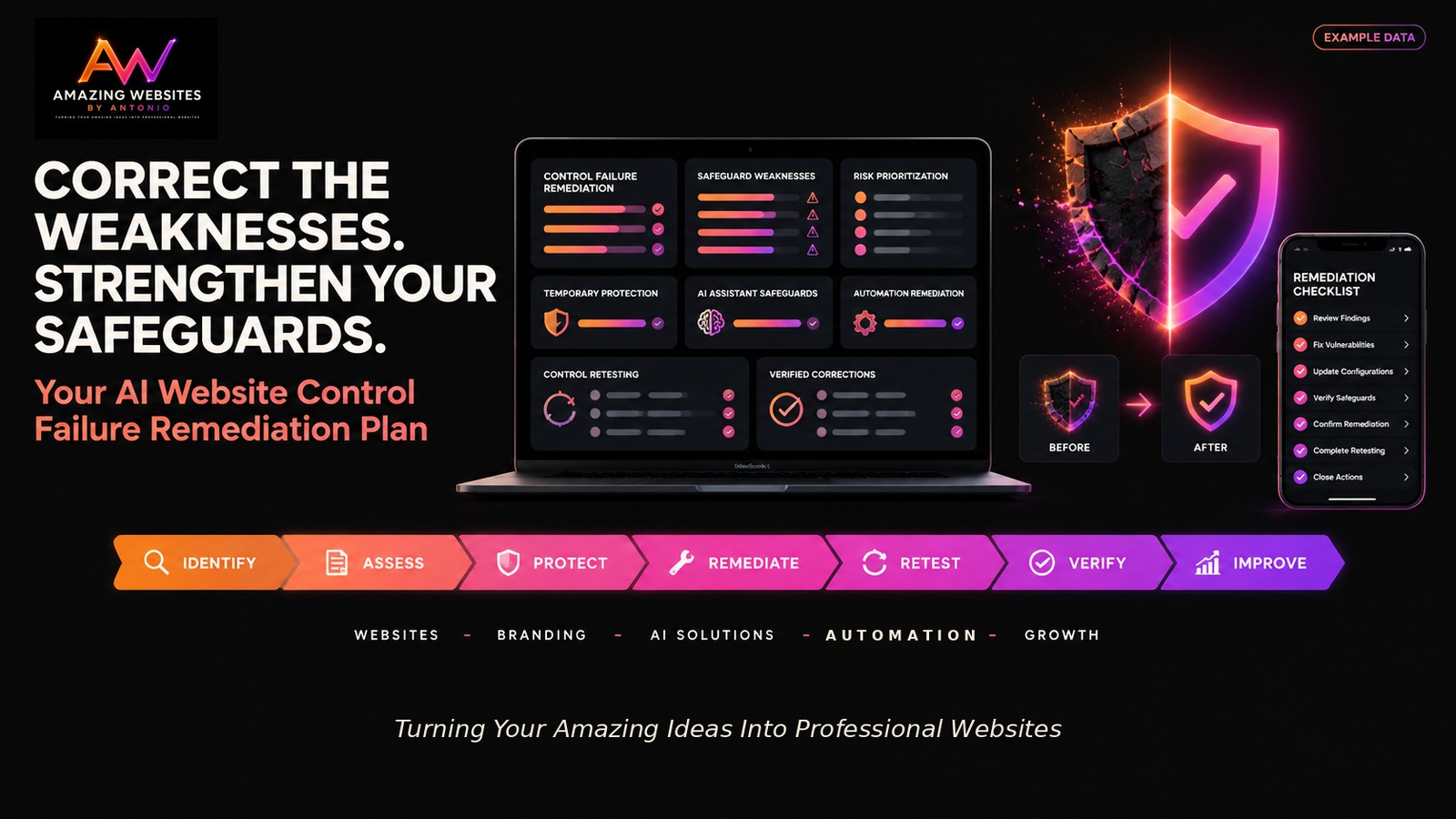
IDENTIFY → ASSESS → PROTECT → REMEDIATE → RETEST → VERIFY → IMPROVE
UNDERSTANDING THE FIVE TYPES OF CONTROL WEAKNESSES
Different control weaknesses may require different remediation approaches.
| Control Weakness | Description | Example |
|---|---|---|
| Missing Control | A necessary safeguard does not exist | No failure notification for an important automation |
| Design Weakness | A safeguard does not adequately address its intended risk | Monitoring detects errors but has no alert delivery requirement |
| Configuration Weakness | A safeguard is incorrectly configured | Alerts are sent to an outdated email address |
| Operating Weakness | A safeguard does not consistently function | Scheduled maintenance reviews are repeatedly missed |
| Coverage Weakness | A safeguard protects only part of the intended system | Contact form monitoring checks submission but not inquiry storage |
Identifying the type of weakness helps you select a more appropriate permanent solution.
CONTROL FAILURE REMEDIATION VS. WEBSITE INCIDENT RESPONSE
These processes are related, but they serve different purposes.
| Website Incident Response | Control Failure Remediation |
|---|---|
| Responds to an actual disruption | Addresses a failed or inadequate safeguard |
| Focuses on restoring operations | Focuses on restoring or improving protection |
| May require immediate recovery | May require temporary controls and permanent corrections |
| Documents incident impact | Documents control weakness and associated risk |
| Verifies restored functionality | Retests the corrected safeguard |
For example, an automation failure is an operational incident.
An automation monitoring system that fails to report that incident is a control failure.
Both problems may need to be addressed.
THE SEVEN QUESTIONS EVERY REMEDIATION PLAN SHOULD ANSWER
1. WHICH SAFEGUARD FAILED?
Identify the affected control.
2. WHAT WAS THE SAFEGUARD SUPPOSED TO DO?
Document its intended protective behavior.
3. WHAT ACTUALLY HAPPENED?
Review available evidence.
4. WHAT RISKS DOES THE FAILURE CREATE?
Evaluate potential business and customer consequences.
5. WHAT TEMPORARY PROTECTION IS NEEDED?
Determine whether alternative safeguards are necessary.
6. WHAT PERMANENT CORRECTION WILL ADDRESS THE WEAKNESS?
Define an appropriate remediation action.
7. HOW WILL THE CORRECTION BE VERIFIED?
Establish retesting requirements and closure criteria.
YOUR WEBSITE CONTROL FAILURE REMEDIATION WORKFLOW
CONTROL FAILURE IDENTIFIED
↓
EXPECTED AND ACTUAL RESULTS DOCUMENTED
↓
ASSOCIATED BUSINESS RISK ASSESSED
↓
IS IMMEDIATE PROTECTION REQUIRED?
YES → Establish appropriate temporary safeguards or restrict affected functionality.
NO → Continue with planned remediation.
↓
INVESTIGATE THE CONTROL WEAKNESS
↓
DEFINE THE PERMANENT CORRECTION
↓
ASSIGN AN OWNER AND TARGET DATE
↓
IMPLEMENT THE APPROVED CORRECTION
↓
RETEST THE SAFEGUARD
↓
DID THE CORRECTED CONTROL PASS?
YES → Review remaining risks and consider closure.
NO → Continue investigation and remediation.
↓
UPDATE WEBSITE PROTECTION DOCUMENTATION
This process helps prevent failed safeguards from being overlooked or closed prematurely.
YOUR CONTROL FAILURE CLASSIFICATION MATRIX
The following priority categories are illustrative and should be adapted to your business.
| Priority | Description | Example Response |
|---|---|---|
| Critical | Unacceptable exposure involving essential operations, security, or sensitive information | Immediate assessment, protective action, and appropriate escalation |
| High | Significant weakness affecting important business workflows | Prompt remediation with temporary protection where necessary |
| Medium | Meaningful weakness with limited exposure or other effective safeguards | Scheduled corrective action and retesting |
| Low | Minor weakness with limited business consequences | Documented improvement during routine maintenance |
A numerical priority score should never override a serious security or privacy concern.
If a control failure indicates possible unauthorized access, data exposure, or another active incident, follow the appropriate incident response process and seek qualified assistance where necessary.
TEMPORARY PROTECTION VS. PERMANENT REMEDIATION
A temporary safeguard can help manage risk while a permanent correction is being developed.
However, a temporary safeguard is not automatically a permanent solution.
| Failed Safeguard | Temporary Protection | Permanent Remediation |
|---|---|---|
| Automation Failure Alert | Review relevant workflow logs manually at an appropriate frequency | Restore and verify automated alert delivery |
| AI Human Handoff | Provide a clearly visible alternative contact option | Correct and retest the handoff workflow |
| Contact Form Validation | Restrict affected submissions or provide an alternative inquiry method where appropriate | Correct validation requirements and retest |
| Integration Monitoring | Perform documented connection and workflow checks | Establish reliable supported monitoring |
| Backup Verification | Protect existing recoverable copies and assess recovery limitations | Correct backup coverage and verify recovery |
| Publishing Approval | Restrict publishing access and require documented review | Restore the intended approval process |
Temporary measures should have an owner, a review frequency, and an expiration or reassessment date.
EXAMPLE 1: REMEDIATING A FAILED CONTACT FORM SAFEGUARD
Imagine your Contact form is supposed to reject incomplete submissions.
During testing, you discover that the form accepts inquiries without a required email address.
CONTROL FAILURE
Required field validation does not meet the approved requirements.
ASSOCIATED RISK
The business may receive inquiries without sufficient information to respond.
TEMPORARY PROTECTION
Review incoming inquiries and provide an alternative contact method if the affected workflow cannot be operated reliably.
PERMANENT REMEDIATION
Investigate and correct the relevant validation configuration, including receiving-system validation where applicable.
RETESTING REQUIREMENTS
- Submit synthetic information with a required field missing.
- Verify that the invalid submission is handled appropriately.
- Submit valid synthetic information.
- Confirm that legitimate inquiries can still be processed.
- Verify inquiry storage and notification delivery.
- Document the results.
CLOSURE REQUIREMENT
The corrected safeguard meets its validation requirements, and related customer workflows continue to function.
EXAMPLE 2: REMEDIATING AN AI ASSISTANT HUMAN HANDOFF FAILURE
Imagine your AI assistant is supposed to provide a human support option when it cannot answer a customer question.
During testing, the assistant invents information instead of directing the customer to appropriate assistance.
CONTROL FAILURE
The assistant does not consistently follow its unsupported request and human handoff requirements.
ASSOCIATED RISK
Customers may receive inaccurate information or be unable to obtain necessary assistance.
TEMPORARY PROTECTION
Provide a clearly visible human contact option and consider limiting affected assistant capabilities until the weakness is corrected.
PERMANENT REMEDIATION
Review the assistant's approved instructions, knowledge sources, supported capabilities, and handoff configuration.
RETESTING REQUIREMENTS
Evaluate multiple representative scenarios involving:
- Unsupported business questions
- Requests for human assistance
- Information unavailable in approved knowledge sources
- Questions requiring personalized human review
- Variations in customer wording
CLOSURE REQUIREMENT
The assistant meets the defined behavioral requirements within the tested scope, and the approved human support option functions appropriately.
AI behavior can vary, so continued monitoring may still be necessary.
EXAMPLE 3: REMEDIATING A FAILED AUTOMATION ALERT
Imagine an automation monitoring safeguard is supposed to notify the website owner when an important workflow fails.
A supported test confirms that the failure appears in the logs.
However, the expected alert does not arrive.
CONTROL FAILURE
The monitoring safeguard detects the failure but does not successfully deliver the notification.
ASSOCIATED RISK
Important customer workflow failures may remain unnoticed.
TEMPORARY PROTECTION
Establish documented manual log reviews at a frequency appropriate to the business risk.
PERMANENT REMEDIATION
Investigate the notification configuration, approved recipient information, delivery permissions, and supported alert settings.
RETESTING REQUIREMENTS
- Prepare an isolated test workflow or supported alert test.
- Verify the expected alert recipient.
- Perform the authorized test.
- Confirm that the failure is detected.
- Confirm that the notification is delivered.
- Review the usefulness of the alert information.
- Document the results.
CLOSURE REQUIREMENT
The complete detection-to-notification workflow meets its acceptance criteria.
Do not intentionally disrupt a live customer workflow merely to test an alert.
EXAMPLE 4: REMEDIATING A FAILED BACKUP RECOVERY CONTROL
Imagine a backup appears to have completed successfully.
However, an authorized recovery test reveals that important website information cannot be restored.
CONTROL FAILURE
The recovery safeguard does not satisfy the defined restoration requirements.
ASSOCIATED RISK
Important business information may be unavailable following a disruption.
TEMPORARY PROTECTION
Preserve existing recoverable copies, assess available recovery options, and avoid unnecessary high-risk changes while the weakness is investigated.
PERMANENT REMEDIATION
Review backup coverage, supported recovery capabilities, access requirements, and restoration procedures.
RETESTING REQUIREMENTS
Perform an authorized recovery test in an appropriate isolated environment and verify the restored information against the documented requirements.
CLOSURE REQUIREMENT
The required information can be restored and verified within the defined scope.
If the website platform cannot meet the recovery requirements, document the limitation and evaluate appropriate alternative solutions.
YOUR WEBSITE CONTROL FAILURE REMEDIATION MATRIX
| Control Failure | Remediation Action | Verification Method |
|---|---|---|
| Missing Required Field Validation | Correct validation configuration | Valid and invalid submission tests |
| Failed Inquiry Notification | Repair notification workflow | End-to-end inquiry testing |
| Outdated AI Knowledge | Update approved information sources | Representative response testing |
| Failed Human Handoff | Correct support routing | Unsupported request scenarios |
| Automation Alert Failure | Restore alert delivery | Supported failure notification test |
| Duplicate Workflow Actions | Strengthen duplicate handling | Isolated repeated-event testing |
| Integration Monitoring Failure | Correct supported monitoring configuration | Connection and alert verification |
| Inadequate Access Permissions | Review and correct authorized permissions | Role-based access verification |
| Backup Recovery Failure | Improve backup and recovery arrangements | Isolated restoration test |
| Missing Publishing Approval | Restore approval requirements | Authorized publishing workflow test |
Each remediation action should address a verified weakness rather than relying on assumptions.
YOUR CONTROL FAILURE REMEDIATION STATUS CATEGORIES
| Status | Meaning |
|---|---|
| Identified | A potential or verified weakness has been recorded |
| Under Assessment | Risk and impact are being evaluated |
| Temporarily Protected | An alternative safeguard has been established |
| Remediation Planned | A permanent correction has been defined |
| In Progress | Approved remediation work is underway |
| Awaiting Retest | The correction has been implemented but not verified |
| Retest Failed | The corrected control did not meet its requirements |
| Verified | Required retesting criteria have been satisfied |
| Closed | Closure has been appropriately documented and approved |
| Risk Accepted | An authorized decision has been made to accept documented remaining risk |
Risk acceptance is not the same as successful remediation.
It should remain documented, justified, and subject to appropriate review.
YOUR CONTROL FAILURE REMEDIATION REGISTER
FICTIONAL EXAMPLE
| Field | Example |
|---|---|
| Failure ID | CF-001 |
| Control ID | CTRL-006 |
| Control Name | Automation Failure Notification |
| Failure Description | Expected alert not delivered |
| Priority | High |
| Temporary Protection | Scheduled manual workflow log reviews |
| Remediation Owner | Website administrator |
| Permanent Correction | Correct verified alert delivery configuration |
| Current Status | Awaiting Retest |
| Retest Required | Yes |
| Closure Requirement | Detection and alert delivery verified |
This fictional example demonstrates how a remediation register connects a failed safeguard with its associated risk, temporary protection, permanent correction, and verification requirements.
YOUR AI WEBSITE CONTROL FAILURE REMEDIATION DASHBOARD
A remediation dashboard can help organize outstanding control weaknesses and track improvement activities.
Consider monitoring:
- Total control failures identified
- Critical and high-priority weaknesses
- Open remediation items
- Temporary safeguards established
- Remediation activities in progress
- Controls awaiting retesting
- Failed retests
- Verified and closed remediation items
- Overdue corrective actions
- Remaining accepted risks
FICTIONAL DASHBOARD EXAMPLE
| Metric | Example |
|---|---|
| Total Control Failures Identified | 24 |
| Verified and Closed | 15 |
| Open Remediation Items | 9 |
| Under Assessment | 2 |
| Remediation in Progress | 4 |
| Awaiting Retest | 2 |
| Retest Failed | 1 |
| Open High-Priority Failures | 3 |
| Open Items With Temporary Protection | 5 |
| Overdue Remediation Items | 2 |
The four open workflow categories total nine items. High-priority, temporarily protected, and overdue items are additional characteristics that may overlap.
These figures are fictional and do not represent actual Amazing Websites By Antonio website operations.
HOW TO CALCULATE YOUR CONTROL REMEDIATION CLOSURE RATE
One useful measure is the percentage of identified control failures that have been verified and closed.
REMEDIATION CLOSURE RATE = (VERIFIED AND CLOSED REMEDIATION ITEMS ÷ TOTAL IDENTIFIED REMEDIATION ITEMS IN THE SAME GROUP) × 100
FICTIONAL EXAMPLE
A business identifies 24 control failures.
Fifteen have been corrected, retested, and closed.
15 ÷ 24 × 100 = 62.5%
The verified remediation closure rate is 62.5%.
However, a high closure rate does not automatically mean the website is adequately protected.
The severity of remaining weaknesses matters.
HOW TO CALCULATE YOUR REMEDIATION RETEST PASS RATE
Another useful measure is the percentage of completed remediation retests that meet their acceptance criteria.
RETEST PASS RATE = (PASSED REMEDIATION RETESTS ÷ TOTAL COMPLETED REMEDIATION RETESTS) × 100
FICTIONAL EXAMPLE
A business completes 20 remediation retests.
Seventeen satisfy all applicable acceptance criteria.
17 ÷ 20 × 100 = 85%
The retest pass rate is 85%.
This measure can help identify whether remediation activities are producing their intended results.
However, repeated retests of the same safeguard should be interpreted carefully because they may affect the overall rate.
YOUR CONTROL FAILURE REMEDIATION READINESS SCORECARD
Assign:
- 2 points: Completed and verified
- 1 point: Partially completed
- 0 points: Not completed
| Remediation Category | Maximum Points |
|---|---|
| Control Failure Documented | 2 |
| Associated Risk Evaluated | 2 |
| Remediation Priority Assigned | 2 |
| Temporary Protection Evaluated | 2 |
| Permanent Correction Defined | 2 |
| Remediation Owner Assigned | 2 |
| Approved Correction Implemented | 2 |
| Retesting Completed | 2 |
| Remaining Risks Reviewed | 2 |
| Closure Decision Documented | 2 |
| Total | 20 |
ILLUSTRATIVE INTERPRETATION
| Score | Suggested Interpretation |
|---|---|
| 18–20 | Remediation documentation is generally well organized |
| 14–17 | Some remediation gaps remain |
| 10–13 | Significant improvements are needed |
| 0–9 | Remediation planning requires further development |
IMPORTANT:
This scorecard measures remediation process completeness.
It does not independently establish that a safeguard is effective or that remaining risks are acceptable.
COMPLETE AI WEBSITE CONTROL FAILURE REMEDIATION CHECKLIST
SECTION 1 — FAILURE IDENTIFICATION
- Failed safeguard is identified.
- Unique failure identifier is assigned.
- Expected control behavior is documented.
- Actual control behavior is recorded.
- Appropriate evidence is preserved.
SECTION 2 — RISK ASSESSMENT
- Associated business risk is identified.
- Potential customer impact is evaluated.
- Existing protective measures are reviewed.
- Remediation priority is assigned.
- Appropriate deadlines are established.
SECTION 3 — TEMPORARY PROTECTION
- Immediate protection requirements are evaluated.
- Alternative safeguards are established where necessary.
- Temporary control owners are assigned.
- Temporary control limitations are documented.
- Review or expiration dates are established.
SECTION 4 — CONTACT FORM REMEDIATION
- Validation weaknesses are investigated.
- Inquiry storage safeguards are reviewed.
- Notification failures are corrected.
- Duplicate submission risks are evaluated.
- Complete customer workflows are retested.
SECTION 5 — AI ASSISTANT REMEDIATION
- Approved knowledge sources are reviewed.
- Unsupported request handling is evaluated.
- Human handoff weaknesses are corrected.
- Sensitive information safeguards are reviewed.
- Representative AI scenarios are retested.
SECTION 6 — AUTOMATION AND INTEGRATION REMEDIATION
- Trigger weaknesses are investigated.
- Error handling is reviewed.
- Failed monitoring alerts are corrected.
- Integration monitoring is evaluated.
- Duplicate action safeguards are retested where applicable.
SECTION 7 — REMEDIATION MANAGEMENT
- Remediation owner is assigned.
- Permanent correction is defined.
- Change-related risks are evaluated.
- Approved correction is implemented.
- Remediation progress is documented.
SECTION 8 — RETESTING AND VERIFICATION
- Retesting criteria are established.
- Relevant failed tests are repeated.
- Related website workflows are reviewed.
- Remaining risks are evaluated.
- Verification evidence is documented.
SECTION 9 — CLOSURE AND IMPROVEMENT
- Closure criteria are satisfied.
- Appropriate approval is recorded.
- Temporary safeguards are retired or formally retained.
- Control inventory is updated.
- Future maintenance and testing procedures are improved.
COPY-READY AI WEBSITE CONTROL FAILURE REMEDIATION PLAN TEMPLATE
BUSINESS NAME:
[Enter Business Name]
WEBSITE:
[Enter Website Address]
REMEDIATION PLAN ID:
[Enter Identifier]
CONTROL FAILURE ID:
[Enter Identifier]
RELATED CONTROL TEST ID:
[Enter Identifier]
DATE CREATED:
[Enter Date]
PREPARED BY:
[Enter Name]
SECTION 1 — CONTROL FAILURE INFORMATION
CONTROL NAME:
[Enter Name]
CONTROL ID:
[Enter Identifier]
CONTROL TYPE:
Preventive / Detective / Recovery
CONTROL OWNER:
[Enter Name]
EXPECTED CONTROL BEHAVIOR:
[Describe Expected Behavior]
ACTUAL CONTROL BEHAVIOR:
[Describe Observed Behavior]
FAILURE EVIDENCE:
[List References]
SECTION 2 — RISK AND IMPACT ASSESSMENT
RELATED RISK:
[Describe Risk]
AFFECTED WEBSITE SYSTEMS:
[List Systems]
POTENTIAL CUSTOMER IMPACT:
[Describe Impact]
EXISTING PROTECTIVE MEASURES:
[List Safeguards]
REMEDIATION PRIORITY:
Critical / High / Medium / Low
IMMEDIATE PROTECTIVE ACTION REQUIRED:
Yes / No
SECTION 3 — TEMPORARY PROTECTION
TEMPORARY SAFEGUARD REQUIRED:
Yes / No
TEMPORARY CONTROL DESCRIPTION:
[Describe Control]
RESPONSIBLE OWNER:
[Enter Name]
IMPLEMENTATION DATE:
[Enter Date]
VERIFICATION METHOD:
[Describe Method]
LIMITATIONS:
[List Limitations]
REVIEW OR EXPIRATION DATE:
[Enter Date]
SECTION 4 — CONTROL FAILURE INVESTIGATION
CONTROL WEAKNESS TYPE:
Missing / Design / Configuration / Operating / Coverage
VERIFIED CAUSE:
[Describe Cause or State Not Yet Established]
CONTRIBUTING FACTORS:
[List Factors]
RELATED SYSTEM DEPENDENCIES:
[List Dependencies]
INVESTIGATION FINDINGS:
[Describe Findings]
SECTION 5 — PERMANENT REMEDIATION
REMEDIATION ACTION ID:
[Enter Identifier]
PROPOSED CORRECTION:
[Describe Correction]
REMEDIATION OWNER:
[Enter Name]
REQUIRED RESOURCES:
[List Resources]
TARGET COMPLETION DATE:
[Enter Date]
IMPLEMENTATION RISKS:
[List Risks]
APPROVAL REQUIREMENTS:
[Describe Requirements]
SECTION 6 — IMPLEMENTATION
IMPLEMENTATION DATE:
[Enter Date]
CHANGES COMPLETED:
[List Changes]
RELATED SYSTEMS AFFECTED:
[List Systems]
IMPLEMENTATION EVIDENCE:
[List References]
RECOVERY OR ROLLBACK PROCEDURE:
[Enter Reference]
IMPLEMENTATION STATUS:
Planned / In Progress / Completed / Blocked
SECTION 7 — RETESTING AND VERIFICATION
RETEST ID:
[Enter Identifier]
RETEST OBJECTIVE:
[Describe Objective]
TEST ENVIRONMENT:
[Enter Environment]
EXPECTED RESULTS:
[List Results]
ACCEPTANCE CRITERIA:
[List Criteria]
ACTUAL RESULTS:
[Describe Results]
RETEST STATUS:
Pass / Partial Pass / Fail / Blocked / Not Tested
EVIDENCE REFERENCES:
[List References]
SECTION 8 — REMAINING RISK REVIEW
ORIGINAL WEAKNESS ADDRESSED:
Yes / No / Partially / Not Verified
REMAINING RISKS:
[List Risks]
ADDITIONAL PROTECTION REQUIRED:
Yes / No
ADDITIONAL REMEDIATION REQUIRED:
Yes / No
ONGOING MONITORING REQUIREMENTS:
[Describe Requirements]
TEMPORARY CONTROL DECISION:
Retire / Retain / Replace / Continue Pending Review
SECTION 9 — CLOSURE AND APPROVAL
CLOSURE CRITERIA SATISFIED:
Yes / No
CLOSURE DECISION:
Close / Continue Remediation / Continue Monitoring / Document Risk Acceptance
DECISION RATIONALE:
[Explain Decision]
REVIEWED BY:
[Enter Name]
APPROVED BY:
[Enter Name]
APPROVAL DATE:
[Enter Date]
NEXT REVIEW DATE:
[Enter Date]
SECTION 10 — CONTINUOUS IMPROVEMENT
LESSONS LEARNED:
[List Lessons]
RELATED CONTROLS REQUIRING REVIEW:
[List Controls]
CONTROL INVENTORY UPDATES:
[List Updates]
MAINTENANCE PROCEDURE UPDATES:
[List Updates]
FUTURE TESTING REQUIREMENTS:
[List Requirements]
FINAL REMEDIATION STATUS:
Open / In Progress / Awaiting Retest / Verified / Closed / Risk Accepted
EXAMPLE AI WEBSITE CONTROL FAILURE REMEDIATION SCENARIO
The following scenario is fictional.
Situation: A Solo Entrepreneur Strengthens a Failed Automation Monitoring Safeguard
A solo entrepreneur manages a professional business website.
The website includes:
- A Contact form
- Customer inquiry storage
- An AI assistant
- Email notification automations
- Third-party integrations
- Automation failure monitoring
During a routine control test, the entrepreneur discovers that an important automation failure alert is not being delivered.
The entrepreneur creates a remediation plan.
Step 1 — Document the Failed Safeguard
The expected and actual control behaviors are recorded.
Step 2 — Evaluate the Associated Risk
The entrepreneur determines that customer inquiry notification failures could remain unnoticed.
Step 3 — Assign a Remediation Priority
The weakness is classified as high priority because it affects an important customer workflow.
Step 4 — Establish Temporary Protection
The entrepreneur begins documented manual reviews of relevant workflow logs.
Step 5 — Investigate the Weakness
The entrepreneur reviews supported notification settings and discovers that the alert recipient information is outdated.
Step 6 — Define the Permanent Correction
The approved notification recipient information will be corrected.
Step 7 — Implement the Correction
The entrepreneur updates the relevant configuration using authorized procedures.
Step 8 — Retest the Safeguard
A supported test verifies that the automation failure is detected and the alert reaches the intended recipient.
Step 9 — Review Remaining Risks
The entrepreneur evaluates whether other monitoring safeguards use the same outdated information.
Step 10 — Close and Improve
After the required criteria are satisfied, the entrepreneur documents closure, retires the temporary monitoring procedure where appropriate, and updates the control testing schedule.
LESSON:
Discovering a failed safeguard is an opportunity to strengthen your website before the weakness contributes to a more serious business disruption.
YOUR 30-DAY AI WEBSITE CONTROL FAILURE REMEDIATION IMPLEMENTATION PLAN
WEEK 1 — IDENTIFY AND ASSESS
- Review recent control testing results.
- Document failed and inadequate safeguards.
- Evaluate associated business risks.
- Prioritize remediation activities.
- Establish immediate temporary protection where necessary.
GOAL: Understand which safeguards require remediation and manage urgent exposure.
WEEK 2 — INVESTIGATE AND PLAN
- Investigate verified control weaknesses.
- Identify appropriate permanent corrections.
- Assign remediation owners.
- Establish target dates.
- Prepare safe implementation and retesting procedures.
GOAL: Create practical remediation actions that address identified weaknesses.
WEEK 3 — IMPLEMENT AND RETEST
- Implement approved corrections.
- Retest Contact form safeguards.
- Evaluate AI assistant protection.
- Verify automation and integration monitoring.
- Document testing evidence.
GOAL: Determine whether corrected safeguards meet their intended requirements.
WEEK 4 — VERIFY AND IMPROVE
- Review remediation results.
- Evaluate remaining risks.
- Reopen failed remediation items.
- Approve appropriate closure decisions.
- Update control inventories and maintenance procedures.
- Establish future control review schedules.
GOAL: Strengthen website protection and make remediation part of routine business operations.
IMPORTANT:
The 30-day roadmap is an organizational framework, not a reason to delay urgent protective action.
Critical weaknesses may require immediate attention, while complex remediation activities may require more than 30 days.
THE AI WEBSITE CONTROL FAILURE REMEDIATION FRAMEWORK
IDENTIFY
Recognize and document the failed safeguard.
↓
ASSESS
Evaluate the associated business risk and potential consequences.
↓
PROTECT
Establish appropriate temporary safeguards where necessary.
↓
INVESTIGATE
Determine why the control failed.
↓
REMEDIATE
Implement an approved permanent correction.
↓
RETEST
Evaluate the corrected safeguard using appropriate test scenarios.
↓
VERIFY
Review evidence, remaining risks, and closure requirements.
↓
IMPROVE
Strengthen related controls, maintenance procedures, and future testing.
FINAL THOUGHTS
Creating a professional business website is an exciting accomplishment.
It represents your creativity.
Your services.
Your brand.
And your commitment to helping customers.
But even a well-organized website can experience control weaknesses.
A monitoring alert may fail.
A Contact form safeguard may stop working.
An AI assistant may provide unsupported information.
An automation may process an event incorrectly.
Or a recovery procedure may not meet its intended requirements.
Discovering these weaknesses does not mean that your entire website protection strategy has failed.
It means you've identified an opportunity to improve it.
That's why an AI website control failure remediation plan matters.
It helps you identify failed safeguards.
Evaluate associated risks.
Establish temporary protection.
Investigate control weaknesses.
Implement appropriate corrections.
Retest corrected safeguards.
And strengthen long-term website reliability.
A FAILED SAFEGUARD SHOULD NEVER BE IGNORED SIMPLY BECAUSE THE WEBSITE APPEARS TO BE WORKING.
THE BEST TIME TO ADDRESS A CONTROL WEAKNESS IS BEFORE IT CONTRIBUTES TO A MORE SERIOUS BUSINESS PROBLEM.
Start with your most important website safeguards.
Review your control testing results.
Document verified weaknesses.
Prioritize corrective actions.
Protect your business while remediation is underway.
And verify that your corrected safeguards meet their requirements.
Because professional website management isn't just about creating safeguards.
IT'S ABOUT CONTINUOUSLY STRENGTHENING THOSE SAFEGUARDS SO THEY CAN BETTER PROTECT YOUR BUSINESS AND YOUR CUSTOMERS.
IDENTIFY THE WEAKNESSES.
CORRECT THE FAILURES.
RETEST YOUR SAFEGUARDS.
STRENGTHEN YOUR PROTECTION.
KEEP BUILDING BETTER WEBSITES.
Amazing Websites By Antonio
Turning Your Amazing Ideas Into Professional Websites