A Practical Guide to Testing Website Safeguards, Verifying Preventive Controls, Evaluating AI Assistant Protection, Validating Automation Monitoring, and Improving Long-Term Website Reliability
Imagine you're managing your professional business website.
Your homepage looks beautiful. Your services are clearly displayed. Your Contact form helps customers reach you. Your AI assistant answers important questions. Your automations help your business operate efficiently. And you've established a website problem prevention plan to help reduce future errors.
You've created monitoring procedures. Established maintenance schedules. Reviewed important integrations. Documented security safeguards. And prepared instructions for responding to unexpected problems.
Everything appears to be organized.
But here's an important question:
HOW DO YOU KNOW YOUR WEBSITE SAFEGUARDS WILL ACTUALLY WORK WHEN YOU NEED THEM?
Imagine that your automation monitoring system is supposed to notify you whenever an important workflow fails. But what if the notification itself doesn't work?
What if your AI assistant is supposed to direct customers to human support when it cannot answer a question? But the handoff procedure doesn't function correctly?
What if your website backup process appears successful? But the information cannot be restored when needed?
Or what if your Contact form is supposed to prevent incomplete submissions? But customers can still submit information without completing required fields?
These examples demonstrate an important difference.
Having a safeguard is not the same as confirming that the safeguard works.
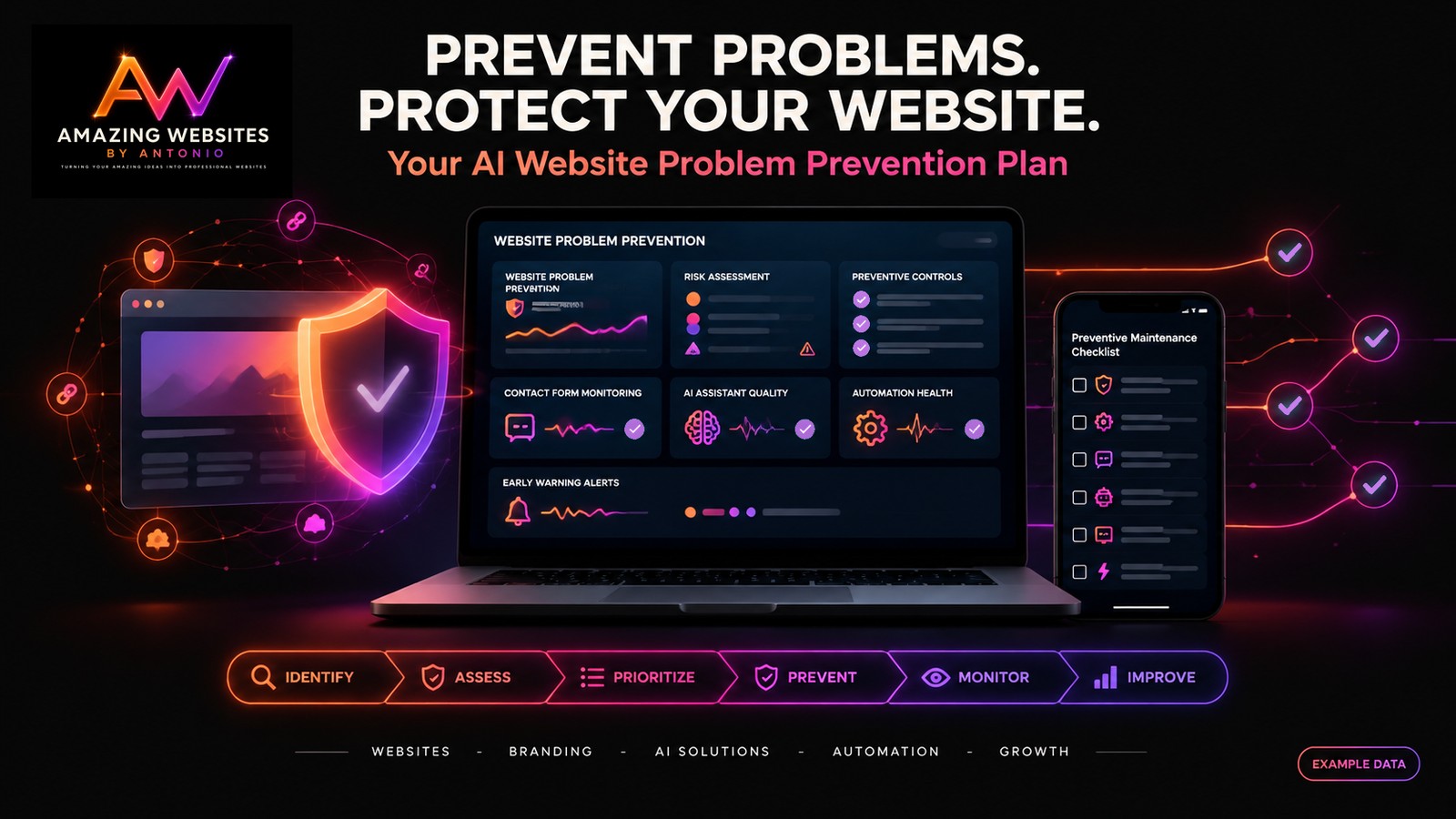
That's where an AI website preventive control testing plan becomes valuable.
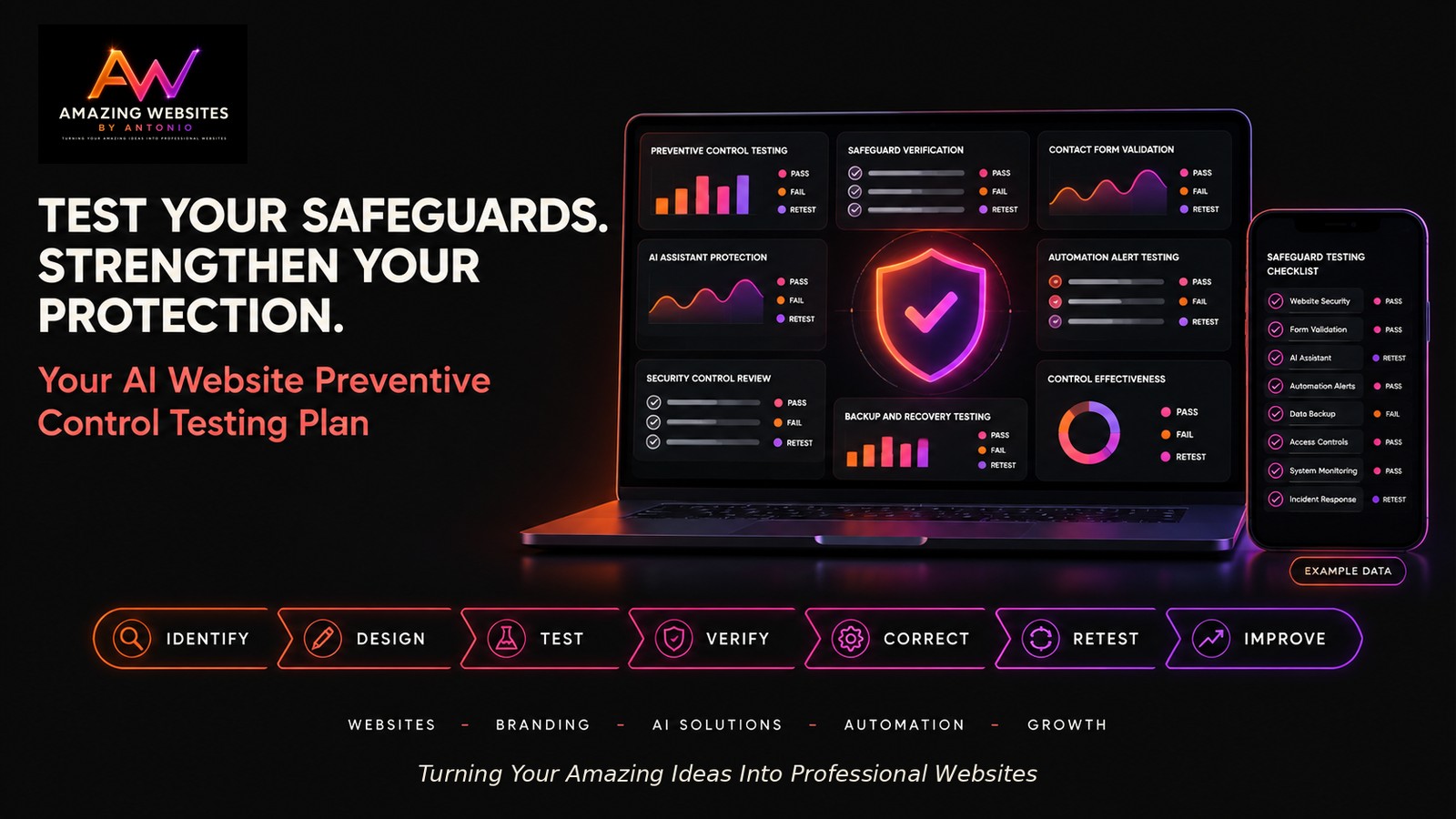
AN AI WEBSITE PREVENTIVE CONTROL TESTING PLAN IS A STRUCTURED APPROACH TO EVALUATING WHETHER WEBSITE SAFEGUARDS, MONITORING PROCEDURES, PROTECTIVE CONTROLS, AND RECOVERY MEASURES FUNCTION AS INTENDED UNDER APPROPRIATE TEST CONDITIONS.
It helps you move beyond simply documenting preventive measures.
Instead of assuming your safeguards work, you test them. Instead of waiting for an actual emergency, you evaluate appropriate scenarios safely. And instead of relying entirely on written procedures, you collect evidence that those procedures can produce their intended results.
For AI-powered websites, preventive control testing may include:
- Contact form validation
- Customer inquiry protection
- AI assistant knowledge safeguards
- Human handoff procedures
- Automation failure notifications
- Integration monitoring
- Duplicate record prevention
- Access permission reviews
- Website availability monitoring
- Backup verification
- Recovery testing
- Security alerts
- Publishing safeguards
- Customer data protection
- Maintenance procedures
- Domain renewal reminders
- Incident escalation processes
The good news?
YOU DON'T NEED A LARGE TECHNOLOGY TEAM TO CREATE A PRACTICAL WEBSITE PREVENTIVE CONTROL TESTING PLAN.
Even a solo entrepreneur can establish organized testing procedures, document expected results, collect appropriate evidence, and improve safeguards over time.
In Blog #146, we're exploring 50 practical strategies to help you confirm that your website protection measures are working.
PART 1: UNDERSTAND PREVENTIVE CONTROL TESTING
1. Know What a Preventive Control Is
A preventive control is a safeguard designed to reduce the likelihood of an unwanted event. Examples include required form fields, restricted permissions, and pre-publishing approval requirements.
2. Understand Why Control Testing Matters
A safeguard may be documented or configured without functioning correctly. Testing helps identify gaps before an actual incident exposes them.
3. Distinguish Preventive, Detective, and Recovery Controls
Preventive controls help stop problems. Detective controls help identify problems. Recovery controls help restore affected systems. Each type requires appropriate testing.
4. Identify the Purpose of Each Control
Document which risk the safeguard is intended to address.
5. Establish Control Testing Objectives
Define what successful testing should demonstrate.
PART 2: CREATE YOUR CONTROL INVENTORY
6. List Important Website Safeguards
Create an inventory of controls supporting your website and connected services.
7. Assign Unique Control Identifiers
Use consistent identifiers to connect controls with risks, tests, and documentation.
8. Identify Protected Website Systems
Document which forms, AI assistants, automations, integrations, or other features each control supports.
9. Assign Control Owners
Identify who is responsible for maintaining and reviewing each safeguard.
10. Prioritize High-Risk Controls
Give greater attention to controls protecting essential business functions and sensitive information.
PART 3: DESIGN SAFE CONTROL TESTING PROCEDURES
11. Define the Testing Scope
Identify which safeguards and operating conditions will be evaluated.
12. Establish Expected Results
Document what should happen when a control functions correctly.
13. Prepare Safe Test Scenarios
Use representative situations that do not unnecessarily disrupt customers or business operations.
14. Use Appropriate Testing Environments
Prefer supported test environments or isolated workflows when evaluating potentially disruptive scenarios.
15. Establish Testing Authorization
Confirm that the person conducting the test has the appropriate permissions and approval.
PART 4: TEST CONTACT FORM AND CUSTOMER WORKFLOW CONTROLS
16. Verify Required Field Validation
Confirm that incomplete submissions are handled according to approved requirements.
17. Test Invalid Input Handling
Check whether the form responds appropriately to unsupported or incorrectly formatted information.
18. Verify Customer Inquiry Storage
Confirm that safe test inquiries reach the intended destination.
19. Test Notification Safeguards
Evaluate whether expected notifications and supported failure alerts operate correctly.
20. Review Duplicate Submission Controls
Where duplicate prevention is required, verify that repeated events are handled appropriately.
PART 5: TEST AI ASSISTANT SAFEGUARDS
21. Verify Approved Knowledge Sources
Confirm that the assistant has access to current, authorized business information.
22. Test Unsupported Questions
Evaluate whether the assistant appropriately handles questions outside its intended capabilities.
23. Verify Human Handoff Procedures
Confirm that customers can reach appropriate human assistance when needed.
24. Review Sensitive Information Protection
Use synthetic test information to evaluate relevant privacy safeguards without exposing actual customer records.
25. Test AI Configuration Safeguards
Verify that important response requirements remain in place after approved changes.
PART 6: TEST AUTOMATION AND INTEGRATION CONTROLS
26. Verify Trigger Conditions
Confirm that automations activate only under their intended conditions.
27. Test Workflow Validation
Check whether missing or invalid information is handled appropriately.
28. Verify Failure Notifications
Use supported test methods to confirm that relevant workflow failures generate expected alerts.
29. Test Duplicate Action Prevention
Where required, evaluate whether repeated events create unintended duplicate records or messages.
30. Review Integration Monitoring
Confirm that supported connection checks and authorization warnings operate as intended.
PART 7: TEST WEBSITE SECURITY AND RECOVERY SAFEGUARDS
31. Verify Access Permission Controls
Review whether authorized accounts have appropriate permissions and unnecessary access is restricted.
32. Review Account Protection Settings
Confirm that supported protections, such as multifactor authentication, are configured appropriately.
33. Test Website Availability Monitoring
Use supported monitoring test features or an isolated test endpoint to verify alert delivery.
34. Verify Backup Arrangements
Confirm that required backups exist and cover the intended information.
35. Test Recovery Procedures
Use an authorized, isolated environment where possible to evaluate whether required information can be restored.
PART 8: TEST WEBSITE CHANGE AND PUBLISHING CONTROLS
36. Verify Pre-Publishing Checklists
Confirm that required reviews occur before important website updates.
37. Test Approval Requirements
Evaluate whether configured approval controls operate as intended.
38. Review Change Validation Procedures
Confirm that affected website features are tested after relevant changes.
39. Verify Recovery Options
Review whether appropriate recovery or rollback procedures are available.
40. Document Change Control Gaps
Record safeguards that are missing, ineffective, or inconsistently applied.
PART 9: DOCUMENT CONTROL TESTING RESULTS
41. Assign Unique Test Identifiers
Connect each test with the relevant control and risk.
42. Record Expected and Actual Results
Clearly document what should have happened and what was observed.
43. Preserve Appropriate Testing Evidence
Keep relevant records while protecting credentials and private information.
44. Classify Control Testing Outcomes
Use clear statuses such as Pass, Fail, Partial Pass, Not Tested, or Blocked.
45. Document Corrective Actions
Create improvement tasks for controls that do not meet their requirements.
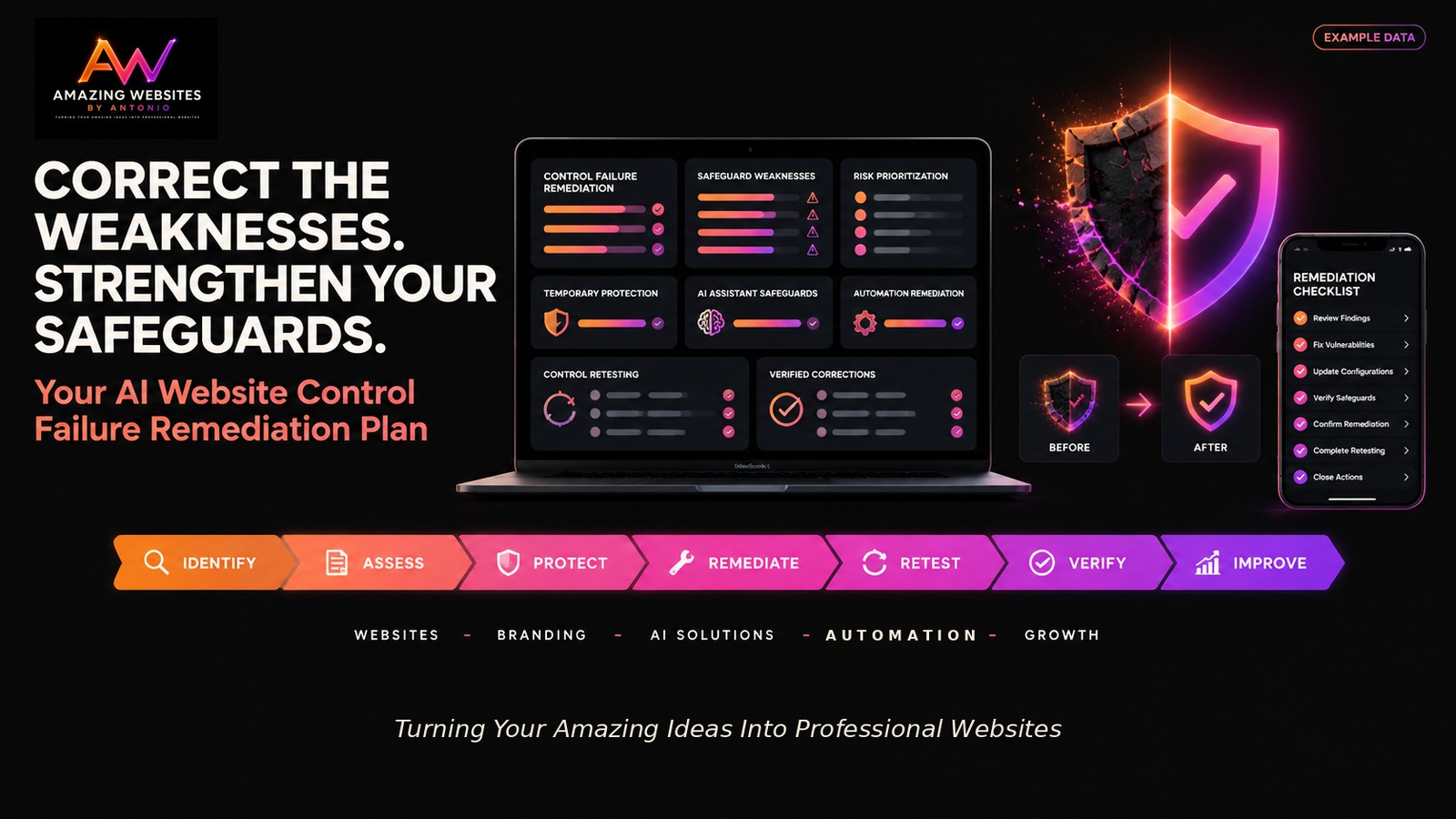
PART 10: IMPROVE WEBSITE SAFEGUARDS OVER TIME
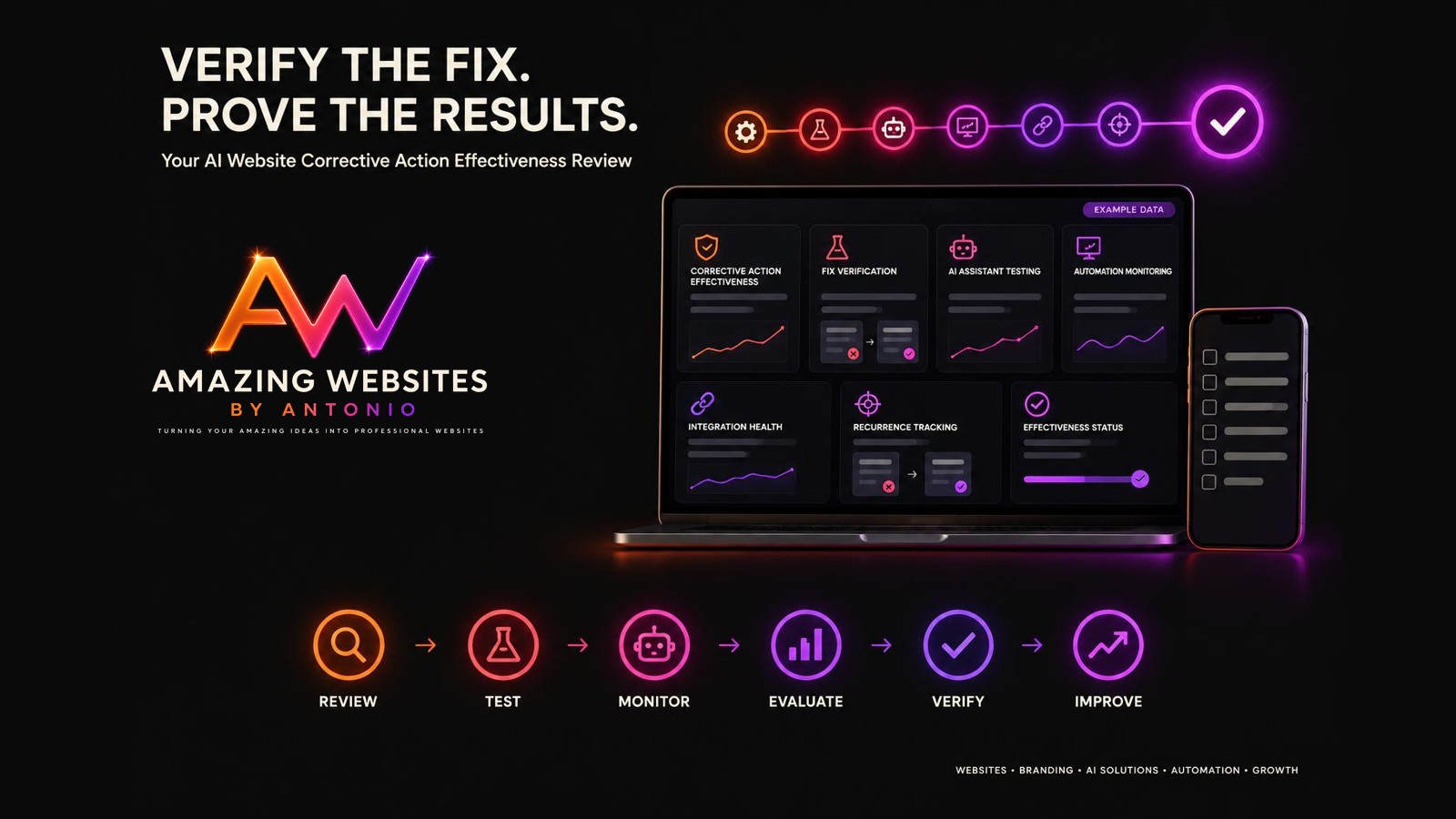
46. Retest Failed Controls
Verify that corrective actions address the identified control weakness.
47. Establish Risk-Based Testing Schedules
Review important safeguards at intervals appropriate to their risks and operating conditions.
48. Update Tests After System Changes
Revise testing procedures when platforms, integrations, or business requirements change.
49. Review Control Testing Trends
Identify recurring weaknesses and opportunities to strengthen website protection.
50. Make Control Testing Part of Continuous Improvement
Treat safeguard verification as an ongoing website management responsibility.
IDENTIFY → DESIGN → TEST → VERIFY → DOCUMENT → CORRECT → RETEST → IMPROVE
UNDERSTANDING THE THREE TYPES OF WEBSITE CONTROLS
Not every website safeguard serves the same purpose.
TYPE 1 — PREVENTIVE CONTROLS
These controls help reduce the likelihood of an unwanted event. Examples:
- Required Contact form fields
- Restricted administrative permissions
- Input validation
- Publishing approval requirements
- Duplicate action prevention
TYPE 2 — DETECTIVE CONTROLS
These controls help identify problems that have occurred or may be developing. Examples:
- Website availability alerts
- Automation error notifications
- AI response quality reviews
- Integration failure monitoring
- Security activity alerts
TYPE 3 — RECOVERY CONTROLS
These controls help restore functionality or reduce the impact of a disruption. Examples:
- Website backups
- Recovery procedures
- Approved rollback options
- Alternative customer communication methods
- Incident response procedures
| Control Type | Main Purpose | Testing Question |
|---|---|---|
| Preventive | Reduce the likelihood of failure | Does the safeguard prevent the unwanted action? |
| Detective | Identify problems | Does the safeguard detect and report the problem? |
| Recovery | Restore functionality | Can the required system or information be recovered? |
A RELIABLE WEBSITE BENEFITS FROM MULTIPLE LAYERS OF PROTECTION.
CONTROL DESIGN VS. CONTROL OPERATING EFFECTIVENESS
A safeguard should be evaluated from two perspectives.
CONTROL DESIGN: Is the safeguard appropriately designed to address the identified risk? For example, a notification monitoring process should include an appropriate method for identifying failed notifications.
CONTROL OPERATING EFFECTIVENESS: Does the safeguard actually function as intended? For example, does a supported test failure generate an alert that reaches the responsible person?
| Design Review | Operating Effectiveness Review |
|---|---|
| Evaluates whether the control is appropriate | Evaluates whether the control works |
| Reviews documented requirements | Reviews actual testing evidence |
| Identifies missing safeguards | Identifies malfunctioning safeguards |
| Examines intended behavior | Examines observed behavior |
A control may be well designed but fail during operation. A control may also operate exactly as configured while failing to address the underlying risk. Both perspectives matter.
THE SEVEN QUESTIONS EVERY CONTROL TEST SHOULD ANSWER
- WHAT RISK DOES THE CONTROL ADDRESS? Identify the potential problem.
- WHAT IS THE CONTROL SUPPOSED TO DO? Document the intended protective behavior.
- HOW WILL THE CONTROL BE TESTED? Define a safe and appropriate testing method.
- WHAT SHOULD HAPPEN DURING THE TEST? Establish the expected result before testing.
- WHAT ACTUALLY HAPPENED? Record the observed behavior.
- DID THE CONTROL MEET ITS REQUIREMENTS? Compare the evidence with the acceptance criteria.
- WHAT HAPPENS IF THE CONTROL FAILS? Document corrective actions, responsibilities, and retesting requirements.
YOUR AI WEBSITE PREVENTIVE CONTROL TESTING WORKFLOW
IDENTIFY THE WEBSITE RISK
↓
SELECT THE RELATED SAFEGUARD
↓
REVIEW CONTROL DESIGN
↓
DEFINE THE TEST OBJECTIVE
↓
PREPARE SAFE TEST CONDITIONS
↓
ESTABLISH EXPECTED RESULTS
↓
PERFORM THE AUTHORIZED TEST
↓
COMPARE EXPECTED AND ACTUAL RESULTS
↓
DID THE CONTROL PASS?
- YES → Document the evidence and establish the next review.
- NO → Record the weakness and create a corrective action.
↓
RETEST CORRECTED CONTROLS
↓
UPDATE THE PREVENTION PLAN
This workflow helps turn website protection into a measurable and repeatable process.
YOUR WEBSITE PREVENTIVE CONTROL TESTING MATRIX
| Control | Testing Method | Expected Result |
|---|---|---|
| Required Form Fields | Submit a safe incomplete test form | Submission is appropriately rejected |
| Email Format Validation | Enter synthetic invalid email information | Clear validation feedback appears |
| Inquiry Storage | Complete an authorized test submission | Test inquiry reaches the intended destination |
| Automation Trigger | Test matching and nonmatching events | Workflow runs only when required |
| Failure Notification | Use a supported test failure | Expected alert reaches the responsible person |
| AI Knowledge Safeguard | Ask representative business questions | Answers meet approved factual requirements |
| AI Human Handoff | Test an unsupported request | Appropriate support option is provided |
| Duplicate Prevention | Repeat an isolated test event | Unintended duplicate actions are prevented |
| Access Permissions | Review authorized test account capabilities | Access matches assigned permissions |
| Backup Recovery | Perform an isolated recovery test | Required information is restored and verified |
| Publishing Approval | Review a supported test publishing workflow | Required approval is enforced |
| Availability Monitoring | Test monitoring through a supported method | Expected availability alert is delivered |
These are illustrative examples. Adapt each test to your website's actual platform, configuration, permissions, and business requirements.
EXAMPLE 1: TESTING CONTACT FORM VALIDATION
Imagine your Contact form requires customers to enter:
- Name
- Email address
- Service requested
- Message
Your preventive control is designed to stop incomplete submissions.
TEST OBJECTIVE: Confirm that the Contact form enforces its required field rules.
SAFE TEST PROCEDURE:
- Open an authorized test version of the form where available.
- Enter synthetic test information.
- Leave a required field incomplete.
- Attempt to submit the form.
- Observe the validation message.
- Confirm that an invalid inquiry is not processed as a valid submission.
- Complete the required information.
- Verify that a valid test submission succeeds.
EXPECTED RESULT: Incomplete submissions are handled according to approved requirements, while valid submissions remain functional.
POSSIBLE CONTROL FAILURE: The form accepts an incomplete submission that should have been rejected.
CORRECTIVE ACTION: Review the supported form validation configuration, correct the verified weakness, and repeat the relevant tests.
IMPORTANT: Client-side validation alone may not be sufficient. Important validation requirements should also be enforced by the receiving system where applicable.
EXAMPLE 2: TESTING AI ASSISTANT HUMAN HANDOFF
Imagine your AI assistant helps customers learn about your business services. However, some questions require direct human assistance. Your safeguard is designed to guide customers to an appropriate contact option.
TEST OBJECTIVE: Verify that the AI assistant appropriately handles requests outside its supported capabilities.
TEST SCENARIOS:
- A customer asks for information that is not available in approved knowledge sources.
- A customer requests a service that the business does not offer.
- A customer asks to speak with a human representative.
- A customer requests a personalized decision requiring human review.
EXPECTED RESULTS: The AI assistant should:
- Avoid inventing unsupported business information.
- Communicate relevant limitations.
- Provide the approved contact or support option.
- Avoid claiming that a human has been contacted unless that action actually occurred.
VERIFICATION: Review multiple representative responses. Confirm that any provided contact links or handoff functions work.
IMPORTANT: AI systems may produce different wording across tests. Evaluate required behavior, accuracy, and safety rather than expecting identical responses.
EXAMPLE 3: TESTING AUTOMATION FAILURE ALERTS
Imagine your website uses an automation to send notifications when customers submit inquiries. You have configured a monitoring safeguard to notify you if the workflow fails. But does the safeguard actually work?
TEST OBJECTIVE: Verify that a supported automation failure produces the intended notification.
SAFE TEST PROCEDURE:
- Review the monitoring configuration.
- Identify a supported test notification feature or isolated test workflow.
- Define the expected alert recipient.
- Perform the authorized test.
- Verify that the failure is detected.
- Confirm that the alert is delivered.
- Review whether the alert contains useful diagnostic information.
- Confirm that no unintended customer actions occurred.
EXPECTED RESULT: The supported test failure generates an alert that reaches the intended recipient.
POSSIBLE CONTROL FAILURE: The automation failure appears in the logs, but the responsible person does not receive the expected notification.
CORRECTIVE ACTION: Investigate the alert delivery configuration and verify the correction through another authorized test.
DO NOT INTENTIONALLY DISABLE AN IMPORTANT LIVE CUSTOMER WORKFLOW JUST TO TEST AN ALERT. Use supported testing features and isolated environments whenever possible.
EXAMPLE 4: TESTING BACKUP AND RECOVERY SAFEGUARDS
A backup notification may report that a backup was completed successfully. However, a successful backup notification does not automatically prove that the required information can be recovered.
TEST OBJECTIVE: Evaluate whether the available backup can support the intended recovery requirements.
TESTING CONSIDERATIONS:
- Confirm that the required backup exists.
- Review which information is included.
- Verify appropriate access to recovery resources.
- Use an authorized, isolated recovery environment where possible.
- Compare restored information with expected records.
- Document missing information or recovery limitations.
- Protect sensitive information throughout the process.
EXPECTED RESULT: The required information is restored and verified according to the defined recovery criteria.
IMPORTANT LIMITATION: Some website platforms provide limited backup or recovery capabilities. Document those limitations rather than assuming that every part of the website can be restored.
YOUR CONTROL TESTING RESULT CATEGORIES
| Result | Meaning |
|---|---|
| Pass | All applicable acceptance criteria were satisfied |
| Partial Pass | Some criteria were satisfied, but important gaps remain |
| Fail | One or more required criteria were not satisfied |
| Not Tested | Testing has not been performed |
| Blocked | Testing could not be completed because of a dependency or limitation |
| Not Applicable | The control does not apply to the defined system or scenario |
Avoid marking an untested control as successful. A blocked test should remain visible until its limitation is resolved or appropriately accepted.
YOUR PREVENTIVE CONTROL TESTING RECORD
FICTIONAL EXAMPLE
| Field | Example |
|---|---|
| Control ID | CTRL-006 |
| Test ID | TEST-006-01 |
| Control Name | Automation Failure Notification |
| Related Risk | Undetected notification workflow failure |
| Test Environment | Isolated test workflow |
| Expected Result | Failure alert reaches maintenance owner |
| Actual Result | Failure recorded, but alert not delivered |
| Test Status | Fail |
| Corrective Action | Investigate notification delivery configuration |
| Responsible Owner | Website administrator |
| Retest Required | Yes |
This fictional example demonstrates why recording actual results matters. The monitoring safeguard detected the problem. However, the alert did not reach the responsible person. The control therefore failed to satisfy its complete intended requirement.
YOUR CONTROL FAILURE RESPONSE WORKFLOW
CONTROL TEST FAILS
↓
RECORD THE EXPECTED AND ACTUAL RESULTS
↓
ASSESS THE ASSOCIATED RISK
↓
DETERMINE WHETHER IMMEDIATE PROTECTIVE ACTION IS REQUIRED
↓
INVESTIGATE THE CONTROL WEAKNESS
↓
DEFINE AN APPROVED CORRECTIVE ACTION
↓
IMPLEMENT THE CORRECTION
↓
RETEST THE CONTROL
↓
REVIEW REMAINING RISKS
↓
UPDATE THE CONTROL TESTING RECORD
A failed control test can provide valuable information. It identifies a weakness that might otherwise remain unnoticed until an actual incident occurs.
YOUR PREVENTIVE CONTROL TESTING SCHEDULE
The following schedule is illustrative.
| Frequency | Example Testing Activity |
|---|---|
| Weekly, where warranted | Test essential customer inquiry workflows |
| Monthly | Review automation alerts and notification safeguards |
| Monthly | Test representative AI assistant safeguards |
| Quarterly | Review access controls and integration monitoring |
| Risk-Based Schedule | Perform authorized backup recovery tests |
| After Major Changes | Retest affected website controls |
| After Control Failures | Verify corrective actions |
| After Relevant Incidents | Review whether safeguards detected or reduced the problem |
| Annually or as Appropriate | Review the complete control testing plan |
Testing frequency should reflect the importance of the control, the likelihood of change, and the consequences of failure.
YOUR AI WEBSITE PREVENTIVE CONTROL TESTING DASHBOARD
A dashboard can help organize safeguard testing and improvement activities. Consider tracking:
- Total controls inventoried
- High-priority controls
- Controls scheduled for testing
- Completed control tests
- Passed tests
- Failed tests
- Partially passed tests
- Blocked tests
- Overdue tests
- Corrective actions
- Controls awaiting retesting
- Controls verified after correction
FICTIONAL DASHBOARD EXAMPLE
| Metric | Example |
|---|---|
| Total Controls Inventoried | 30 |
| High-Priority Controls | 8 |
| Control Tests Scheduled | 25 |
| Tests Completed | 20 |
| Tests Passed | 16 |
| Tests Partially Passed | 2 |
| Tests Failed | 2 |
| Tests Blocked | 1 |
| Tests Not Started | 4 |
| Controls Awaiting Retesting | 4 |
These figures are fictional and do not represent actual Amazing Websites By Antonio website operations.
HOW TO CALCULATE YOUR CONTROL TEST PASS RATE
One useful measure is the percentage of completed control tests that satisfy all applicable acceptance criteria.
CONTROL TEST PASS RATE = (PASSED CONTROL TESTS ÷ TOTAL COMPLETED CONTROL TESTS) × 100
FICTIONAL EXAMPLE: A business completes 20 control tests. Sixteen tests pass. Two tests partially pass. Two tests fail.
16 ÷ 20 × 100 = 80%
The control test pass rate is 80%.
However, an overall pass rate should never hide serious weaknesses. A single failed safeguard protecting sensitive customer information may require immediate attention, even when most other controls pass. Also review which important controls remain untested.
HOW TO CALCULATE YOUR CONTROL TESTING COMPLETION RATE
Another useful measure is the percentage of scheduled tests that have been completed.
CONTROL TESTING COMPLETION RATE = (COMPLETED TESTS ÷ SCHEDULED TESTS DUE) × 100
FICTIONAL EXAMPLE: A business has 25 control tests due during a defined period. Twenty tests are completed.
20 ÷ 25 × 100 = 80%
The testing completion rate is 80%.
This measure answers a different question from the pass rate. Completion measures whether testing occurred. The pass rate measures whether completed tests met their requirements. Both indicators are useful when interpreted alongside control importance and actual testing evidence.
YOUR PREVENTIVE CONTROL TESTING READINESS SCORECARD
Assign:
- 2 points: Completed and verified
- 1 point: Partially completed
- 0 points: Not completed
| Testing Category | Maximum Points |
|---|---|
| Control Inventory Prepared | 2 |
| Related Risks Identified | 2 |
| Control Owners Assigned | 2 |
| Testing Objectives Defined | 2 |
| Safe Test Procedures Prepared | 2 |
| Acceptance Criteria Established | 2 |
| Testing Evidence Documented | 2 |
| Control Failures Recorded | 2 |
| Corrective Actions Assigned | 2 |
| Retesting and Review Scheduled | 2 |
| Total | 20 |
ILLUSTRATIVE INTERPRETATION
| Score | Suggested Interpretation |
|---|---|
| 18–20 | Testing plan is generally well organized |
| 14–17 | Some testing preparation gaps remain |
| 10–13 | Significant improvements are needed |
| 0–9 | Testing plan requires further development |
IMPORTANT: This score measures testing readiness and documentation completeness. It does not establish that every website safeguard is effective. Actual control performance must be evaluated through appropriate testing.
COMPLETE AI WEBSITE PREVENTIVE CONTROL TESTING CHECKLIST
SECTION 1 — CONTROL INVENTORY
- Important website safeguards are documented.
- Control identifiers are assigned.
- Related website risks are identified.
- Control owners are assigned.
- High-priority controls are identified.
SECTION 2 — TESTING PREPARATION
- Testing scope is defined.
- Test objectives are documented.
- Expected results are established.
- Safe testing environments are identified.
- Appropriate authorization is confirmed.
SECTION 3 — CONTACT FORM CONTROLS
- Required field validation is tested.
- Invalid input handling is reviewed.
- Inquiry storage is verified.
- Notification safeguards are tested.
- Duplicate submission controls are reviewed where applicable.
SECTION 4 — AI ASSISTANT SAFEGUARDS
- Approved knowledge sources are verified.
- Unsupported questions are tested.
- Human handoff procedures are evaluated.
- Sensitive information safeguards are reviewed.
- Important AI configuration requirements are tested.
SECTION 5 — AUTOMATIONS AND INTEGRATIONS
- Trigger conditions are verified.
- Workflow validation is tested.
- Failure notifications are evaluated.
- Duplicate action safeguards are reviewed.
- Integration monitoring is verified where supported.
SECTION 6 — SECURITY AND RECOVERY
- Access permissions are reviewed.
- Supported account protections are verified.
- Website availability monitoring is tested safely.
- Backup coverage is reviewed.
- Recovery procedures are evaluated.
SECTION 7 — WEBSITE CHANGE CONTROLS
- Pre-publishing checklists are reviewed.
- Approval requirements are verified.
- Change validation procedures are evaluated.
- Recovery options are reviewed.
- Control weaknesses are documented.
SECTION 8 — TESTING DOCUMENTATION
- Unique test identifiers are assigned.
- Expected results are recorded.
- Actual results are documented.
- Testing evidence is preserved appropriately.
- Test outcomes are classified.
SECTION 9 — CORRECTIVE ACTIONS
- Failed controls are recorded.
- Associated risks are evaluated.
- Corrective actions are defined.
- Responsible owners are assigned.
- Retesting requirements are established.
SECTION 10 — CONTINUOUS IMPROVEMENT
- Corrected controls are retested.
- Risk-based testing schedules are maintained.
- Tests are updated after relevant changes.
- Control testing trends are reviewed.
- Prevention documentation is updated.
COPY-READY AI WEBSITE PREVENTIVE CONTROL TESTING PLAN TEMPLATE
BUSINESS NAME: [Enter Business Name]
WEBSITE: [Enter Website Address]
CONTROL TESTING PLAN ID: [Enter Identifier]
RELATED PREVENTION PLAN ID: [Enter Identifier]
DATE CREATED: [Enter Date]
PREPARED BY: [Enter Name]
PLAN OWNER: [Enter Name]
SECTION 1 — TESTING OBJECTIVES
PRIMARY TESTING GOAL: [Describe Goal]
WEBSITE SYSTEMS INCLUDED: [List Systems]
CRITICAL BUSINESS FUNCTIONS: [List Functions]
TESTING SCOPE: [Describe Scope]
TESTING LIMITATIONS: [Describe Limitations]
SECTION 2 — CONTROL INVENTORY
CONTROL ID: [Enter Identifier]
CONTROL NAME: [Enter Name]
CONTROL DESCRIPTION: [Describe Safeguard]
CONTROL TYPE: Preventive / Detective / Recovery
RELATED RISK: [Describe Risk]
CONTROL OWNER: [Enter Name]
CONTROL PRIORITY: Critical / High / Medium / Low
SECTION 3 — CONTROL DESIGN REVIEW
INTENDED CONTROL PURPOSE: [Describe Purpose]
EXPECTED PROTECTIVE BEHAVIOR: [Describe Behavior]
REQUIRED CONFIGURATION: [Enter Requirements]
RELATED DEPENDENCIES: [List Dependencies]
DESIGN REVIEW FINDINGS: [Enter Findings]
SECTION 4 — TESTING PREPARATION
TEST ID: [Enter Identifier]
TEST OBJECTIVE: [Describe Objective]
TEST ENVIRONMENT: [Enter Environment]
AUTHORIZED TESTER: [Enter Name]
REQUIRED PERMISSIONS: [List Permissions]
TEST DATA REQUIREMENTS: [Describe Synthetic or Approved Test Data]
POTENTIAL TESTING RISKS: [List Risks]
RECOVERY OR CLEANUP PROCEDURE: [Enter Procedure]
SECTION 5 — CONTROL TEST PROCEDURE
TEST SCENARIO: [Describe Scenario]
STEP 1: [Enter Step]
STEP 2: [Enter Step]
STEP 3: [Enter Step]
STEP 4: [Enter Step]
EXPECTED RESULT: [Describe Result]
ACCEPTANCE CRITERIA: [List Criteria]
SECTION 6 — TESTING RESULTS
TEST DATE: [Enter Date]
ACTUAL RESULT: [Describe Observed Behavior]
EVIDENCE REFERENCES: [List References]
UNEXPECTED SIDE EFFECTS: [Describe Findings]
TEST STATUS: Pass / Partial Pass / Fail / Not Tested / Blocked / Not Applicable
RESULT RATIONALE: [Explain Decision]
SECTION 7 — CONTROL FAILURE REVIEW
CONTROL WEAKNESS IDENTIFIED: [Describe Weakness]
ASSOCIATED BUSINESS RISK: [Describe Risk]
POTENTIAL CUSTOMER IMPACT: [Describe Impact]
IMMEDIATE PROTECTIVE ACTION REQUIRED: Yes / No
INVESTIGATION REFERENCE: [Enter Reference]
SECTION 8 — CORRECTIVE ACTION
CORRECTIVE ACTION ID: [Enter Identifier]
ACTION DESCRIPTION: [Describe Action]
ACTION OWNER: [Enter Name]
TARGET COMPLETION DATE: [Enter Date]
IMPLEMENTATION STATUS: Planned / In Progress / Completed
RETEST REQUIRED: Yes / No
SECTION 9 — RETESTING
RETEST DATE: [Enter Date]
RETEST PROCEDURE: [Describe Procedure]
EXPECTED RESULT: [Enter Result]
ACTUAL RESULT: [Enter Result]
RETEST STATUS: Pass / Partial Pass / Fail / Blocked / Not Tested
REMAINING RISKS: [List Risks]
SECTION 10 — REVIEW AND APPROVAL
REVIEWED BY: [Enter Name]
REVIEW DATE: [Enter Date]
CONTROL EFFECTIVENESS DECISION: Effective Within Tested Scope / Partially Effective / Ineffective / Not Verified
ADDITIONAL ACTION REQUIRED: Yes / No
NEXT SCHEDULED TEST: [Enter Date]
DOCUMENTATION UPDATES: [List Updates]
FINAL PLAN STATUS: Draft / Active / Under Review / Updated
EXAMPLE AI WEBSITE PREVENTIVE CONTROL TESTING SCENARIO
The following scenario is fictional.
Situation: A Solo Entrepreneur Discovers a Hidden Monitoring Weakness
A solo entrepreneur manages a professional business website. The website includes:
- A Contact form
- Customer inquiry storage
- An AI assistant
- Email notification automations
- Several connected services
- Automation failure monitoring
The entrepreneur has already created a problem prevention plan. An important safeguard is supposed to send an alert whenever a customer inquiry notification workflow fails. The entrepreneur assumes that the safeguard works because it is configured. However, during a scheduled preventive control review, the entrepreneur decides to test it.
Step 1 — Identify the Control: The entrepreneur selects the automation failure notification safeguard.
Step 2 — Review the Related Risk: If the notification workflow fails without an alert, customer inquiries may not receive timely responses.
Step 3 — Establish Expected Results: The entrepreneur documents that a supported test failure should generate an alert that reaches the maintenance owner.
Step 4 — Prepare Safe Testing Conditions: An isolated test workflow is prepared without affecting actual customer inquiries.
Step 5 — Perform the Test: The entrepreneur uses an authorized testing method to evaluate failure detection and notification delivery.
Step 6 — Discover the Control Weakness: The failure appears in the workflow logs. However, the expected alert does not arrive.
Step 7 — Document the Failed Control: The entrepreneur records the expected result, actual result, and associated business risk.
Step 8 — Implement a Corrective Action: The entrepreneur investigates the notification configuration and corrects the verified problem.
Step 9 — Retest the Safeguard: Another authorized test confirms that the failure is detected and the expected alert is delivered.
Step 10 — Update the Prevention Plan: The entrepreneur documents the successful retest and establishes an appropriate future testing schedule.
LESSON: A safeguard that appears correctly configured may still contain an operational weakness. Testing helps identify those weaknesses before they affect actual customers.
YOUR 30-DAY AI WEBSITE PREVENTIVE CONTROL TESTING IMPLEMENTATION PLAN
WEEK 1 — IDENTIFY AND ORGANIZE CONTROLS
- Review the website problem prevention plan.
- Create a control inventory.
- Identify related website risks.
- Assign control owners.
- Prioritize essential safeguards.
GOAL: Understand which controls require testing and why they matter.
WEEK 2 — DESIGN TESTING PROCEDURES
- Establish control testing objectives.
- Define expected results.
- Prepare safe testing scenarios.
- Identify appropriate testing environments.
- Document acceptance criteria.
GOAL: Create organized, safe, and repeatable control tests.
WEEK 3 — PERFORM AND DOCUMENT TESTS
- Test important Contact form controls.
- Evaluate AI assistant safeguards.
- Verify automation monitoring.
- Review integration and access controls.
- Record testing evidence and outcomes.
GOAL: Determine whether selected safeguards function as intended.
WEEK 4 — CORRECT, RETEST, AND IMPROVE
- Review failed and partially passed controls.
- Evaluate associated business risks.
- Implement approved corrective actions.
- Retest corrected safeguards.
- Update the control inventory and prevention plan.
- Establish ongoing testing schedules.
GOAL: Strengthen website safeguards and make control testing part of routine maintenance.
IMPORTANT: Some safeguards require specialized assistance, longer observation periods, or additional testing resources. Do not mark incomplete tests as successful simply because the 30-day implementation period has ended.
THE AI WEBSITE PREVENTIVE CONTROL TESTING FRAMEWORK
IDENTIFY — Document important website safeguards and their related risks.
↓
DESIGN — Create appropriate testing procedures and acceptance criteria.
↓
TEST — Evaluate safeguards using safe, authorized methods.
↓
VERIFY — Compare observed behavior with expected results.
↓
DOCUMENT — Record testing evidence, findings, and limitations.
↓
CORRECT — Address verified control weaknesses.
↓
RETEST — Confirm that corrective actions satisfy the required criteria.
↓
IMPROVE — Update prevention plans and strengthen long-term website protection.
FINAL THOUGHTS
Creating a professional business website is an exciting accomplishment. It represents your creativity. Your services. Your brand. And your commitment to helping customers.
But protecting that website requires more than establishing safeguards.
Your Contact form validation needs to work. Your AI assistant safeguards need to function appropriately. Your automation failure alerts need to reach the responsible person. Your access controls need to protect important information. And your recovery procedures need to support your business when unexpected problems occur.
That's why an AI website preventive control testing plan matters.
It helps you evaluate safeguards. Identify hidden weaknesses. Verify monitoring procedures. Test protective controls. Document meaningful evidence. And improve long-term website reliability.
A SAFEGUARD IS MORE THAN A SETTING, A CHECKLIST, OR A WRITTEN PROCEDURE.
IT IS A PROTECTIVE MEASURE THAT SHOULD BE TESTED TO CONFIRM THAT IT CAN PERFORM ITS INTENDED FUNCTION.
Start with your most important website controls. Identify the risks they address. Create safe testing procedures. Document the results. Correct verified weaknesses. And continue reviewing your safeguards as your business grows.
Because professional website management isn't just about creating protection measures.
IT'S ALSO ABOUT VERIFYING THAT THOSE PROTECTION MEASURES WORK WHEN YOUR BUSINESS NEEDS THEM.
TEST YOUR SAFEGUARDS.
VERIFY YOUR CONTROLS.
STRENGTHEN YOUR PROTECTION.
KEEP BUILDING BETTER WEBSITES.
Amazing Websites By Antonio
Turning Your Amazing Ideas Into Professional Websites