A Practical Guide to Identifying Website Risks, Creating Preventive Controls, Monitoring AI Assistants, Protecting Automations, and Building More Reliable Business Websites
Imagine you're managing your professional business website.
Your homepage looks beautiful.
Your services are clearly displayed.
Your Contact form helps potential customers reach you.
Your AI assistant answers questions.
And your automations help you manage important business activities.
Everything appears to be working smoothly.
But here's an important question:
WHAT ARE YOU DOING TODAY TO HELP PREVENT TOMORROW'S WEBSITE PROBLEMS?
What happens if your Contact form stops sending notifications?
What if your AI assistant begins providing outdated information?
What if an integration loses authorization?
What if an automation stops running?
What if a subscription expires?
Or what if a website update unexpectedly affects an important customer feature?
These situations can create frustrating problems.
But many website risks can be identified and managed before they turn into major disruptions.
That's where an AI website problem prevention plan becomes valuable.
AN AI WEBSITE PROBLEM PREVENTION PLAN IS A STRUCTURED APPROACH TO IDENTIFYING POTENTIAL WEBSITE FAILURES, ESTABLISHING PREVENTIVE CONTROLS, MONITORING IMPORTANT SYSTEMS, AND REDUCING THE LIKELIHOOD OR IMPACT OF FUTURE PROBLEMS.
Instead of waiting until something breaks, you prepare.
Instead of relying entirely on emergency troubleshooting, you establish routine checks.
And instead of treating every website failure as an unexpected event, you identify the risks that deserve attention.
For AI-powered websites, a prevention plan may address:
- Contact form reliability
- AI assistant accuracy
- Automation failures
- Integration connections
- Website performance
- Domain and subscription renewals
- Security and access permissions
- Customer data protection
- Backup and recovery readiness
- Website navigation
- Mobile responsiveness
- Accessibility
- Publishing changes
- Customer communication
- Third-party service dependencies
The good news?
YOU DON'T NEED A LARGE TECHNOLOGY TEAM TO CREATE A PROFESSIONAL WEBSITE PROBLEM PREVENTION PLAN.
Even a solo entrepreneur can establish practical preventive controls using organized checklists, scheduled reviews, appropriate monitoring, and clear maintenance responsibilities.
In Blog #145, we're exploring 50 strategies to help you reduce website errors before they disrupt your business.
PART 1: UNDERSTAND PROACTIVE WEBSITE PROBLEM PREVENTION
1. Know What Website Problem Prevention Means
Website problem prevention involves identifying potential failures and implementing measures to reduce their likelihood or impact.
2. Understand Why Prevention Matters
A proactive approach can reduce avoidable disruptions and improve operational readiness.
3. Distinguish Prevention From Troubleshooting
Troubleshooting investigates problems that have already occurred.
Prevention addresses risks before those problems occur.
4. Recognize That Not Every Failure Can Be Prevented
Some disruptions involve external services, unexpected defects, or conditions beyond your control.
5. Establish Prevention Goals
Define which business functions and reliability outcomes matter most.
PART 2: IDENTIFY POTENTIAL WEBSITE RISKS
6. Create a Website System Inventory
List important website features, platforms, and integrations.
7. Identify Critical Customer Workflows
Determine which activities customers depend on.
8. Review Previous Website Problems
Use incident and troubleshooting records to identify recurring weaknesses.
9. Identify Third-Party Dependencies
Document external services that support important website functions.
10. Create a Prevention Risk Register
Record potential failures, their consequences, and planned controls.
PART 3: PRIORITIZE PREVENTIVE ACTIONS
11. Evaluate Potential Business Impact
Consider how each failure could affect customers, operations, and important information.
12. Estimate Likelihood
Use available evidence to assess whether a failure is plausible.
13. Review Detectability
Consider how quickly you would recognize the problem.
14. Prioritize Critical Risks
Give greater attention to failures involving sensitive information or essential customer services.
15. Assign Risk Owners
Identify who is responsible for managing each risk.
PART 4: PREVENT CONTACT FORM AND CUSTOMER WORKFLOW FAILURES
16. Establish Contact Form Testing
Periodically verify that forms can be submitted.
17. Monitor Inquiry Storage
Confirm that important customer inquiries reach their intended destination.
18. Review Notification Workflows
Check whether expected notifications are generated and delivered.
19. Protect Important Customer Journeys
Review essential links, buttons, and submission paths.
20. Establish Failure Response Procedures
Document what to do when a customer workflow fails despite preventive controls.
PART 5: PREVENT AI ASSISTANT PROBLEMS
21. Maintain Approved Knowledge Sources
Keep important business information accurate and current.
22. Establish AI Response Reviews
Test representative questions and important customer scenarios.
23. Document AI Assistant Limitations
Identify unsupported tasks and situations requiring human assistance.
24. Review AI Configuration Changes
Evaluate relevant changes before and after deployment.
25. Monitor AI Quality Risks
Look for outdated information, unsupported claims, and recurring response problems.
PART 6: PREVENT AUTOMATION AND INTEGRATION FAILURES
26. Document Active Automations
Maintain an inventory of important workflows.
27. Review Integration Authorization
Check supported connection status and relevant expiration or renewal requirements.
28. Monitor Workflow Errors
Review available automation logs and failure notifications.
29. Prevent Duplicate or Missing Actions
Use appropriate safeguards, reconciliation, and testing for important workflows.
30. Establish Integration Maintenance Procedures
Document how to review, update, and test connected services.
PART 7: PREVENT WEBSITE PERFORMANCE AND SECURITY PROBLEMS
31. Monitor Website Availability
Use suitable checks to detect significant accessibility or availability problems.
32. Review Website Performance
Compare relevant performance measurements under consistent conditions.
33. Test Mobile Functionality
Review important customer journeys on supported mobile devices.
34. Maintain Appropriate Access Controls
Use least-privilege permissions and supported account protections.
35. Review Backup and Recovery Readiness
Confirm that relevant recovery arrangements are available and periodically tested according to risk.
PART 8: PREVENT CHANGE-RELATED ERRORS
36. Document Planned Website Changes
Record important updates before implementation.
37. Evaluate Change Risks
Consider how a modification could affect connected systems.
38. Test Before Publishing
Use available preview or test environments where appropriate.
39. Verify After Publishing
Confirm that critical features continue working after changes.
40. Prepare Recovery Procedures
Document appropriate options if a change causes an unexpected failure.
PART 9: BUILD A PREVENTIVE MONITORING SYSTEM
41. Select Meaningful Monitoring Indicators
Track information that reflects important website risks.
42. Define Alert Conditions
Identify which failures or unusual patterns require attention.
43. Assign Monitoring Responsibilities
Establish who reviews alerts and takes action.
44. Document Preventive Maintenance Activities
Record completed checks and important findings.
45. Review Control Effectiveness
Evaluate whether preventive controls are functioning as intended.
PART 10: IMPROVE PREVENTION OVER TIME
46. Review New Incidents
Use unexpected failures to identify prevention gaps.
47. Update Risk Assessments
Reevaluate risks when systems or business requirements change.
48. Improve Preventive Procedures
Revise controls that are ineffective or unnecessarily complicated.
49. Review Emerging Dependencies
Identify new risks introduced by additional tools and integrations.
50. Make Prevention Part of Routine Website Management
Treat proactive maintenance as an ongoing business responsibility.
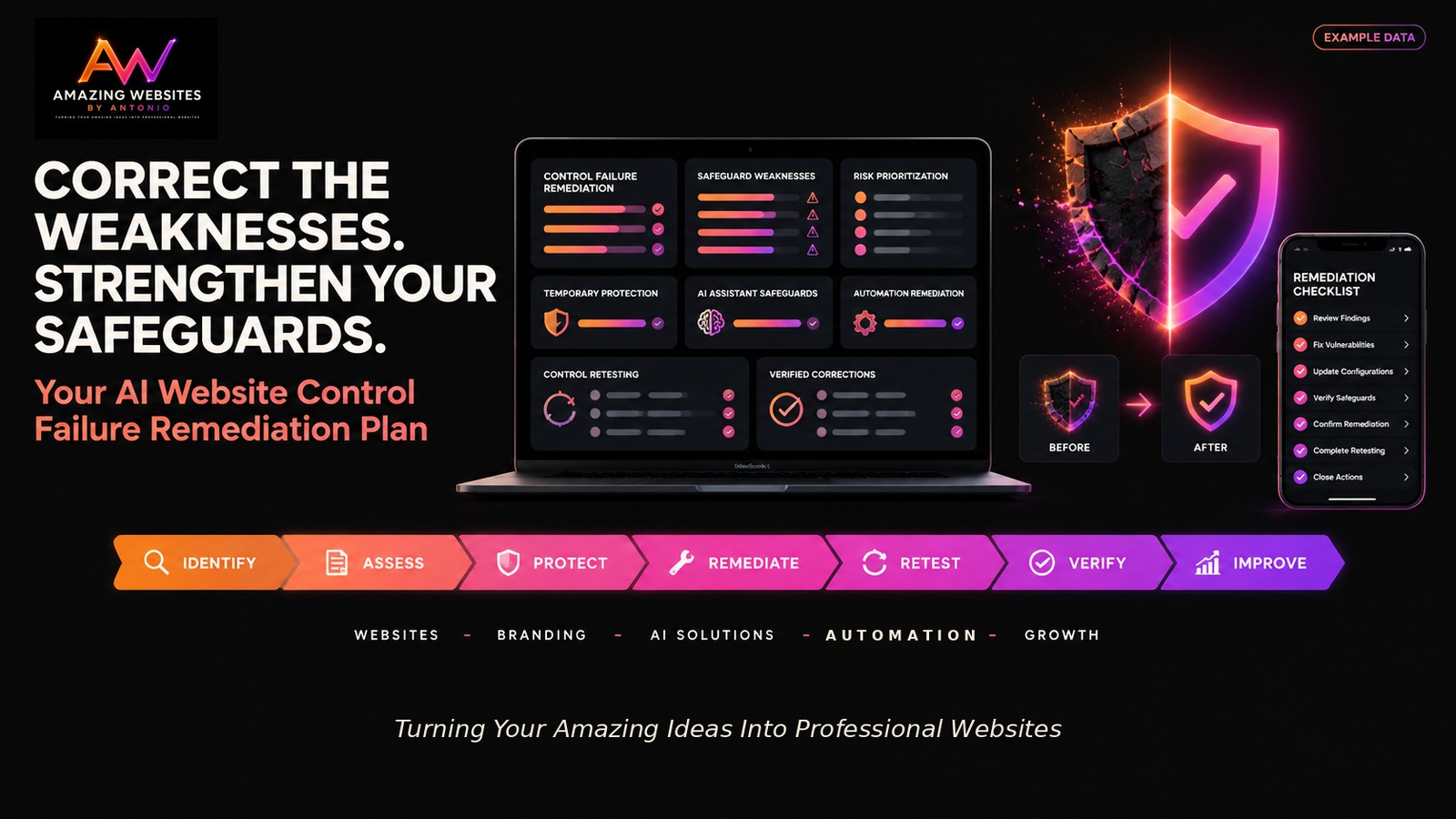
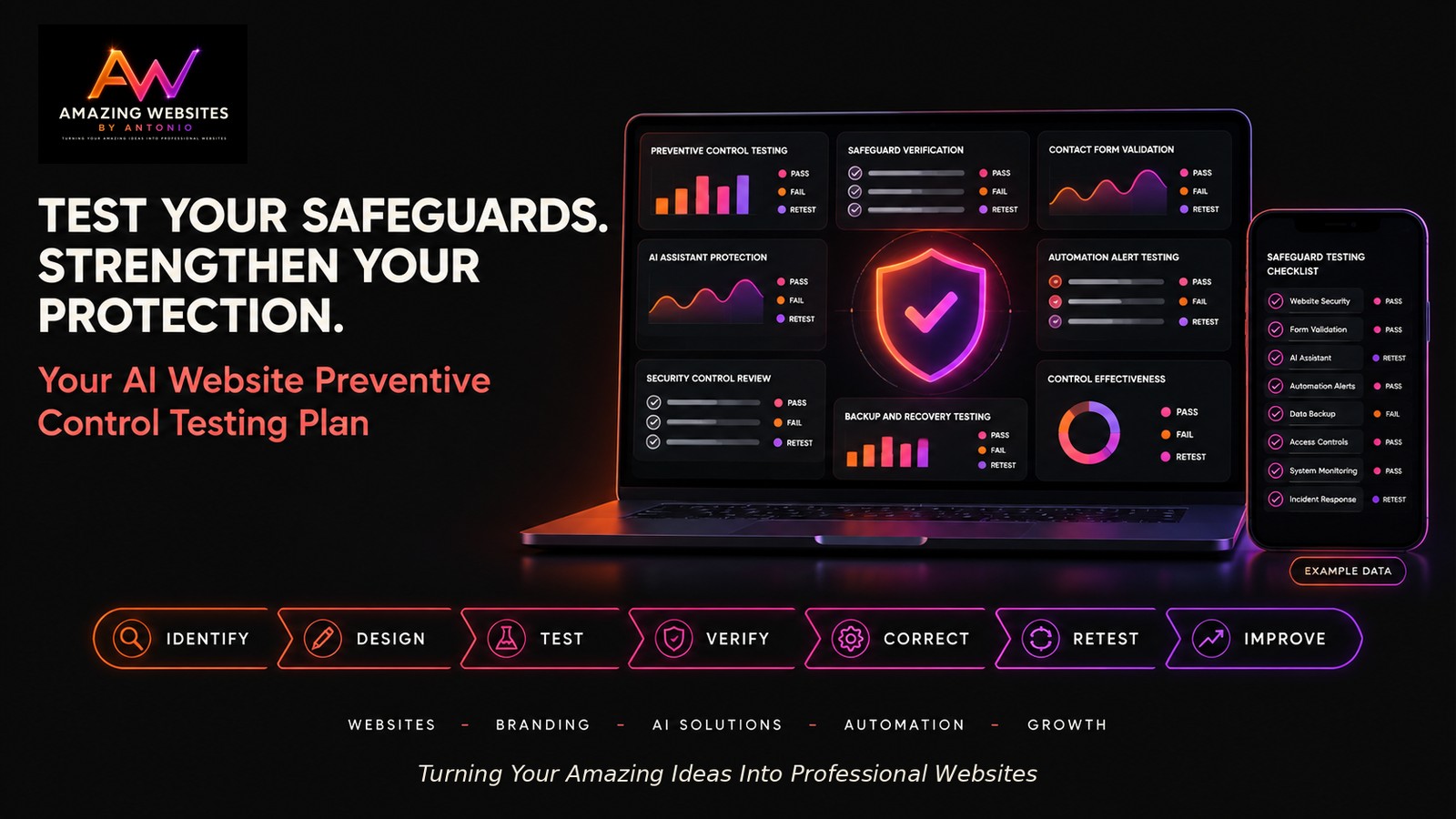
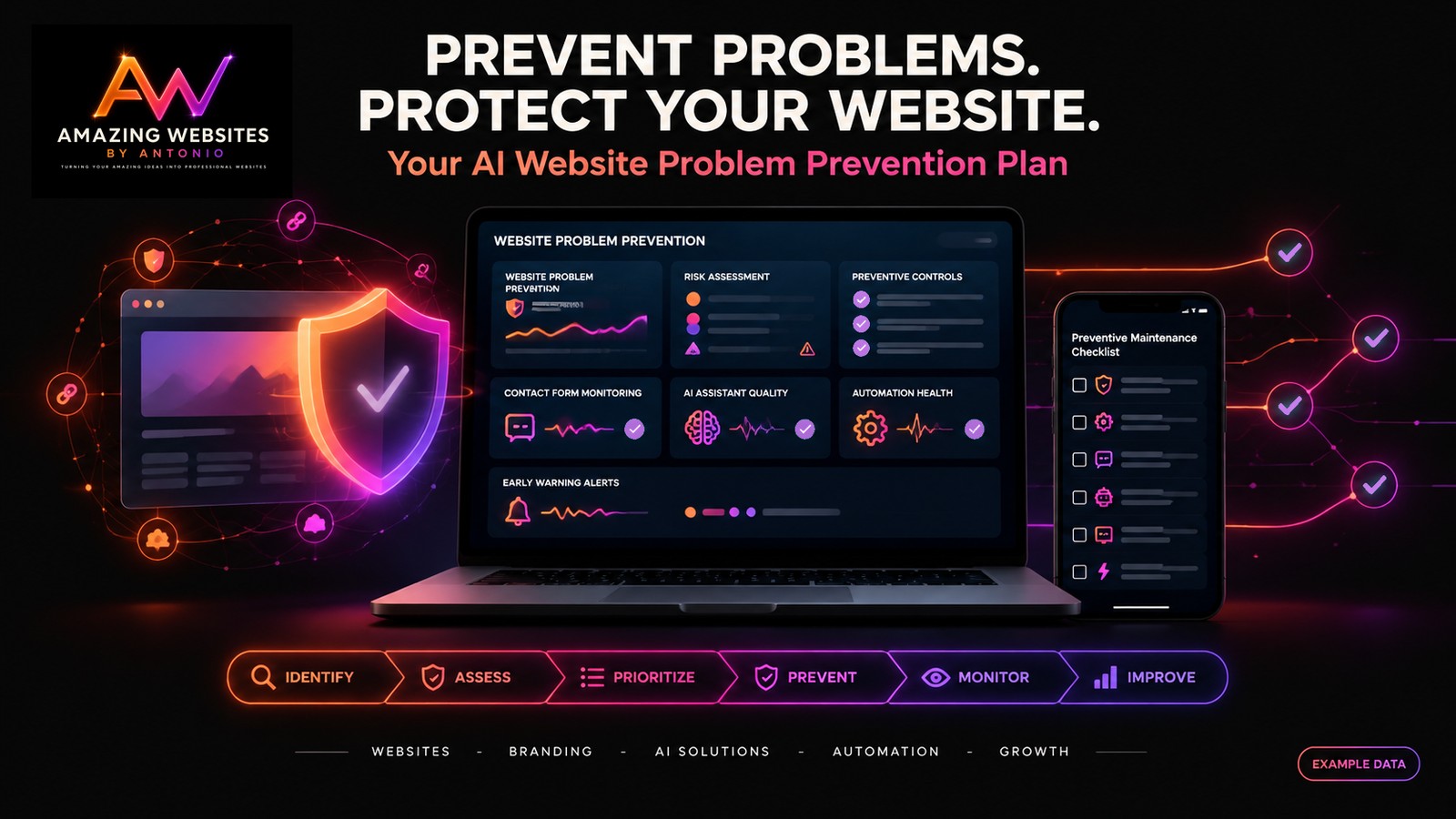
IDENTIFY → ASSESS → PRIORITIZE → PREVENT → MONITOR → RESPOND → IMPROVE
REACTIVE WEBSITE MAINTENANCE VS. PROACTIVE PREVENTION
These approaches serve different purposes.
| Reactive Maintenance | Proactive Prevention |
|---|---|
| Responds after a problem occurs | Addresses potential problems in advance |
| Focuses on diagnosis and repair | Focuses on risk reduction and early detection |
| Uses incident and troubleshooting procedures | Uses risk assessments and preventive controls |
| Restores affected functionality | Reduces the likelihood or impact of disruption |
| Documents corrective actions | Documents preventive activities |
IMPORTANT:
A professional website needs both.
Preventive controls cannot eliminate every possible failure.
Reliable troubleshooting and recovery procedures remain essential.
THE FIVE QUESTIONS EVERY PREVENTION PLAN SHOULD ANSWER
1. WHAT COULD GO WRONG?
Identify realistic failure scenarios.
2. WHY WOULD IT MATTER?
Evaluate the potential impact on customers and operations.
3. WHAT CAN REDUCE THE RISK?
Choose appropriate preventive controls.
4. HOW WILL YOU KNOW IF THE CONTROL IS WORKING?
Define testing and monitoring requirements.
5. WHAT HAPPENS IF PREVENTION FAILS?
Document escalation, incident response, and recovery procedures.
These questions create the foundation for practical website problem prevention.
YOUR AI WEBSITE PREVENTIVE CONTROLS MATRIX
| Potential Problem | Preventive Control | Monitoring or Verification |
|---|---|---|
| Contact Form Failure | Routine end-to-end testing | Test submission results |
| Missing Notifications | Notification workflow review | Delivery and automation logs |
| Outdated AI Information | Approved knowledge update process | Representative AI response tests |
| Automation Failure | Workflow monitoring and maintenance | Execution results and error alerts |
| Integration Disconnection | Authorization and connection review | Connection status and failure logs |
| Broken Website Links | Navigation verification | Link testing |
| Slow Website Pages | Performance review and change testing | Comparable performance measurements |
| Unauthorized Access | Least-privilege access and MFA | Access review records |
| Data Loss | Appropriate backup and recovery controls | Recovery verification evidence |
| Unexpected Publishing Error | Pre-publish and post-publish checks | Critical workflow test results |
Each control should be adapted to the website's actual capabilities and risks.
YOUR WEBSITE RISK PRIORITIZATION FRAMEWORK
A simple risk assessment can help you decide where to focus.
Evaluate each risk using two factors.
LIKELIHOOD
How plausible is the failure?
IMPACT
How serious would the consequences be?
Use a scale from 1 to 5.
| Score | Likelihood | Impact |
|---|---|---|
| 1 | Rare | Minimal |
| 2 | Unlikely | Low |
| 3 | Possible | Moderate |
| 4 | Likely | High |
| 5 | Very Likely | Critical |
Calculate:
RISK PRIORITY SCORE = LIKELIHOOD × IMPACT
FICTIONAL EXAMPLE
A business estimates that a Contact form notification failure has:
Likelihood: 3
Impact: 4
Risk Priority Score:
3 × 4 = 12
This score can help compare risks within a consistent assessment method.
However, it is not a statistical probability or a guarantee of future failure.
IMPORTANT:
Security, privacy, and critical business risks may require immediate attention regardless of their numerical score.
YOUR EARLY-WARNING INDICATORS
Early-warning indicators can help identify potential problems.
Consider monitoring:
- Failed Contact form submissions
- Missing expected notifications
- Automation execution errors
- Integration authorization warnings
- AI assistant response quality issues
- Unexpected website availability changes
- Significant performance deterioration
- Domain or subscription renewal notices
- Backup verification failures
- Unusual access or security alerts
A useful warning indicator should lead to a clear next step.
AN ALERT WITHOUT AN OWNER OR RESPONSE PROCEDURE MAY NOT PROVIDE MEANINGFUL PROTECTION.
EXAMPLE: PREVENTING CONTACT FORM PROBLEMS
Imagine your website receives important customer inquiries through a Contact form.
A prevention plan might include:
CONTROL 1 — ROUTINE SUBMISSION TESTING
Submit safe test information to confirm that the form accepts inquiries.
CONTROL 2 — STORAGE VERIFICATION
Check that test inquiries reach the intended storage location.
CONTROL 3 — NOTIFICATION REVIEW
Confirm that expected notifications are delivered.
CONTROL 4 — AUTOMATION MONITORING
Review relevant workflow failures and errors.
CONTROL 5 — DOCUMENTED RESPONSE
Maintain instructions for investigating and escalating failures.
These controls work together.
A form may accept submissions even when notifications fail.
That's why important customer workflows should be tested from beginning to end.
EXAMPLE: PREVENTING AI ASSISTANT PROBLEMS
AI assistants require ongoing attention.
A prevention plan can include:
- Approved knowledge source ownership
- Scheduled knowledge reviews
- Representative response testing
- Configuration change verification
- Human handoff testing
- Privacy and security safeguards
- Documentation of known limitations
- Monitoring for recurring inaccuracies
IMPORTANT CONSIDERATION
An AI assistant may produce different wording across tests.
Evaluate factual accuracy, approved behavior, and customer safety rather than expecting identical responses.
When an assistant cannot reliably answer an important question, provide an appropriate human support option.
EXAMPLE: PREVENTING AUTOMATION FAILURES
Imagine an automation sends notifications when customers submit a website form.
Potential risks include:
- The trigger stops activating.
- A connected service becomes unavailable.
- Authorization expires.
- A required field changes.
- An action creates duplicate records.
- A notification is delayed.
- An error occurs without being noticed.
A prevention plan should identify suitable controls for these risks.
For example:
TRIGGER VERIFICATION
Check whether the expected event occurs.
EXECUTION MONITORING
Review whether the workflow completes.
ERROR ALERTS
Use supported failure notifications where available.
DATA RECONCILIATION
Compare relevant records when necessary.
CHANGE TESTING
Verify workflows after relevant updates.
RECOVERY PROCEDURES
Document safe steps for restoring functionality.
Avoid automatically replaying failed workflows when doing so could create duplicate actions.
YOUR PREVENTIVE MAINTENANCE SCHEDULE
The following schedule is illustrative.
| Frequency | Example Preventive Activity |
|---|---|
| Daily, where warranted | Review critical alerts |
| Weekly | Test important Contact form workflows |
| Weekly | Review relevant automation failures |
| Monthly | Review AI assistant knowledge and representative answers |
| Monthly | Review integrations and subscription notices |
| Monthly | Check important website navigation |
| Quarterly | Review access permissions and recovery readiness |
| After Major Changes | Test affected features and connected workflows |
| After Incidents | Review preventive control gaps |
The appropriate frequency depends on risk, system usage, and available monitoring capabilities.
YOUR WEBSITE PROBLEM PREVENTION DASHBOARD
A prevention dashboard can help organize important maintenance activities.
Consider tracking:
- Identified website risks
- High-priority risks
- Preventive controls established
- Controls awaiting verification
- Preventive checks completed
- Preventive checks overdue
- Critical workflow test results
- Automation errors
- AI assistant review findings
- Open preventive action items
FICTIONAL DASHBOARD EXAMPLE
| Metric | Example |
|---|---|
| Website Risks Identified | 18 |
| High-Priority Risks | 4 |
| Preventive Controls Established | 15 |
| Controls Verified | 12 |
| Preventive Checks Scheduled | 20 |
| Checks Completed | 17 |
| Overdue Checks | 3 |
| Open Preventive Actions | 5 |
These figures are fictional and do not represent actual Amazing Websites By Antonio website operations.
HOW TO MEASURE PREVENTIVE MAINTENANCE COMPLETION
One simple metric is the percentage of scheduled preventive checks completed.
PREVENTIVE CHECK COMPLETION RATE = (COMPLETED SCHEDULED CHECKS ÷ TOTAL SCHEDULED CHECKS DUE) × 100
FICTIONAL EXAMPLE
A business schedules 20 preventive checks during a defined period.
Seventeen are completed.
17 ÷ 20 × 100 = 85%
The preventive check completion rate is 85%.
This metric helps track maintenance execution.
However, completing checks does not automatically mean the controls are effective.
A useful prevention program also reviews test quality, actual failures, and remaining risks.
YOUR PROBLEM PREVENTION READINESS SCORECARD
Assign:
- 2 points: Completed and verified
- 1 point: Partially completed
- 0 points: Not completed
| Prevention Category | Maximum Points |
|---|---|
| Website System Inventory | 2 |
| Critical Workflows Identified | 2 |
| Risk Register Prepared | 2 |
| Risks Prioritized | 2 |
| Contact Form Controls Established | 2 |
| AI Assistant Controls Established | 2 |
| Automation Controls Established | 2 |
| Security and Recovery Reviewed | 2 |
| Monitoring Responsibilities Assigned | 2 |
| Control Effectiveness Review Planned | 2 |
| Total | 20 |
A high score suggests the prevention plan is well organized.
It does not guarantee that failures will not occur.
COMPLETE AI WEBSITE PROBLEM PREVENTION CHECKLIST
SECTION 1 — WEBSITE INVENTORY
- Important website systems are documented.
- Critical customer workflows are identified.
- Connected services are inventoried.
- System owners are assigned.
- Important dependencies are recorded.
SECTION 2 — RISK IDENTIFICATION
- Potential failures are listed.
- Previous incidents are reviewed.
- Business impacts are documented.
- Likelihood is evaluated.
- Risks are prioritized.
SECTION 3 — CONTACT WORKFLOWS
- Contact Form testing is established.
- Inquiry storage is verified.
- Notification workflows are reviewed.
- Important customer journeys are tested.
- Failure response instructions are available.
SECTION 4 — AI ASSISTANTS
- Approved knowledge sources are maintained.
- Representative response tests are scheduled.
- AI limitations are documented.
- Human handoff is verified.
- AI quality risks are monitored.
SECTION 5 — AUTOMATIONS
- Active workflows are documented.
- Integration authorization is reviewed.
- Workflow errors are monitored.
- Duplicate and missing action risks are considered.
- Integration maintenance procedures are available.
SECTION 6 — WEBSITE RELIABILITY
- Website availability is monitored appropriately.
- Performance is reviewed.
- Mobile functionality is tested.
- Access permissions are maintained.
- Backup and recovery readiness is reviewed.
SECTION 7 — CHANGE PREVENTION
- Planned changes are documented.
- Change risks are evaluated.
- Pre-publish testing is completed where appropriate.
- Post-publish verification is performed.
- Recovery procedures are available.
SECTION 8 — MONITORING
- Relevant indicators are selected.
- Alert conditions are defined.
- Monitoring owners are assigned.
- Preventive checks are documented.
- Control effectiveness is reviewed.
SECTION 9 — CONTINUOUS IMPROVEMENT
- New incidents are reviewed.
- Risk assessments are updated.
- Ineffective controls are improved.
- New dependencies are evaluated.
- Preventive maintenance is part of routine operations.
COPY-READY AI WEBSITE PROBLEM PREVENTION PLAN TEMPLATE
BUSINESS NAME:
[Enter Business Name]
WEBSITE:
[Enter Website Address]
PREVENTION PLAN ID:
[Enter Identifier]
DATE CREATED:
[Enter Date]
PREPARED BY:
[Enter Name]
PLAN OWNER:
[Enter Name]
SECTION 1 — PREVENTION OBJECTIVES
PRIMARY GOAL:
[Describe Goal]
CRITICAL BUSINESS FUNCTIONS:
[List Functions]
SUCCESS CRITERIA:
[List Criteria]
SECTION 2 — WEBSITE SYSTEM INVENTORY
WEBSITE PLATFORM:
[Enter Platform]
IMPORTANT FEATURES:
[List Features]
AI ASSISTANTS:
[List Systems]
AUTOMATIONS:
[List Workflows]
CONNECTED SERVICES:
[List Integrations]
SECTION 3 — RISK REGISTER
RISK ID:
[Enter Identifier]
RISK DESCRIPTION:
[Describe Potential Failure]
AFFECTED SYSTEM:
[Enter System]
LIKELIHOOD SCORE:
[Enter Score]
IMPACT SCORE:
[Enter Score]
PRIORITY SCORE:
[Enter Score]
RISK OWNER:
[Enter Name]
SECTION 4 — PREVENTIVE CONTROLS
CONTROL ID:
[Enter Identifier]
RELATED RISK:
[Enter Risk ID]
CONTROL DESCRIPTION:
[Describe Control]
CONTROL TYPE:
Preventive / Detective / Recovery
CONTROL OWNER:
[Enter Name]
IMPLEMENTATION STATUS:
Planned / In Progress / Implemented / Verified
SECTION 5 — CONTACT FORM PREVENTION
TESTING PROCEDURE:
[Describe Procedure]
TEST FREQUENCY:
[Enter Frequency]
INQUIRY STORAGE CHECK:
[Describe Check]
NOTIFICATION MONITORING:
[Describe Method]
FAILURE RESPONSE:
[Enter Reference]
SECTION 6 — AI ASSISTANT PREVENTION
KNOWLEDGE SOURCE OWNER:
[Enter Name]
KNOWLEDGE REVIEW SCHEDULE:
[Enter Schedule]
REPRESENTATIVE TESTS:
[List Tests]
HUMAN HANDOFF PROCEDURE:
[Enter Reference]
QUALITY MONITORING METHOD:
[Describe Method]
SECTION 7 — AUTOMATION AND INTEGRATION PREVENTION
WORKFLOW NAME:
[Enter Name]
EXPECTED TRIGGER:
[Describe Trigger]
EXPECTED ACTIONS:
[List Actions]
CONNECTED SERVICES:
[List Services]
ERROR MONITORING:
[Describe Method]
CONNECTION REVIEW:
[Describe Procedure]
SECTION 8 — SECURITY AND RECOVERY
ACCESS REVIEW PROCEDURE:
[Describe Procedure]
SECURITY MONITORING:
[Describe Method]
BACKUP RESPONSIBILITY:
[Enter Owner]
RECOVERY PROCEDURE REFERENCE:
[Enter Reference]
INCIDENT RESPONSE REFERENCE:
[Enter Reference]
SECTION 9 — MONITORING AND MAINTENANCE
PREVENTIVE CHECK:
[Describe Check]
FREQUENCY:
[Enter Frequency]
RESPONSIBLE OWNER:
[Enter Name]
ALERT CONDITION:
[Describe Condition]
RESPONSE PROCEDURE:
[Enter Reference]
LAST COMPLETED:
[Enter Date]
NEXT SCHEDULED:
[Enter Date]
SECTION 10 — REVIEW AND IMPROVEMENT
CONTROL EFFECTIVENESS RESULTS:
[Enter Findings]
NEW RISKS IDENTIFIED:
[List Risks]
PREVENTIVE ACTIONS REQUIRED:
[List Actions]
ACTION OWNERS:
[List Owners]
TARGET DATES:
[List Dates]
REVIEWED BY:
[Enter Name]
REVIEW DATE:
[Enter Date]
NEXT REVIEW DATE:
[Enter Date]
PLAN STATUS:
Draft / Active / Under Review / Updated
EXAMPLE AI WEBSITE PROBLEM PREVENTION SCENARIO
The following scenario is fictional.
Situation: A Solo Entrepreneur Wants to Prevent Contact Form and Automation Failures
A solo entrepreneur manages a professional business website.
The website includes:
- A Contact form
- An AI assistant
- Email notifications
- Several automations
- Third-party integrations
The entrepreneur has experienced occasional notification failures in the past.
Instead of waiting for another failure, the entrepreneur creates a problem prevention plan.
Step 1 — Identify Critical Workflows
The entrepreneur identifies customer inquiries as an essential business function.
Step 2 — Review Previous Incidents
Previous notification failures are examined for useful lessons.
Step 3 — Identify Potential Risks
The entrepreneur lists integration disconnections, trigger failures, and notification delivery problems.
Step 4 — Prioritize the Risks
The risks are evaluated according to potential business impact and available evidence.
Step 5 — Establish Preventive Controls
The entrepreneur creates an appropriate Contact form testing and integration review process.
Step 6 — Establish Monitoring
Available automation errors and relevant service notifications are reviewed.
Step 7 — Review AI Assistant Knowledge
The entrepreneur establishes a routine for checking important business information.
Step 8 — Document Responsibilities
The entrepreneur records who is responsible for each preventive activity.
Step 9 — Test the Controls
The Contact form and notification workflow are tested to confirm that the preventive checks operate as intended.
Step 10 — Review and Improve
The entrepreneur reviews the results and updates the prevention plan when necessary.
LESSON:
Preventive website maintenance helps businesses identify weaknesses before they become larger problems.
It cannot eliminate every disruption, but it can improve preparedness, detection, and reliability.
YOUR 30-DAY AI WEBSITE PROBLEM PREVENTION IMPLEMENTATION PLAN
WEEK 1 — IDENTIFY AND PRIORITIZE RISKS
- Inventory important website systems.
- Identify critical customer workflows.
- Review previous incidents.
- Document potential failures.
- Prioritize risks.
GOAL: Understand which website problems deserve preventive attention.
WEEK 2 — DESIGN PREVENTIVE CONTROLS
- Create Contact form testing procedures.
- Establish AI assistant review requirements.
- Document automation monitoring.
- Review integration dependencies.
- Assign preventive control owners.
GOAL: Establish practical measures for reducing important risks.
WEEK 3 — IMPLEMENT AND VERIFY
- Begin scheduled preventive checks.
- Review available alerts.
- Test critical workflows.
- Verify access and recovery responsibilities.
- Document control results.
GOAL: Confirm that preventive controls are operating as intended.
WEEK 4 — REVIEW AND IMPROVE
- Evaluate completed checks.
- Identify control gaps.
- Review outstanding risks.
- Improve maintenance procedures.
- Establish ongoing review schedules.
GOAL: Make prevention part of routine website management.
IMPORTANT:
Some preventive controls require longer observation periods.
Continue monitoring and improvement beyond the first 30 days.
THE AI WEBSITE PROBLEM PREVENTION FRAMEWORK
IDENTIFY
Recognize important website risks.
↓
ASSESS
Evaluate likelihood and business impact.
↓
PRIORITIZE
Focus on the risks that matter most.
↓
PREVENT
Implement appropriate preventive controls.
↓
MONITOR
Look for early warning signs and control failures.
↓
RESPOND
Use approved procedures when problems occur.
↓
IMPROVE
Apply lessons learned and strengthen preventive measures.
FINAL THOUGHTS
Creating a professional business website is an exciting accomplishment.
It represents your creativity.
Your services.
Your brand.
And your commitment to helping customers.
But maintaining a successful website requires ongoing attention.
Your Contact form needs to work.
Your AI assistant needs accurate information.
Your automations need reliable connections.
Your integrations need appropriate maintenance.
And your important customer workflows need to remain dependable.
That's why an AI website problem prevention plan matters.
It helps you identify potential problems.
Evaluate important risks.
Establish preventive controls.
Monitor essential website systems.
And prepare for unexpected disruptions.
YOU CAN'T PREVENT EVERY WEBSITE PROBLEM.
BUT YOU CAN BUILD BETTER SYSTEMS THAT REDUCE AVOIDABLE ERRORS AND HELP YOU RESPOND MORE EFFECTIVELY WHEN SOMETHING GOES WRONG.
Start with your most important customer workflows.
Identify realistic risks.
Create practical preventive checks.
Assign responsibilities.
And review the results regularly.
Because professional website management isn't just about fixing problems.
IT'S ALSO ABOUT PREPARING YOUR WEBSITE TO OPERATE MORE RELIABLY BEFORE PROBLEMS OCCUR.
IDENTIFY THE RISKS.
STRENGTHEN YOUR CONTROLS.
PROTECT YOUR WEBSITE.
KEEP BUILDING BETTER WEBSITES.
Amazing Websites By Antonio
Turning Your Amazing Ideas Into Professional Websites