How to Create an AI Website Disaster Recovery Plan That Protects Your Business From Major Disruptions
A Practical Guide to Protecting Critical Website Data, Preparing Recovery Procedures, and Restoring Your Digital Business After Serious Technical Emergencies
Imagine spending months building your business website.
You've designed beautiful pages.
Created your service descriptions.
Developed your brand identity.
Added an AI website assistant.
Connected your Contact forms.
Configured important automations.
And worked hard to create a professional online experience for your customers.
Then something unexpected happens.
A major hosting failure.
A compromised administrative account.
A serious configuration problem.
An accidental deletion.
Or a technology disruption that affects several important services.
Suddenly, your website and the systems connected to it may become unavailable.
What happens to your business?
Can you restore your website?
Do you have access to important information?
Are your backups usable?
And how do you know which systems to restore first?
THAT'S WHY EVERY DIGITAL BUSINESS SHOULD CONSIDER DISASTER RECOVERY PLANNING.
A disaster recovery plan is a documented approach for restoring critical technology, information, and services after a major disruption.
It helps you prepare for situations that are more serious than ordinary website maintenance problems.
For AI-powered websites, disaster recovery can involve multiple connected systems.
Your website pages.
Your AI assistant.
Your knowledge base.
Your customer inquiry system.
Your domain.
Your email services.
Your payment integrations.
And your automation workflows.
The good news?
YOU DON'T NEED A LARGE COMPANY TO START BUILDING A PRACTICAL DISASTER RECOVERY PLAN.
Even a solo entrepreneur can prepare a structured recovery strategy.
In Blog #118, we're exploring 50 practical strategies to help protect your website, understand your recovery options, and prepare for major technical disruptions.
PART 1: UNDERSTAND AI WEBSITE DISASTER RECOVERY
1. Know What Disaster Recovery Means
Disaster recovery focuses on restoring critical technology and information after a serious disruption.
2. Understand the Difference Between Disaster Recovery and Business Continuity
Business continuity helps essential business activities continue during disruptions.
Disaster recovery focuses on restoring affected technology and systems.
3. Recognize Different Disaster Scenarios
Major disruptions may involve hosting outages, compromised accounts, lost data, damaged configurations, or unavailable service providers.
4. Understand Your Website's Dependencies
An AI-powered website may depend on several external services working together.
5. Create a Written Recovery Strategy
Document important procedures before an emergency occurs.
PART 2: IDENTIFY YOUR CRITICAL DIGITAL ASSETS
6. List Your Website Pages
Identify important pages, content, and design elements.
7. Document Your AI Assistant Configuration
Record approved instructions, knowledge sources, settings, and relevant integrations where export or documentation is supported.
8. Identify Important Customer Records
Determine where customer inquiries and other essential business records are stored.
9. Document Your Domain and Hosting Services
Know which providers manage your website, domain, and related services.
10. Identify Critical Integrations
List important email, payment, automation, and AI connections.
PART 3: UNDERSTAND WEBSITE BACKUPS
11. Know What a Backup Is
A backup is a recoverable copy of information or system components created to support restoration.
12. Review Your Platform's Backup Features
Check which backup, version history, and restoration capabilities your website provider actually offers.
13. Understand Backup Limitations
A saved website version may not include customer records, domain settings, external integrations, or AI service configurations.
14. Protect Backup Access
Use appropriate account security and permissions to reduce the risk of unauthorized access.
15. Verify That Backups Can Be Restored
A backup is most useful when its contents and recovery process have been verified through safe testing.
PART 4: CREATE A BACKUP STRATEGY
16. Identify What Needs Protection
List website content, approved AI instructions, business records, and important configurations.
17. Choose Appropriate Backup Frequency
Determine how often important information changes and how much data loss your business can tolerate.
18. Consider Independent Backup Locations
Where supported and appropriate, avoid depending entirely on one system or account.
19. Establish Backup Retention Rules
Decide how long different backups should be retained, considering privacy, business needs, and applicable requirements.
20. Document Backup Ownership
Identify who is responsible for checking backup status and restoration readiness.
PART 5: SET RECOVERY PRIORITIES
21. Identify Essential Customer Services
Determine which features are necessary for customers to access information and contact your business.
22. Understand Recovery Time Objectives
A Recovery Time Objective, or RTO, is the target maximum duration for restoring a service after a disruption.
23. Understand Recovery Point Objectives
A Recovery Point Objective, or RPO, is the target maximum amount of data loss measured in time.
24. Prioritize According to Business Impact
A critical customer inquiry system may need attention before a decorative website feature.
25. Keep Recovery Goals Realistic
Your recovery objectives should reflect the actual capabilities of your providers, available resources, and budget.
PART 6: PREPARE FOR MAJOR WEBSITE FAILURES
26. Document Hosting Recovery Options
Know how to contact your hosting provider and access supported restoration procedures.
27. Prepare Domain Recovery Information
Maintain secure records of domain management responsibilities and account recovery options.
28. Understand Account Recovery Procedures
Review multifactor authentication, recovery methods, and authorized account access.
29. Prepare for Integration Disruptions
Document how to verify and reconnect important services safely.
30. Establish Emergency Decision Authority
Know who can authorize major recovery actions.
For a solo business, that responsibility may belong to the owner.
PART 7: PROTECT AI WEBSITE SYSTEMS
31. Document Approved AI Knowledge Sources
Keep accurate records of information the AI assistant is authorized to use.
32. Preserve Important AI Configuration Details
Where possible, document assistant instructions, supported settings, and integration dependencies.
33. Review AI Provider Dependencies
Understand what happens when an external AI service is unavailable.
34. Prepare a Human Support Alternative
Customers should have another way to receive essential information when the AI assistant cannot operate.
35. Test AI Functionality After Restoration
Verify accuracy, appropriate limitations, privacy behavior, and human handoffs.
PART 8: CREATE A DISASTER RECOVERY WORKFLOW
36. Confirm the Disaster
Determine which systems are affected and whether the disruption qualifies as a major incident.
37. Protect Against Further Damage
Take appropriate containment actions before attempting restoration.
38. Select the Recovery Method
Choose an appropriate, supported recovery approach based on the incident.
39. Restore Critical Systems
Prioritize services according to your documented recovery objectives.
40. Verify the Restored Environment
Test security, data integrity, essential functions, and customer workflows before returning to normal operations.
PART 9: TEST YOUR DISASTER RECOVERY PLAN
41. Conduct Tabletop Exercises
Practice fictional disaster scenarios without disrupting live services.
42. Review Backup Restoration Procedures
Use safe test environments and supported methods when performing technical recovery tests.
43. Test Important Customer Workflows
Verify forms, inquiry storage, notifications, AI responses, and other essential functions.
44. Record Recovery Test Results
Document what worked, what failed, and what remains unverified.
45. Improve Weak Areas
Update the plan based on test findings and provider limitations.
PART 10: MAINTAIN LONG-TERM RECOVERY READINESS
46. Review Your Recovery Plan Regularly
Keep the plan aligned with your website and business operations.
47. Update Provider Information
Review important contacts, account recovery methods, and service dependencies.
48. Review Changes to Your Website
New AI features and integrations may introduce additional recovery requirements.
49. Learn From Actual Incidents
Use documented incidents to improve future preparation.
50. Make Recovery Planning Part of Business Growth
As your business expands, reassess the importance of its digital systems and the resources needed to protect them.
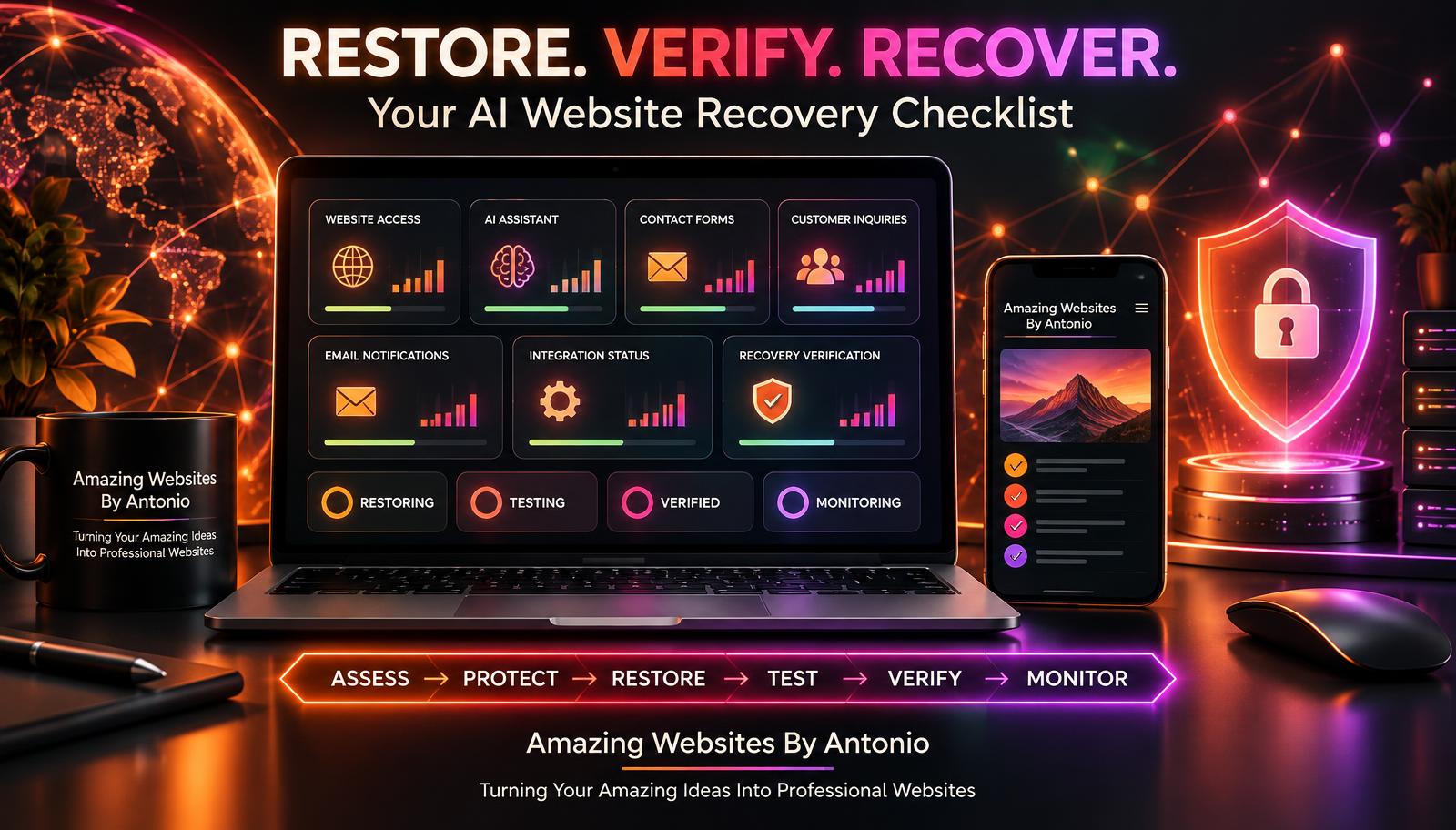
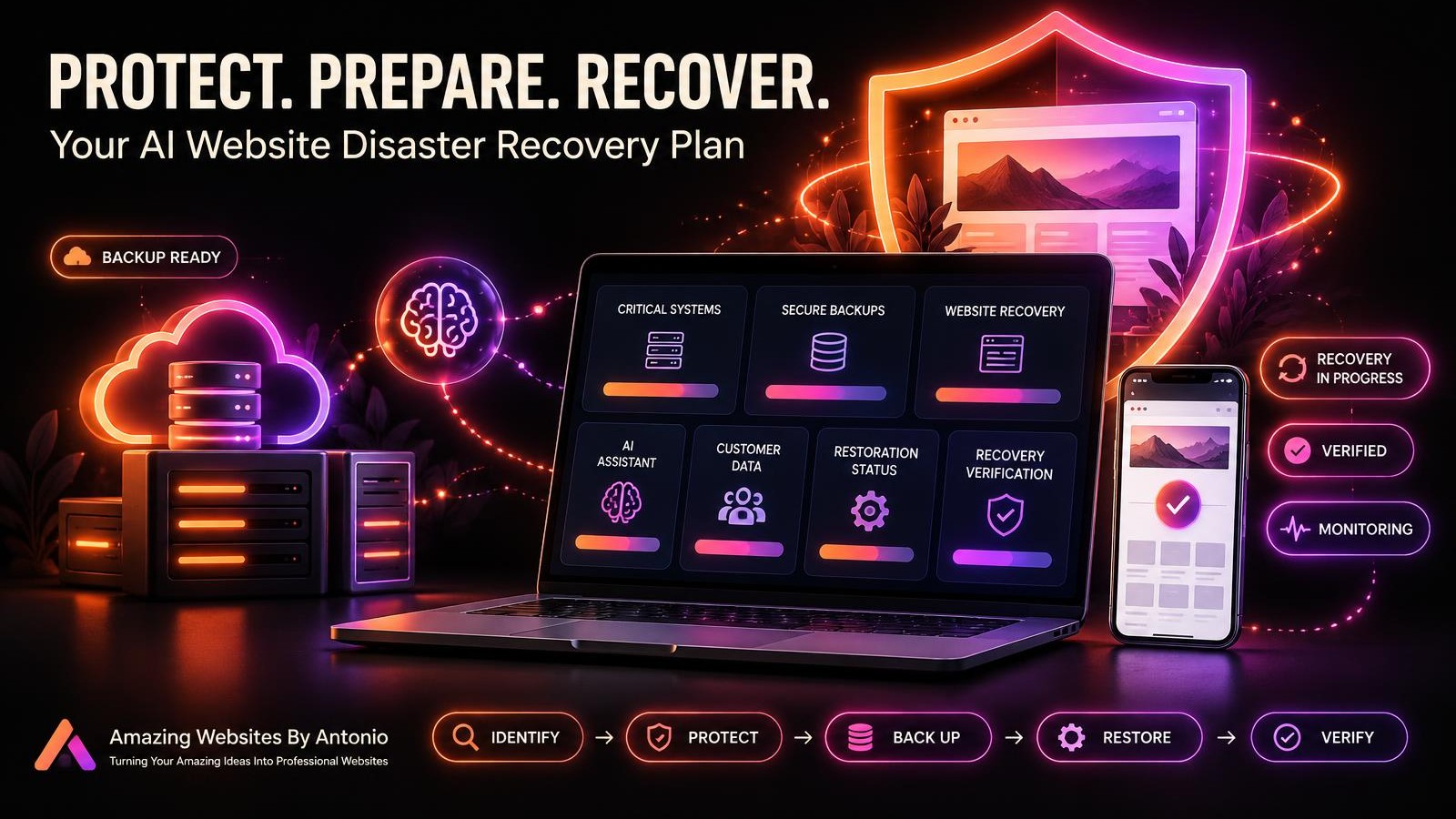
IDENTIFY → PROTECT → BACK UP → PREPARE → RESTORE → VERIFY → IMPROVE
UNDERSTANDING RTO AND RPO
Two important disaster recovery concepts are Recovery Time Objective and Recovery Point Objective.
RTO — Recovery Time Objective
How long can an important service remain unavailable before the business experiences unacceptable disruption?
For example, a business might establish a target of restoring a critical inquiry system within four hours.
That is a planning target, not a guarantee.
RPO — Recovery Point Objective
How much recent data can the business afford to lose?
For example, a business might set an RPO of one hour for important inquiry records.
Achieving that target would require suitable backup or replication capabilities.
Important: RTO and RPO should be based on actual business requirements and verified technical capabilities.
AI WEBSITE DISASTER RECOVERY PRIORITY MATRIX
The following example is illustrative.
| System | Suggested Priority | Recovery Consideration |
|---|---|---|
| Administrative account security | Critical | Protect access before restoration |
| Customer data and inquiry records | Critical | Verify integrity and privacy |
| Website hosting and domain | High | Restore customer access |
| Contact forms | High | Restore inquiry functionality |
| Payment integrations | High when used | Verify safe transaction processing |
| AI website assistant | Medium to High | Verify accurate responses and handoffs |
| Email notifications | Medium to High | Confirm delivery and prevent duplicates |
| Analytics dashboards | Medium | Restore reporting after essential functions |
| Decorative website features | Lower | Restore after critical services |
The order may change depending on the nature of the disaster.
COMPLETE AI WEBSITE DISASTER RECOVERY CHECKLIST
SECTION 1 — DIGITAL ASSET INVENTORY
- ☐ Important website pages are documented.
- ☐ Critical business records are identified.
- ☐ AI assistant dependencies are listed.
- ☐ Domain and hosting providers are documented.
- ☐ Important integrations are identified.
- ☐ Recovery responsibilities are assigned.
SECTION 2 — BACKUP PREPARATION
- ☐ Available backup features have been reviewed.
- ☐ Backup limitations are understood.
- ☐ Important information is included where supported.
- ☐ Backup access is protected.
- ☐ Backup retention requirements are documented.
- ☐ Restoration procedures have been safely tested where feasible.
SECTION 3 — RECOVERY OBJECTIVES
- ☐ Critical services are prioritized.
- ☐ RTO targets are documented.
- ☐ RPO targets are documented.
- ☐ Provider capabilities have been considered.
- ☐ Important customer impacts are understood.
SECTION 4 — SECURITY AND ACCESS
- ☐ Important accounts use appropriate security protections.
- ☐ Account recovery methods are current.
- ☐ Authorized recovery responsibilities are documented.
- ☐ Sensitive information is protected.
- ☐ Security incidents have appropriate escalation procedures.
SECTION 5 — RECOVERY EXECUTION
- ☐ The disruption has been confirmed.
- ☐ Affected systems are identified.
- ☐ Further harm has been contained.
- ☐ The appropriate recovery method is selected.
- ☐ Essential services are restored.
- ☐ Recovery actions are documented.
SECTION 6 — RECOVERY VERIFICATION
- ☐ Website access is working.
- ☐ Important pages are available.
- ☐ Customer records are appropriately protected.
- ☐ Contact forms are tested.
- ☐ Notifications are verified.
- ☐ Payment integrations are checked where applicable.
- ☐ AI assistant behavior is reviewed.
- ☐ Mobile and accessibility checks are completed.
- ☐ Remaining risks are evaluated.
SECTION 7 — RETURN TO NORMAL OPERATIONS
- ☐ Required recovery tests have passed.
- ☐ Temporary business records are reconciled.
- ☐ Customers are updated when appropriate.
- ☐ Normal operations are authorized.
- ☐ Post-recovery monitoring is active.
- ☐ Lessons learned are documented.
COPY-READY AI WEBSITE DISASTER RECOVERY PLAN TEMPLATE
BUSINESS NAME:
[Enter Business Name]
WEBSITE:
[Enter Website Address]
PLAN OWNER:
[Enter Name]
LAST REVIEWED:
[Enter Date]
NEXT REVIEW DATE:
[Enter Date]
1. PURPOSE
This plan describes how the business will prepare for and respond to major disruptions affecting critical website services and information.
2. CRITICAL SYSTEMS
Website Platform:
[Enter Provider]
Domain Provider:
[Enter Provider]
AI Services:
[List Providers]
Email Services:
[List Providers]
Payment Services:
[List Providers]
Other Integrations:
[List Providers]
3. ESSENTIAL BUSINESS DATA
[List Important Data Categories]
4. BACKUP STRATEGY
Backup Method:
[Describe Supported Method]
Backup Frequency:
[Enter Schedule]
Backup Location:
[Enter Secure Location Description]
Retention Period:
[Enter Policy]
Last Verified Restoration Test:
[Enter Date or Not Yet Tested]
5. RECOVERY OBJECTIVES
Critical Service:
[Enter Service]
RTO Target:
[Enter Target]
RPO Target:
[Enter Target]
Provider Capability Confirmed:
Yes / No / Pending
6. EMERGENCY CONTACTS
Recovery Decision Owner:
[Enter Name]
Hosting Support:
[Enter Contact]
Domain Support:
[Enter Contact]
Other Critical Providers:
[List Contacts]
7. DISASTER RESPONSE
Incident Description:
[Enter Details]
Affected Systems:
[List Systems]
Containment Actions:
[List Actions]
Recovery Method:
[Describe Method]
8. RESTORATION VERIFICATION
Website Availability:
Pass / Fail / Not Tested
Contact Forms:
Pass / Fail / Not Tested
AI Assistant:
Pass / Fail / Not Tested
Customer Data Integrity:
Pass / Fail / Not Tested
Integrations:
Pass / Fail / Not Tested
Security Review:
Pass / Fail / Not Tested
9. FINAL RECOVERY DECISION
Recovery Status:
Fully Restored / Partially Restored / Recovery Ongoing
Outstanding Issues:
[List Issues]
Approved By:
[Enter Name]
Approval Date:
[Enter Date]
10. LESSONS LEARNED
What Worked:
[Enter Findings]
What Needs Improvement:
[Enter Findings]
Next Review:
[Enter Date]
EXAMPLE DISASTER RECOVERY SCENARIO
The following scenario is fictional.
Situation: Major Website Configuration Failure
A business owner discovers that a serious configuration problem has made the website unavailable.
Important pages cannot be accessed, and customer inquiry workflows have stopped.
Step 1 — Confirm the Disruption
The owner verifies that the website is unavailable and identifies affected services.
Step 2 — Assess Security and Data Risks
The owner determines whether the incident involves suspected unauthorized access or data exposure.
Step 3 — Contact the Website Provider
The owner reviews available support and recovery procedures.
Step 4 — Select a Recovery Method
The owner identifies a suitable previously working version, if the platform supports that option.
Step 5 — Restore the Website
The owner follows the provider's supported restoration procedure.
Step 6 — Verify Important Features
The owner checks:
- Homepage access
- Important navigation
- Contact form submissions
- Private inquiry storage
- Email notifications
- AI assistant responses
- Mobile functionality
- Relevant security settings
Step 7 — Reconcile Business Records
The owner reviews whether important inquiries or automated actions were missed or duplicated.
Step 8 — Return to Normal Operations
Once required tests pass and risks are addressed, the owner resumes normal website operations.
Step 9 — Improve the Recovery Plan
The owner documents the incident and updates future recovery preparation.
LESSON:
A disaster recovery plan should address both restoration and verification.
YOUR 30-DAY DISASTER RECOVERY IMPLEMENTATION PLAN
WEEK 1 — IDENTIFY WHAT MATTERS
- Inventory important website systems.
- Identify critical business records.
- Document provider dependencies.
- Prioritize essential services.
- Establish preliminary recovery objectives.
GOAL: Understand your most important recovery needs.
WEEK 2 — REVIEW BACKUP CAPABILITIES
- Check supported backup features.
- Review version history options.
- Identify backup limitations.
- Protect backup access.
- Document restoration procedures.
GOAL: Understand what can realistically be recovered.
WEEK 3 — PREPARE AND PRACTICE
- Create a disaster recovery checklist.
- Document emergency contacts.
- Practice a fictional disaster scenario.
- Conduct safe recovery testing where supported.
- Record missing capabilities.
GOAL: Build confidence in your recovery procedures.
WEEK 4 — VERIFY AND IMPROVE
- Review test results.
- Improve weak recovery procedures.
- Update recovery priorities.
- Document outstanding risks.
- Schedule future plan reviews.
GOAL: Create a sustainable disaster recovery process.
THE AI WEBSITE DISASTER RECOVERY FRAMEWORK
IDENTIFY
Understand critical systems and information.
↓
PROTECT
Apply appropriate security and data safeguards.
↓
BACK UP
Maintain supported, secure recovery copies.
↓
PREPARE
Document recovery priorities and procedures.
↓
RESPOND
Assess and contain major disruptions.
↓
RESTORE
Recover essential technology and services.
↓
VERIFY
Confirm that restored systems work correctly and safely.
↓
IMPROVE
Use lessons learned to strengthen future preparation.
FINAL THOUGHTS
Building a professional website takes creativity.
Planning.
Technical knowledge.
And dedication.
You invest time into creating an online experience that represents your business.
But protecting that work is just as important as creating it.
Major disruptions can happen.
Hosting services can fail.
Accounts can be compromised.
Important information can become unavailable.
And unexpected technical problems can interrupt business operations.
That's why disaster recovery planning matters.
It helps you understand what needs protection.
Know which services matter most.
Prepare appropriate backups.
Document recovery procedures.
And verify that essential systems work after restoration.
A BEAUTIFUL WEBSITE REPRESENTS YOUR BUSINESS.
A DISASTER RECOVERY PLAN HELPS PROTECT THE WORK BEHIND IT.
You don't need to solve every possible technical problem today.
Start with your essential systems.
Review your platform's recovery options.
Protect important information.
Create a practical checklist.
Practice safely.
And improve your preparation as your business grows.
Because building a stronger digital business isn't just about preparing for new opportunities.
IT'S ALSO ABOUT PREPARING FOR UNEXPECTED CHALLENGES.
PROTECT WHAT YOU BUILD.
PREPARE FOR WHAT YOU CAN'T PREDICT.
RECOVER WITH PURPOSE.
KEEP BUILDING BETTER WEBSITES.
Amazing Websites By Antonio
Turning Your Amazing Ideas Into Professional Websites