A Practical Guide to Safely Discontinuing Website Features, Protecting Customer Information, Managing Dependencies, and Keeping Your Digital Business Running Smoothly
Imagine you've spent months or even years building and improving your professional business website.
You've added new pages.
Created helpful features.
Connected automations.
Introduced an AI assistant.
Improved your Contact form.
Integrated outside services.
And developed new tools to help customers interact with your business.
Over time, your website has continued evolving.
But as your business grows, you may discover that certain features are no longer necessary.
Maybe an old Contact form has been replaced by a better version.
An automation is no longer useful.
An AI assistant integration is outdated.
A third-party tool has become too expensive.
Or a feature no longer supports your business goals.
You decide it's time to remove it.
But here's an important question:
HOW DO YOU REMOVE AN OUTDATED WEBSITE FEATURE WITHOUT ACCIDENTALLY DISRUPTING SOMETHING IMPORTANT?
What happens if another page depends on the feature?
What if customers still use it?
What if an automation sends information through it?
What if important customer records are stored in the connected service?
What if removing the feature breaks your website navigation?
These are important questions to answer before making changes.
That's where an AI website feature retirement plan becomes valuable.
AN AI WEBSITE FEATURE RETIREMENT PLAN IS A STRUCTURED PROCESS FOR SAFELY DISCONTINUING A WEBSITE FEATURE, TOOL, AI CAPABILITY, OR INTEGRATION WHILE MANAGING DEPENDENCIES, PROTECTING IMPORTANT INFORMATION, AND MINIMIZING DISRUPTION TO CUSTOMERS AND BUSINESS OPERATIONS.
A feature retirement plan helps you move beyond simply clicking Delete.
Instead, you evaluate what the feature does.
Determine who depends on it.
Identify important information.
Prepare a replacement when necessary.
Test the transition.
And verify that the website continues functioning properly.
For AI-powered websites, feature retirement may involve:
- AI assistants
- Chat widgets
- Contact forms
- Scheduling tools
- Email notifications
- Customer inquiry workflows
- Third-party integrations
- Website automations
- Analytics tools
- Membership features
- Payment-related integrations
- Website pages
- External scripts
- Subscription-based services
The good news?
YOU DON'T NEED A LARGE TECHNOLOGY TEAM TO CREATE A PROFESSIONAL WEBSITE FEATURE RETIREMENT PLAN.
Even a solo entrepreneur can use a checklist, spreadsheet, and structured approval process to manage website changes more safely.
In Blog #136, we're exploring 50 practical strategies to help you retire outdated website features without creating unnecessary disruption.
PART 1: UNDERSTAND WEBSITE FEATURE RETIREMENT
1. Know What Feature Retirement Means
Feature retirement is the planned discontinuation of a website capability that is no longer needed, supported, or appropriate.
2. Understand Why Retirement Planning Matters
Removing a feature without reviewing its connections can interrupt important website operations.
3. Distinguish Retirement From Temporary Disabling
A temporary shutdown preserves the possibility of restoring a feature.
Retirement is a planned transition toward permanent discontinuation.
4. Recognize Different Retirement Scenarios
A feature may be retired because it is outdated, redundant, expensive, unreliable, or no longer relevant.
5. Make Retirement Part of Website Management
Treat significant feature removals as managed changes rather than casual edits.
PART 2: IDENTIFY FEATURES READY FOR RETIREMENT
6. Review Your Website Feature Inventory
Create or update a list of active website features and integrations.
7. Identify Outdated Features
Look for tools that no longer meet current technical or business requirements.
8. Review Underused Features
Consider whether available evidence indicates limited customer or operational value.
9. Evaluate High-Maintenance Tools
Identify features that require disproportionate time or resources.
10. Confirm the Business Reason for Retirement
Document why the feature is being considered for removal.
PART 3: REVIEW DEPENDENCIES AND CONNECTIONS
11. Identify Connected Website Pages
Determine where the feature appears or is linked.
12. Review Connected Automations
Check whether automated workflows depend on the feature.
13. Examine Third-Party Integrations
Identify services that exchange information with the feature.
14. Review Customer Workflows
Determine whether visitors depend on the feature to complete important actions.
15. Create a Dependency Map
Document how the feature connects to other website systems.
PART 4: PROTECT IMPORTANT BUSINESS INFORMATION
16. Identify Stored Information
Determine whether the feature stores customer inquiries, settings, files, or other business records.
17. Review Data Retention Requirements
Consider applicable legal, contractual, privacy, and operational obligations.
18. Export Necessary Information
Use supported export methods when appropriate and authorized.
19. Verify Data Integrity
Confirm that retained information is complete, readable, and accessible to authorized people.
20. Plan Secure Data Disposal
Determine when and how information that is no longer required should be securely deleted.
PART 5: PREPARE REPLACEMENT WORKFLOWS
21. Determine Whether a Replacement Is Necessary
Some retired features require a replacement, while others can be discontinued without one.
22. Define Replacement Requirements
Identify the functionality the new approach must provide.
23. Evaluate Available Alternatives
Compare suitable tools or workflows based on business needs, costs, accessibility, privacy, and reliability.
24. Prepare the Replacement Before Removal
Configure and test important replacement workflows before disabling the original feature.
25. Document the Transition Process
Create a clear sequence for moving from the old feature to the new one.
PART 6: COMMUNICATE THE RETIREMENT
26. Identify Affected Users
Determine whether customers, staff, or service providers need advance notice.
27. Explain What Is Changing
Use clear language to describe the feature being discontinued.
28. Provide Replacement Instructions
Explain how affected users should complete their tasks after the transition.
29. Establish a Support Contact
Make it easy for users to report problems or ask questions.
30. Choose an Appropriate Retirement Date
Schedule the change to reduce unnecessary disruption.
PART 7: TEST THE RETIREMENT PROCESS
31. Create a Retirement Testing Checklist
Identify what must work before and after the feature is removed.
32. Test Replacement Functionality
Confirm that the replacement meets its required acceptance criteria.
33. Verify Important Customer Journeys
Check that visitors can still complete essential actions.
34. Test Connected Integrations
Confirm that affected automations and services behave correctly.
35. Prepare a Recovery Plan
Document how to respond if the retirement causes unexpected problems.
PART 8: EXECUTE THE FEATURE RETIREMENT
36. Confirm Final Approval
Verify that the retirement has been authorized.
37. Record the Starting Configuration
Document relevant settings and approved recovery information before making changes.
38. Disable the Feature Carefully
Follow the supported procedures for the website platform or connected service.
39. Remove Obsolete Connections
Clean up unused links, scripts, integrations, and automations after confirming they are no longer needed.
40. Record the Retirement Activity
Document what changed, when, and by whom.
PART 9: VERIFY POST-RETIREMENT STABILITY
41. Test Important Website Pages
Check affected pages for loading and navigation problems.
42. Verify Contact and Inquiry Workflows
Confirm that customers can still reach the business.
43. Review Automation Results
Ensure that remaining workflows continue functioning correctly.
44. Monitor for Unexpected Problems
Observe relevant website activity after the change.
45. Resolve or Escalate Issues
Address failures promptly and follow the recovery plan when necessary.
PART 10: CLOSE AND DOCUMENT THE RETIREMENT
46. Confirm Retirement Completion
Verify that required removal and transition steps are finished.
47. Update the Feature Inventory
Mark the retired feature and its final status.
48. Review Subscription Cancellation
Confirm whether recurring charges should end and whether cancellation has been completed.
49. Document Lessons Learned
Identify what the retirement process revealed.
50. Improve Future Retirement Procedures
Use the experience to strengthen website management practices.
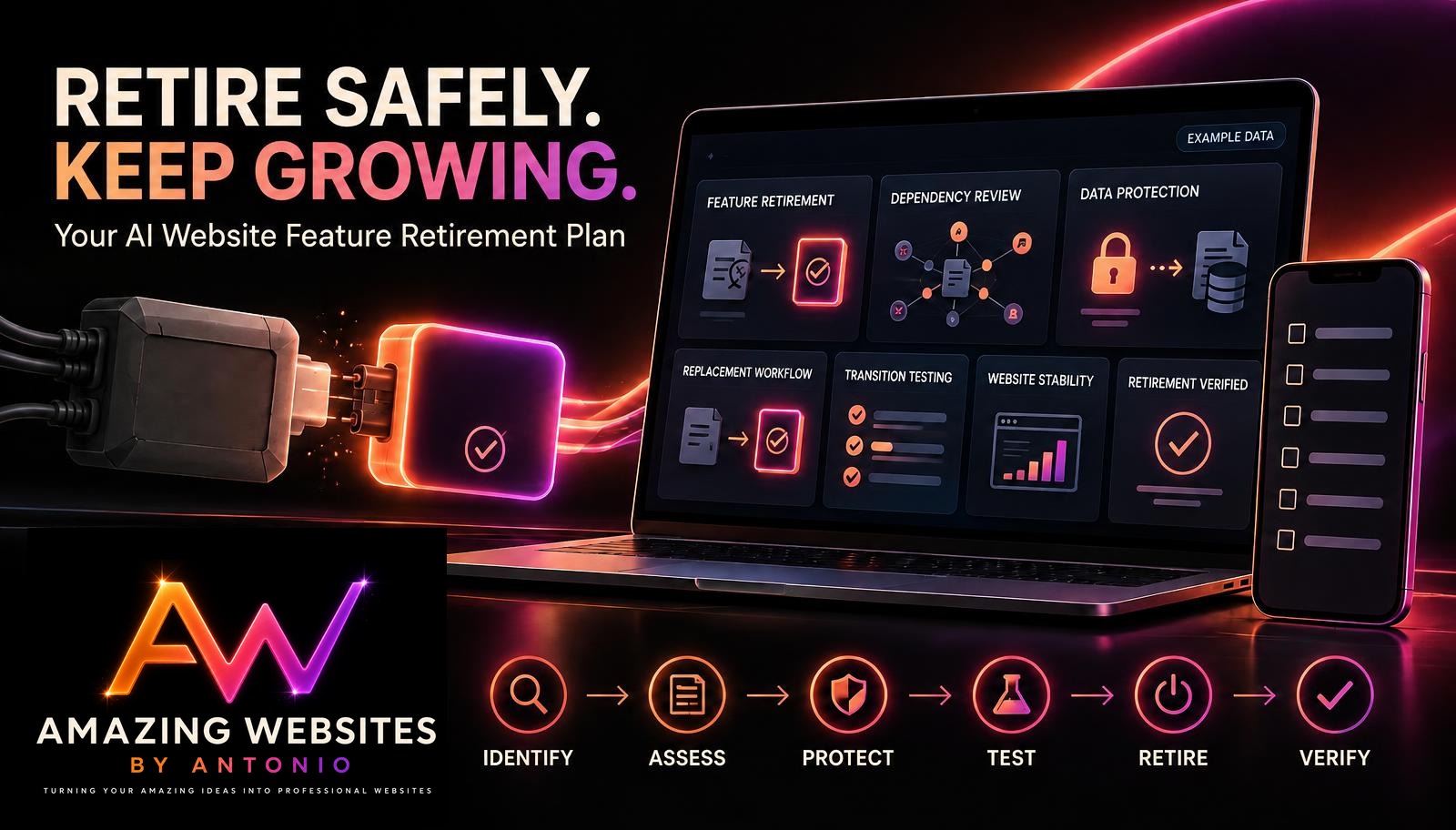
IDENTIFY → ASSESS → PROTECT → PREPARE → TEST → RETIRE → VERIFY → DOCUMENT
WHEN SHOULD YOU CONSIDER RETIRING A WEBSITE FEATURE?
A feature may deserve review when its business value declines or its risks increase.
| Retirement Signal | Question to Ask |
|---|---|
| Low Usage | Is the feature still serving an important need? |
| High Maintenance | Do the benefits justify the resources required? |
| Outdated Technology | Is the feature still supported and secure? |
| Duplicate Functionality | Does another feature already provide the same service? |
| Unreliable Integration | Is the feature creating recurring operational problems? |
| Changed Business Priorities | Does the feature still support current goals? |
| Privacy Concerns | Can the feature meet applicable data protection requirements? |
| Better Alternative | Would another approach better serve customers? |
IMPORTANT:
Low usage alone doesn't justify removing an essential feature.
Some features serve small groups of customers or fulfill important accessibility, legal, or operational needs.
CREATE YOUR WEBSITE FEATURE DEPENDENCY MAP
Before retiring a feature, identify its connections.
EXAMPLE: OLD CONTACT FORM
OLD CONTACT FORM
↓
Customer inquiry submissions
↓
Website database or submission storage
↓
Email notification workflow
↓
Business owner receives inquiry
↓
Customer follow-up process
If you remove the original Contact form without reviewing these connections, you could unintentionally interrupt customer communication.
A dependency map helps identify the systems that need to be preserved, replaced, or safely discontinued.
YOUR AI WEBSITE FEATURE RETIREMENT DECISION MATRIX
| Evaluation Finding | Possible Decision |
|---|---|
| Feature still delivers essential value | Continue |
| Feature needs improvements | Adjust |
| More evidence is required | Monitor |
| Suitable replacement is available | Plan Migration |
| Feature no longer needed and dependencies resolved | Retire |
| Critical risks prevent safe continuation | Escalate and take appropriate protective action |
The final decision should account for business needs, customer impact, data obligations, costs, and technical risks.
FIVE IMPORTANT RISKS TO REVIEW BEFORE RETIREMENT
1. CUSTOMER WORKFLOW INTERRUPTION
Could removing the feature prevent customers from contacting your business or completing important actions?
2. DATA LOSS
Could the retirement remove information that your business needs to retain?
3. BROKEN INTEGRATIONS
Could connected tools or automations stop functioning?
4. UNEXPECTED COSTS
Could the transition introduce new subscription, development, or maintenance expenses?
5. SECURITY AND PRIVACY EXPOSURE
Could the retirement leave unnecessary credentials, permissions, scripts, or customer information accessible?
A responsible retirement plan identifies these risks before the feature is removed.
YOUR FEATURE RETIREMENT READINESS SCORECARD
You can use a simple scorecard to organize readiness.
Give each category:
- 2 points: Requirement satisfied
- 1 point: Partially satisfied or additional work needed
- 0 points: Requirement not satisfied
| Readiness Category | Maximum Points |
|---|---|
| Business Reason Documented | 2 |
| Dependencies Identified | 2 |
| Customer Impact Reviewed | 2 |
| Data Retention Requirements Addressed | 2 |
| Replacement Prepared if Required | 2 |
| Communication Plan Ready | 2 |
| Testing Plan Complete | 2 |
| Recovery Plan Prepared | 2 |
| Approval Obtained | 2 |
| Post-Retirement Monitoring Planned | 2 |
| Total | 20 |
Illustrative Interpretation
| Score | Suggested Interpretation |
|---|---|
| 18–20 | Generally well prepared |
| 14–17 | Additional preparation recommended |
| 10–13 | Significant readiness gaps |
| 0–9 | Retirement planning is incomplete |
IMPORTANT:
This scorecard is illustrative, not a formal safety certification.
A high score must not override a missing critical requirement.
If necessary data protection, customer continuity, approval, or recovery requirements remain unresolved, the retirement should not proceed as planned.
YOUR FEATURE RETIREMENT TRACKING DASHBOARD
A retirement dashboard can help manage multiple feature transitions.
Consider tracking:
- Features under review
- Approved retirements
- Dependency assessments completed
- Data retention reviews completed
- Replacements ready
- Retirements scheduled
- Retirements in progress
- Retirements verified
- Blocked retirements
- Outstanding subscription cancellations
FICTIONAL DASHBOARD EXAMPLE
| Metric | Example |
|---|---|
| Features Under Review | 10 |
| Retirement Approved | 6 |
| Awaiting Dependency Review | 2 |
| Replacement Ready | 3 |
| Scheduled for Retirement | 2 |
| Retirement In Progress | 1 |
| Retirement Verified | 1 |
| Blocked | 2 |
These figures are fictional and do not represent actual Amazing Websites By Antonio website activity.
COMPLETE AI WEBSITE FEATURE RETIREMENT CHECKLIST
SECTION 1 — FEATURE IDENTIFICATION
- ☐ Feature name is recorded.
- ☐ Business purpose is documented.
- ☐ Retirement reason is explained.
- ☐ Current usage is reviewed where measurable.
- ☐ Retirement decision is justified.
SECTION 2 — DEPENDENCY REVIEW
- ☐ Connected website pages are identified.
- ☐ Related automations are reviewed.
- ☐ Third-party integrations are documented.
- ☐ Customer workflows are assessed.
- ☐ Dependency map is completed.
SECTION 3 — DATA PROTECTION
- ☐ Stored information is identified.
- ☐ Retention obligations are reviewed.
- ☐ Necessary exports are completed.
- ☐ Retained data is verified.
- ☐ Secure disposal requirements are documented.
SECTION 4 — REPLACEMENT PLANNING
- ☐ Replacement necessity is evaluated.
- ☐ Replacement requirements are defined.
- ☐ Suitable alternatives are considered.
- ☐ Replacement functionality is tested.
- ☐ Transition steps are documented.
SECTION 5 — COMMUNICATION
- ☐ Affected users are identified.
- ☐ Appropriate notice is prepared.
- ☐ Replacement instructions are available.
- ☐ Support contact is provided.
- ☐ Retirement date is established.
SECTION 6 — TESTING AND RECOVERY
- ☐ Retirement test cases are prepared.
- ☐ Important customer journeys are tested.
- ☐ Affected integrations are checked.
- ☐ Recovery procedures are documented.
- ☐ Final approval is recorded.
SECTION 7 — RETIREMENT EXECUTION
- ☐ Starting configuration is documented.
- ☐ Feature is disabled using supported procedures.
- ☐ Obsolete connections are reviewed.
- ☐ Important changes are recorded.
- ☐ Necessary access permissions are updated.
SECTION 8 — POST-RETIREMENT VERIFICATION
- ☐ Affected pages load correctly.
- ☐ Navigation works as expected.
- ☐ Contact workflows function.
- ☐ Remaining automations are tested.
- ☐ Unexpected problems are investigated.
- ☐ Monitoring requirements are satisfied.
SECTION 9 — CLOSURE
- ☐ Retirement completion is verified.
- ☐ Feature inventory is updated.
- ☐ Subscription cancellation is reviewed.
- ☐ Data disposal is completed when authorized and appropriate.
- ☐ Lessons learned are documented.
- ☐ Final retirement status is recorded.
COPY-READY AI WEBSITE FEATURE RETIREMENT PLAN TEMPLATE
BUSINESS NAME:
[Enter Business Name]
WEBSITE:
[Enter Website Address]
RETIREMENT PLAN ID:
[Enter Identifier]
DATE CREATED:
[Enter Date]
PREPARED BY:
[Enter Name]
SECTION 1 — FEATURE INFORMATION
FEATURE NAME:
[Enter Name]
FEATURE DESCRIPTION:
[Describe Feature]
CURRENT BUSINESS PURPOSE:
[Describe Purpose]
RETIREMENT REASON:
[Explain Reason]
PROPOSED RETIREMENT DATE:
[Enter Date]
SECTION 2 — BUSINESS IMPACT
AFFECTED USERS:
[List Users]
CUSTOMER WORKFLOWS:
[List Workflows]
EXPECTED BENEFITS OF RETIREMENT:
[List Benefits]
POTENTIAL DISRUPTIONS:
[List Risks]
BUSINESS CONTINUITY REQUIREMENTS:
[List Requirements]
SECTION 3 — DEPENDENCY REVIEW
CONNECTED WEBSITE PAGES:
[List Pages]
CONNECTED AUTOMATIONS:
[List Automations]
THIRD-PARTY INTEGRATIONS:
[List Integrations]
RELATED NOTIFICATIONS:
[List Notifications]
OTHER DEPENDENCIES:
[List Dependencies]
SECTION 4 — DATA PROTECTION
STORED INFORMATION:
[Describe Information]
RETENTION REQUIREMENTS:
[Describe Requirements]
EXPORT REQUIRED:
Yes / No
EXPORT STATUS:
Not Started / In Progress / Completed / Not Applicable
DATA VERIFICATION RESULTS:
[Enter Results]
SECURE DISPOSAL PLAN:
[Describe Plan]
SECTION 5 — REPLACEMENT WORKFLOW
REPLACEMENT REQUIRED:
Yes / No
REPLACEMENT FEATURE OR SERVICE:
[Enter Name]
REPLACEMENT REQUIREMENTS:
[List Requirements]
REPLACEMENT TESTING RESULTS:
[Enter Results]
TRANSITION PROCEDURE:
[Describe Steps]
SECTION 6 — COMMUNICATION PLAN
AFFECTED AUDIENCE:
[List Audience]
NOTICE REQUIRED:
Yes / No
COMMUNICATION METHOD:
[Enter Method]
NOTICE DATE:
[Enter Date]
SUPPORT CONTACT:
[Enter Contact]
SECTION 7 — TESTING AND RECOVERY
PRE-RETIREMENT TESTS:
[List Tests]
POST-RETIREMENT TESTS:
[List Tests]
RECOVERY PROCEDURE:
[Describe Procedure]
RECOVERY OWNER:
[Enter Name]
CRITICAL FAILURE RESPONSE:
[Describe Response]
SECTION 8 — RETIREMENT EXECUTION
APPROVAL STATUS:
Pending / Approved / Rejected
APPROVED BY:
[Enter Name]
EXECUTION DATE:
[Enter Date]
ACTIONS COMPLETED:
[List Actions]
ISSUES ENCOUNTERED:
[List Issues]
SECTION 9 — POST-RETIREMENT VERIFICATION
WEBSITE FUNCTIONALITY RESULT:
Pass / Fail / Needs Review
CUSTOMER WORKFLOW RESULT:
[Enter Result]
INTEGRATION RESULT:
[Enter Result]
DATA PROTECTION RESULT:
[Enter Result]
MONITORING FINDINGS:
[Enter Findings]
SECTION 10 — FINAL CLOSURE
FINAL RETIREMENT STATUS:
Planned / In Progress / Blocked / Verified / Cancelled
SUBSCRIPTION STATUS:
Active / Cancelled / Not Applicable / Pending Review
FEATURE INVENTORY UPDATED:
Yes / No
LESSONS LEARNED:
[List Lessons]
REMAINING ACTIONS:
[List Actions]
FINAL REVIEWER:
[Enter Name]
CLOSURE DATE:
[Enter Date]
EXAMPLE AI WEBSITE FEATURE RETIREMENT SCENARIO
The following scenario is fictional.
Situation: A Business Owner Replaces an Outdated Contact Form Integration
A business owner has been using an older third-party Contact form integration.
The integration requires frequent maintenance and no longer fits the business's needs.
The owner decides to replace it with a more suitable workflow.
Step 1 — Identify the Retirement Reason
The existing integration has become difficult to maintain.
Step 2 — Review Dependencies
The owner discovers that the integration connects to the website Contact page and an email notification workflow.
Step 3 — Review Stored Information
The owner checks whether the service contains inquiry records that need to be retained.
Step 4 — Prepare the Replacement
A replacement Contact form workflow is configured.
Step 5 — Test the New Workflow
The owner submits safe test inquiries and verifies storage and notifications.
Step 6 — Communicate the Change
Any affected users receive appropriate instructions about the new process.
Step 7 — Approve the Retirement
The owner confirms that important requirements have been satisfied.
Step 8 — Disable the Old Integration
The old integration is disabled using the supported service procedures.
Step 9 — Verify Website Stability
The owner checks the Contact page, submission workflow, notifications, and related website functionality.
Step 10 — Complete Retirement Closure
The owner updates the feature inventory, reviews subscription cancellation, and documents lessons learned.
LESSON:
Retiring an outdated feature is not simply about removing technology.
It's about protecting the important customer and business workflows that technology supports.
YOUR 30-DAY AI WEBSITE FEATURE RETIREMENT IMPLEMENTATION PLAN
WEEK 1 — IDENTIFY AND ASSESS
- Review your website feature inventory.
- Identify outdated or unnecessary tools.
- Document business reasons for retirement.
- Review customer dependencies.
- Evaluate important risks.
GOAL: Understand which features may be suitable for retirement.
WEEK 2 — PROTECT AND PREPARE
- Identify stored business information.
- Review retention requirements.
- Prepare necessary exports.
- Evaluate replacement workflows.
- Create a transition plan.
GOAL: Prepare for retirement without losing important functionality or information.
WEEK 3 — TEST AND APPROVE
- Test replacement functionality.
- Verify important customer journeys.
- Review connected automations.
- Prepare recovery procedures.
- Obtain appropriate approval.
GOAL: Confirm that the transition is ready.
WEEK 4 — RETIRE AND VERIFY
- Execute an approved retirement.
- Test affected website pages.
- Verify customer workflows.
- Monitor for unexpected problems.
- Update documentation and subscription records.
GOAL: Complete the retirement safely and document the results.
THE AI WEBSITE FEATURE RETIREMENT FRAMEWORK
IDENTIFY
Determine which feature may no longer be needed.
↓
ASSESS
Review business value, dependencies, risks, and customer impact.
↓
PROTECT
Preserve important information and address retention requirements.
↓
PREPARE
Configure replacements and establish transition procedures.
↓
TEST
Verify essential functionality before removal.
↓
RETIRE
Disable or remove the feature through approved procedures.
↓
VERIFY
Confirm that the website and important workflows continue functioning.
↓
DOCUMENT
Record results, closure actions, and lessons learned.
FINAL THOUGHTS
Creating a professional business website is an exciting accomplishment.
It represents your creativity.
Your services.
Your brand.
And your commitment to helping customers.
But as your business grows, your website will continue changing.
You'll introduce new features.
Explore new tools.
Connect new services.
And improve the ways customers interact with your business.
Over time, some older features may no longer be necessary.
Others may become too expensive.
Too difficult to maintain.
Or less effective than newer alternatives.
When that happens, retiring a feature can be a responsible business decision.
But it's important to manage the transition carefully.
That's why an AI website feature retirement plan matters.
It helps you understand what a feature does.
Identify important dependencies.
Protect customer information.
Prepare replacement workflows.
Communicate changes.
Test the transition.
And verify that your website continues working properly.
REMOVING AN OUTDATED FEATURE SHOULD NEVER MEAN ACCIDENTALLY REMOVING SOMETHING YOUR CUSTOMERS OR BUSINESS STILL NEED.
Start with a clear business reason.
Review the connections.
Protect important information.
Prepare the transition.
And verify the results.
Because professional website management isn't only about knowing when to add something new.
IT'S ALSO ABOUT KNOWING WHEN AND HOW TO SAFELY LET GO OF WHAT NO LONGER SERVES YOUR BUSINESS.
REVIEW YOUR FEATURES.
PROTECT YOUR WORKFLOWS.
PLAN YOUR TRANSITIONS.
KEEP BUILDING BETTER WEBSITES.
Amazing Websites By Antonio
Turning Your Amazing Ideas Into Professional Websites