Your website received 1,000 visits.
Is that good?
Your social media post sent 200 people to your website.
Is that successful?
A blog received more views than anything else you have published.
Should you create more content like it?
Your Contact page received 100 visits... but only two people contacted you.
What does that mean?
Website analytics can give you a lot of numbers.
But numbers are not automatically useful.
The goal is not to collect the most data.
The goal is to understand which information can help you make better decisions.
So instead of asking: WHAT NUMBERS CAN I TRACK? — start by asking: WHAT DOES MY BUSINESS NEED THIS WEBSITE TO ACCOMPLISH?
Then choose metrics that help you understand whether that is happening.
Let us break it down.
1. Start With the Purpose of Your Website
Before choosing metrics, define what success means.
Different websites have different goals.
A service business may want:
- Project inquiries
- Phone calls
- Appointment requests
- Quote requests
An online store may focus on:
- Purchases
- Revenue
- Product views
- Cart activity
A nonprofit may focus on:
- Donations
- Volunteer signups
- Event registrations
- Resource downloads
A content website may focus on:
- Readers
- Newsletter subscriptions
- Content engagement
- Returning visitors
The right metrics depend on the purpose.
2. Define Your Primary Website Goal
Choose the most important action your website should help create.
For example, a primary goal might be: generate qualified project inquiries.
Then supporting metrics become easier to choose.
You might monitor:
- Contact-form submissions
- Project-intake submissions
- Visits to Services
- Visits to Portfolio
- Visits to Contact
- Traffic sources that generate inquiries
Now your analytics have direction.
3. Identify Secondary Goals
Not every visitor will immediately become a customer.
Secondary goals may include:
- Reading a blog
- Viewing a portfolio project
- Joining an email list
- Downloading a resource
- Watching a video
- Reading testimonials
- Visiting multiple service pages
These actions can help you understand the customer journey.
4. Distinguish Metrics From Goals
A metric is a measurement.
A goal is an outcome you are trying to achieve.
For example, a metric might be 500 website visitors. A goal might be to generate more qualified project inquiries.
More traffic may support that goal.
But traffic alone is not the goal.
5. Understand Website Traffic
Website traffic tells you how many visits or users your website receives, depending on the analytics system you are using.
Traffic can help you understand:
- Overall website activity
- Growth over time
- Marketing impact
- Seasonal patterns
But traffic needs context.
6. Don't Assume More Traffic Always Means More Success
Imagine two websites. Website A receives 10,000 visitors and 5 inquiries. Website B receives 1,000 visitors and 30 inquiries.
Which website is doing a better job?
You cannot answer based on traffic alone.
You need to understand the quality and purpose of those visits.
7. Look at Traffic Sources
Where are visitors coming from?
Possible sources include:
- Search engines
- Social media
- Referrals
- Advertising
- Direct visits
- Other websites
Traffic sources can help you understand which channels are introducing people to your business.
8. Connect Traffic Sources to Results
Do not stop at: Facebook sent 500 visitors.
Ask: what did those visitors do?
Did they:
- Read?
- Explore services?
- Join the email list?
- Contact the business?
- Purchase?
The source that sends the most traffic is not automatically the source that produces the most valuable actions.
9. Review Your Most-Visited Pages
Which pages attract the most attention?
Examples: Homepage, Services, Portfolio, Blog, About, Contact.
A popular page may deserve extra attention because many visitors experience it.
10. Review Important Pages That Receive Little Traffic
Maybe you created an excellent service page... but hardly anyone visits it.
The problem might not be the page itself.
It could be:
- Weak navigation
- Poor internal linking
- Low search visibility
- Limited promotion
- A buried call to action
Metrics help identify questions to investigate.
11. Track Leads
For many service businesses, leads are more meaningful than page views.
A website lead might include:
- Contact-form submission
- Quote request
- Phone inquiry
- Booking request
- Project intake
- Email inquiry
Define what counts as a lead for your business.
12. Track Qualified Leads When Possible
Not every inquiry is equally relevant.
You might receive 20 inquiries but only five match your services.
That distinction matters.
When appropriate, review total leads and qualified leads.
This can provide a better picture of website effectiveness.
13. Understand Conversions
A conversion happens when a visitor completes an action you have defined as valuable.
Examples:
- Submit a form
- Schedule an appointment
- Purchase a product
- Join an email list
- Download a guide
- Register for an event
Your conversion goals should reflect your business.
14. Understand Conversion Rate
A conversion rate compares completed actions with the relevant opportunity for those actions.
A simplified example: 100 visitors reach a landing page, and 10 complete the intended action. That is a 10% conversion rate.
But make sure you are using the correct denominator and measurement method for the question you are asking.
15. Don't Chase a Perfect Conversion Rate
There is not one universal conversion rate that every website should achieve.
Results vary based on:
- Industry
- Offer
- Traffic source
- Audience
- Price
- Customer journey
- Type of conversion
- Website purpose
Compare performance primarily against your own goals, historical results, and relevant context.
16. Track Contact-Form Completions
If your Contact form is an important business tool, monitor it.
Ask:
- How many people visit the Contact page?
- How many start the form, if that data is available?
- How many submit it?
- Are there recurring abandonment points?
If many interested visitors reach the page but do not complete the intended action, investigate the experience.
17. Track Appointment Bookings
If appointments matter to your business, bookings may be one of your most useful metrics.
You can evaluate:
- Number of bookings
- Booking sources where available
- Service booked
- Cancellations
- Completed appointments
Connect website activity to real business outcomes.
18. Track Sales for E-Commerce
Online stores may need metrics such as:
- Purchases
- Revenue
- Average order value
- Product views
- Add-to-cart activity
- Checkout completion
- Repeat purchases
Do not rely on one number to explain the entire store.
19. Track Newsletter Signups
If email marketing is part of your strategy, newsletter signups can show whether visitors want an ongoing relationship with the business.
Consider:
- Number of signups
- Signup location
- Lead magnet performance
- Follow-up engagement where available
20. Track Resource Downloads
If you offer checklists, guides, templates, e-books, or reports, downloads can indicate interest in a topic.
They may also help identify subjects your audience wants to learn more about.
21. Review Blog Performance
Do not judge a blog only by views.
Consider:
- Which topics attract visitors?
- Do readers visit another page afterward?
- Do articles support relevant services?
- Do readers subscribe?
- Do readers contact the business?
- Does the content answer useful questions?
A blog can support multiple stages of the customer journey.
22. Identify Content That Supports Business Goals
Suppose one article receives fewer views than another... but frequently leads readers to an important service page.
That content may be highly valuable.
Traffic is not the only measure of usefulness.
23. Review Internal Link Activity When Available
Internal links help visitors move through your website.
If your analytics setup allows you to measure relevant clicks, you may learn whether visitors move from blog to service, service to portfolio, portfolio to contact, or FAQ to contact.
Understanding these paths can help you improve the journey.
24. Understand Engagement Metrics
Depending on your analytics platform, you may see measurements related to:
- Time
- Engagement
- Pages or screens viewed
- Events
- Scroll activity
- Return visits
These can provide clues about visitor behavior.
But do not interpret them without context.
25. Don't Assume Longer Time Is Always Better
Someone may spend ten minutes on a page because the content is excellent.
Or because they cannot find what they need.
Someone may spend 30 seconds on a Contact page because they immediately found the phone number.
Context matters.
26. Don't Assume a Quick Exit Is Always Bad
A visitor may:
- Read your phone number
- Find your hours
- Get the answer from your FAQ
- Click an external booking link
- Then leave
That may have been a successful visit.
Define success based on intent.
27. Track Important Button Clicks When Useful
Consider measuring clicks on important calls to action such as:
- Start Your Project
- Book Now
- Get a Quote
- View Services
- Download Guide
- Shop Now
This can help you understand whether visitors notice and use your calls to action.
28. Review Search Performance
Search-performance tools can provide information such as:
- Search queries
- Impressions
- Clicks
- Search positions
- Pages appearing in results
Use this information to identify opportunities.
29. Don't Obsess Over One Search Ranking
Search results can vary.
Instead of constantly checking one keyword, look for broader patterns.
- Are more relevant pages appearing?
- Are impressions growing?
- Are relevant search queries bringing visitors?
- Are search visitors taking useful actions?
Think beyond a single ranking.
30. Track Mobile Performance
Compare the website experience across device categories where appropriate.
If many visitors use mobile but mobile users struggle to complete important actions, investigate.
The issue might involve:
- Layout
- Button size
- Form usability
- Navigation
- Performance
- Content presentation
31. Watch Website Performance Metrics
Website speed and responsiveness affect user experience.
Depending on your tools, you may review:
- Loading performance
- Responsiveness
- Visual stability
- Page-specific performance
Use measurements alongside real-world testing.
32. Track Errors and Broken Experiences
Some of the most valuable measurements are not growth numbers.
They are problems.
Examples:
- 404 errors
- Failed forms
- Checkout errors
- Broken links
- Integration failures
- Booking failures
Fixing these can protect the customer experience.
33. Measure Lead Quality
If possible, look beyond how many leads you got.
Ask:
- How many were relevant?
- How many became conversations?
- How many became customers?
This helps connect website activity to business outcomes.
34. Connect Website Leads to Customers
When practical and privacy-appropriate, understand the journey from visitor, to lead, to qualified lead, to customer, to repeat customer.
This can help you see where the website fits into the larger business process.
35. Review Revenue When Relevant
For businesses that sell directly online or can appropriately connect leads with sales, revenue may be a useful outcome metric.
But do not force every website interaction into an immediate dollar value.
Some websites support longer customer journeys.
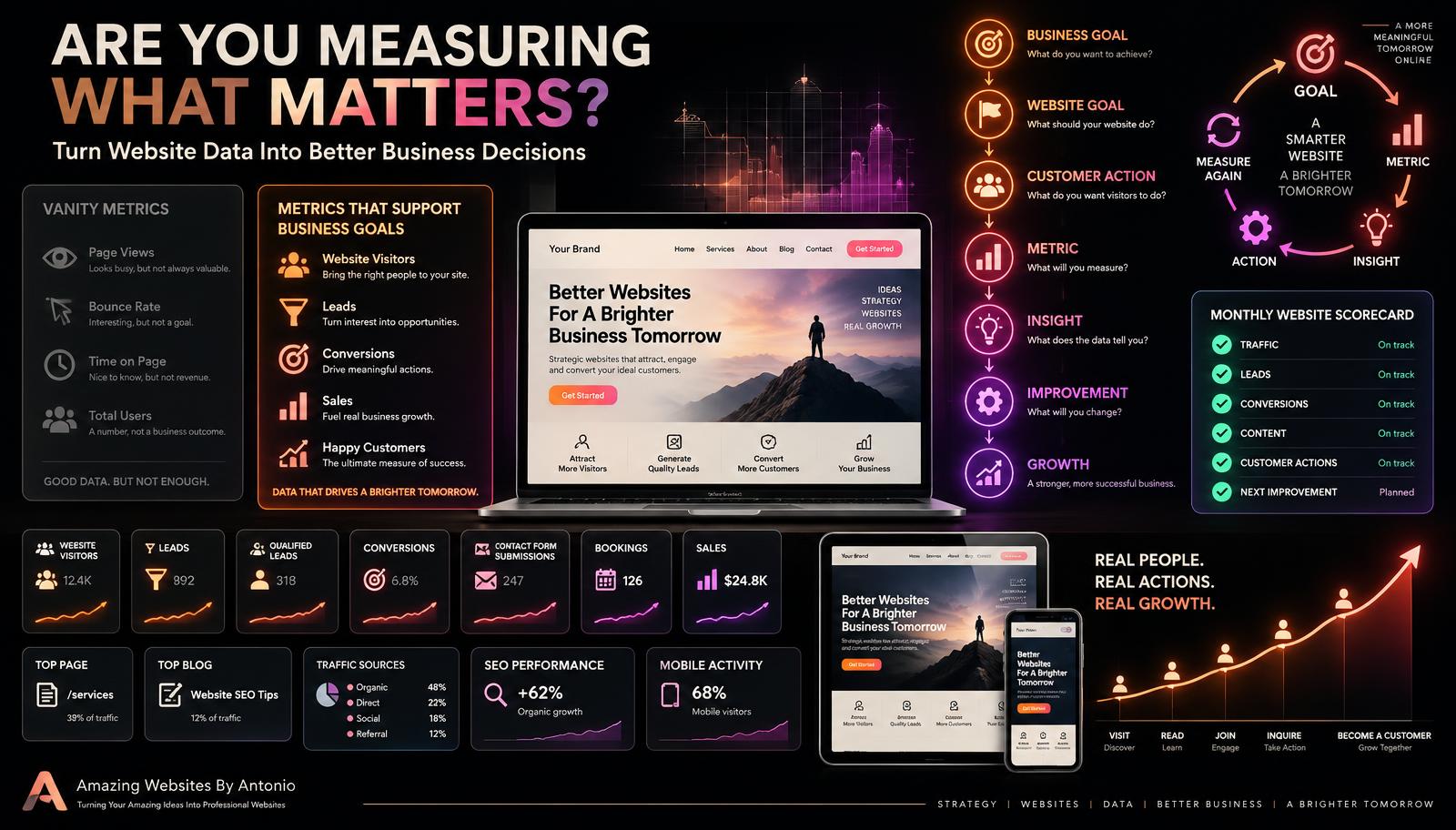
36. Create a Simple Website Scorecard
You do not need 100 numbers.
Create a small scorecard based on your goals.
For example, a monthly website scorecard might include:
- Website visitors
- Top traffic source
- Top page
- Top blog
- Contact inquiries
- Qualified leads
- Bookings
- Sales
- Newsletter signups
- Top conversion
- Important issue
- Next improvement
Your scorecard should fit your business.
37. Compare Trends Over Time
One month alone may not tell the whole story.
Compare month to month, quarter to quarter, and year to year when appropriate.
Look for patterns.
38. Account for Seasonality
Some businesses naturally have busy and slow periods.
A decrease in traffic may not automatically mean something is wrong.
Compare appropriate time periods.
39. Document Major Website Changes
If you change homepage messaging, navigation, a contact form, a service page, pricing, a call to action, SEO, or advertising, record when it happened.
Then future analytics become easier to interpret.
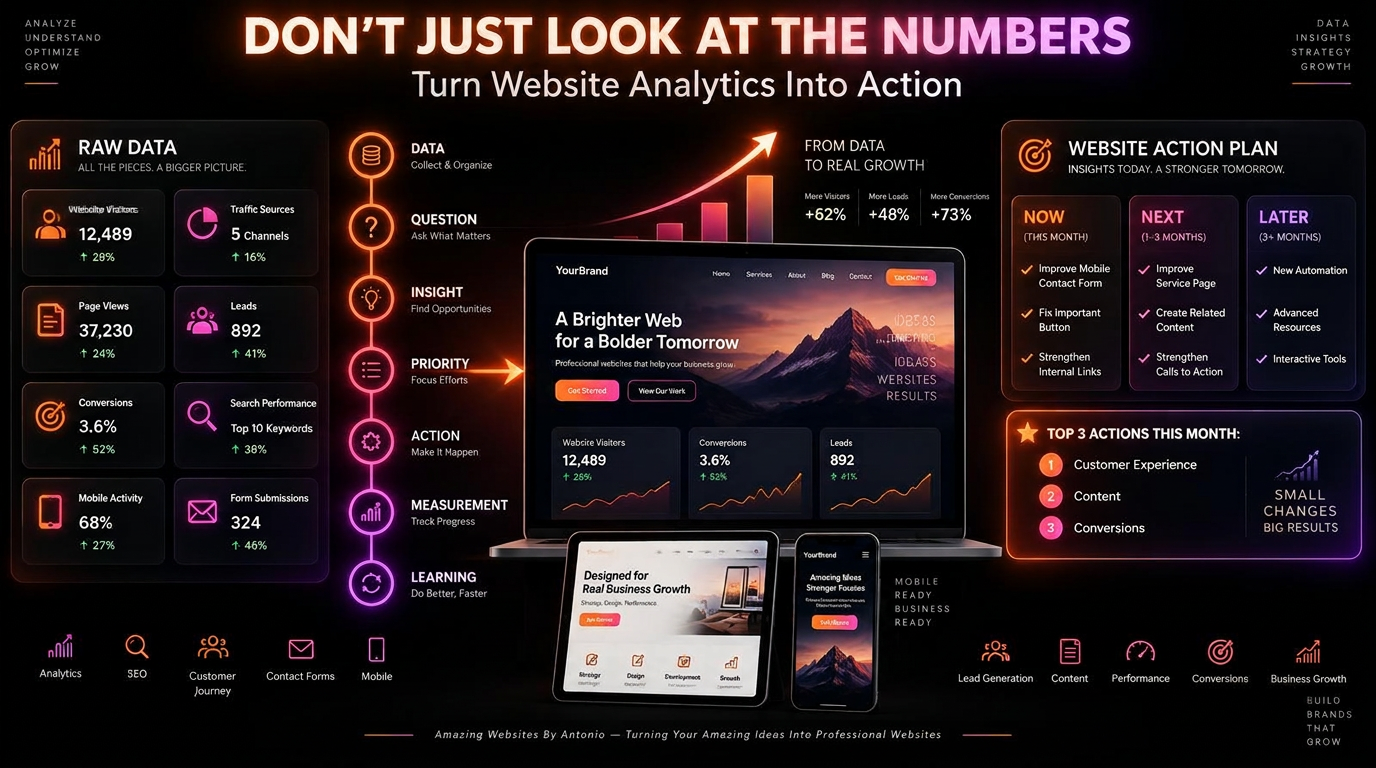
40. Connect Metrics to Your Improvement Roadmap
Remember your website improvement roadmap: NOW, NEXT, LATER, IDEAS.
Metrics can help decide what belongs in NOW.
For example: many visitors reach the Contact page but few complete the form — roadmap: review Contact form usability.
Or: a blog consistently attracts relevant search traffic — roadmap: create related content and strengthen internal links.
Use data to guide questions and priorities.
41. Don't Let Data Replace Human Judgment
Analytics cannot tell you everything.
It may show what happened.
It does not always explain why it happened.
Combine data with:
- Customer feedback
- Business knowledge
- User testing
- Website review
- Professional judgment
42. Avoid Vanity Metrics
A vanity metric is a number that looks impressive but may not tell you whether you are achieving your goal.
Examples can include:
- Huge traffic numbers with no relevant actions
- Social clicks that do not support the customer journey
- Page views without meaningful context
The metric itself is not necessarily useless.
The problem is treating it as success without connecting it to a goal.
43. Ask So What?
Whenever you review a metric, ask: so what?
Example: we received 2,000 website visitors. So what?
Thirty-five submitted project inquiries. Now we have more context.
Then ask: how many were qualified? How many became customers?
Each question moves closer to business impact.
44. Turn Metrics Into Questions
Instead of saying this page is bad, say: why are fewer visitors taking the intended next step on this page?
Instead of saying this blog is amazing, ask: why is this topic attracting more relevant traffic?
Questions create opportunities to learn.
45. Turn Questions Into Action
Analytics become valuable when they help you make thoughtful decisions.
For example:
- Metric: Contact-page visits are increasing.
- Question: Are inquiries increasing too?
- Finding: Visitors frequently abandon a long form.
- Action: Review whether every field is necessary.
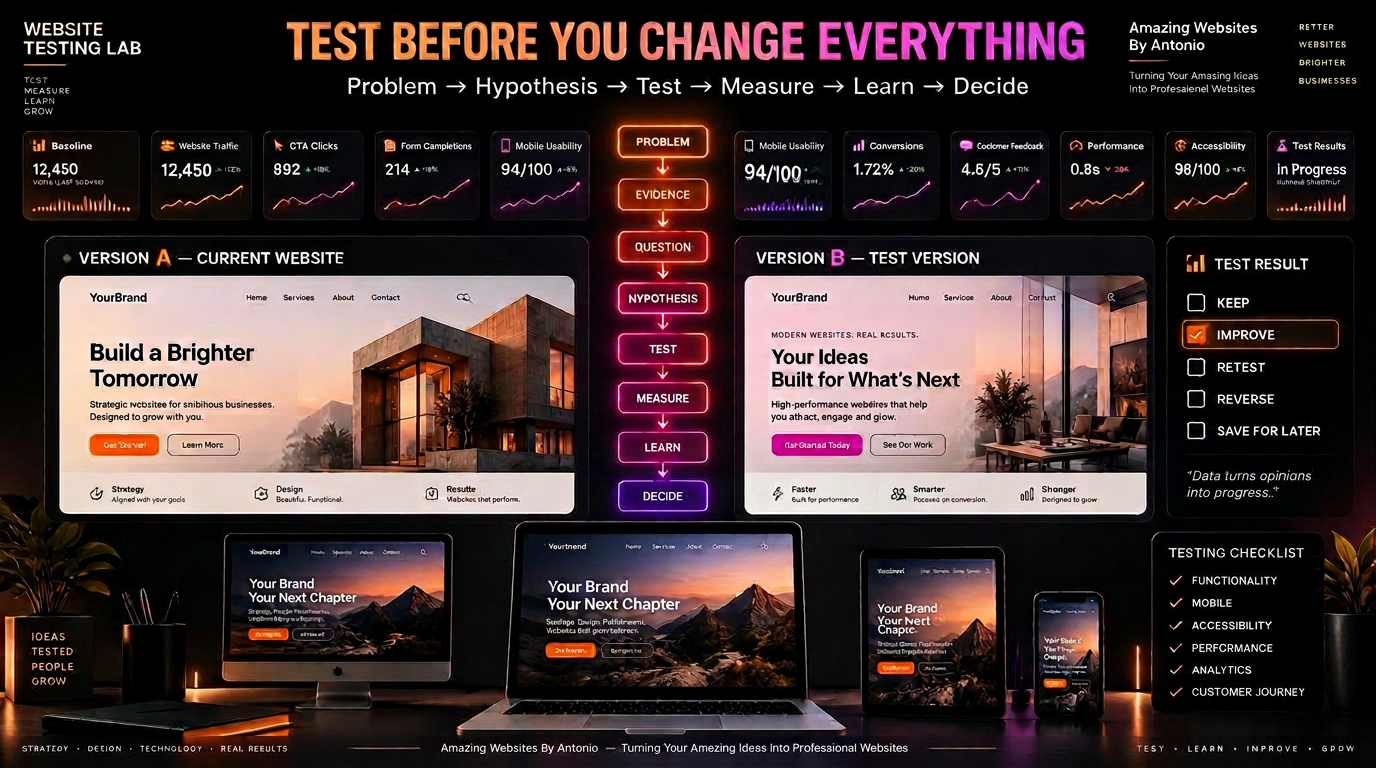
Then measure again.
46. Create a Monthly Analytics Routine
Once a month, review the metrics that matter.
Ask:
- What changed?
- What improved?
- What declined?
- What surprised us?
- What needs investigation?
- What should we test?
- What should we leave alone?
Analytics should become part of your website maintenance process.
47. Keep Your Dashboard Simple
More data does not automatically create better decisions.
Start with the measurements that connect most closely to your goals.
Add more only when they answer a useful question.
48. Protect Visitor Privacy
Analytics should be implemented responsibly.
- Understand what your tools collect
- Configure them appropriately
- Use required consent mechanisms where applicable
- Keep privacy policies accurate
- Follow applicable laws and platform requirements
If you are unsure about legal requirements for your business, seek appropriate professional guidance.
49. Remember That Numbers Represent People
Behind every page view, form submission, click, booking, purchase, and download is a person trying to accomplish something.
Do not optimize only for numbers.
Improve the experience for the people behind those numbers.
50. Measure What Helps You Make Better Decisions
This is the heart of website analytics.
You do not need every metric.
You need the right metrics for the right questions.
The Website Metrics Framework
Step 1: Define the business goal.
Step 2: Define the website goal.
Step 3: Identify important customer actions.
Step 4: Choose relevant metrics.
Step 5: Create a baseline.
Step 6: Review trends.
Step 7: Ask questions.
Step 8: Make an improvement.
Step 9: Measure again.
Step 10: Keep learning.
Final Thoughts
Website analytics should not be a wall of numbers.
They should help tell a story.
Where are visitors coming from? What are they looking for? What are they doing? Where are they getting stuck? What content helps them? What creates trust? What leads to action? And what can we improve?
Do not measure everything simply because you can.
Measure what matters.
Connect numbers to goals.
Connect goals to customers.
Connect customers to business outcomes.
Then turn what you learn into thoughtful improvements.
Goal. Metric. Insight. Action. Measure again.
Because the best website metric is not necessarily the biggest number.
It is the number that helps you make a better decision.
Amazing Websites By Antonio
Turning Your Amazing Ideas Into Professional Websites