A Practical Guide to Reviewing Website Changes, Confirming Testing Results, Protecting Customer Workflows, and Making Better Publishing Decisions
Imagine working on an exciting improvement to your business website.
You've redesigned part of your homepage.
Updated your services.
Improved your Contact form.
Added a new website feature.
Or made your AI assistant more helpful.
Everything looks beautiful!
You're excited to publish the changes.
You open your website builder.
You find the publishing option.
And you're almost ready to make your improvements live.
But before you click Publish, there's an important question:
HOW DO YOU KNOW YOUR WEBSITE UPDATE IS ACTUALLY READY?
Did you test the new feature?
Did you check the mobile layout?
Did you review your Contact form?
Did you verify your AI assistant's information?
Did you consider whether the update affects other parts of your website?
And did you document your final decision?
These questions matter because a website update can affect more than the feature you're changing.
A navigation improvement might unintentionally hide an important page.
A Contact form change could affect how inquiries are stored.
An AI assistant update could introduce inaccurate answers.
And a new integration might require additional privacy or security review.
That's why a website change approval checklist can be so valuable.
A WEBSITE CHANGE APPROVAL CHECKLIST IS A STRUCTURED SET OF REQUIREMENTS USED TO DETERMINE WHETHER A PROPOSED WEBSITE UPDATE IS READY TO BE PUBLISHED.
It helps you make informed publishing decisions.
Instead of relying only on how an update looks, you review how it works.
Instead of assuming everything is ready, you verify important requirements.
And instead of rushing to publish, you take a moment to confirm that the change meets your standards.
For AI-powered websites, approval checks may involve multiple areas:
- Website functionality
- Customer experience
- Mobile responsiveness
- Accessibility
- AI assistant accuracy
- Customer privacy
- Security
- Integrations
- Testing results
- Recovery readiness
The good news?
YOU DON'T NEED A LARGE APPROVAL COMMITTEE TO CREATE A PROFESSIONAL WEBSITE CHANGE APPROVAL PROCESS.
Even a solo entrepreneur can use a clear checklist to make better publishing decisions.
In Blog #127, we're exploring 50 practical strategies to help you approve website changes with greater confidence.
PART 1: UNDERSTAND WEBSITE CHANGE APPROVAL
1. Know What Change Approval Means
Change approval is the decision to authorize a proposed update after reviewing relevant requirements and risks.
2. Understand Why Approval Matters
An approval process helps prevent avoidable mistakes and supports consistent website quality.
3. Separate Approval From Publishing
Approving a change means it is authorized to proceed.
Publishing is the action of making the change live.
4. Recognize Different Approval Requirements
A minor text correction may require less review than a change involving payments, customer data, or AI behavior.
5. Keep Your Approval Process Practical
Use requirements appropriate to the complexity and risk of each update.
PART 2: REVIEW THE CHANGE REQUEST
6. Confirm the Change Has a Clear Purpose
Understand why the update is being made.
7. Review the Change Description
Make sure the proposed work is documented accurately.
8. Identify Affected Pages and Features
Know which parts of the website may change.
9. Confirm the Expected Outcome
Define what successful implementation should accomplish.
10. Verify the Change Is Within Scope
Avoid adding unrelated updates without appropriate review.
PART 3: CHECK WEBSITE FUNCTIONALITY
11. Test the Updated Feature
Confirm that the change works as intended.
12. Review Important Navigation
Check menus, links, and buttons related to the update.
13. Test Contact Forms When Relevant
Verify that submissions are stored and notifications function as expected.
14. Review Connected Integrations
Check external services affected by the change.
15. Confirm Critical Workflows Still Work
Make sure customers can continue completing important tasks.
PART 4: REVIEW MOBILE EXPERIENCE AND ACCESSIBILITY
16. Check Mobile Layouts
Review important pages at smaller screen sizes.
17. Test Mobile Navigation
Make sure menus and buttons remain usable.
18. Review Text Readability
Confirm that important information is clear and legible.
19. Check Keyboard Accessibility
Test important interactive elements using keyboard navigation where applicable.
20. Review Accessibility Requirements
Consider relevant accessibility standards and test methods rather than relying on visual appearance alone.
PART 5: APPROVE AI ASSISTANT CHANGES
21. Verify Approved Knowledge Sources
Make sure updated business information is accurate.
22. Test Representative AI Questions
Ask questions that reflect real customer needs.
23. Review AI Response Accuracy
Compare answers with approved information.
24. Check for Unsupported Promises
Look for invented prices, guarantees, services, or policies.
25. Verify Human Handoff
Confirm that customers can reach appropriate support when AI assistance is insufficient.
PART 6: REVIEW SECURITY AND PRIVACY
26. Check Administrative Permissions
Confirm that the update doesn't introduce unnecessary access.
27. Review Customer Data Handling
Understand whether new fields or features change what information is collected.
28. Evaluate External Services
Review the privacy and security implications of new integrations.
29. Protect Sensitive Information
Ensure that testing and approval records don't expose passwords, API keys, or private customer information.
30. Escalate Serious Concerns
High-risk security or privacy changes may require qualified professional review.
PART 7: CONFIRM TESTING AND EVIDENCE
31. Review the Testing Plan
Check that appropriate test cases were identified.
32. Confirm Tests Were Actually Performed
Don't mark untested functionality as verified.
33. Review Failed Test Results
Investigate failures before approving important changes.
34. Record Supporting Evidence
Document test results, dates, and relevant references.
35. Confirm Acceptance Criteria
Verify that the change meets its defined requirements.
PART 8: PREPARE FOR PUBLISHING
36. Confirm the Publishing Method
Understand how the update will be released using your website platform.
37. Review the Publishing Schedule
Choose an appropriate time for significant changes.
38. Confirm Recovery Options
Understand what can be restored or reversed if something goes wrong.
39. Prepare Post-Publish Verification
Define which live website functions must be checked immediately after publishing.
40. Identify Escalation Contacts
Know where to seek assistance if the update causes an unexpected problem.
PART 9: MAKE THE APPROVAL DECISION
41. Identify the Authorized Approver
Determine who can approve the change.
42. Review Unresolved Issues
Make sure outstanding concerns are visible.
43. Approve Only When Requirements Are Met
Use documented acceptance criteria to support the decision.
44. Record Conditional Approvals Carefully
If an organization permits conditional approval, document the conditions, remaining risks, and responsible decision-maker. Never treat unresolved critical safety or security failures as routine exceptions.
45. Document the Final Decision
Record the approver, decision date, and relevant notes.
PART 10: IMPROVE THE APPROVAL PROCESS
46. Review Publishing Outcomes
Compare approval decisions with actual post-publish results.
47. Learn From Unexpected Problems
Identify missing checks or unclear requirements.
48. Update the Approval Checklist
Add useful verification steps based on evidence.
49. Review Approval Efficiency
Look for unnecessary delays without removing important safeguards.
50. Make Approval Part of Website Quality
Use consistent review habits to support reliable improvements.
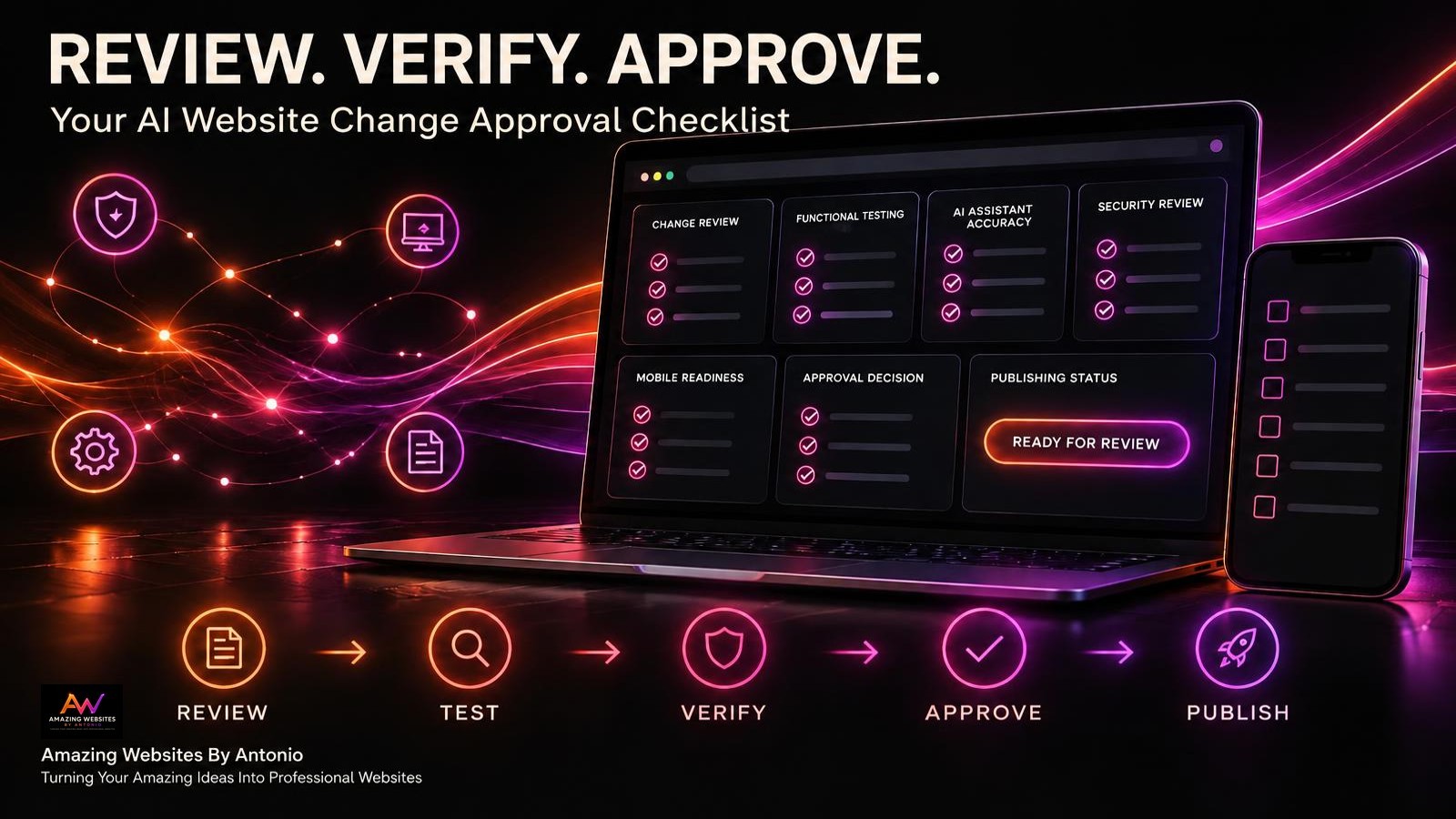
REVIEW → TEST → VERIFY → APPROVE → PUBLISH → MONITOR → IMPROVE
UNDERSTANDING WEBSITE CHANGE APPROVAL DECISIONS
Not every proposed update should receive immediate approval.
Use clear decision categories.
| Decision | Meaning | Next Step |
|---|---|---|
| Approved | Requirements are met | Proceed with authorized publishing |
| Approved With Conditions | Permitted conditions are documented | Complete required conditions before the relevant release step |
| Needs Revision | Requirements are not yet met | Correct issues and resubmit |
| Rejected | Change should not proceed | Document the reason |
| Deferred | Decision is postponed | Review after dependencies are resolved |
For critical security, privacy, or essential functionality failures, the safer approach is generally to withhold approval until the issue is appropriately resolved.
YOUR AI WEBSITE PUBLISHING READINESS SCORECARD
A scorecard can help you organize your final review.
For each applicable category, assign:
- 2 points — Verified and meets requirements
- 1 point — Partially verified or needs review
- 0 points — Failed or not tested
| Approval Category | Maximum Points |
|---|---|
| Change Purpose and Scope | 2 |
| Website Functionality | 2 |
| Navigation and Customer Workflows | 2 |
| Mobile Experience | 2 |
| Accessibility | 2 |
| AI Assistant Accuracy | 2 |
| Security and Privacy | 2 |
| Integration Testing | 2 |
| Recovery Readiness | 2 |
| Post-Publish Verification Plan | 2 |
| Total | 20 |
Example Interpretation
| Score | Suggested Interpretation |
|---|---|
| 18–20 | Strong readiness evidence |
| 14–17 | Additional review recommended |
| 10–13 | Significant gaps remain |
| 0–9 | Not ready for approval |
IMPORTANT:
A high numerical score does not automatically authorize publishing.
A failed critical requirement can block approval regardless of the total.
For example, a website update should not be approved merely because it scores 19 out of 20 if the missing point represents an unresolved serious privacy or security issue.
The scorecard supports decision-making. It doesn't replace professional judgment.
EXAMPLE WEBSITE CHANGE APPROVAL REGISTER
The following records are fictional.
| Change ID | Proposed Update | Review Status | Decision |
|---|---|---|---|
| CHANGE-001 | Correct service page wording | Verified | Approved |
| CHANGE-002 | Improve mobile navigation | Testing incomplete | Needs Revision |
| CHANGE-003 | Update AI assistant instructions | Under Review | Deferred |
| CHANGE-004 | Add Contact form field | Verified | Approved |
| CHANGE-005 | Modify customer data workflow | Security review pending | Deferred |
The register helps you understand which changes are ready and which require additional work.
COMPLETE AI WEBSITE CHANGE APPROVAL CHECKLIST
SECTION 1 — CHANGE INFORMATION
- ☐ Change request has a unique identifier.
- ☐ Business purpose is documented.
- ☐ Requested changes are clearly described.
- ☐ Affected website areas are identified.
- ☐ Expected outcomes are defined.
SECTION 2 — FUNCTIONALITY
- ☐ Updated feature works as intended.
- ☐ Important navigation functions correctly.
- ☐ Relevant Contact forms are tested.
- ☐ Related integrations are reviewed.
- ☐ Essential customer workflows remain functional.
SECTION 3 — MOBILE AND ACCESSIBILITY
- ☐ Mobile layout is reviewed.
- ☐ Mobile navigation works.
- ☐ Text remains readable.
- ☐ Keyboard navigation is checked where applicable.
- ☐ Relevant accessibility requirements are considered.
SECTION 4 — AI ASSISTANT
- ☐ Approved knowledge sources are current.
- ☐ Representative customer questions are tested.
- ☐ Responses match approved information.
- ☐ Unsupported claims are addressed.
- ☐ Human handoff remains available.
SECTION 5 — SECURITY AND PRIVACY
- ☐ Administrative access is appropriate.
- ☐ Customer data handling is reviewed.
- ☐ New integrations are evaluated.
- ☐ Sensitive information is protected.
- ☐ Serious concerns are escalated appropriately.
SECTION 6 — TESTING EVIDENCE
- ☐ Required tests are identified.
- ☐ Tests have actually been performed.
- ☐ Results are documented.
- ☐ Failed tests are addressed.
- ☐ Acceptance criteria are satisfied.
SECTION 7 — PUBLISHING PREPARATION
- ☐ Publishing method is confirmed.
- ☐ Publishing schedule is appropriate.
- ☐ Recovery options are understood.
- ☐ Post-publish checks are planned.
- ☐ Escalation contacts are identified.
SECTION 8 — FINAL APPROVAL
- ☐ Authorized approver is identified.
- ☐ Unresolved issues are reviewed.
- ☐ Approval decision is documented.
- ☐ Decision date is recorded.
- ☐ Conditions or follow-up actions are assigned.
- ☐ Publishing authorization is clear.
COPY-READY AI WEBSITE CHANGE APPROVAL TEMPLATE
BUSINESS NAME:
[Enter Business Name]
WEBSITE:
[Enter Website Address]
CHANGE REQUEST ID:
[Enter Identifier]
APPROVAL REVIEW DATE:
[Enter Date]
REVIEWED BY:
[Enter Name]
SECTION 1 — CHANGE SUMMARY
CHANGE TITLE:
[Enter Title]
CHANGE CATEGORY:
Content / Design / Technical / AI Assistant / Security / Integration / Accessibility / Performance / Other
BUSINESS PURPOSE:
[Describe Purpose]
CHANGE DESCRIPTION:
[Describe Update]
AFFECTED WEBSITE AREAS:
[List Pages, Features, or Integrations]
SECTION 2 — IMPACT AND RISK
CUSTOMER IMPACT:
[Describe Impact]
TECHNICAL DEPENDENCIES:
[List Dependencies]
SECURITY OR PRIVACY CONCERNS:
[Describe Concerns]
RISK LEVEL:
Low / Medium / High / Critical
SECTION 3 — FUNCTIONAL TESTING
EXPECTED RESULTS:
[Describe Expected Behavior]
TESTS PERFORMED:
[List Tests]
ACTUAL RESULTS:
[Describe Results]
FUNCTIONAL TEST STATUS:
Pass / Fail / Needs Review / Not Tested / Not Applicable
SECTION 4 — AI ASSISTANT REVIEW
AI CHANGE INVOLVED:
Yes / No
KNOWLEDGE SOURCE REVIEW:
[Enter Findings]
REPRESENTATIVE QUESTIONS TESTED:
[List Questions or Safe References]
RESPONSE ACCURACY RESULTS:
[Enter Results]
HUMAN HANDOFF VERIFIED:
Yes / No / Not Applicable
SECTION 5 — SECURITY AND PRIVACY
ACCESS REVIEW COMPLETED:
Yes / No / Not Applicable
CUSTOMER DATA IMPACT REVIEWED:
Yes / No / Not Applicable
INTEGRATION RISKS REVIEWED:
Yes / No / Not Applicable
OUTSTANDING SECURITY CONCERNS:
[List Concerns or None Identified]
SECTION 6 — PUBLISHING READINESS
RECOVERY OPTIONS REVIEWED:
Yes / No
PUBLISHING METHOD:
[Describe Method]
PLANNED PUBLISH DATE:
[Enter Date]
POST-PUBLISH TEST PLAN:
[List Tests]
ESCALATION CONTACT:
[Enter Contact]
SECTION 7 — FINAL APPROVAL DECISION
APPROVAL DECISION:
Approved / Approved With Conditions / Needs Revision / Rejected / Deferred
APPROVED BY:
[Enter Name]
DECISION DATE:
[Enter Date]
DECISION REASON:
[Explain Decision]
APPROVAL CONDITIONS:
[List Conditions or None]
SECTION 8 — FOLLOW-UP
REQUIRED ACTIONS:
[List Actions]
RESPONSIBLE PERSON:
[Enter Name]
TARGET DATE:
[Enter Date]
NEXT REVIEW DATE:
[Enter Date]
ADDITIONAL NOTES:
[Enter Details]
EXAMPLE AI WEBSITE CHANGE APPROVAL SCENARIO
The following scenario is fictional.
Situation: A Business Owner Wants to Update an AI Assistant's Service Information
A business owner has an AI website assistant that answers questions about available services.
The owner wants to update the assistant with information about a new service package.
Before publishing, the owner decides to use a change approval checklist.
Step 1 — Review the Change Request
The change involves updating approved AI assistant information.
Step 2 — Confirm the Business Purpose
The assistant should accurately describe the new service package.
Step 3 — Identify Potential Risks
The assistant might provide incorrect pricing, misunderstand service details, or make unsupported promises.
Step 4 — Review the Approved Information
The owner checks that the new service information matches the business's official descriptions.
Step 5 — Test Representative Questions
The owner asks the assistant questions about services, pricing, and how customers can request more information.
Step 6 — Review the Results
The owner compares the answers with the approved information.
Step 7 — Verify Human Handoff
The owner checks that customers can still contact the business when the assistant cannot provide an appropriate answer.
Step 8 — Make the Approval Decision
If the required checks pass, the owner authorizes the update.
If important tests fail, approval is withheld until the issues are resolved.
Step 9 — Publish the Update
The owner publishes the approved change using the supported website workflow.
Step 10 — Verify the Live Assistant
The owner tests important questions again and documents the results.
LESSON:
A structured approval checklist helps turn website publishing from an assumption into an informed decision supported by testing.
YOUR 30-DAY AI WEBSITE CHANGE APPROVAL IMPLEMENTATION PLAN
WEEK 1 — DEFINE APPROVAL REQUIREMENTS
- Identify common website changes.
- Define approval categories.
- Establish risk levels.
- Identify authorized approvers.
- Create a standard approval checklist.
GOAL: Establish clear publishing requirements.
WEEK 2 — BUILD YOUR TESTING PROCESS
- Define important functional tests.
- Create mobile review requirements.
- Add AI assistant testing criteria.
- Include security and privacy review.
- Establish documentation standards.
GOAL: Make approval decisions evidence-based.
WEEK 3 — PRACTICE THE APPROVAL WORKFLOW
- Select a suitable low-risk website update.
- Complete a change request.
- Perform the required tests.
- Review the results.
- Record an approval decision.
GOAL: Practice a repeatable approval process.
WEEK 4 — REVIEW AND IMPROVE
- Review completed approvals.
- Identify unclear requirements.
- Improve testing checklists.
- Document lessons learned.
- Establish ongoing approval habits.
GOAL: Create a sustainable website publishing process.
THE AI WEBSITE CHANGE APPROVAL FRAMEWORK
REVIEW
Understand the proposed update and its purpose.
↓
ASSESS
Evaluate customer impact and potential risks.
↓
TEST
Perform relevant functional and technical checks.
↓
VERIFY
Confirm that important requirements are met.
↓
DECIDE
Approve, defer, reject, or request revisions.
↓
PUBLISH
Release the authorized update.
↓
MONITOR
Check important live website functions.
↓
IMPROVE
Use results to strengthen future approval decisions.
FINAL THOUGHTS
Creating a professional website is an exciting accomplishment.
It represents your ideas.
Your creativity.
Your services.
And your commitment to growing your business.
But as your website evolves, you'll continue making changes.
New features.
Updated pages.
Improved navigation.
More helpful AI assistants.
And better customer experiences.
Those improvements can make your website more valuable.
But they should also be reviewed carefully.
That's why a website change approval checklist matters.
It helps you confirm that important requirements have been met.
It encourages testing before publishing.
It supports better decisions.
And it helps reduce avoidable disruptions.
PUBLISHING WITH CONFIDENCE DOESN'T MEAN ASSUMING EVERYTHING WILL WORK.
IT MEANS REVIEWING THE EVIDENCE AND PREPARING RESPONSIBLY.
Start with a practical checklist.
Define your acceptance criteria.
Test important features.
Review unresolved concerns.
Document your approval decision.
And verify the live website after publishing.
Because successful website management isn't just about making changes.
IT'S ABOUT MAKING SURE THOSE CHANGES ARE READY TO SERVE YOUR CUSTOMERS.
REVIEW WITH PURPOSE.
TEST WITH CARE.
APPROVE WITH CONFIDENCE.
KEEP BUILDING BETTER WEBSITES.
Amazing Websites By Antonio
Turning Your Amazing Ideas Into Professional Websites