A Practical Guide to Organizing Website Maintenance Records, Documenting Technical Changes, and Building a More Reliable AI-Powered Business
Imagine spending time improving your professional business website.
You've updated your homepage.
Added a new service.
Improved your Contact form.
Changed some website navigation.
Updated your AI assistant's knowledge.
And corrected a technical problem.
Everything looks great!
But several weeks later, you notice something unexpected.
A feature isn't working the way you remember.
You begin asking yourself:
"When did I last update this?"
"What exactly did I change?"
"Did I test this feature afterward?"
"Was this problem already fixed?"
"Which updates were completed?"
And perhaps the biggest question:
WHERE DID I WRITE ALL THIS INFORMATION DOWN?
If you don't have an organized maintenance history, answering these questions can become difficult.
That's why an AI website maintenance log can be so valuable.
A WEBSITE MAINTENANCE LOG IS AN ORGANIZED RECORD OF IMPORTANT WEBSITE CHECKS, UPDATES, REPAIRS, TESTING RESULTS, AND IMPROVEMENTS.
It helps you understand what's been done, what still needs attention, and what changes may have affected your website.
Instead of relying on memory, you maintain a clear record.
Instead of wondering whether a feature was tested, you review the results.
Instead of repeating the same troubleshooting steps, you can examine previous findings.
And instead of losing track of unfinished improvements, you can document the next action.
For AI-powered websites, a maintenance log can also help you track AI assistant changes, knowledge source reviews, integration updates, and customer workflow testing.
The good news?
YOU DON'T NEED EXPENSIVE SOFTWARE TO START KEEPING PROFESSIONAL WEBSITE MAINTENANCE RECORDS.
A simple spreadsheet, secure project tracker, or appropriately configured database can be enough.
Even a solo entrepreneur can create a useful maintenance history.
In Blog #125, we're exploring 50 practical strategies to help you create and maintain an AI website maintenance log.
PART 1: UNDERSTAND WEBSITE MAINTENANCE LOGS
1. Know What a Maintenance Log Is
A maintenance log records important website maintenance activities and their results.
2. Understand Why Maintenance Records Matter
Clear records help you review changes, investigate problems, and plan future work.
3. Separate Maintenance Plans From Maintenance Logs
A maintenance plan describes what should be done.
A maintenance log records what was actually done.
4. Understand the Difference Between Issues and Maintenance Activities
An issue is a problem requiring attention.
A maintenance activity may involve testing, reviewing, updating, or fixing something.
5. Keep Your Log Simple and Consistent
Choose a format you can maintain regularly without unnecessary complexity.
PART 2: DESIGN YOUR MAINTENANCE LOG
6. Choose Your Tracking Tool
Use a spreadsheet, project management application, or secure maintenance database.
7. Create Unique Entry Identifiers
Use identifiers such as MAINT-001, MAINT-002, and MAINT-003.
8. Record the Date and Time
Document when maintenance was performed.
9. Identify the Website Area
Record which page, feature, or integration was reviewed.
10. Categorize the Maintenance Activity
Use categories such as Content, Technical, AI Assistant, Security, Performance, Accessibility, or Integration.
PART 3: DOCUMENT WEBSITE UPDATES
11. Record Content Changes
Document important updates to service descriptions, pricing, policies, and business information.
12. Record Design Improvements
Track meaningful changes to layouts, buttons, typography, and visual presentation.
13. Record Navigation Changes
Document updates to menus, page links, and customer journeys.
14. Record New Website Features
Identify when important functionality is introduced.
15. Record Publishing Information
Where available, include relevant release or version identifiers to help connect changes with outcomes.
PART 4: TRACK TECHNICAL PROBLEMS AND FIXES
16. Describe the Problem Clearly
Explain what wasn't working and how the issue was discovered.
17. Record the Affected Feature
Identify the page, workflow, or integration involved.
18. Assign an Issue Priority
Use consistent categories such as Critical, High, Medium, and Low.
19. Document the Corrective Action
Explain what was changed to address the issue.
20. Record the Verification Result
Confirm whether the fix was tested and whether the expected behavior was restored.
PART 5: TRACK AI ASSISTANT MAINTENANCE
21. Record AI Knowledge Updates
Document important changes to approved business information.
22. Track AI Response Testing
Record which representative questions were tested and whether the answers met expectations.
23. Document AI Configuration Changes
Track significant updates to assistant instructions, tools, and settings.
24. Review Human Handoff Changes
Document improvements to how customers reach a person when AI assistance is insufficient.
25. Track AI Privacy Reviews
Record relevant privacy and data-handling checks without storing sensitive prompts or confidential customer information unnecessarily.
PART 6: TRACK CUSTOMER EXPERIENCE IMPROVEMENTS
26. Document Contact Form Testing
Record whether submissions reached their intended private storage and notification destinations.
27. Track Mobile Usability Fixes
Document corrections to layouts, menus, and interactive features on smaller screens.
28. Record Accessibility Improvements
Track barriers identified, corrective actions, and verification results.
29. Document Customer Feedback Improvements
Connect relevant feedback with the website changes made in response.
30. Track Important Calls to Action
Record updates and testing for buttons that guide customers toward important actions.
PART 7: TRACK INTEGRATIONS AND SECURITY MAINTENANCE
31. Record Integration Reviews
Document important checks involving email, payment, and automation services.
32. Track Automation Changes
Record changes to triggers, actions, and workflow logic.
33. Document Account Access Reviews
Record that appropriate access checks were completed without storing passwords or secret credentials.
34. Record Security Maintenance
Track relevant security reviews and safeguards.
35. Protect the Maintenance Log Itself
Restrict access appropriately and avoid placing sensitive customer information, API keys, or security secrets in the log.
PART 8: RECORD TESTING AND VERIFICATION
36. Define Expected Results
Explain what a successful maintenance check should demonstrate.
37. Record Actual Results
Document what happened during testing.
38. Use Consistent Status Labels
Use Pass, Fail, Needs Review, Not Tested, and Not Applicable.
39. Record Relevant Evidence
Include appropriate test references, timestamps, or supporting documentation where useful.
40. Retest Important Fixes
Verify that a corrected feature works and hasn't introduced obvious related problems.
PART 9: ORGANIZE MAINTENANCE RESPONSIBILITIES
41. Assign an Activity Owner
Identify who completed or is responsible for the maintenance task.
42. Record Follow-Up Actions
Document unfinished work and the next required step.
43. Establish Target Dates
Choose realistic deadlines for unresolved issues.
44. Link Related Records
Connect maintenance entries to relevant issue tracker, risk register, or change records.
45. Review Overdue Tasks
Follow up on maintenance actions that have not been completed.
PART 10: USE YOUR MAINTENANCE HISTORY TO IMPROVE
46. Review Recurring Problems
Look for issues that repeatedly affect the same feature or integration.
47. Identify Maintenance Trends
Review whether particular website areas require frequent attention.
48. Improve Future Testing
Use previous failures to strengthen your quality assurance checklist.
49. Prepare Monthly Maintenance Summaries
Create a short overview of completed work, outstanding problems, and planned improvements.
50. Make Documentation Part of Every Important Change
Build the habit of recording what changed, why it changed, and how it was verified.
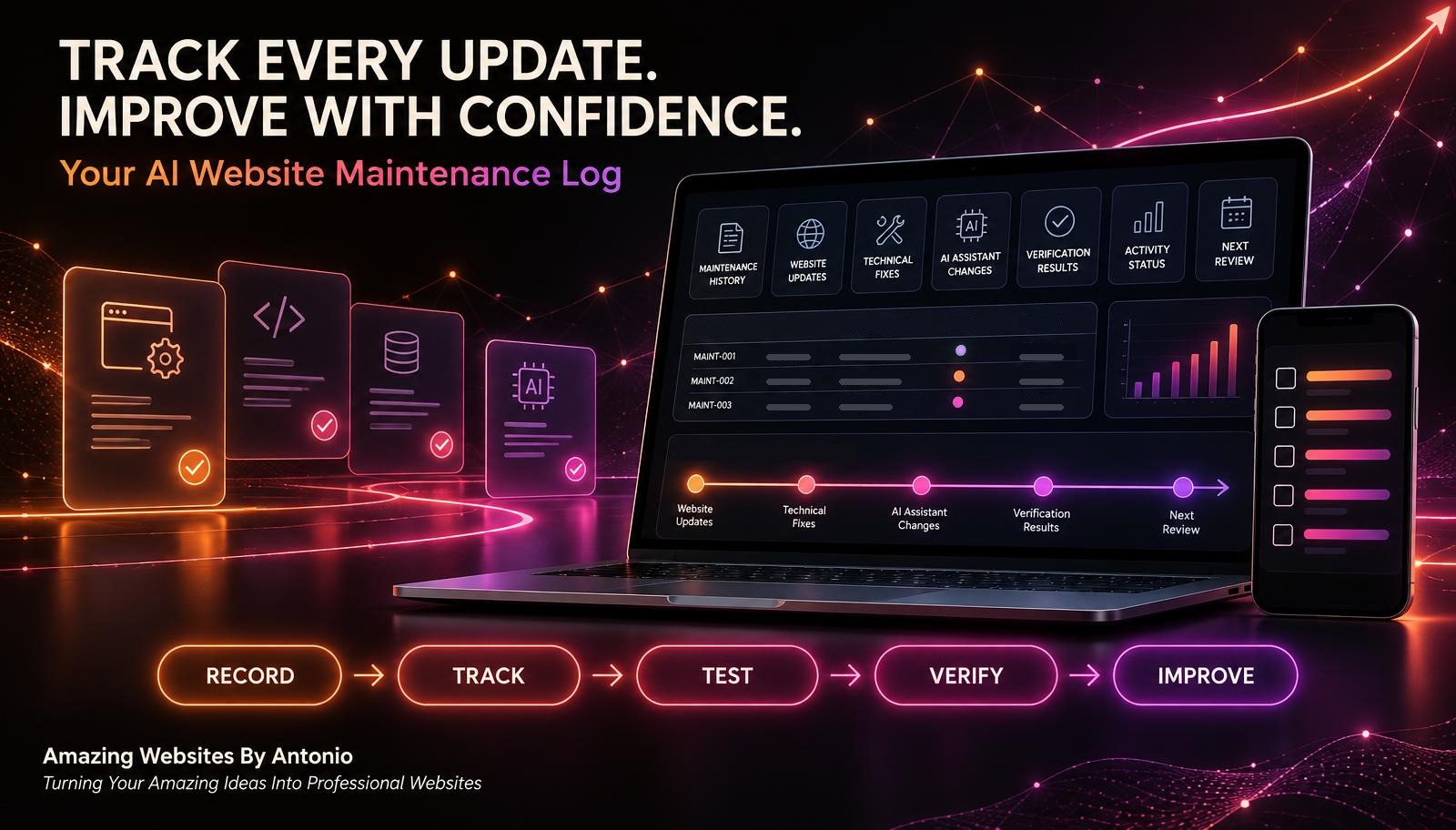
RECORD → REVIEW → ACT → TEST → VERIFY → DOCUMENT → IMPROVE
WHAT SHOULD YOUR AI WEBSITE MAINTENANCE LOG INCLUDE?
A useful maintenance log should contain enough information to help you understand the work without creating unnecessary paperwork.
| Column | Purpose |
|---|---|
| Maintenance ID | Unique record identifier |
| Date | When the activity occurred |
| Website Area | Page, feature, or integration |
| Category | Type of maintenance |
| Description | What was reviewed or changed |
| Reason | Why the work was necessary |
| Priority | Importance of the activity |
| Responsible Person | Who owns the task |
| Status | Current progress |
| Test Result | Verification outcome |
| Related Issue | Associated issue or risk ID |
| Next Action | Required follow-up |
| Next Review | Scheduled review date |
IMPORTANT: Keep confidential information out of ordinary maintenance records unless there is a specific, authorized reason to include it.
EXAMPLE AI WEBSITE MAINTENANCE LOG
The following entries are fictional.
| Maintenance ID | Activity | Category | Status | Verification |
|---|---|---|---|---|
| MAINT-001 | Review homepage links | Navigation | Completed | Pass |
| MAINT-002 | Update AI service information | AI Assistant | Completed | Pass |
| MAINT-003 | Review Contact form notifications | Integration | Needs Review | Not Tested |
| MAINT-004 | Improve mobile menu spacing | Mobile Usability | In Progress | Not Tested |
| MAINT-005 | Review accessibility labels | Accessibility | Completed | Pass |
This example demonstrates how different maintenance activities can be recorded in one organized system.
Notice that MAINT-003 has not been verified.
It should not be marked as successfully tested until the required check has actually been completed.
GOOD DOCUMENTATION SHOULD REFLECT WHAT HAPPENED, NOT WHAT YOU HOPE HAPPENED.
CREATE YOUR AI WEBSITE MAINTENANCE STATUS DASHBOARD
A maintenance dashboard can summarize important information from your log.
Consider tracking:
- Total maintenance activities
- Completed activities
- Activities in progress
- Activities requiring review
- Overdue maintenance tasks
- Failed verification checks
- AI assistant updates
- Contact form tests
- Security reviews
- Accessibility improvements
FICTIONAL DASHBOARD EXAMPLE
| Metric | Example |
|---|---|
| Total Activities | 24 |
| Completed | 16 |
| In Progress | 4 |
| Needs Review | 3 |
| Blocked | 1 |
| Failed Verification Checks | 2 |
| Overdue Tasks | 2 |
These are illustrative figures, not actual results for Amazing Websites By Antonio.
Your dashboard should make it easier to identify what needs attention.
It should not replace the detailed maintenance log.
HOW TO USE MAINTENANCE STATUS LABELS
Use consistent labels so your records remain understandable.
NOT STARTED
The maintenance activity has been planned but work has not begun.
IN PROGRESS
The activity is currently being performed.
COMPLETED
The planned work has been finished.
NEEDS REVIEW
Additional investigation or confirmation is required.
BLOCKED
The activity cannot proceed until a dependency is resolved.
CANCELLED
The activity is no longer being pursued, with the reason documented.
Keep the activity status separate from its verification result.
For example:
Activity Status: Completed
Verification Result: Failed
This means the planned work was performed, but the expected outcome was not achieved.
COMPLETED DOES NOT ALWAYS MEAN SUCCESSFULLY VERIFIED.
COMPLETE AI WEBSITE MAINTENANCE LOG CHECKLIST
SECTION 1 — LOG SETUP
- ☐ A suitable tracking tool is selected.
- ☐ Maintenance identifiers are standardized.
- ☐ Activity categories are defined.
- ☐ Required fields are established.
- ☐ Access permissions are appropriate.
SECTION 2 — WEBSITE UPDATES
- ☐ Important content updates are recorded.
- ☐ Design changes are documented.
- ☐ Navigation updates are tracked.
- ☐ New features are recorded.
- ☐ Relevant publishing information is included.
SECTION 3 — TECHNICAL MAINTENANCE
- ☐ Problems are clearly described.
- ☐ Affected systems are identified.
- ☐ Priorities are assigned.
- ☐ Corrective actions are documented.
- ☐ Verification results are recorded.
SECTION 4 — AI ASSISTANT MAINTENANCE
- ☐ Knowledge source changes are tracked.
- ☐ Important response tests are documented.
- ☐ Configuration changes are recorded.
- ☐ Human handoff updates are reviewed.
- ☐ Privacy-related checks are documented appropriately.
SECTION 5 — CUSTOMER EXPERIENCE
- ☐ Contact form tests are recorded.
- ☐ Mobile improvements are tracked.
- ☐ Accessibility fixes are documented.
- ☐ Relevant customer feedback is considered.
- ☐ Important calls to action are verified.
SECTION 6 — INTEGRATIONS AND SECURITY
- ☐ Important integration reviews are logged.
- ☐ Automation changes are documented.
- ☐ Access reviews are recorded.
- ☐ Security maintenance is tracked.
- ☐ Sensitive information is protected.
SECTION 7 — TESTING AND VERIFICATION
- ☐ Expected results are documented.
- ☐ Actual results are recorded.
- ☐ Failed checks are visible.
- ☐ Completed fixes are retested.
- ☐ Supporting evidence is referenced appropriately.
SECTION 8 — ONGOING MANAGEMENT
- ☐ Responsible owners are identified.
- ☐ Follow-up actions are assigned.
- ☐ Target dates are established.
- ☐ Overdue tasks are reviewed.
- ☐ Monthly summaries are prepared.
- ☐ Future maintenance reviews are scheduled.
COPY-READY AI WEBSITE MAINTENANCE LOG TEMPLATE
BUSINESS NAME:
[Enter Business Name]
WEBSITE:
[Enter Website Address]
MAINTENANCE RECORD ID:
[Enter Identifier]
DATE:
[Enter Date]
TIME:
[Enter Time]
RECORDED BY:
[Enter Name]
SECTION 1 — MAINTENANCE DETAILS
WEBSITE AREA:
[Enter Page, Feature, or Integration]
MAINTENANCE CATEGORY:
Content / Design / Technical / AI Assistant / Security / Performance / Accessibility / Integration / Other
ACTIVITY DESCRIPTION:
[Describe What Was Reviewed or Changed]
REASON FOR MAINTENANCE:
[Explain Why the Activity Was Necessary]
RELATED ISSUE OR RISK ID:
[Enter Identifier or Not Applicable]
SECTION 2 — PRIORITY AND RESPONSIBILITY
PRIORITY:
Critical / High / Medium / Low
RESPONSIBLE PERSON:
[Enter Name]
START DATE:
[Enter Date]
TARGET COMPLETION DATE:
[Enter Date]
SECTION 3 — WORK PERFORMED
ACTIONS TAKEN:
[List Actions]
CHANGES IMPLEMENTED:
[Describe Changes]
RELEVANT VERSION OR RELEASE:
[Enter Identifier or Not Available]
PROVIDER ASSISTANCE REQUIRED:
Yes / No
SECTION 4 — TESTING AND VERIFICATION
EXPECTED RESULT:
[Describe Expected Behavior]
TEST METHOD:
[Describe Test]
ACTUAL RESULT:
[Describe What Happened]
VERIFICATION STATUS:
Pass / Fail / Needs Review / Not Tested / Not Applicable
TEST DATE:
[Enter Date]
SECTION 5 — FINAL ACTIVITY STATUS
ACTIVITY STATUS:
Not Started / In Progress / Completed / Needs Review / Blocked / Cancelled
OUTSTANDING ISSUES:
[List Issues]
FOLLOW-UP ACTIONS:
[List Actions]
FOLLOW-UP OWNER:
[Enter Name]
FOLLOW-UP DATE:
[Enter Date]
SECTION 6 — MAINTENANCE HISTORY
RELATED PREVIOUS ENTRIES:
[List Maintenance IDs]
SUPPORTING EVIDENCE:
[Enter Safe References]
ADDITIONAL NOTES:
[Enter Details]
SECTION 7 — FINAL REVIEW
REVIEWED BY:
[Enter Name]
REVIEW DATE:
[Enter Date]
NEXT MAINTENANCE REVIEW:
[Enter Date]
EXAMPLE AI WEBSITE MAINTENANCE LOG SCENARIO
The following scenario is fictional.
Situation: A Business Owner Updates an AI Assistant's Service Information
A business owner has an AI website assistant that answers customer questions about available services.
The owner recently added a new service package.
The website displays the updated information, but the AI assistant's approved knowledge source also needs to be reviewed.
Step 1 — Create a Maintenance Entry
Maintenance ID: MAINT-006
Category: AI Assistant
Activity: Review service package information.
Step 2 — Record the Reason
The business has introduced a new service package.
Step 3 — Document the Change
The approved AI knowledge source is updated to reflect the current service information.
Step 4 — Define the Expected Result
The assistant should accurately describe the available services without inventing pricing or making unsupported promises.
Step 5 — Perform a Test
The owner asks representative customer questions.
Step 6 — Record the Actual Results
The owner compares the assistant's responses with the approved service information.
Step 7 — Update the Maintenance Status
If the responses meet the acceptance criteria, the verification result is recorded as Pass.
If not, the issue remains open for further investigation.
Step 8 — Schedule a Follow-Up Review
The owner plans to review the information after future service changes.
LESSON:
A maintenance log creates a clear history of what changed, why it changed, and how the improvement was verified.
YOUR 30-DAY AI WEBSITE MAINTENANCE LOG IMPLEMENTATION PLAN
WEEK 1 — CREATE YOUR MAINTENANCE LOG
- Choose a tracking tool.
- Create maintenance entry fields.
- Establish categories.
- Define status labels.
- Set appropriate access permissions.
GOAL: Build an organized maintenance record system.
WEEK 2 — START DOCUMENTING ACTIVITIES
- Record important website checks.
- Document meaningful updates.
- Track technical fixes.
- Record AI assistant changes.
- Link related issue records.
GOAL: Establish consistent documentation habits.
WEEK 3 — IMPROVE VERIFICATION
- Define expected test results.
- Record actual outcomes.
- Identify failed checks.
- Document corrective actions.
- Retest important fixes.
GOAL: Make maintenance records useful for verifying website reliability.
WEEK 4 — REVIEW AND IMPROVE
- Review completed activities.
- Identify recurring problems.
- Check overdue actions.
- Create a monthly summary.
- Schedule future maintenance reviews.
GOAL: Turn maintenance documentation into an ongoing business process.
YOUR MONTHLY AI WEBSITE MAINTENANCE SUMMARY
At the end of each month, prepare a short summary.
MONTH:
[Enter Month]
TOTAL MAINTENANCE ACTIVITIES:
[Enter Number]
COMPLETED ACTIVITIES:
[Enter Number]
ACTIVITIES IN PROGRESS:
[Enter Number]
FAILED VERIFICATION CHECKS:
[Enter Number]
IMPORTANT WEBSITE IMPROVEMENTS:
[List Improvements]
AI ASSISTANT UPDATES:
[List Updates]
SECURITY AND INTEGRATION REVIEWS:
[List Reviews]
OUTSTANDING ISSUES:
[List Issues]
NEXT MONTH'S PRIORITIES:
[List Priorities]
PREPARED BY:
[Enter Name]
DATE:
[Enter Date]
A monthly summary helps transform individual maintenance records into a useful overview of your website's ongoing improvement.
THE AI WEBSITE MAINTENANCE LOG FRAMEWORK
RECORD
Document important website maintenance activities.
↓
ORGANIZE
Categorize updates, fixes, tests, and improvements.
↓
TRACK
Monitor progress and unfinished work.
↓
TEST
Check whether changes meet their expected results.
↓
VERIFY
Confirm that important fixes work as intended.
↓
REVIEW
Identify recurring problems and maintenance trends.
↓
IMPROVE
Use your maintenance history to guide future decisions.
FINAL THOUGHTS
Creating a professional website is an exciting achievement.
It represents your creativity.
Your services.
Your business goals.
And the experience you want to provide customers.
But as your website grows, the number of updates and maintenance activities can grow too.
New pages may be added.
AI assistant information may change.
Contact forms may be improved.
Integrations may be updated.
And technical issues may need attention.
Without an organized maintenance history, it can become difficult to remember exactly what happened.
That's why a maintenance log matters.
It helps you document important work.
Track progress.
Understand previous changes.
Verify completed fixes.
And plan future improvements.
YOU DON'T HAVE TO REMEMBER EVERY WEBSITE CHANGE WHEN YOU HAVE A RELIABLE SYSTEM FOR RECORDING IT.
Start with a simple log.
Record meaningful activities.
Document why changes were made.
Test important outcomes.
Review unresolved issues.
And improve your process over time.
Because professional website management isn't only about making improvements.
IT'S ALSO ABOUT UNDERSTANDING, TRACKING, AND LEARNING FROM THOSE IMPROVEMENTS.
RECORD YOUR PROGRESS.
VERIFY YOUR WORK.
LEARN FROM EVERY IMPROVEMENT.
KEEP BUILDING BETTER WEBSITES.
Amazing Websites By Antonio
Turning Your Amazing Ideas Into Professional Websites