A Practical Guide to Maintaining Your Website, Protecting Customer Workflows, and Keeping Your AI-Powered Business Running Smoothly
Imagine spending months creating your professional business website.
You've designed your homepage.
Added your services.
Built your portfolio.
Created your Contact forms.
Connected your AI website assistant.
And developed automations to make your business more efficient.
Everything is looking great!
Your website is published.
Your business is growing.
And customers can explore what you have to offer.
But here's an important question:
WHAT ARE YOU DOING TO KEEP YOUR WEBSITE WORKING WELL AFTER IT GOES LIVE?
A website isn't something you build once and never think about again.
Technology changes.
Customer expectations evolve.
Website platforms introduce new features.
External integrations may require attention.
And AI assistants need accurate, updated information.
Even a beautiful website can develop problems if important functions aren't reviewed regularly.
That's why preventive maintenance matters.
PREVENTIVE WEBSITE MAINTENANCE IS THE PROCESS OF REGULARLY REVIEWING, TESTING, AND IMPROVING YOUR WEBSITE TO REDUCE THE LIKELIHOOD OR IMPACT OF FUTURE PROBLEMS.
It's about being proactive rather than waiting for something to break.
Instead of discovering that your Contact form hasn't been working for weeks, you test it regularly.
Instead of allowing your AI assistant to share outdated information, you review its approved knowledge sources.
Instead of overlooking broken links, you check important navigation.
And instead of assuming every integration is connected, you verify critical workflows.
The good news?
YOU DON'T NEED TO BE A LARGE TECHNOLOGY COMPANY TO CREATE A PROFESSIONAL WEBSITE MAINTENANCE ROUTINE.
Even a solo entrepreneur can develop a manageable preventive maintenance plan.
In Blog #124, we're exploring 50 practical strategies to help keep your AI-powered business website reliable, organized, secure, and ready to serve customers.
PART 1: UNDERSTAND PREVENTIVE WEBSITE MAINTENANCE
1. Know What Preventive Maintenance Means
Preventive maintenance involves scheduled activities intended to reduce technical problems and support reliable website operation.
2. Understand Preventive vs. Reactive Maintenance
Preventive maintenance checks for potential problems before they cause disruption.
Reactive maintenance addresses problems after they occur.
Both are necessary, but prevention can reduce avoidable emergencies.
3. Recognize That Websites Change Over Time
Updates to website platforms, integrations, browsers, and business content can affect functionality.
4. Make Maintenance Part of Business Operations
Treat website maintenance as an ongoing responsibility rather than an occasional task.
5. Keep Your Maintenance Plan Practical
Choose a routine that fits your website's complexity, business needs, and available resources.
PART 2: MAINTAIN IMPORTANT WEBSITE FUNCTIONS
6. Check Your Homepage
Verify that the homepage loads and presents your business information correctly.
7. Review Website Navigation
Test important menu items, buttons, and internal links.
8. Check Your Services Pages
Confirm that service descriptions, pricing information, and calls to action remain accurate.
9. Test Your Contact Form
Use safe test submissions to verify that inquiries reach the intended private destination.
10. Review Mobile Functionality
Check important customer journeys on smaller screens.
PART 3: MAINTAIN YOUR AI WEBSITE ASSISTANT
11. Review AI Knowledge Sources
Confirm that approved information reflects your current business offerings.
12. Test Common Customer Questions
Ask representative questions about services, contact methods, and policies.
13. Check for Outdated AI Responses
Look for information that no longer matches your website.
14. Review Human Handoff Options
Make sure customers can contact the business when the AI assistant cannot resolve a question.
15. Review AI Privacy Safeguards
Check that the assistant is configured and tested to avoid inappropriate disclosure of private information.
PART 4: MAINTAIN WEBSITE SECURITY
16. Review Administrative Account Protection
Use strong authentication and multifactor authentication where supported.
17. Check Account Permissions
Remove unnecessary access when appropriate.
18. Review Provider Security Responsibilities
Understand which updates and protections are managed by your website platform.
19. Review Connected Applications
Check whether external integrations still require their existing permissions.
20. Maintain Security Incident Procedures
Keep instructions for responding to suspected security problems accessible and current.
PART 5: MAINTAIN WEBSITE PERFORMANCE
21. Review Page Loading Performance
Use appropriate testing tools to identify performance problems.
22. Check Image Optimization
Avoid unnecessarily large image files that slow down important pages.
23. Review Mobile Performance
Test representative pages on mobile devices or suitable testing environments.
24. Monitor Important Third-Party Features
Review embedded content and external scripts that affect website performance.
25. Investigate Meaningful Performance Changes
Compare results over time instead of relying on a single test.
PART 6: MAINTAIN CUSTOMER EXPERIENCE
26. Review Website Accessibility
Check important pages for accessibility barriers.
27. Test Calls to Action
Verify that important buttons lead customers to the intended destination.
28. Review Customer Journey Clarity
Make sure visitors can understand your services and how to contact you.
29. Check Important Business Information
Review contact details, business descriptions, policies, and other essential content.
30. Review Customer Feedback
Use relevant feedback to identify maintenance priorities.
PART 7: MAINTAIN INTEGRATIONS AND AUTOMATIONS
31. Check Email Notifications
Verify that important notification workflows function as expected.
32. Review Private Inquiry Storage
Confirm that Contact form submissions are recorded appropriately.
33. Review Payment Integrations
Where applicable, use provider-supported testing or verification procedures.
34. Check Automation Workflows
Review important triggers and outcomes using safe test data.
35. Document Integration Dependencies
Keep an updated list of external services and their business purposes.
PART 8: MAINTAIN BACKUP AND RECOVERY READINESS
36. Review Backup Availability
Check expected backups or saved versions where supported.
37. Review Backup Coverage
Understand which website components and business records are protected.
38. Review Restoration Procedures
Keep recovery instructions aligned with current platform capabilities.
39. Test Recovery Safely
Conduct appropriate tabletop exercises or isolated restoration tests where supported.
40. Review Business Continuity Options
Maintain alternative methods for communicating with customers during disruptions.
PART 9: CREATE A PREVENTIVE MAINTENANCE SCHEDULE
41. Establish Weekly Checks
Focus on essential website functions and known issues.
42. Establish Monthly Reviews
Review broader website functionality, content accuracy, and integration health.
43. Establish Quarterly Reviews
Evaluate security permissions, AI assistant behavior, accessibility, and recovery readiness.
44. Establish Annual Reviews
Reassess your maintenance strategy and important provider dependencies.
45. Schedule Additional Checks After Major Updates
Changes to important pages, AI features, or integrations may require immediate verification.
PART 10: TRACK AND IMPROVE MAINTENANCE RESULTS
46. Create a Maintenance Log
Record completed activities, findings, and follow-up actions.
47. Assign Maintenance Responsibilities
Identify who completes each check and who addresses problems.
48. Prioritize Important Findings
Focus on security, privacy, and essential customer workflow concerns.
49. Verify Completed Fixes
Test whether corrective actions actually resolve the identified problem.
50. Improve Your Maintenance Routine Over Time
Adjust the schedule as your website grows and new information becomes available.
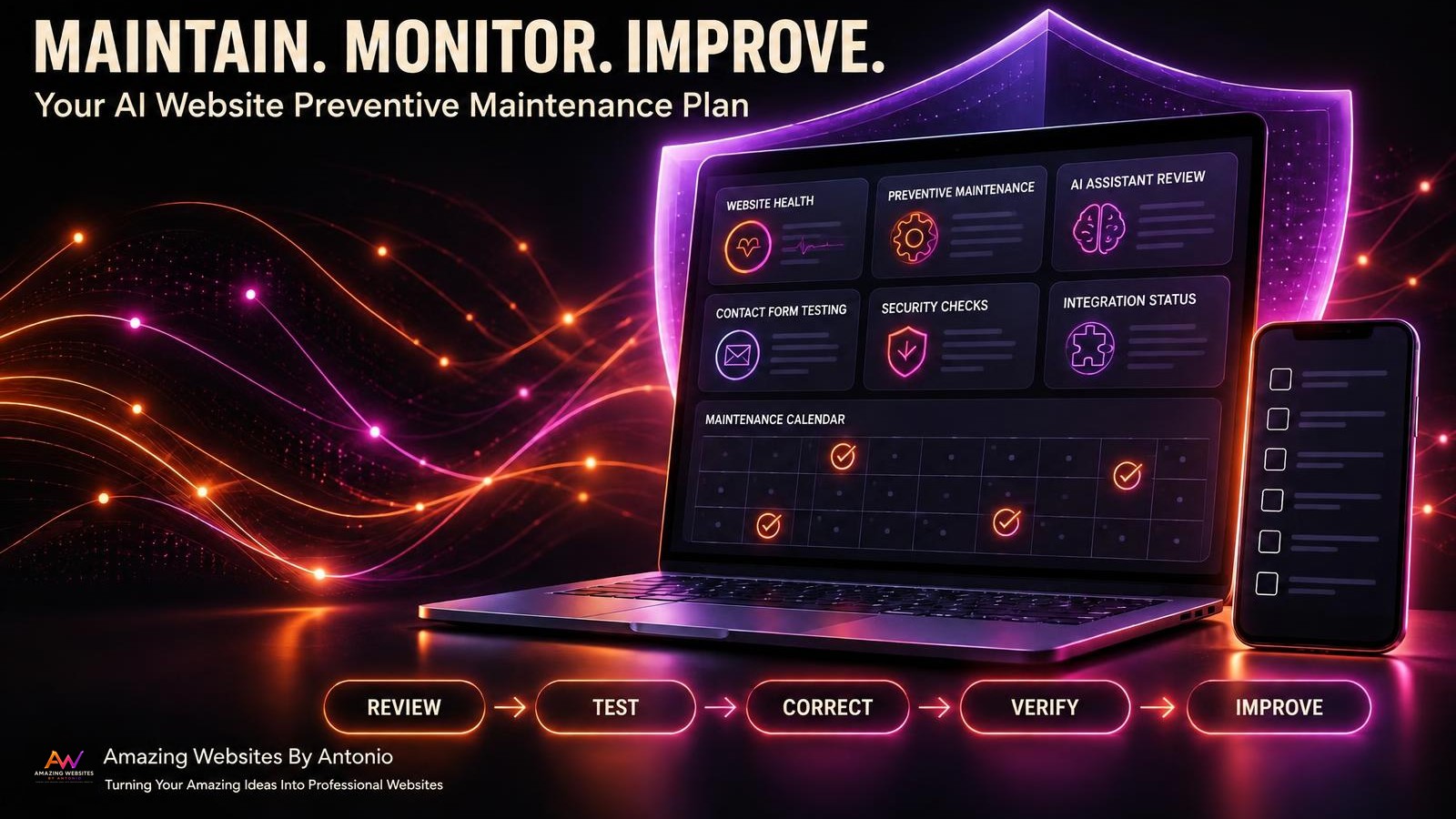
REVIEW → TEST → DETECT → CORRECT → VERIFY → DOCUMENT → IMPROVE
PREVENTIVE MAINTENANCE VS. REACTIVE MAINTENANCE
Understanding the difference helps you manage your website more effectively.
| Preventive Maintenance | Reactive Maintenance |
|---|---|
| Reviews systems regularly | Responds to an existing problem |
| Checks Contact forms before complaints | Investigates after inquiries stop arriving |
| Reviews AI information routinely | Corrects inaccurate answers after discovery |
| Tests navigation after updates | Repairs broken buttons after reports |
| Reviews recovery readiness | Uses recovery procedures during a disruption |
IMPORTANT:
Preventive maintenance cannot guarantee that a website will never experience problems.
Its purpose is to reduce avoidable risks, detect issues earlier, and support more reliable operations.
YOUR AI WEBSITE PREVENTIVE MAINTENANCE CALENDAR
The following schedule is illustrative. Adjust the frequency based on your website's complexity and business requirements.
WEEKLY MAINTENANCE
- Review homepage availability.
- Test important navigation.
- Check Contact form submissions.
- Review important email notifications.
- Check known unresolved issues.
- Review relevant monitoring alerts.
GOAL: Catch important operational problems early.
MONTHLY MAINTENANCE
- Review service information.
- Test representative AI assistant questions.
- Check important internal links.
- Review mobile functionality.
- Review performance trends.
- Check external integration health.
- Review backup availability and coverage.
GOAL: Maintain accurate content and reliable customer workflows.
QUARTERLY MAINTENANCE
- Review administrative permissions.
- Conduct broader accessibility checks.
- Review AI privacy and human handoff behavior.
- Review disaster recovery documentation.
- Conduct a safe recovery exercise where appropriate.
- Review website risks and preventive actions.
GOAL: Identify deeper weaknesses and strengthen safeguards.
ANNUAL MAINTENANCE
- Review the complete website maintenance strategy.
- Reassess important technology dependencies.
- Review security and privacy responsibilities.
- Review customer experience priorities.
- Evaluate website performance trends.
- Update the following year's maintenance calendar.
GOAL: Keep maintenance aligned with long-term business growth.
CREATE YOUR AI WEBSITE MAINTENANCE DASHBOARD
A maintenance dashboard can help you organize website health information.
Consider tracking these categories:
| Category | What to Review |
|---|---|
| Website Availability | Important pages are reachable |
| Navigation | Key menus and buttons function |
| Contact Forms | Test inquiries are stored and delivered appropriately |
| AI Assistant | Approved responses remain accurate |
| Integrations | Important connections work |
| Security | Access and permissions are appropriate |
| Performance | Important pages meet your performance expectations |
| Accessibility | Known barriers are tracked and addressed |
| Backups | Available protection and recovery capabilities are understood |
| Maintenance Actions | Outstanding issues are assigned and reviewed |
EXAMPLE DASHBOARD STATUS
The following is fictional.
| Maintenance Area | Example Status |
|---|---|
| Homepage | Pass |
| Contact Form | Pass |
| Mobile Navigation | Needs Review |
| AI Assistant Accuracy | Pass |
| Email Notifications | Pass |
| Accessibility Review | In Progress |
| Backup Restoration | Not Tested |
| Integration Review | Pass |
Use status categories such as:
PASS: The check met its documented criteria.
NEEDS REVIEW: Additional investigation is required.
FAIL: The check did not meet its criteria.
NOT TESTED: No verification was completed.
NOT APPLICABLE: The check does not apply.
A maintenance dashboard should reflect actual evidence, not assumptions.
COMPLETE AI WEBSITE PREVENTIVE MAINTENANCE CHECKLIST
SECTION 1 — WEBSITE FUNCTIONALITY
- ☐ Homepage is accessible.
- ☐ Important pages load.
- ☐ Navigation links work.
- ☐ Calls to action function.
- ☐ Contact form submissions are tested.
- ☐ Mobile customer workflows are reviewed.
SECTION 2 — AI ASSISTANT MAINTENANCE
- ☐ Approved knowledge sources are current.
- ☐ Common customer questions are tested.
- ☐ Service information is accurate.
- ☐ Unsupported promises are reviewed.
- ☐ Human handoff options work.
- ☐ Privacy safeguards are reviewed.
SECTION 3 — SECURITY
- ☐ Administrative access is protected.
- ☐ Permissions are appropriate.
- ☐ Unnecessary access is removed where applicable.
- ☐ Provider responsibilities are understood.
- ☐ Incident response information is current.
SECTION 4 — PERFORMANCE
- ☐ Important page performance is reviewed.
- ☐ Images are appropriately optimized.
- ☐ Mobile performance is checked.
- ☐ Important embedded features function.
- ☐ Significant performance changes are investigated.
SECTION 5 — CUSTOMER EXPERIENCE
- ☐ Important business information is current.
- ☐ Service descriptions are accurate.
- ☐ Contact information is correct.
- ☐ Accessibility concerns are reviewed.
- ☐ Customer feedback is considered.
SECTION 6 — INTEGRATIONS
- ☐ Email notifications are verified.
- ☐ Private inquiry storage is reviewed.
- ☐ Payment workflows are reviewed where applicable.
- ☐ Important automations are tested safely.
- ☐ External dependencies are documented.
SECTION 7 — BACKUP AND RECOVERY
- ☐ Backup availability is reviewed.
- ☐ Backup coverage is understood.
- ☐ Recovery instructions are current.
- ☐ Restoration tests are completed where feasible.
- ☐ Business continuity options are documented.
SECTION 8 — MAINTENANCE MANAGEMENT
- ☐ Maintenance activities are logged.
- ☐ Important findings are documented.
- ☐ Action owners are assigned.
- ☐ Target dates are established.
- ☐ Completed fixes are verified.
- ☐ The next maintenance review is scheduled.
COPY-READY AI WEBSITE PREVENTIVE MAINTENANCE PLAN
BUSINESS NAME:
[Enter Business Name]
WEBSITE:
[Enter Website Address]
MAINTENANCE OWNER:
[Enter Name]
PLAN START DATE:
[Enter Date]
NEXT REVIEW DATE:
[Enter Date]
SECTION 1 — WEBSITE INFORMATION
Website Platform:
[Enter Platform]
Domain Provider:
[Enter Provider]
Hosting Provider:
[Enter Provider or Platform-Managed]
AI Assistant Provider:
[Enter Provider or Not Applicable]
Important Integrations:
[List Services]
SECTION 2 — CRITICAL WEBSITE FUNCTIONS
Important Pages:
[List Pages]
Customer Inquiry Workflow:
[Describe Workflow]
AI Assistant Functions:
[Describe Functions]
Payment or Booking Functions:
[Describe Functions or Not Applicable]
Other Critical Features:
[List Features]
SECTION 3 — WEEKLY MAINTENANCE
Planned Checks:
[List Activities]
Responsible Person:
[Enter Name]
Scheduled Day:
[Enter Day]
Success Criteria:
[Describe Expected Results]
SECTION 4 — MONTHLY MAINTENANCE
Planned Checks:
[List Activities]
Responsible Person:
[Enter Name]
Scheduled Date:
[Enter Date]
Success Criteria:
[Describe Expected Results]
SECTION 5 — QUARTERLY MAINTENANCE
Planned Checks:
[List Activities]
Responsible Person:
[Enter Name]
Scheduled Date:
[Enter Date]
Success Criteria:
[Describe Expected Results]
SECTION 6 — ANNUAL MAINTENANCE
Planned Review:
[Describe Review]
Responsible Person:
[Enter Name]
Scheduled Date:
[Enter Date]
SECTION 7 — MAINTENANCE RESULTS
Maintenance Date:
[Enter Date]
Check Performed:
[Describe Check]
Result:
Pass / Fail / Needs Review / Not Tested / Not Applicable
Findings:
[Enter Details]
SECTION 8 — CORRECTIVE ACTIONS
Issue Identifier:
[Enter Identifier]
Issue Description:
[Describe Problem]
Priority:
Critical / High / Medium / Low
Action Owner:
[Enter Name]
Target Date:
[Enter Date]
Status:
Not Started / In Progress / Resolved / Blocked
Verification Result:
Pass / Fail / Not Tested
SECTION 9 — FINAL REVIEW
Completed By:
[Enter Name]
Review Date:
[Enter Date]
Outstanding Issues:
[List Issues]
Next Maintenance Date:
[Enter Date]
Additional Notes:
[Enter Details]
EXAMPLE PREVENTIVE MAINTENANCE SCENARIO
The following scenario is fictional.
Situation: A Business Owner Wants to Prevent Missed Customer Inquiries
A business owner has a website Contact form.
When a customer submits an inquiry, the form is expected to save the information privately and send an email notification.
The owner wants to reduce the possibility of missing important messages.
Step 1 — Identify the Critical Workflow
The Contact form is an important way for customers to reach the business.
Step 2 — Define the Expected Result
A submitted inquiry should be stored in the correct private location and trigger the expected notification.
Step 3 — Establish a Maintenance Check
The owner schedules regular test submissions.
Step 4 — Perform the Test
A safe test inquiry is submitted through the website.
Step 5 — Verify Both Destinations
The owner checks the private inquiry dashboard and email notification.
Step 6 — Document the Result
The maintenance log records whether both checks passed.
Step 7 — Address Problems
If the notification fails, the owner investigates the integration and follows the appropriate troubleshooting process.
Step 8 — Retest
After any correction, the owner verifies the workflow again.
LESSON:
A simple recurring maintenance check can help identify important customer communication problems before they go unnoticed for an extended period.
YOUR 30-DAY AI WEBSITE PREVENTIVE MAINTENANCE PLAN
WEEK 1 — IDENTIFY AND ORGANIZE
- List important website pages.
- Identify critical customer workflows.
- Document AI assistant dependencies.
- List external integrations.
- Create a maintenance checklist.
GOAL: Understand what requires ongoing maintenance.
WEEK 2 — ESTABLISH YOUR SCHEDULE
- Choose weekly checks.
- Plan monthly reviews.
- Schedule quarterly assessments.
- Establish an annual review date.
- Assign maintenance responsibilities.
GOAL: Build a repeatable maintenance routine.
WEEK 3 — COMPLETE YOUR FIRST MAINTENANCE REVIEW
- Test important navigation.
- Verify Contact form functionality.
- Review AI assistant information.
- Check integration health.
- Document findings.
GOAL: Establish an initial maintenance baseline.
WEEK 4 — IMPROVE AND DOCUMENT
- Prioritize identified issues.
- Implement appropriate corrections.
- Verify completed fixes.
- Update the maintenance log.
- Confirm the next review dates.
GOAL: Turn preventive maintenance into a sustainable business habit.
THE AI WEBSITE PREVENTIVE MAINTENANCE FRAMEWORK
REVIEW
Identify important website systems and maintenance needs.
↓
SCHEDULE
Create recurring maintenance activities.
↓
TEST
Check essential website functions.
↓
DETECT
Identify failures, outdated information, or potential weaknesses.
↓
CORRECT
Address important findings.
↓
VERIFY
Confirm that corrective actions work.
↓
DOCUMENT
Record results and outstanding issues.
↓
IMPROVE
Strengthen the maintenance routine over time.
FINAL THOUGHTS
Building a professional website is a major accomplishment.
It represents your ideas.
Your creativity.
Your services.
Your brand.
And your dedication to growing your business.
But launching a website is only the beginning.
A professional website needs ongoing attention.
Important pages should remain accessible.
Contact forms should continue working.
AI assistants should provide accurate information.
Customer records should remain protected.
And connected services should be reviewed regularly.
That's why preventive maintenance matters.
It helps you identify small problems.
Reduce avoidable disruptions.
Maintain a better customer experience.
And strengthen the reliability of your digital business.
A BEAUTIFUL WEBSITE MAKES A GREAT FIRST IMPRESSION.
A WELL-MAINTAINED WEBSITE HELPS KEEP THAT IMPRESSION STRONG.
You don't need to do everything at once.
Start with your most important website functions.
Create a manageable schedule.
Perform consistent checks.
Document your findings.
And improve your process as your business grows.
Because a successful website isn't just something you create.
IT'S SOMETHING YOU CONTINUE TO CARE FOR, PROTECT, AND IMPROVE.
BUILD WITH CREATIVITY.
MAINTAIN WITH CONSISTENCY.
PROTECT WITH PURPOSE.
KEEP BUILDING BETTER WEBSITES.
Amazing Websites By Antonio
Turning Your Amazing Ideas Into Professional Websites