How to Create an AI Website Release Monitoring Plan That Helps You Detect Problems After Publishing
A Practical Guide to Monitoring Live Website Updates, Identifying Unexpected Problems, Protecting Customer Workflows, and Maintaining Reliable AI-Powered Websites
Imagine spending several days improving your professional business website.
You've updated your homepage.
Added a new service.
Improved your Contact form.
Updated your AI assistant.
Redesigned your mobile navigation.
Or connected a new automation.
You carefully review the changes.
Complete your testing.
Approve the update.
And click Publish!
Your changes are officially live!
You open your website.
Everything looks beautiful.
Your buttons work.
Your Contact form passes its test.
Your AI assistant provides the expected answers.
And your integrations appear to be functioning correctly.
What an exciting accomplishment!
But here's an important question:
WHAT HAPPENS IF A PROBLEM APPEARS SEVERAL HOURS OR DAYS AFTER YOU PUBLISH?
Maybe an external integration temporarily stops responding.
A customer reports that a button isn't working on a particular device.
Your AI assistant begins giving an unexpected answer to a question you didn't include in your initial tests.
Or an email notification fails under certain conditions.
These problems might not appear during your first verification check.
That's why post-release monitoring matters.
AI WEBSITE RELEASE MONITORING IS THE PROCESS OF OBSERVING IMPORTANT WEBSITE FUNCTIONS, PERFORMANCE SIGNALS, AI ASSISTANT BEHAVIOR, AND CUSTOMER WORKFLOWS AFTER AN UPDATE HAS BEEN PUBLISHED.
It helps you detect unexpected problems that may develop after a release.
Instead of assuming that one successful test means everything will continue working indefinitely, you establish a monitoring period.
You review important signals.
Check relevant workflows.
Investigate alerts.
Document findings.
And respond when something needs attention.
For AI-powered websites, this is especially important because website performance may depend on multiple connected systems.
Your website builder.
Your domain and hosting services.
Your AI assistant.
Your Contact forms.
Your email notifications.
Your payment integrations.
Your automation workflows.
And external providers.
The good news?
YOU DON'T NEED A LARGE TECHNOLOGY TEAM TO CREATE A PRACTICAL WEBSITE RELEASE MONITORING PLAN.
Even a solo entrepreneur can establish a manageable process for monitoring important website changes.
In Blog #129, we're exploring 50 strategies to help you monitor your AI-powered website after publishing.
PART 1: UNDERSTAND WEBSITE RELEASE MONITORING
1. Know What Release Monitoring Means
Release monitoring involves observing a website after a change goes live to detect unexpected problems.
2. Understand Why Monitoring Matters
Some issues appear only after real-world use, different devices, or changing external conditions.
3. Separate Verification From Monitoring
Verification checks whether a published update works at a specific point in time.
Monitoring observes relevant behavior over a longer period.
4. Match Monitoring to Release Risk
A simple wording update may require less monitoring than a major integration change.
5. Make Monitoring Part of Your Publishing Process
Include a monitoring plan when preparing important website releases.
PART 2: IDENTIFY WHAT NEEDS MONITORING
6. Identify Critical Website Pages
Focus on pages customers rely on to understand and contact your business.
7. Identify Important Customer Workflows
Document the steps customers take to complete important actions.
8. Review Connected Integrations
Identify external systems affected by the release.
9. Include AI Assistant Functions
Determine which assistant behaviors require additional observation.
10. Prioritize Business-Critical Features
Give more attention to functions whose failure would seriously affect customers or operations.
PART 3: ESTABLISH A MONITORING SCHEDULE
11. Define the Monitoring Start Time
Begin monitoring when the approved release goes live.
12. Choose an Appropriate Monitoring Duration
Consider the change's risk, complexity, and expected usage.
13. Schedule Early Follow-Up Checks
Review important functions shortly after publishing.
14. Schedule Later Monitoring Reviews
Check for problems that may emerge after additional customer activity.
15. Define When Monitoring Can End
Establish criteria for closing the release monitoring period.
PART 4: MONITOR WEBSITE AVAILABILITY AND PERFORMANCE
16. Review Website Availability
Check whether important pages remain reachable.
17. Monitor Relevant Error Signals
Review available error reports or monitoring alerts.
18. Observe Page Performance
Look for meaningful changes in loading performance.
19. Review Mobile Functionality
Check whether important mobile customer journeys remain usable.
20. Investigate Unusual Performance Changes
Compare results with relevant baselines rather than relying on one measurement.
PART 5: MONITOR CUSTOMER WORKFLOWS
21. Review Contact Form Functionality
Check whether important inquiry workflows continue working.
22. Verify Notification Reliability
Review whether expected notifications are being delivered.
23. Monitor Important Calls to Action
Check whether key buttons and destinations remain functional.
24. Review Customer Feedback
Look for relevant reports of unexpected website behavior.
25. Monitor Important Conversion Paths
Where appropriate and privacy-respecting, review whether essential customer journeys continue functioning.
PART 6: MONITOR AI ASSISTANT PERFORMANCE
26. Review Representative AI Questions
Periodically test questions related to the updated functionality.
27. Check AI Response Accuracy
Compare responses with approved business information.
28. Monitor Unexpected AI Behavior
Investigate relevant failures, unsupported claims, or inappropriate responses.
29. Review Human Handoff
Confirm that customers can still reach the business when AI assistance is insufficient.
30. Protect Customer Privacy During Monitoring
Use authorized, appropriately minimized information and avoid collecting unnecessary sensitive conversation content.
PART 7: MONITOR INTEGRATIONS AND AUTOMATIONS
31. Review Integration Health
Check relevant connection or error status information where supported.
32. Monitor Automation Outcomes
Verify that important workflows produce expected results.
33. Review External Provider Notices
Check relevant provider status information when problems are suspected.
34. Monitor Payment Workflows Where Applicable
Use provider-supported methods to identify important transaction or integration problems without creating unnecessary real transactions.
35. Document Integration Dependencies
Record which external systems may affect the release.
PART 8: CREATE ALERTS AND RESPONSE PROCEDURES
36. Define Important Alert Conditions
Identify the failures that should trigger investigation.
37. Establish Alert Priorities
Distinguish urgent problems from lower-impact issues.
38. Identify Alert Recipients
Determine who should receive or review important alerts.
39. Create Response Instructions
Document what to check when an alert occurs.
40. Avoid Unnecessary Alert Noise
Use sensible thresholds and review alert quality over time.
PART 9: DOCUMENT MONITORING RESULTS
41. Create a Release Monitoring Record
Assign a unique identifier to the monitoring period.
42. Record Observations
Document important checks, alerts, and findings.
43. Link Problems to Issue Records
Connect relevant monitoring findings with your issue tracker.
44. Record Corrective Actions
Document changes made to address detected problems.
45. Verify Resolved Issues
Confirm that corrective actions produce the expected result.
PART 10: IMPROVE RELEASE MONITORING OVER TIME
46. Review Monitoring Effectiveness
Determine whether the monitoring plan detected meaningful problems.
47. Identify Recurring Release Issues
Look for patterns across website updates.
48. Improve Future Release Checklists
Use monitoring findings to strengthen publishing verification.
49. Update Monitoring Procedures
Adjust checks and schedules as your website changes.
50. Make Monitoring Part of Professional Website Management
Build consistent habits that support long-term website reliability.
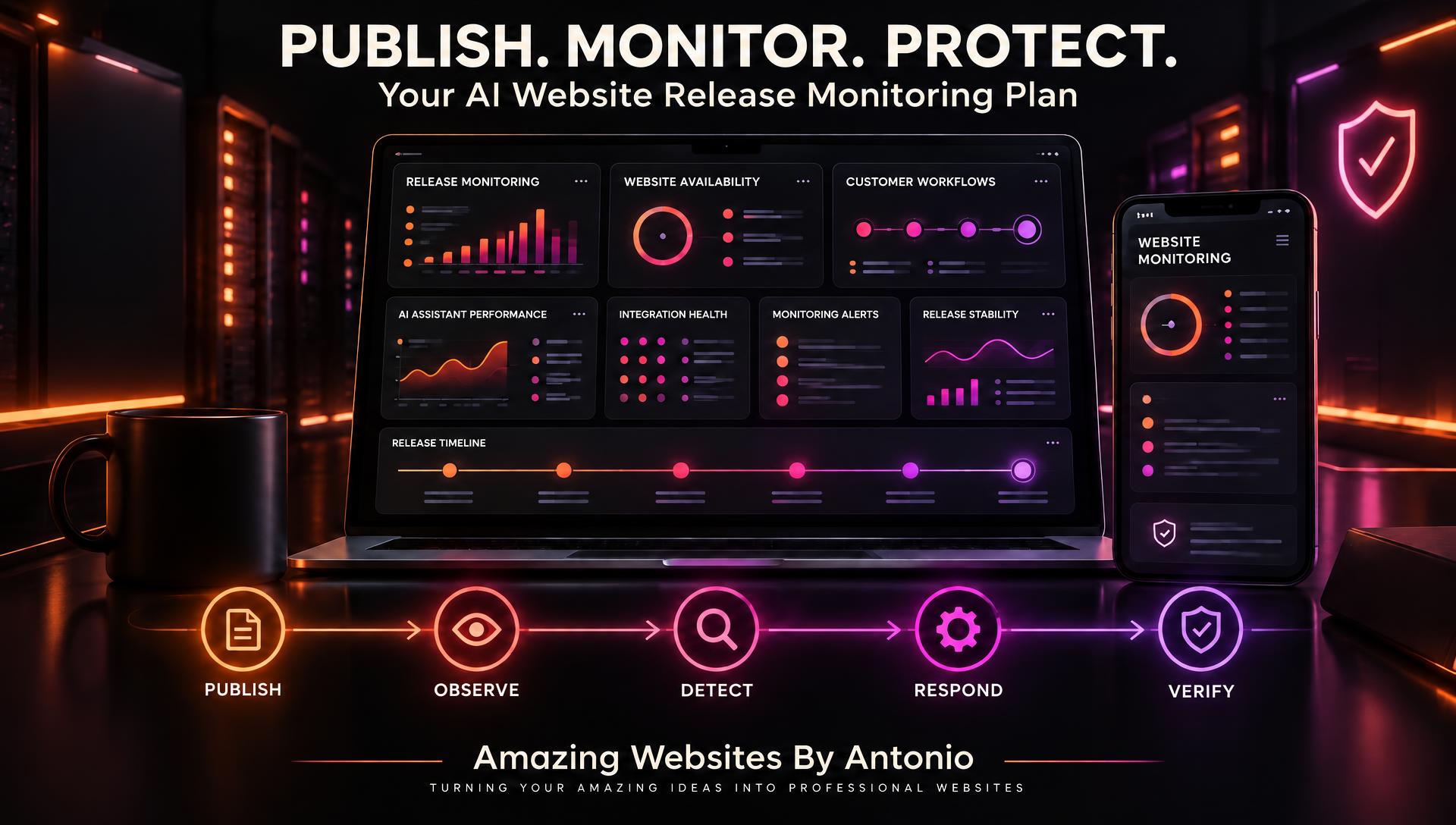
PUBLISH → OBSERVE → DETECT → INVESTIGATE → RESPOND → VERIFY → IMPROVE
POST-PUBLISH VERIFICATION VS. RELEASE MONITORING
These processes work together but serve different purposes.
| Post-Publish Verification | Release Monitoring |
|---|---|
| Checks the website immediately after publishing | Observes the website over a defined period |
| Confirms important features initially work | Detects issues that emerge later |
| Uses defined test cases | Uses recurring checks, signals, and alerts |
| Produces verification results | Produces monitoring observations |
| Supports initial release acceptance | Supports ongoing release stability |
IMPORTANT:
A successful publishing verification check does not guarantee that a website will remain problem-free.
Monitoring helps you detect unexpected changes after the initial verification period.
YOUR AI WEBSITE RELEASE MONITORING SCHEDULE
The following schedule is illustrative.
Choose a duration appropriate to the risk of your release.
IMMEDIATELY AFTER PUBLISHING
- Confirm important pages are accessible.
- Verify the updated feature.
- Test relevant customer workflows.
- Review affected integrations.
- Record initial verification results.
GOAL: Confirm that the release is functioning at launch.
DURING THE FIRST FEW HOURS
- Review relevant error signals.
- Check important notifications.
- Observe affected integrations.
- Investigate unexpected reports.
- Document findings.
GOAL: Detect early release problems.
DURING THE FIRST 24 HOURS
- Review important website availability.
- Check customer workflow reliability.
- Review relevant AI assistant behavior.
- Investigate unusual error patterns.
- Confirm that high-priority issues have owners.
GOAL: Identify problems that appear after initial use.
DURING THE FIRST WEEK
For significant changes:
- Review performance trends.
- Monitor relevant integrations.
- Review customer feedback.
- Check outstanding corrective actions.
- Document recurring problems.
GOAL: Assess whether the release remains stable.
AT THE END OF THE MONITORING PERIOD
- Review required monitoring results.
- Confirm that critical issues are addressed.
- Document unresolved concerns.
- Record lessons learned.
- Decide whether monitoring can close or should continue.
GOAL: Complete the release monitoring process responsibly.
A low-risk change may need a shorter monitoring period, while a complex or high-risk release may require longer observation.
YOUR AI WEBSITE RELEASE MONITORING MATRIX
| Monitoring Area | Signal or Check | Example Concern |
|---|---|---|
| Website Availability | Important pages reachable | Unexpected downtime |
| Navigation | Important links function | Broken destinations |
| Contact Forms | Test submissions succeed | Missing inquiries |
| Email Notifications | Expected notifications arrive | Delivery failures |
| AI Assistant | Approved test responses | Inaccurate answers |
| Automations | Expected workflow outcomes | Failed triggers |
| Performance | Relevant performance trends | Unusual slowdowns |
| Mobile Experience | Important mobile interactions | Unusable menu |
| Security | Relevant security alerts | Suspicious access |
| Customer Feedback | Reported website issues | Unexpected user problems |
Monitoring should focus on signals that are useful and actionable.
Collecting large amounts of data without a clear purpose can create unnecessary work.
CREATE YOUR RELEASE MONITORING DASHBOARD
A release monitoring dashboard can help you understand the current state of important website updates.
Consider tracking:
- Release identifier
- Publishing date
- Monitoring start date
- Monitoring end date
- Website availability checks
- Critical workflow checks
- AI assistant test results
- Integration alerts
- Open release issues
- Resolved release issues
- Monitoring status
FICTIONAL DASHBOARD EXAMPLE
| Metric | Example |
|---|---|
| Releases Under Monitoring | 3 |
| Completed Monitoring Reviews | 8 |
| Passed Checks | 32 |
| Failed Checks | 2 |
| Alerts Requiring Review | 3 |
| Open Critical Issues | 0 |
| Resolved Release Issues | 4 |
These figures are fictional and do not represent actual Amazing Websites By Antonio website performance.
YOUR WEBSITE RELEASE ALERT PRIORITY MATRIX
Use a consistent approach to evaluating alerts.
| Priority | Example | Suggested Response |
|---|---|---|
| Critical | Serious customer data exposure or essential service unavailable | Begin urgent incident response |
| High | Contact form workflow fails for customers | Investigate promptly |
| Medium | Important but noncritical page experiences repeated errors | Schedule timely investigation |
| Low | Minor visual issue with limited impact | Document and prioritize appropriately |
IMPORTANT:
Alert priority should consider actual business impact, security and privacy implications, and the number of customers affected.
A serious security concern may require urgent action even if only one system is affected.
COMPLETE AI WEBSITE RELEASE MONITORING CHECKLIST
SECTION 1 — RELEASE INFORMATION
- Release identifier is recorded.
- Publishing date is documented.
- Affected features are identified.
- Release risk level is assigned.
- Monitoring owner is identified.
SECTION 2 — MONITORING SCHEDULE
- Monitoring start time is defined.
- Monitoring duration is appropriate.
- Early checks are scheduled.
- Later follow-up reviews are planned.
- Monitoring closure criteria are documented.
SECTION 3 — WEBSITE FUNCTIONALITY
- Important pages are monitored.
- Navigation is checked.
- Relevant customer workflows are tested.
- Mobile functionality is reviewed.
- Significant performance changes are investigated.
SECTION 4 — AI ASSISTANT
- Representative questions are reviewed.
- Approved information remains accurate.
- Unexpected behavior is investigated.
- Human handoff is checked.
- Customer privacy is protected.
SECTION 5 — INTEGRATIONS
- Relevant email workflows are reviewed.
- Contact form storage is checked.
- Important automations are monitored.
- External provider issues are considered.
- Integration dependencies are documented.
SECTION 6 — ALERTS
- Important alert conditions are defined.
- Alert priorities are established.
- Alert recipients are identified.
- Response instructions are documented.
- Unnecessary alert noise is reviewed.
SECTION 7 — MONITORING RECORDS
- Monitoring observations are recorded.
- Failed checks are documented.
- Related issues are linked.
- Corrective actions are tracked.
- Completed fixes are verified.
SECTION 8 — MONITORING CLOSURE
- Required monitoring checks are completed.
- Critical issues are resolved or appropriately escalated.
- Outstanding concerns are documented.
- Lessons learned are recorded.
- Final monitoring status is assigned.
COPY-READY AI WEBSITE RELEASE MONITORING PLAN
BUSINESS NAME:
[Enter Business Name]
WEBSITE:
[Enter Website Address]
RELEASE ID:
[Enter Identifier]
RELATED CHANGE REQUEST:
[Enter Change ID]
PUBLISHING DATE:
[Enter Date]
MONITORING OWNER:
[Enter Name]
SECTION 1 — RELEASE DETAILS
RELEASE TITLE:
[Enter Title]
RELEASE DESCRIPTION:
[Describe Published Changes]
AFFECTED PAGES:
[List Pages]
AFFECTED FEATURES:
[List Features]
AFFECTED INTEGRATIONS:
[List Integrations]
RELEASE RISK LEVEL:
Low / Medium / High / Critical
SECTION 2 — MONITORING SCHEDULE
MONITORING START:
[Enter Date and Time]
PLANNED MONITORING END:
[Enter Date and Time]
EARLY REVIEW TIMES:
[List Review Times]
FOLLOW-UP REVIEW TIMES:
[List Review Times]
MONITORING CLOSURE CRITERIA:
[Describe Requirements]
SECTION 3 — MONITORED WEBSITE FUNCTIONS
CRITICAL PAGES:
[List Pages]
CUSTOMER WORKFLOWS:
[List Workflows]
AI ASSISTANT FUNCTIONS:
[List Functions or Not Applicable]
INTEGRATIONS:
[List Services]
PERFORMANCE SIGNALS:
[List Signals]
SECTION 4 — MONITORING METHODS
AUTOMATED MONITORING AVAILABLE:
Yes / No / Partially
MANUAL CHECKS REQUIRED:
[List Checks]
AVAILABLE MONITORING TOOLS:
[List Tools]
CHECK FREQUENCY:
[Enter Frequency]
SECTION 5 — ALERT MANAGEMENT
ALERT CONDITIONS:
[List Conditions]
ALERT PRIORITY LEVELS:
Critical / High / Medium / Low
ALERT RECIPIENT:
[Enter Name]
RESPONSE INSTRUCTIONS:
[Describe Actions]
ESCALATION CONTACT:
[Enter Contact]
SECTION 6 — MONITORING OBSERVATIONS
CHECK DATE:
[Enter Date]
CHECK TIME:
[Enter Time]
CHECK PERFORMED:
[Describe Check]
EXPECTED RESULT:
[Describe Expected Behavior]
ACTUAL RESULT:
[Describe Result]
STATUS:
Pass / Fail / Needs Review / Not Tested / Not Applicable
SECTION 7 — DETECTED PROBLEMS
ISSUE ID:
[Enter Identifier]
ISSUE DESCRIPTION:
[Describe Problem]
SEVERITY:
Critical / High / Medium / Low
CORRECTIVE ACTION:
[Describe Action]
RESPONSIBLE PERSON:
[Enter Name]
TARGET DATE:
[Enter Date]
VERIFICATION RESULT:
[Enter Result]
SECTION 8 — FINAL MONITORING REVIEW
REQUIRED CHECKS COMPLETED:
Yes / No
OPEN CRITICAL ISSUES:
[Enter Number]
OUTSTANDING CONCERNS:
[List Concerns]
FINAL STATUS:
Stable / Needs Continued Monitoring / Escalated / Closed
LESSONS LEARNED:
[Enter Findings]
REVIEWED BY:
[Enter Name]
REVIEW DATE:
[Enter Date]
EXAMPLE AI WEBSITE RELEASE MONITORING SCENARIO
The following scenario is fictional.
Situation: A Business Owner Publishes a New AI Assistant Update
A business owner has improved an AI website assistant.
The update includes new information about business services and a revised customer handoff process.
The update passes its initial verification checks.
Now the owner wants to monitor the assistant after publishing.
Step 1 — Create the Release Monitoring Record
Release ID: RELEASE-009
Change: AI Assistant Service Information Update
Step 2 — Identify Important Behaviors
The owner wants the assistant to provide accurate service information and direct customers to the correct contact method when necessary.
Step 3 — Establish the Monitoring Period
The owner selects an appropriate review period based on the update's risk and expected use.
Step 4 — Define Monitoring Checks
The owner plans representative AI questions, handoff tests, and reviews of relevant error information.
Step 5 — Perform Early Checks
The assistant provides the expected answers during initial testing.
Step 6 — Continue Monitoring
During a later review, the owner discovers that the assistant gives an outdated description of one service.
Step 7 — Record the Problem
The owner creates an issue record and documents the incorrect response using a safe test case.
Step 8 — Correct the Information
The approved knowledge source is reviewed and updated as needed.
Step 9 — Retest the Assistant
The owner checks the affected question and related questions again.
Step 10 — Complete the Monitoring Review
Once the required checks meet their criteria and outstanding issues are addressed, the owner documents the monitoring outcome.
LESSON:
A website feature can pass its initial publishing tests and still require additional attention.
Release monitoring helps identify problems that emerge after the update goes live.
YOUR 30-DAY AI WEBSITE RELEASE MONITORING IMPLEMENTATION PLAN
WEEK 1 — IDENTIFY MONITORING NEEDS
- List important website features.
- Identify critical customer workflows.
- Review AI assistant dependencies.
- Document important integrations.
- Establish release monitoring priorities.
GOAL: Understand which website functions require observation.
WEEK 2 — CREATE YOUR MONITORING PROCESS
- Define monitoring schedules.
- Establish review frequencies.
- Create alert priority levels.
- Assign response responsibilities.
- Build a release monitoring template.
GOAL: Create a repeatable monitoring workflow.
WEEK 3 — PRACTICE RELEASE MONITORING
- Select a suitable low-risk website update.
- Complete the normal approval process.
- Publish and verify the update.
- Perform scheduled monitoring checks.
- Record observations and findings.
GOAL: Practice the complete release monitoring process.
WEEK 4 — REVIEW AND IMPROVE
- Review monitoring results.
- Identify recurring issues.
- Evaluate alert usefulness.
- Improve future monitoring schedules.
- Document lessons learned.
GOAL: Make release monitoring part of ongoing website management.
THE AI WEBSITE RELEASE MONITORING FRAMEWORK
PUBLISH
Release the approved website update.
↓
OBSERVE
Review important website functions and signals.
↓
DETECT
Identify unexpected problems or concerning changes.
↓
INVESTIGATE
Determine the likely cause and potential impact.
↓
RESPOND
Take appropriate corrective or escalation action.
↓
VERIFY
Confirm that the issue has been addressed.
↓
DOCUMENT
Record monitoring findings and outcomes.
↓
IMPROVE
Strengthen future releases and monitoring procedures.
FINAL THOUGHTS
Creating a professional business website is an exciting accomplishment.
It represents your creativity.
Your services.
Your brand.
And your commitment to serving customers.
But as your website grows, you'll continue making improvements.
New pages.
Updated services.
Better Contact forms.
More helpful AI assistants.
Improved mobile navigation.
And additional automations.
Publishing those changes is important.
Testing them immediately afterward is important too.
But reliable website management doesn't always stop there.
Some problems appear only after additional time, different customer interactions, or changes in external services.
That's why release monitoring matters.
It helps you detect unexpected problems.
Protect important customer workflows.
Review AI assistant behavior.
Investigate integration issues.
And respond before problems remain unnoticed for too long.
A SUCCESSFUL WEBSITE RELEASE ISN'T JUST ABOUT WHAT WORKS WHEN YOU CLICK PUBLISH.
IT'S ALSO ABOUT HOW WELL YOUR WEBSITE CONTINUES TO WORK AFTERWARD.
Start with your most important website functions.
Choose an appropriate monitoring period.
Review meaningful signals.
Document findings.
Address important problems.
And improve your process over time.
Because professional website management isn't only about launching new features.
IT'S ABOUT KEEPING THOSE FEATURES RELIABLE AS YOUR BUSINESS CONTINUES TO GROW.
PUBLISH WITH PURPOSE.
MONITOR WITH CONSISTENCY.
RESPOND WITH CONFIDENCE.
KEEP BUILDING BETTER WEBSITES.
Amazing Websites By Antonio
Turning Your Amazing Ideas Into Professional Websites