A Practical Guide to Reviewing Completed Website Releases, Understanding What Worked, Identifying Problems, and Turning Lessons Into Better Website Improvements
Imagine you've just completed an exciting website improvement project.
You've redesigned your homepage.
Updated your services.
Improved your Contact form.
Added a new feature.
Updated your AI assistant.
Or connected a new automation.
You carefully planned the changes.
Completed the necessary testing.
Approved the update.
Published everything.
Verified the live website.
And monitored its performance.
After reviewing the results, you're satisfied that the release meets its important requirements.
What an accomplishment!
But here's a question worth asking:
WHAT DID YOU LEARN FROM THE EXPERIENCE?
Which parts of the project went smoothly?
What took longer than expected?
Were any important problems discovered?
Did your testing process work?
Were your instructions clear?
Did your AI assistant behave as expected?
And what could you do differently next time?
These questions are the foundation of a website release retrospective.
AN AI WEBSITE RELEASE RETROSPECTIVE IS A STRUCTURED REVIEW OF A COMPLETED WEBSITE UPDATE THAT HELPS IDENTIFY SUCCESSES, CHALLENGES, LESSONS LEARNED, AND OPPORTUNITIES FOR IMPROVEMENT.
A retrospective isn't just about finding mistakes.
It's also about recognizing what worked well.
You might discover that your new testing checklist saved time.
Your change request process helped prevent confusion.
Your publishing schedule worked well.
Or your monitoring plan identified an issue before it became a larger problem.
Those successes deserve attention too.
For AI-powered websites, retrospectives can be especially valuable because website releases often involve multiple connected systems.
Your website builder.
Your AI assistant.
Your Contact forms.
Your email notifications.
Your automations.
Your integrations.
And your customer experience.
When you understand how these systems performed during an update, you can make better decisions for future projects.
The good news?
YOU DON'T NEED A LARGE DEVELOPMENT TEAM TO CONDUCT A PROFESSIONAL WEBSITE RELEASE RETROSPECTIVE.
Even a solo entrepreneur can review a completed release using a simple document, spreadsheet, or checklist.
In Blog #131, we're exploring 50 practical strategies to help you turn every important website update into an opportunity for learning and improvement.
PART 1: UNDERSTAND WEBSITE RELEASE RETROSPECTIVES
1. Know What a Retrospective Means
A retrospective is a structured review of a completed project or release.
Its purpose is to understand what happened and identify useful improvements.
2. Understand Why Retrospectives Matter
They help you recognize successes, examine challenges, and strengthen future work.
3. Separate Retrospectives From Stability Reports
A stability report evaluates whether a release met its performance and reliability requirements.
A retrospective evaluates how the work was planned, implemented, tested, published, and managed.
4. Focus on Learning Instead of Blame
The goal is to improve systems and processes rather than assign unnecessary blame.
5. Make Retrospectives a Consistent Habit
Review significant website releases while the experience is still fresh.
PART 2: PREPARE FOR THE RETROSPECTIVE
6. Identify the Release Being Reviewed
Record the release identifier and project name.
7. Define the Review Period
Specify which project activities and dates the retrospective covers.
8. Gather Relevant Records
Review change requests, testing results, monitoring reports, and issue records.
9. Identify Participants
Include people who contributed to or were meaningfully affected by the release when appropriate.
10. Establish Clear Review Questions
Prepare questions about successes, challenges, outcomes, and improvements.
PART 3: REVIEW WHAT WENT WELL
11. Identify Successful Planning Decisions
Recognize the preparation that helped the project run smoothly.
12. Review Effective Testing Practices
Determine which tests provided useful confidence.
13. Recognize Successful Communication
Consider whether project updates and instructions were clear.
14. Identify Helpful Tools and Workflows
Review which systems made the release easier to manage.
15. Document Practices Worth Repeating
Create a list of successful approaches to use again.
PART 4: REVIEW CHALLENGES AND PROBLEMS
16. Identify Unexpected Difficulties
Document issues that affected the project.
17. Review Delays
Consider why certain tasks took longer than expected.
18. Examine Failed Tests
Understand what caused important verification failures.
19. Review Publishing Problems
Identify issues that appeared during or after release.
20. Separate Symptoms From Causes
Investigate underlying causes rather than focusing only on visible problems.
PART 5: EVALUATE WEBSITE DEVELOPMENT WORKFLOWS
21. Review Change Request Quality
Determine whether the requested changes were clearly documented.
22. Evaluate Approval Procedures
Consider whether approvals were timely and appropriate.
23. Review Implementation Steps
Identify unnecessary complexity or missing instructions.
24. Evaluate Testing Coverage
Determine whether important functionality was tested adequately.
25. Review Release Documentation
Check whether the project records were useful and complete.
PART 6: REVIEW AI ASSISTANT AND AUTOMATION CHANGES
26. Evaluate AI Knowledge Updates
Determine whether approved business information was prepared correctly.
27. Review AI Testing Results
Identify questions that produced unexpected answers.
28. Examine AI Assistant Handoff
Review whether customers could reach appropriate human assistance.
29. Evaluate Automation Reliability
Consider whether important workflows behaved as intended.
30. Identify AI-Specific Improvement Opportunities
Document better testing prompts, knowledge review procedures, or integration checks.
PART 7: REVIEW CUSTOMER EXPERIENCE
31. Consider Customer Impact
Evaluate how the release affected important customer activities.
32. Review Contact Form Reliability
Identify any problems with customer inquiry workflows.
33. Examine Mobile Experience
Review mobile issues discovered during testing or monitoring.
34. Consider Accessibility Findings
Identify accessibility improvements that should influence future work.
35. Review Relevant Customer Feedback
Use available feedback to understand real-world experiences without assuming it represents every visitor.
PART 8: TURN LESSONS INTO ACTIONS
36. Write Clear Lessons Learned
Describe what the experience revealed.
37. Identify Specific Improvements
Translate lessons into practical actions.
38. Assign Action Owners
Determine who is responsible for completing each improvement.
39. Set Realistic Target Dates
Give important actions clear timelines.
40. Prioritize Improvements
Focus first on actions with meaningful impact and manageable effort.
PART 9: DOCUMENT RETROSPECTIVE RESULTS
41. Create a Retrospective Report
Organize findings in one accessible record.
42. Summarize Important Successes
Highlight practices worth repeating.
43. Document Key Challenges
Describe problems factually and constructively.
44. Track Improvement Actions
Maintain a record of follow-up work.
45. Share Relevant Findings
Communicate lessons to the people who can act on them.
PART 10: BUILD A CONTINUOUS IMPROVEMENT PROCESS
46. Review Previous Retrospectives
Look for recurring lessons and unresolved actions.
47. Measure Improvement Completion
Track whether assigned actions are finished and verified.
48. Update Website Management Procedures
Incorporate useful lessons into checklists and workflows.
49. Evaluate Whether Improvements Worked
Check whether process changes produced the intended benefits.
50. Make Learning Part of Business Growth
Use every significant website release as an opportunity to improve your skills, systems, and customer experience.
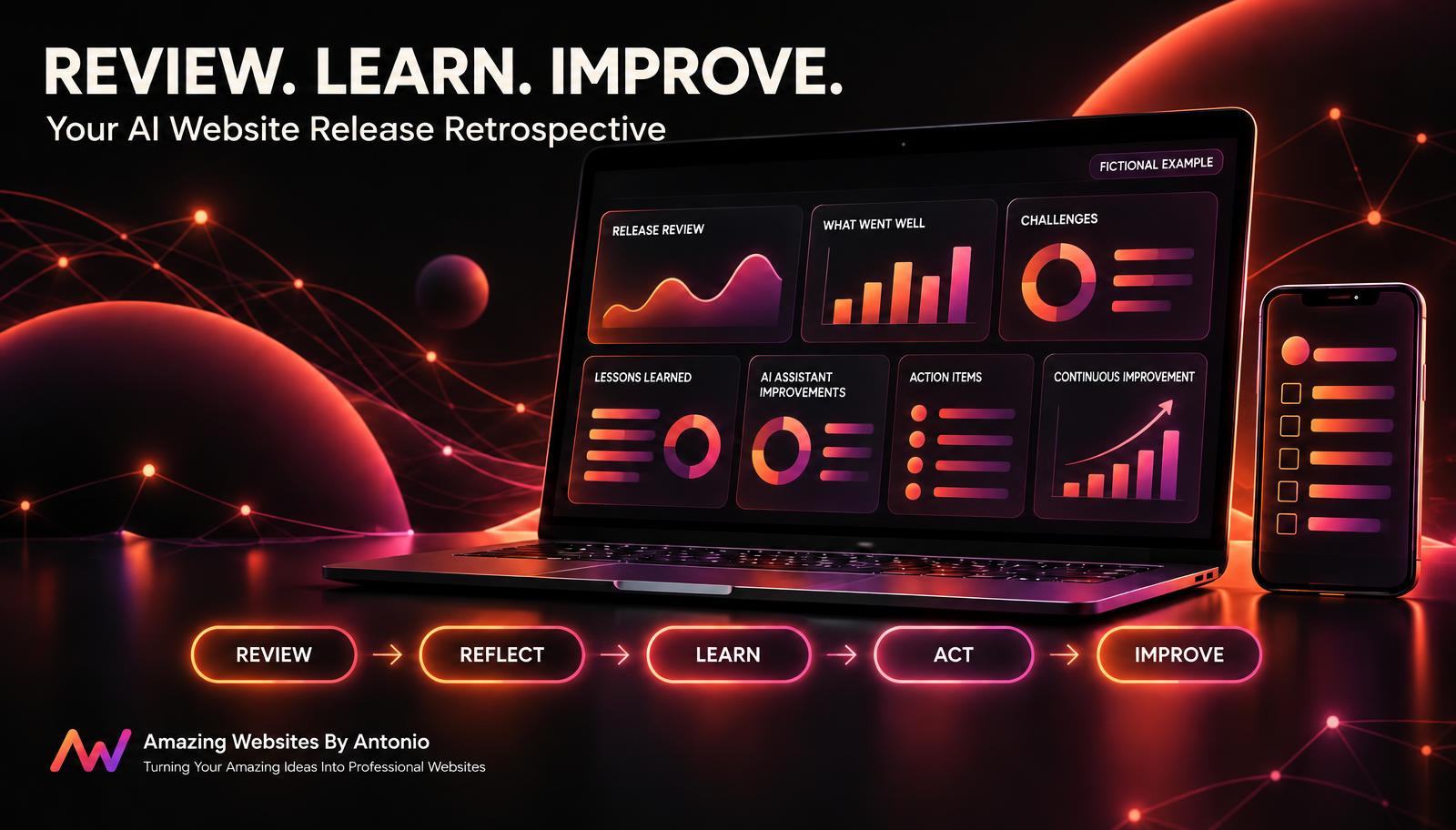
REVIEW → REFLECT → IDENTIFY → PRIORITIZE → ACT → VERIFY → IMPROVE
WHAT SHOULD A WEBSITE RELEASE RETROSPECTIVE INCLUDE?
A useful retrospective should answer six important questions.
| Retrospective Question | Purpose |
|---|---|
| What was planned? | Understand the original objectives |
| What actually happened? | Review the release experience |
| What went well? | Identify successful practices |
| What didn't go as expected? | Identify challenges |
| What did we learn? | Capture useful insights |
| What will change next time? | Create actionable improvements |
For a solo entrepreneur, these questions can be answered in a short written review.
For larger projects, they may support a structured team discussion.
THE START, STOP, CONTINUE RETROSPECTIVE FRAMEWORK
One practical way to organize a retrospective is to divide your findings into three categories.
START
What new practices should you introduce?
Examples:
- Start using a standard change request template.
- Start documenting AI assistant test questions.
- Start checking Contact form notifications after publishing.
- Start recording release monitoring results.
STOP
What unhelpful practices should you discontinue?
Examples:
- Stop publishing significant updates without relevant testing.
- Stop relying on memory for important technical changes.
- Stop closing release records when required checks remain incomplete.
- Stop assuming that one successful AI response proves overall accuracy.
CONTINUE
What successful practices should you keep using?
Examples:
- Continue reviewing mobile navigation.
- Continue verifying Contact form submissions.
- Continue documenting approved changes.
- Continue using post-publish monitoring for important releases.
START → STOP → CONTINUE is a simple framework that helps turn reflection into action.
YOUR AI WEBSITE RETROSPECTIVE DASHBOARD
A retrospective dashboard can help organize lessons and follow-up actions.
Consider tracking:
- Total releases reviewed
- Completed retrospectives
- Successful practices identified
- Challenges documented
- Lessons learned
- Improvement actions created
- Actions completed
- Actions overdue
- Recurring issues
- Improvements verified
FICTIONAL DASHBOARD EXAMPLE
| Metric | Example |
|---|---|
| Releases Reviewed | 8 |
| Completed Retrospectives | 8 |
| Successful Practices Identified | 14 |
| Challenges Documented | 9 |
| Improvement Actions Created | 12 |
| Improvement Actions Completed | 7 |
| Actions In Progress | 3 |
| Actions Not Started | 2 |
These are fictional examples, not actual Amazing Websites By Antonio project results.
The dashboard should help you manage meaningful improvements rather than simply collect numbers.
EXAMPLE LESSONS-LEARNED REGISTER
The following records are fictional.
| Lesson ID | Finding | Improvement Action | Priority |
|---|---|---|---|
| LESSON-001 | Mobile menu testing was incomplete | Expand mobile testing checklist | High |
| LESSON-002 | AI service information was outdated | Add knowledge review step | High |
| LESSON-003 | Publishing notes were difficult to locate | Standardize release records | Medium |
| LESSON-004 | Contact form tests were effective | Keep existing form test process | Medium |
| LESSON-005 | Follow-up tasks lacked clear owners | Assign action owners and dates | High |
A lessons-learned register helps preserve useful insights between projects.
PRIORITIZING RETROSPECTIVE IMPROVEMENTS
Not every improvement needs to happen immediately.
Consider both business impact and implementation effort.
| Impact | Low Effort | High Effort |
|---|---|---|
| High Impact | Prioritize early | Plan carefully |
| Low Impact | Complete when practical | Reconsider or defer |
For example:
Updating a testing checklist may be a high-impact, low-effort improvement.
Replacing a complex integration may require additional planning, resources, and technical review.
IMPORTANT:
Security, privacy, and critical customer workflow risks may require urgent attention regardless of estimated effort.
COMPLETE AI WEBSITE RELEASE RETROSPECTIVE CHECKLIST
SECTION 1 — RELEASE INFORMATION
- Release identifier is recorded.
- Project name is documented.
- Review date is established.
- Participants are identified.
- Relevant records are available.
SECTION 2 — PROJECT OBJECTIVES
- Original goals are reviewed.
- Expected outcomes are documented.
- Actual outcomes are considered.
- Scope changes are identified.
- Important decisions are reviewed.
SECTION 3 — WHAT WENT WELL
- Successful planning practices are identified.
- Effective testing activities are documented.
- Helpful tools are recognized.
- Successful communication is reviewed.
- Practices worth repeating are recorded.
SECTION 4 — CHALLENGES
- Unexpected problems are documented.
- Delays are reviewed.
- Failed tests are examined.
- Publishing issues are considered.
- Potential underlying causes are investigated.
SECTION 5 — AI AND CUSTOMER EXPERIENCE
- AI knowledge changes are reviewed.
- Relevant AI testing results are examined.
- Automation outcomes are considered.
- Contact form reliability is reviewed.
- Mobile and accessibility findings are documented.
SECTION 6 — LESSONS LEARNED
- Important lessons are written clearly.
- Successful practices are identified.
- Recurring problems are documented.
- Improvement opportunities are prioritized.
- Relevant findings are shared.
SECTION 7 — ACTION PLANNING
- Improvement actions are specific.
- Action owners are assigned.
- Target dates are established.
- Progress tracking is defined.
- Verification requirements are documented.
SECTION 8 — FINAL REVIEW
- Retrospective report is completed.
- Follow-up actions are recorded.
- Related checklists are updated as appropriate.
- Outstanding concerns are documented.
- Next improvement review date is established.
COPY-READY AI WEBSITE RELEASE RETROSPECTIVE REPORT TEMPLATE
BUSINESS NAME:
[Enter Business Name]
WEBSITE:
[Enter Website Address]
RETROSPECTIVE ID:
[Enter Identifier]
RELEASE ID:
[Enter Release Identifier]
REVIEW DATE:
[Enter Date]
PREPARED BY:
[Enter Name]
SECTION 1 — RELEASE OVERVIEW
RELEASE TITLE:
[Enter Title]
RELEASE DESCRIPTION:
[Describe Published Changes]
ORIGINAL OBJECTIVES:
[List Objectives]
ACTUAL OUTCOMES:
[Summarize Outcomes]
RELEASE STATUS:
[Enter Status]
SECTION 2 — WHAT WENT WELL
SUCCESSFUL PLANNING PRACTICES:
[List Findings]
SUCCESSFUL TESTING PRACTICES:
[List Findings]
HELPFUL TOOLS OR WORKFLOWS:
[List Tools]
OTHER SUCCESSES:
[List Successes]
SECTION 3 — CHALLENGES
UNEXPECTED PROBLEMS:
[List Problems]
DELAYS OR BOTTLENECKS:
[List Delays]
FAILED TESTS:
[List Failures]
PUBLISHING OR MONITORING ISSUES:
[List Issues]
POTENTIAL ROOT CAUSES:
[Describe Findings or Further Investigation Needed]
SECTION 4 — AI ASSISTANT AND INTEGRATIONS
AI CHANGES INVOLVED:
Yes / No
AI TESTING FINDINGS:
[Summarize Findings]
KNOWLEDGE ACCURACY CONCERNS:
[List Concerns]
AUTOMATION FINDINGS:
[Summarize Findings]
INTEGRATION FINDINGS:
[Summarize Findings]
SECTION 5 — CUSTOMER EXPERIENCE
CONTACT FORM FINDINGS:
[Enter Findings]
NAVIGATION FINDINGS:
[Enter Findings]
MOBILE EXPERIENCE FINDINGS:
[Enter Findings]
ACCESSIBILITY FINDINGS:
[Enter Findings]
CUSTOMER FEEDBACK:
[Summarize Relevant Feedback]
SECTION 6 — START, STOP, CONTINUE
START:
[List New Practices]
STOP:
[List Practices to Discontinue]
CONTINUE:
[List Successful Practices]
SECTION 7 — LESSONS LEARNED
LESSON 1:
[Enter Lesson]
LESSON 2:
[Enter Lesson]
LESSON 3:
[Enter Lesson]
RECURRING THEMES:
[List Themes]
SECTION 8 — IMPROVEMENT ACTIONS
ACTION ID:
[Enter Identifier]
ACTION DESCRIPTION:
[Describe Improvement]
PRIORITY:
Critical / High / Medium / Low
ACTION OWNER:
[Enter Name]
TARGET DATE:
[Enter Date]
STATUS:
Not Started / In Progress / Blocked / Completed / Verified
SUCCESS CRITERIA:
[Describe How Completion Will Be Verified]
SECTION 9 — FINAL SUMMARY
MOST IMPORTANT SUCCESS:
[Enter Finding]
MOST IMPORTANT CHALLENGE:
[Enter Finding]
MOST VALUABLE LESSON:
[Enter Lesson]
TOP PRIORITY IMPROVEMENT:
[Enter Action]
NEXT REVIEW DATE:
[Enter Date]
ADDITIONAL NOTES:
[Enter Notes]
EXAMPLE AI WEBSITE RELEASE RETROSPECTIVE SCENARIO
The following scenario is fictional.
Situation: A Business Owner Reviews a Website Contact Form and AI Assistant Update
A business owner recently completed a website release.
The update included:
- A new service selection field on the Contact form.
- Updated AI assistant service information.
- Improved mobile navigation.
The release was published, tested, and monitored.
Now the owner wants to conduct a retrospective.
Step 1 — Gather Release Records
The owner reviews the original change request, testing results, monitoring observations, and stability report.
Step 2 — Identify What Went Well
The Contact form testing checklist helped confirm that inquiry submissions were stored correctly.
Step 3 — Review Challenges
An AI assistant test revealed an outdated service description after publishing.
Step 4 — Investigate the Cause
The owner discovers that the AI knowledge review checklist did not include a specific verification step for that service.
Step 5 — Document the Lesson
The retrospective records the need for a more complete AI knowledge review process.
Step 6 — Create an Improvement Action
Action: Add a service information accuracy check to the AI assistant testing checklist.
Step 7 — Assign Responsibility
The owner assigns the action to the person responsible for website maintenance.
Step 8 — Establish a Target Date
The action receives a realistic completion deadline.
Step 9 — Verify the Improvement
During a future update, the revised checklist is used to confirm that relevant service descriptions are accurate.
Step 10 — Close the Retrospective
The owner documents the final lessons and tracks any remaining actions separately.
LESSON:
A retrospective is most valuable when it leads to meaningful improvements rather than simply documenting what happened.
YOUR 30-DAY AI WEBSITE RELEASE RETROSPECTIVE IMPLEMENTATION PLAN
WEEK 1 — BUILD YOUR RETROSPECTIVE PROCESS
- Define when retrospectives should occur.
- Create standard review questions.
- Identify useful project records.
- Establish a retrospective template.
- Choose a lessons-learned tracking method.
GOAL: Create a practical process for reviewing completed releases.
WEEK 2 — REVIEW A COMPLETED WEBSITE UPDATE
- Select a suitable completed release.
- Gather available records.
- Identify successful practices.
- Review challenges and unexpected problems.
- Document initial lessons.
GOAL: Understand what the release experience can teach you.
WEEK 3 — TURN LESSONS INTO ACTIONS
- Create specific improvement actions.
- Prioritize important changes.
- Assign responsible owners.
- Establish target dates.
- Define verification criteria.
GOAL: Convert retrospective findings into practical improvements.
WEEK 4 — REVIEW AND IMPROVE
- Review progress on improvement actions.
- Update relevant website management checklists.
- Identify recurring lessons.
- Evaluate the retrospective process.
- Establish a routine for future releases.
GOAL: Make continuous improvement part of website management.
THE AI WEBSITE RELEASE RETROSPECTIVE FRAMEWORK
REVIEW
Gather information about the completed website release.
↓
REFLECT
Consider what went well and what was challenging.
↓
IDENTIFY
Document useful lessons and recurring patterns.
↓
PRIORITIZE
Select improvements based on impact and importance.
↓
ACT
Assign and implement practical improvement actions.
↓
VERIFY
Confirm that completed actions produce the intended results.
↓
IMPROVE
Apply lessons to future website projects.
FINAL THOUGHTS
Creating a professional business website is an exciting accomplishment.
It represents your creativity.
Your services.
Your brand.
And your commitment to helping customers.
But professional website management doesn't end when a project is completed.
Every update provides an opportunity to learn.
Maybe you discover a better way to organize website changes.
A more effective testing checklist.
A clearer approval process.
A stronger AI knowledge review.
Or a more reliable automation workflow.
Those discoveries can help improve future projects.
That's why website release retrospectives matter.
They help you recognize successes.
Understand challenges.
Identify useful lessons.
And turn those lessons into meaningful action.
EVERY WEBSITE UPDATE IS AN OPPORTUNITY TO IMPROVE MORE THAN JUST YOUR WEBSITE.
IT'S AN OPPORTUNITY TO IMPROVE THE WAY YOU BUILD, TEST, PUBLISH, AND MANAGE YOUR DIGITAL BUSINESS.
Start with a simple retrospective.
Ask what worked.
Identify what didn't.
Document what you learned.
Create improvement actions.
And follow through.
Because successful website management isn't only about completing projects.
IT'S ABOUT BECOMING BETTER AT EVERY PROJECT YOU COMPLETE.
REVIEW YOUR PROGRESS.
LEARN FROM EXPERIENCE.
TURN LESSONS INTO ACTION.
KEEP BUILDING BETTER WEBSITES.
Amazing Websites By Antonio
Turning Your Amazing Ideas Into Professional Websites