A Practical Guide to Prioritizing Website Improvements, Assigning Responsibilities, Tracking Progress, and Turning Valuable Lessons Into Better Business Results
Imagine you've just completed another exciting improvement to your professional business website.
You've redesigned your homepage.
Updated your services.
Improved your Contact form.
Added a new feature.
Updated your AI assistant.
Or connected a new automation.
You carefully planned the project.
Tested the changes.
Approved the release.
Published everything.
Verified the live website.
Monitored its performance.
And completed a release retrospective.
During that retrospective, you discovered several valuable lessons.
Maybe your mobile testing checklist needs improvement.
Your AI assistant needs more accurate service information.
Your Contact form notifications require additional verification.
Or your website update documentation could be better organized.
You've identified what needs to improve.
But here's an important question:
WHAT ARE YOU GOING TO DO WITH THOSE LESSONS?
It's one thing to recognize an opportunity for improvement.
It's another thing to turn that opportunity into a completed action that produces meaningful results.
That's where an AI website continuous improvement action plan becomes valuable.
AN AI WEBSITE CONTINUOUS IMPROVEMENT ACTION PLAN IS A STRUCTURED DOCUMENT THAT IDENTIFIES WEBSITE IMPROVEMENT OPPORTUNITIES, ASSIGNS RESPONSIBILITIES, ESTABLISHES TARGET DATES, DEFINES SUCCESS MEASURES, AND TRACKS ACTIONS THROUGH COMPLETION AND VERIFICATION.
It helps transform observations into action.
Instead of keeping improvement ideas in your memory, you document them.
Instead of trying to fix everything at once, you prioritize.
Instead of creating vague goals, you define measurable outcomes.
And instead of marking tasks complete without reviewing the results, you verify whether the improvements actually worked.
For AI-powered websites, continuous improvement can involve many important areas:
- Website functionality
- Customer experience
- Mobile responsiveness
- Accessibility
- AI assistant accuracy
- Contact forms
- Email notifications
- Automations
- Integrations
- Security and privacy
- Website performance
- Publishing procedures
- Monitoring and maintenance
The good news?
YOU DON'T NEED A LARGE DEVELOPMENT TEAM TO CREATE A PROFESSIONAL CONTINUOUS IMPROVEMENT ACTION PLAN.
Even a solo entrepreneur can use a simple spreadsheet, project board, or document to organize improvements.
In Blog #132, we're exploring 50 practical strategies to help you turn website lessons into measurable progress.
PART 1: UNDERSTAND CONTINUOUS IMPROVEMENT
1. Know What Continuous Improvement Means
Continuous improvement is the ongoing process of making thoughtful changes that improve quality, reliability, efficiency, or customer experience.
2. Understand Why Action Plans Matter
An action plan helps ensure that useful lessons lead to actual work rather than remaining unfinished ideas.
3. Separate Ideas From Commitments
An improvement idea becomes an actionable commitment when it has a defined outcome, owner, and next step.
4. Recognize Different Types of Improvements
Some improvements address technical problems, while others strengthen processes or customer experiences.
5. Make Improvement an Ongoing Habit
Review opportunities regularly instead of waiting for a major website problem.
PART 2: COLLECT IMPROVEMENT OPPORTUNITIES
6. Review Release Retrospectives
Look for lessons that suggest practical changes.
7. Examine Website Monitoring Results
Identify recurring errors, performance concerns, and reliability issues.
8. Review Customer Feedback
Consider recurring questions, complaints, and suggestions.
9. Evaluate AI Assistant Findings
Look for inaccurate answers, missing knowledge, or unsuccessful handoffs.
10. Organize Improvement Ideas in One Register
Keep potential improvements in a consistent location so they can be reviewed and prioritized.
PART 3: PRIORITIZE IMPROVEMENT ACTIONS
11. Evaluate Business Impact
Consider how an improvement could affect customers and operations.
12. Estimate Implementation Effort
Identify the time, skills, and resources required.
13. Review Urgency
Determine whether an issue requires immediate attention or can be scheduled.
14. Consider Dependencies
Identify tasks that must be completed before other improvements can begin.
15. Prioritize Critical Risks
Give appropriate urgency to serious security, privacy, and essential customer workflow failures.
PART 4: DEFINE CLEAR IMPROVEMENT GOALS
16. Write Specific Action Descriptions
Describe exactly what needs to change.
17. Establish Expected Outcomes
Explain what successful completion should accomplish.
18. Create Measurable Success Criteria
Choose observable results that can be verified.
19. Define the Scope
Clarify which pages, features, or processes are included.
20. Set Realistic Target Dates
Create deadlines that reflect available resources and project complexity.
PART 5: ASSIGN RESPONSIBILITIES AND RESOURCES
21. Identify an Action Owner
Assign one person responsible for coordinating each improvement.
22. Document Required Skills
Determine whether the work involves design, development, AI configuration, or other expertise.
23. Identify Necessary Tools
List the website platform, testing tools, and other systems involved.
24. Estimate Resources
Consider time, budget, and external assistance where appropriate.
25. Establish Review Responsibilities
Determine who will verify that the completed improvement meets its requirements.
PART 6: IMPLEMENT WEBSITE IMPROVEMENTS
26. Break Large Improvements Into Smaller Tasks
Make complex projects easier to manage.
27. Use a Consistent Change Process
Follow appropriate planning, testing, approval, and publishing procedures.
28. Protect Existing Website Functionality
Check that improvements don't unintentionally disrupt important features.
29. Document Implementation Decisions
Record meaningful technical and business decisions.
30. Communicate Important Changes
Keep relevant stakeholders informed when necessary.
PART 7: MEASURE IMPROVEMENT RESULTS
31. Record Baseline Measurements
Document relevant performance before making changes.
32. Measure Results After Implementation
Use comparable methods to evaluate the updated website.
33. Review Customer Workflow Outcomes
Determine whether important tasks became more reliable or easier to complete.
34. Evaluate AI Assistant Improvements
Compare representative AI test results before and after updates.
35. Distinguish Results From Assumptions
Clearly identify verified outcomes, estimates, and missing information.
PART 8: TRACK IMPROVEMENT PROGRESS
36. Create an Improvement Dashboard
Organize active tasks, priorities, owners, and deadlines.
37. Use Consistent Status Labels
Examples include Not Started, In Progress, Blocked, Testing, Completed, and Verified.
38. Review Progress Regularly
Check whether actions are moving toward completion.
39. Identify Blocked Tasks
Document dependencies or problems preventing progress.
40. Update Target Dates Transparently
Record schedule changes and their reasons.
PART 9: VERIFY COMPLETED IMPROVEMENTS
41. Test the Completed Change
Confirm that the improvement works as intended.
42. Compare Results With Success Criteria
Evaluate whether the defined goal was achieved.
43. Review Unintended Effects
Check for unexpected problems caused by the change.
44. Document Verification Evidence
Record appropriate test results and supporting information.
45. Close Actions Only When Requirements Are Met
Distinguish between work being implemented and its effectiveness being verified.
PART 10: BUILD A LONG-TERM IMPROVEMENT CULTURE
46. Review Completed Improvements
Identify what worked and what should change in future projects.
47. Update Website Management Procedures
Incorporate useful lessons into testing, publishing, and maintenance checklists.
48. Revisit Unfinished Improvements
Review deferred or blocked actions regularly.
49. Recognize Meaningful Progress
Celebrate completed improvements that make a real difference.
50. Repeat the Improvement Cycle
Continue identifying, prioritizing, implementing, measuring, and refining website improvements.
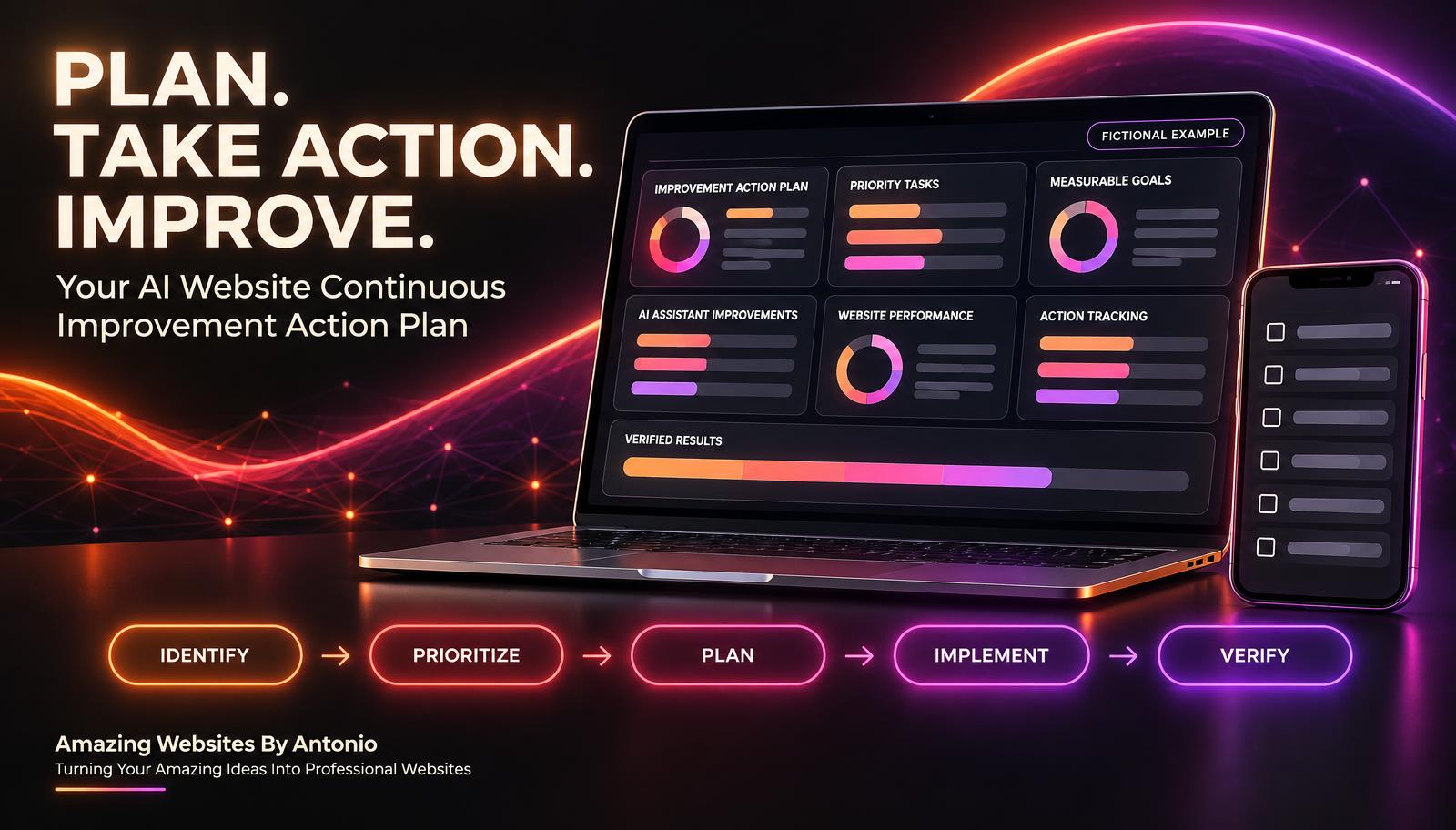
IDENTIFY → PRIORITIZE → PLAN → IMPLEMENT → MEASURE → VERIFY → IMPROVE
THE DIFFERENCE BETWEEN A LESSON LEARNED AND AN IMPROVEMENT ACTION
A lesson learned explains what an experience revealed.
An improvement action defines what you will do about it.
| Lesson Learned | Improvement Action |
|---|---|
| Mobile testing missed a navigation issue | Add mobile menu tests to the publishing checklist |
| AI assistant provided outdated service information | Establish a knowledge review procedure |
| Contact form notifications weren't checked consistently | Add notification testing to release verification |
| Website updates lacked clear documentation | Create a standard change log |
| Improvement tasks remained unfinished | Assign owners, target dates, and review checkpoints |
IMPORTANT:
A lesson becomes valuable when it leads to a useful decision or improvement.
Not every lesson requires a new project, but important findings should receive an appropriate response.
YOUR AI WEBSITE IMPROVEMENT PRIORITY MATRIX
Use impact, urgency, and effort to help organize your work.
| Priority | Typical Characteristics | Recommended Approach |
|---|---|---|
| Critical | Serious security, privacy, or essential workflow risk | Begin appropriate urgent response |
| High | Significant customer impact or recurring failure | Prioritize early |
| Medium | Meaningful improvement with manageable impact | Schedule and track |
| Low | Minor enhancement with limited impact | Complete when practical |
IMPACT VS. EFFORT
| Low Effort | High Effort | |
|---|---|---|
| High Impact | Prioritize early | Plan as a significant project |
| Low Impact | Complete when practical | Reconsider or defer |
For example, improving an AI assistant's approved service descriptions may require relatively little effort while delivering meaningful customer value.
Redesigning an entire website may offer benefits but require additional planning and resources.
REMEMBER:
A serious security or privacy concern should not be delayed simply because fixing it requires significant effort.
CREATE SMART IMPROVEMENT GOALS
SMART goals can help make improvement actions clearer.
S — SPECIFIC
What exactly needs to improve?
M — MEASURABLE
How will you determine whether the improvement worked?
A — ACHIEVABLE
Is the goal realistic with available resources?
R — RELEVANT
Does the improvement support a meaningful business or customer need?
T — TIME-BOUND
When should the work be completed or reviewed?
EXAMPLE
VAGUE GOAL:
Improve my website Contact form.
SMART GOAL:
Within 30 days, update the Contact form verification checklist and successfully complete 10 of 10 defined test submissions across the selected desktop and mobile test conditions, including inquiry storage and notification checks.
This goal defines a specific action and a measurable acceptance target.
The target is an example, not a guarantee that every future customer submission will succeed.
YOUR AI WEBSITE CONTINUOUS IMPROVEMENT DASHBOARD
A dashboard can help you track progress across multiple improvements.
Consider tracking:
- Total improvement ideas
- Approved improvement actions
- Critical and high-priority actions
- Actions not started
- Actions in progress
- Blocked actions
- Actions awaiting verification
- Verified improvements
- Overdue actions
- Measured improvement outcomes
FICTIONAL DASHBOARD EXAMPLE
| Metric | Example |
|---|---|
| Improvement Actions | 20 |
| Not Started | 4 |
| In Progress | 6 |
| Blocked | 2 |
| Awaiting Verification | 3 |
| Verified | 5 |
| High-Priority Open Actions | 4 |
These figures are fictional and do not represent actual Amazing Websites By Antonio website projects.
A useful dashboard should help you make decisions, not simply display numbers.
EXAMPLE CONTINUOUS IMPROVEMENT ACTION REGISTER
The following records are fictional.
| Action ID | Improvement | Priority | Status |
|---|---|---|---|
| IMP-001 | Expand mobile menu testing | High | In Progress |
| IMP-002 | Review AI assistant service knowledge | High | Awaiting Verification |
| IMP-003 | Standardize release notes | Medium | Verified |
| IMP-004 | Improve Contact form notification testing | High | Not Started |
| IMP-005 | Update website maintenance checklist | Medium | In Progress |
Each action should also include an owner, target date, and success criteria.
HOW TO MEASURE WHETHER AN IMPROVEMENT WORKED
Consider the following illustrative examples.
| Improvement | Possible Measurement | Example Success Criterion |
|---|---|---|
| Contact Form Testing | Defined test submissions completed successfully | 10 of 10 pass |
| AI Knowledge Accuracy | Representative questions answered correctly | 19 of 20 pass |
| Mobile Navigation | Required navigation tests passed | All critical tests pass |
| Release Documentation | Releases with complete records | 100% of selected releases |
| Action Tracking | Improvement actions verified by target date | 90% or more |
These are sample targets.
Your actual success criteria should reflect the importance of the feature, business needs, available evidence, and relevant risks.
IMPORTANT:
Passing a limited set of tests does not prove that a feature will work perfectly in every situation.
Measurement supports better decisions, but it must be interpreted carefully.
COMPLETE AI WEBSITE CONTINUOUS IMPROVEMENT CHECKLIST
SECTION 1 — IDENTIFY IMPROVEMENT OPPORTUNITIES
- ☐ Release retrospective findings are reviewed.
- ☐ Monitoring results are considered.
- ☐ Customer feedback is evaluated.
- ☐ AI assistant findings are documented.
- ☐ Improvement ideas are organized.
SECTION 2 — PRIORITIZE ACTIONS
- ☐ Business impact is evaluated.
- ☐ Implementation effort is estimated.
- ☐ Urgency is considered.
- ☐ Dependencies are identified.
- ☐ Critical risks receive appropriate attention.
SECTION 3 — DEFINE GOALS
- ☐ Improvement description is specific.
- ☐ Expected outcome is documented.
- ☐ Success criteria are measurable.
- ☐ Project scope is defined.
- ☐ Target date is realistic.
SECTION 4 — ASSIGN RESPONSIBILITIES
- ☐ Action owner is identified.
- ☐ Required skills are considered.
- ☐ Necessary tools are listed.
- ☐ Resources are estimated.
- ☐ Verification responsibility is assigned.
SECTION 5 — IMPLEMENT IMPROVEMENTS
- ☐ Work is divided into manageable tasks.
- ☐ Appropriate change procedures are followed.
- ☐ Existing functionality is protected.
- ☐ Important decisions are documented.
- ☐ Relevant stakeholders are informed.
SECTION 6 — MEASURE RESULTS
- ☐ Baseline information is recorded where relevant.
- ☐ Post-improvement measurements are collected.
- ☐ Customer workflow outcomes are reviewed.
- ☐ AI assistant results are evaluated where applicable.
- ☐ Missing information is clearly identified.
SECTION 7 — TRACK PROGRESS
- ☐ Improvement status is current.
- ☐ Blocked actions are documented.
- ☐ Target dates are reviewed.
- ☐ Progress updates are recorded.
- ☐ Overdue actions are addressed.
SECTION 8 — VERIFY AND CLOSE
- ☐ Completed work is tested.
- ☐ Success criteria are evaluated.
- ☐ Unintended effects are reviewed.
- ☐ Verification evidence is documented.
- ☐ Actions are closed only when requirements are met.
- ☐ Lessons are incorporated into future work.
COPY-READY AI WEBSITE CONTINUOUS IMPROVEMENT ACTION PLAN
BUSINESS NAME: [Enter Business Name]
WEBSITE: [Enter Website Address]
ACTION PLAN ID: [Enter Identifier]
PLAN DATE: [Enter Date]
PREPARED BY: [Enter Name]
SECTION 1 — IMPROVEMENT OPPORTUNITY
IMPROVEMENT TITLE: [Enter Title]
SOURCE OF IMPROVEMENT: Retrospective / Monitoring / Customer Feedback / AI Testing / Maintenance / Other
PROBLEM OR OPPORTUNITY: [Describe Finding]
BUSINESS IMPACT: [Describe Impact]
AFFECTED WEBSITE AREAS: [List Pages, Features, or Processes]
SECTION 2 — PRIORITY ASSESSMENT
PRIORITY: Critical / High / Medium / Low
URGENCY: [Describe Urgency]
EXPECTED IMPACT: [Describe Benefits]
ESTIMATED EFFORT: [Enter Estimate]
DEPENDENCIES: [List Dependencies]
SECTION 3 — IMPROVEMENT GOAL
SPECIFIC GOAL: [Describe Goal]
EXPECTED OUTCOME: [Describe Result]
SUCCESS CRITERIA: [List Measurable Requirements]
BASELINE MEASUREMENTS: [Enter Available Measurements]
TARGET COMPLETION DATE: [Enter Date]
SECTION 4 — RESPONSIBILITIES
ACTION OWNER: [Enter Name]
IMPLEMENTATION SUPPORT: [List People or Services]
VERIFICATION OWNER: [Enter Name]
REQUIRED TOOLS: [List Tools]
ESTIMATED RESOURCES: [Describe Time, Budget, or Skills]
SECTION 5 — IMPLEMENTATION TASKS
TASK 1: [Describe Task]
TASK 2: [Describe Task]
TASK 3: [Describe Task]
TASK 4: [Describe Task]
TASK 5: [Describe Task]
SECTION 6 — PROGRESS TRACKING
CURRENT STATUS: Not Started / In Progress / Blocked / Testing / Completed / Verified
PROGRESS NOTES: [Enter Notes]
BLOCKERS: [List Blockers or None]
NEXT ACTION: [Describe Next Step]
NEXT REVIEW DATE: [Enter Date]
SECTION 7 — RESULTS AND MEASUREMENT
IMPLEMENTATION DATE: [Enter Date]
POST-IMPROVEMENT RESULTS: [Enter Results]
COMPARISON WITH BASELINE: [Describe Changes]
SUCCESS CRITERIA MET: Yes / No / Partially / Not Verified
UNEXPECTED EFFECTS: [List Findings]
SECTION 8 — VERIFICATION AND CLOSURE
VERIFICATION METHOD: [Describe Method]
VERIFICATION DATE: [Enter Date]
VERIFICATION RESULTS: [Enter Findings]
FINAL STATUS: Verified / Needs Revision / Deferred / Closed Without Implementation
LESSONS LEARNED: [List Lessons]
FOLLOW-UP ACTIONS: [List Actions]
APPROVED BY: [Enter Name]
EXAMPLE AI WEBSITE CONTINUOUS IMPROVEMENT SCENARIO
The following scenario is fictional.
Situation: A Business Owner Wants to Improve AI Assistant Service Accuracy
A business owner has completed a website release retrospective.
During the review, the owner discovers that the AI assistant occasionally provides outdated descriptions of one service.
The owner decides to create a continuous improvement action plan.
Step 1 — Identify the Improvement Opportunity
Problem: The AI assistant sometimes uses outdated service information.
Step 2 — Evaluate the Business Impact
Inaccurate service descriptions could confuse potential customers.
Step 3 — Assign Priority
The owner assigns a priority based on the importance and impact of the incorrect information.
Step 4 — Define the Improvement Goal
Goal: Update approved AI knowledge sources and improve the assistant's accuracy on a defined set of service questions.
Step 5 — Establish Success Criteria
The owner creates 20 representative service questions and defines the correct expected responses.
Step 6 — Assign Responsibility
The website owner is responsible for updating the approved information and coordinating testing.
Step 7 — Implement the Improvement
The owner reviews the relevant knowledge content and updates it through the supported website workflow.
Step 8 — Test the Results
The owner asks the assistant the defined questions and compares the answers with approved information.
Step 9 — Review Remaining Problems
If any important answers remain inaccurate, the action stays open for additional investigation.
Step 10 — Verify and Close
Once the required acceptance criteria are met, the owner documents the results and marks the action verified.
LESSON:
A continuous improvement action plan helps turn a general observation into a specific, measurable, and verifiable result.
YOUR 30-DAY AI WEBSITE CONTINUOUS IMPROVEMENT IMPLEMENTATION PLAN
WEEK 1 — COLLECT AND ORGANIZE IDEAS
- Review completed retrospectives.
- Examine relevant monitoring findings.
- Gather useful customer feedback.
- Identify AI assistant improvement opportunities.
- Create an improvement action register.
GOAL: Build a clear list of meaningful website improvement opportunities.
WEEK 2 — PRIORITIZE AND PLAN
- Evaluate business impact.
- Estimate implementation effort.
- Identify important dependencies.
- Create measurable success criteria.
- Assign owners and target dates.
GOAL: Turn improvement ideas into organized action plans.
WEEK 3 — IMPLEMENT PRIORITY IMPROVEMENTS
- Select manageable priority actions.
- Complete appropriate change procedures.
- Test relevant functionality.
- Record implementation progress.
- Document unexpected problems.
GOAL: Begin producing measurable website improvements.
WEEK 4 — MEASURE AND VERIFY
- Review completed work.
- Compare results with defined success criteria.
- Verify important customer workflows.
- Update improvement action statuses.
- Identify the next set of priorities.
GOAL: Establish a repeatable continuous improvement cycle.
THE AI WEBSITE CONTINUOUS IMPROVEMENT FRAMEWORK
IDENTIFY
Find meaningful improvement opportunities.
↓
PRIORITIZE
Evaluate impact, urgency, effort, and dependencies.
↓
PLAN
Define goals, owners, resources, and success criteria.
↓
IMPLEMENT
Complete the approved improvement work.
↓
MEASURE
Compare results with relevant baselines.
↓
VERIFY
Confirm that the improvement meets its requirements.
↓
DOCUMENT
Record results, lessons, and remaining concerns.
↓
IMPROVE
Apply what you've learned to future website projects.
FINAL THOUGHTS
Creating a professional business website is an exciting accomplishment.
It represents your creativity.
Your services.
Your brand.
And your commitment to helping customers.
But building a successful website isn't a one-time project.
Your business will continue growing.
Customer needs will change.
New technologies will emerge.
And opportunities for improvement will continue appearing.
Some improvements may be small.
A clearer button.
A better Contact form.
A more helpful AI assistant response.
Others may involve larger changes.
New integrations.
Improved automations.
Better website performance.
Or stronger security and accessibility practices.
Whatever the improvement, the most important step is turning useful ideas into meaningful action.
That's why a continuous improvement action plan matters.
It helps you organize opportunities.
Set priorities.
Define measurable goals.
Assign responsibilities.
Track progress.
And verify results.
A LESSON LEARNED IS VALUABLE.
BUT A LESSON TURNED INTO ACTION CAN HELP CREATE LASTING IMPROVEMENT.
Start with one important opportunity.
Define what success looks like.
Create a practical plan.
Complete the work.
Measure the outcome.
And keep improving.
Because professional website management isn't just about recognizing what could be better.
IT'S ABOUT TAKING THOUGHTFUL ACTION TO MAKE IT BETTER.
TURN LESSONS INTO GOALS.
TURN GOALS INTO ACTIONS.
TURN ACTIONS INTO MEASURABLE RESULTS.
KEEP BUILDING BETTER WEBSITES.
Amazing Websites By Antonio
Turning Your Amazing Ideas Into Professional Websites