A Practical Guide to Organizing Troubleshooting Instructions, Documenting Website Solutions, Supporting AI Assistants, Managing Automations, and Building a Reliable Website Maintenance Resource
Imagine you're working on your professional business website.
Everything has been running smoothly.
Your homepage looks beautiful.
Your Contact form is working.
Your AI assistant is answering customer questions.
Your automations are sending notifications.
And your website is helping customers learn more about your business.
Then one day, something unexpected happens.
Your Contact form stops sending notifications.
You begin investigating the problem.
You check the website settings.
Review the automation.
Look at the connected services.
And eventually discover the cause.
After making the appropriate correction, everything works again.
Congratulations!
But a few months later, the same problem happens.
You remember solving it before.
However, you can't remember exactly which setting needed attention.
You search through old messages.
Look through notes.
Review previous website updates.
And spend valuable time investigating something you've already solved.
Here's an important question:
WHAT IF YOU HAD A SEARCHABLE RESOURCE THAT EXPLAINED THE PROBLEM, ITS CAUSE, AND THE STEPS THAT HELPED RESOLVE IT?
That's where an AI website maintenance knowledge base becomes valuable.
AN AI WEBSITE MAINTENANCE KNOWLEDGE BASE IS AN ORGANIZED COLLECTION OF DOCUMENTED WEBSITE PROCEDURES, TROUBLESHOOTING GUIDES, CONFIGURATION REFERENCES, AND VERIFIED SOLUTIONS THAT SUPPORT ONGOING WEBSITE MANAGEMENT.
It helps you preserve useful technical knowledge.
Instead of relying on memory, you can search for documented instructions.
Instead of repeating the same investigation, you can review what worked previously.
And instead of keeping website information scattered across multiple locations, you can organize it into a practical maintenance resource.
For AI-powered websites, a maintenance knowledge base may include:
- Website platform instructions
- Contact form troubleshooting
- AI assistant maintenance
- AI knowledge updates
- Automation support
- Integration troubleshooting
- Website navigation issues
- Mobile usability problems
- Accessibility guidance
- Domain and hosting information
- Website performance checks
- Security procedures
- Backup and recovery references
- Error messages
- Common questions
- Verified solutions
- Maintenance schedules
- Support contacts
The good news?
YOU DON'T NEED A LARGE TECHNOLOGY TEAM TO BUILD A PROFESSIONAL WEBSITE MAINTENANCE KNOWLEDGE BASE.
Even a solo entrepreneur can create one using organized documents, a spreadsheet, or a suitable knowledge management platform.
In Blog #141, we're exploring 50 practical strategies to help you build a knowledge base that makes troubleshooting faster, easier, and more organized.
PART 1: UNDERSTAND WEBSITE MAINTENANCE KNOWLEDGE BASES
1. Know What a Maintenance Knowledge Base Is
A maintenance knowledge base is a collection of documented instructions, verified solutions, and reference information used to support website operations.
2. Understand Why Knowledge Management Matters
Important troubleshooting information can be lost when it is scattered across messages, notes, or individual memories.
3. Distinguish a Knowledge Base From an Issue Tracker
An issue tracker records problems and their progress.
A knowledge base preserves reusable information that helps people understand and resolve similar problems.
4. Identify the Knowledge Base Audience
Determine whether the resource is intended for the business owner, website developer, administrator, or support provider.
5. Establish Clear Knowledge Base Goals
Define what the resource should help you accomplish.
Examples include faster troubleshooting, consistent maintenance, and easier onboarding.
PART 2: PLAN YOUR KNOWLEDGE BASE STRUCTURE
6. Choose a Suitable Platform
Select a tool that supports organized documentation, searching, and appropriate access controls.
7. Create Main Categories
Organize information by website system or maintenance responsibility.
8. Establish Consistent Article Titles
Use clear, descriptive titles that explain the issue or procedure.
9. Create a Standard Article Template
Use the same basic structure for troubleshooting instructions.
10. Define Naming and Tagging Rules
Establish consistent keywords that make articles easier to find.
PART 3: DOCUMENT COMMON WEBSITE PROBLEMS
11. Identify Recurring Issues
Review previously documented website problems.
12. Record Symptoms Clearly
Describe what users or administrators may observe.
13. Document Known Causes
Include causes that have been verified rather than assumed.
14. Write Step-by-Step Troubleshooting Instructions
Organize safe diagnostic steps in a logical sequence.
15. Record Verified Solutions
Document what corrected the problem and how the result was confirmed.
PART 4: CREATE AI ASSISTANT SUPPORT GUIDES
16. Document the AI Assistant's Purpose
Explain which tasks the assistant is intended to support.
17. Identify Approved Knowledge Sources
Record where authorized business information is maintained.
18. Create AI Response Testing Guides
Document representative questions and expected response requirements.
19. Explain Human Handoff Procedures
Describe how customers should be directed to appropriate assistance.
20. Document AI Troubleshooting Procedures
Include instructions for investigating outdated information, unavailable features, or unexpected responses.
PART 5: DOCUMENT AUTOMATIONS AND INTEGRATIONS
21. Create Automation Reference Articles
Explain the purpose of important automated workflows.
22. Document Triggers and Actions
Record what starts each automation and what should happen afterward.
23. Identify Connected Services
Document the platforms involved in each workflow.
24. Record Common Integration Errors
Describe verified error conditions and appropriate investigation steps.
25. Create Automation Testing Instructions
Explain how to verify that workflows perform their intended actions.
PART 6: ORGANIZE MAINTENANCE PROCEDURES
26. Document Routine Website Checks
Create instructions for regular maintenance activities.
27. Write Contact Form Testing Procedures
Explain how to test submissions, storage, and notifications.
28. Create Website Navigation Checklists
Document how to review important pages, links, and buttons.
29. Include Performance Review Instructions
Explain how to collect and compare relevant performance measurements.
30. Reference Backup and Recovery Procedures
Provide authorized access to approved recovery instructions without exposing sensitive credentials.
PART 7: MAKE YOUR KNOWLEDGE BASE SEARCHABLE
31. Use Descriptive Keywords
Include terms people are likely to search for.
32. Add Relevant Tags
Categorize articles by system, problem type, and workflow.
33. Create Related Article Links
Connect troubleshooting guides to relevant maintenance procedures.
34. Maintain a Searchable Article Index
Make it easy to browse available documentation.
35. Review Search Effectiveness
Identify common searches that do not return useful guidance.
PART 8: MAINTAIN ACCURACY AND SECURITY
36. Assign Article Owners
Identify who is responsible for reviewing each article.
37. Record Review Dates
Document when instructions were last verified.
38. Establish Version Control
Track important changes to maintenance procedures.
39. Protect Sensitive Information
Keep passwords, API keys, recovery codes, and private customer records out of ordinary knowledge base articles.
40. Archive Outdated Guidance
Clearly distinguish obsolete instructions from current approved procedures.
PART 9: IMPROVE TROUBLESHOOTING WORKFLOWS
41. Connect Issues to Knowledge Articles
Link recurring problems to relevant troubleshooting instructions.
42. Document New Solutions
Create or update articles after verified fixes.
43. Identify Documentation Gaps
Look for recurring questions that lack useful guidance.
44. Measure Knowledge Base Usefulness
Review whether articles help users complete troubleshooting tasks.
45. Improve Difficult Instructions
Revise articles that are confusing, incomplete, or frequently unsuccessful.
PART 10: BUILD LONG-TERM KNOWLEDGE MANAGEMENT
46. Establish a Documentation Review Schedule
Review important articles regularly and after relevant system changes.
47. Include Knowledge Updates in Website Changes
Update affected documentation whenever features or integrations change.
48. Prepare for Future Handover
Organize articles so another authorized person can understand the system if necessary.
49. Capture Lessons Learned
Turn useful maintenance experiences into reusable guidance.
50. Make Knowledge Management Part of Your Business Routine
Treat documentation as an ongoing responsibility rather than a one-time project.
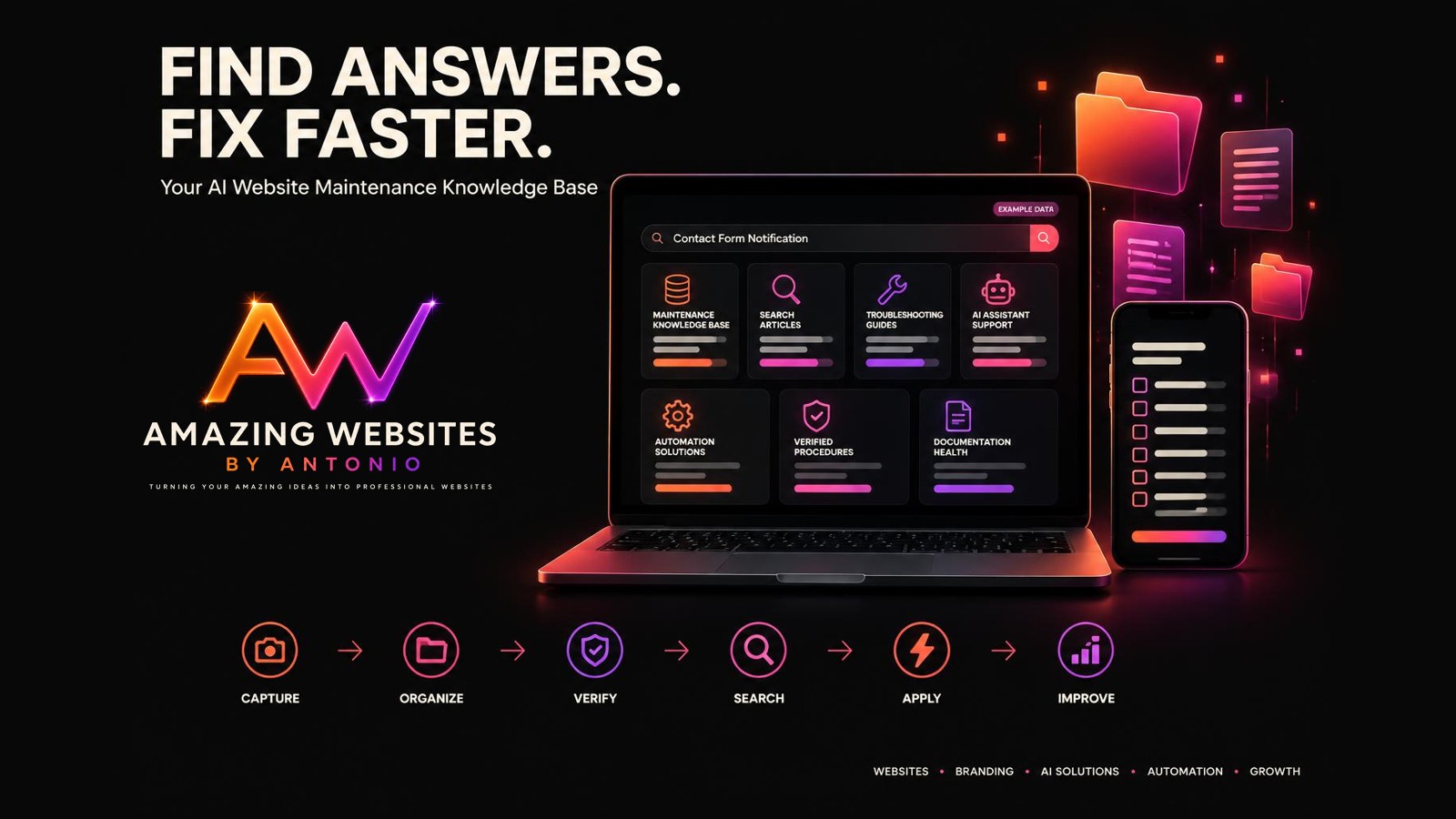
CAPTURE → ORGANIZE → VERIFY → PUBLISH → SEARCH → APPLY → IMPROVE
WHY YOUR WEBSITE NEEDS A MAINTENANCE KNOWLEDGE BASE
A website maintenance knowledge base helps answer important questions.
What should I check when a Contact form stops working?
How do I test my AI assistant?
Where can I find automation troubleshooting instructions?
Which integration supports a particular workflow?
What should I do when an error appears?
How do I verify that a correction worked?
A knowledge base gives you an organized starting point.
It does not replace technical judgment or platform support.
Instead, it helps you find relevant information and follow documented procedures.
THE GOAL ISN'T TO DOCUMENT EVERY POSSIBLE PROBLEM.
THE GOAL IS TO MAKE IMPORTANT, REUSABLE WEBSITE KNOWLEDGE EASIER TO FIND AND APPLY.
KNOWLEDGE BASE VS. ISSUE TRACKER VS. MAINTENANCE LOG
These tools support different responsibilities.
| Tool | Primary Purpose |
|---|---|
| Knowledge Base | Stores reusable instructions and verified solutions |
| Issue Tracker | Tracks problems, owners, priorities, and resolution status |
| Maintenance Log | Records completed maintenance activities and changes |
EXAMPLE
An issue tracker records that Contact form notifications are failing.
A maintenance log records when the notification configuration was corrected.
A knowledge base article explains how to investigate similar notification problems in the future.
TOGETHER, THESE RESOURCES CREATE A MORE ORGANIZED WEBSITE SUPPORT PROCESS.
YOUR AI WEBSITE KNOWLEDGE BASE STRUCTURE
Consider organizing your documentation into the following categories.
CATEGORY 1 — WEBSITE PLATFORM
- Platform overview
- Administrative navigation
- Website settings
- Publishing procedures
- Platform support references
CATEGORY 2 — CONTACT FORMS
- Form testing
- Submission storage
- Email notifications
- Validation errors
- Troubleshooting procedures
CATEGORY 3 — AI ASSISTANTS
- Approved knowledge sources
- Response testing
- Human handoff
- Knowledge updates
- AI troubleshooting
CATEGORY 4 — AUTOMATIONS
- Workflow inventory
- Trigger configuration
- Expected actions
- Integration errors
- Workflow testing
CATEGORY 5 — WEBSITE PERFORMANCE
- Page loading checks
- Mobile testing
- Navigation issues
- Accessibility reviews
- Performance troubleshooting
CATEGORY 6 — SECURITY AND DATA
- Access review procedures
- Privacy requirements
- Data retention references
- Security incident guidance
- Approved recovery resources
CATEGORY 7 — MAINTENANCE AND SUPPORT
- Routine maintenance checklists
- Support contacts
- Troubleshooting guides
- Maintenance schedules
- Issue escalation procedures
YOUR KNOWLEDGE BASE ARTICLE NAMING SYSTEM
Consistent article titles make searching easier.
Consider using:
[SYSTEM] — [PROBLEM OR PROCEDURE] — [SPECIFIC PURPOSE]
EXAMPLES
- Contact Form — Notification Not Received — Troubleshooting Guide
- AI Assistant — Incorrect Business Information — Review Procedure
- Automation — Trigger Not Running — Diagnostic Checklist
- Website Navigation — Broken Link — Verification Procedure
- Website Performance — Slow Page Loading — Investigation Guide
Use familiar terms rather than complicated technical language when possible.
THE SEVEN PARTS OF A USEFUL TROUBLESHOOTING ARTICLE
Every troubleshooting article should answer seven questions.
1. WHAT IS THE PROBLEM?
Describe the symptoms.
2. WHICH SYSTEM IS AFFECTED?
Identify the relevant website feature or integration.
3. WHAT ARE THE POSSIBLE CAUSES?
List reasonable possibilities and distinguish them from verified causes.
4. WHAT SHOULD BE CHECKED FIRST?
Provide safe initial diagnostic steps.
5. HOW SHOULD THE PROBLEM BE RESOLVED?
Document approved corrective procedures.
6. HOW DO YOU VERIFY THE FIX?
Explain the testing required to confirm success.
7. WHEN SHOULD THE ISSUE BE ESCALATED?
Identify situations that require additional support or immediate protective action.
YOUR WEBSITE TROUBLESHOOTING WORKFLOW
IDENTIFY THE PROBLEM
↓
SEARCH THE KNOWLEDGE BASE
↓
REVIEW RELEVANT INSTRUCTIONS
↓
CHECK SYSTEM STATUS AND DEPENDENCIES
↓
FOLLOW SAFE DIAGNOSTIC STEPS
↓
APPLY AN APPROVED CORRECTION
↓
TEST THE RESULT
↓
DOCUMENT THE OUTCOME
↓
UPDATE THE KNOWLEDGE BASE IF NEEDED
IMPORTANT:
Do not make unverified production changes simply because an older article recommends them.
Confirm that instructions still apply to the current platform and configuration.
EXAMPLE KNOWLEDGE BASE ARTICLE
ARTICLE TITLE
Contact Form — Email Notification Not Received — Troubleshooting Guide
ARTICLE ID: KB-CF-001
CATEGORY: Contact Forms
STATUS: Example — Not Verified for a Specific Website
PROBLEM DESCRIPTION
A Contact form submission appears to complete successfully, but the expected email notification does not arrive.
POSSIBLE CAUSES
- Notification workflow is disabled.
- Recipient address is incorrect.
- Email delivery is delayed.
- Message is filtered.
- Connected integration is unavailable.
- Form submission does not activate the expected trigger.
These are possibilities, not confirmed diagnoses.
INITIAL CHECKS
- Confirm whether the submission was stored.
- Review the configured notification recipient.
- Check the notification workflow status.
- Review available delivery or automation logs.
- Check whether the message was filtered.
- Look for relevant service errors.
CORRECTIVE ACTION
Use the platform's supported procedures to correct a verified configuration or connection problem.
Avoid changing unrelated settings.
VERIFICATION
Submit safe test information.
Confirm that the submission is stored and the expected notification is delivered.
ESCALATION
If the issue remains unresolved, contact the appropriate platform or integration support provider.
DOCUMENTATION STATUS
This example must be adapted and verified before being used as a production troubleshooting procedure.
YOUR KNOWLEDGE BASE ARTICLE QUALITY SCORECARD
Use this illustrative scorecard to review documentation quality.
Assign:
- 2 points: Requirement satisfied
- 1 point: Partially satisfied
- 0 points: Requirement not satisfied
| Article Quality Category | Maximum Points |
|---|---|
| Clear Article Title | 2 |
| Accurate Problem Description | 2 |
| Relevant System Identified | 2 |
| Diagnostic Steps Documented | 2 |
| Approved Solution Explained | 2 |
| Verification Steps Included | 2 |
| Escalation Guidance Available | 2 |
| Search Tags Included | 2 |
| Article Owner Assigned | 2 |
| Review Date Recorded | 2 |
| Total | 20 |
A high score suggests the article is well organized.
However, documentation quality cannot be established by formatting alone.
Instructions must also be accurate, current, safe, and appropriate for the system involved.
YOUR AI WEBSITE KNOWLEDGE BASE DASHBOARD
A knowledge base dashboard can help organize documentation progress.
Consider tracking:
- Total published articles
- Draft articles
- Verified troubleshooting guides
- Articles awaiting review
- Outdated articles
- Frequently searched topics
- Unanswered search queries
- Recurring problems with documented solutions
- Articles updated after system changes
- Documentation ownership coverage
FICTIONAL DASHBOARD EXAMPLE
| Metric | Example |
|---|---|
| Total Articles | 45 |
| Published Articles | 35 |
| Draft Articles | 10 |
| Verified Troubleshooting Guides | 24 |
| Articles Awaiting Review | 6 |
| Outdated Articles | 3 |
| New Articles This Month | 5 |
| Documentation Gaps Identified | 4 |
These figures are fictional and do not represent actual Amazing Websites By Antonio documentation activity.
HOW TO MEASURE KNOWLEDGE BASE USEFULNESS
One possible measure is the percentage of eligible troubleshooting attempts resolved using a knowledge base article without additional escalation.
DOCUMENTED RESOLUTION RATE = (ELIGIBLE ISSUES RESOLVED USING DOCUMENTED GUIDANCE ÷ TOTAL ELIGIBLE ISSUES WHERE GUIDANCE WAS USED) × 100
FICTIONAL EXAMPLE
A business uses knowledge base articles during 20 eligible troubleshooting attempts.
The documented guidance helps resolve 15 attempts without escalation.
15 ÷ 20 × 100 = 75%
This metric may help identify useful documentation.
However, it should not encourage avoiding necessary escalation.
Some problems require expert assistance, and escalating them is the correct outcome.
COMPLETE AI WEBSITE MAINTENANCE KNOWLEDGE BASE CHECKLIST
SECTION 1 — PLANNING
- Knowledge base purpose is defined.
- Intended audience is identified.
- Suitable platform is selected.
- Documentation responsibilities are established.
- Success criteria are documented.
SECTION 2 — ORGANIZATION
- Main categories are created.
- Article naming rules are established.
- Standard templates are prepared.
- Tags and keywords are defined.
- Searchable article index is available.
SECTION 3 — TROUBLESHOOTING
- Recurring problems are identified.
- Symptoms are documented.
- Possible causes are distinguished from verified causes.
- Safe diagnostic steps are included.
- Verified solutions are recorded.
SECTION 4 — AI ASSISTANTS
- AI assistant purpose is documented.
- Approved knowledge sources are identified.
- Representative response tests are recorded.
- Human handoff procedures are available.
- AI troubleshooting guidance is prepared.
SECTION 5 — AUTOMATIONS
- Important workflows are documented.
- Triggers and actions are described.
- Connected services are identified.
- Known integration errors are recorded.
- Automation testing procedures are available.
SECTION 6 — MAINTENANCE
- Routine checks are documented.
- Contact Form testing instructions are available.
- Navigation testing guidance is prepared.
- Performance review procedures are included.
- Backup and recovery references are available.
SECTION 7 — SEARCH AND ACCESS
- Article titles are descriptive.
- Relevant keywords are included.
- Articles use consistent tags.
- Related articles are linked.
- Search effectiveness is reviewed.
SECTION 8 — ACCURACY AND SECURITY
- Article owners are assigned.
- Review dates are recorded.
- Version histories are maintained.
- Sensitive information is protected.
- Outdated instructions are archived appropriately.
SECTION 9 — CONTINUOUS IMPROVEMENT
- Recurring issues are linked to articles.
- Verified solutions are documented.
- Documentation gaps are tracked.
- Article usefulness is reviewed.
- Maintenance procedures are updated after changes.
COPY-READY AI WEBSITE MAINTENANCE KNOWLEDGE BASE ARTICLE TEMPLATE
BUSINESS NAME:
[Enter Business Name]
WEBSITE:
[Enter Website Address]
ARTICLE ID:
[Enter Identifier]
ARTICLE TITLE:
[Enter Title]
CATEGORY:
[Enter Category]
TAGS:
[List Keywords]
ARTICLE STATUS:
Draft / Under Review / Verified / Published / Archived
ARTICLE OWNER:
[Enter Name]
DATE CREATED:
[Enter Date]
LAST VERIFIED:
[Enter Date]
SECTION 1 — PURPOSE
WHAT DOES THIS ARTICLE HELP WITH?
[Describe Purpose]
INTENDED AUDIENCE:
[Describe Audience]
SECTION 2 — AFFECTED SYSTEM
WEBSITE FEATURE:
[Enter Feature]
PLATFORM OR SERVICE:
[Enter Service]
RELATED INTEGRATIONS:
[List Integrations]
APPLICABLE CONFIGURATION OR VERSION:
[Enter Details]
SECTION 3 — PROBLEM OR PROCEDURE
PROBLEM DESCRIPTION:
[Describe Problem]
OBSERVED SYMPTOMS:
[List Symptoms]
BUSINESS IMPACT:
[Describe Impact]
SECTION 4 — POSSIBLE CAUSES
POSSIBLE CAUSE 1:
[Describe Possibility]
POSSIBLE CAUSE 2:
[Describe Possibility]
POSSIBLE CAUSE 3:
[Describe Possibility]
VERIFIED CAUSE, IF KNOWN:
[Enter Verified Finding]
SECTION 5 — DIAGNOSTIC PROCEDURE
STEP 1:
[Enter Step]
STEP 2:
[Enter Step]
STEP 3:
[Enter Step]
STEP 4:
[Enter Step]
EXPECTED DIAGNOSTIC RESULTS:
[Enter Results]
SECTION 6 — APPROVED CORRECTIVE ACTION
CORRECTION PROCEDURE:
[Describe Approved Procedure]
REQUIRED AUTHORIZATION:
[Enter Requirement]
POTENTIAL RISKS:
[List Risks]
RECOVERY REFERENCE:
[Enter Reference]
SECTION 7 — VERIFICATION
TEST PROCEDURE:
[Describe Test]
EXPECTED RESULT:
[Enter Result]
ACTUAL RESULT:
[Enter Result]
VERIFICATION STATUS:
Pass / Fail / Needs Review / Not Tested
SECTION 8 — ESCALATION
WHEN TO ESCALATE:
[Describe Conditions]
SUPPORT CONTACT:
[Enter Approved Contact]
RELATED ISSUE TRACKER REFERENCE:
[Enter Reference]
SECTION 9 — RELATED DOCUMENTATION
RELATED ARTICLES:
[List Articles]
MAINTENANCE LOG REFERENCES:
[List References]
PLATFORM DOCUMENTATION REFERENCES:
[List References]
SECTION 10 — ARTICLE REVIEW
REVIEWED BY:
[Enter Name]
REVIEW DATE:
[Enter Date]
CHANGES MADE:
[List Changes]
NEXT REVIEW DATE:
[Enter Date]
FINAL ARTICLE STATUS:
Draft / Verified / Published / Archived
EXAMPLE AI WEBSITE MAINTENANCE KNOWLEDGE BASE SCENARIO
The following scenario is fictional.
Situation: A Solo Entrepreneur Creates a Troubleshooting Knowledge Base
A solo entrepreneur manages a professional business website with a Contact form, AI assistant, and several automations.
The website works well most of the time.
However, occasional integration problems require troubleshooting.
The entrepreneur decides to organize maintenance knowledge into one searchable resource.
Step 1 — Identify Common Problems
The entrepreneur reviews previously recorded website issues.
Step 2 — Create Categories
The knowledge base is organized into Contact Forms, AI Assistants, Automations, Website Performance, and Security.
Step 3 — Write the First Article
The entrepreneur documents a previously resolved notification problem.
Step 4 — Verify the Instructions
The troubleshooting steps are checked against the current platform configuration.
Step 5 — Add Search Keywords
The article includes terms such as Contact Form, Email Notification, and Automation.
Step 6 — Create AI Assistant Guidance
The entrepreneur documents how to test representative questions and update approved business information.
Step 7 — Document Automations
Important workflow triggers, actions, and connected services are recorded.
Step 8 — Establish Article Ownership
The entrepreneur assigns responsibility for reviewing documentation.
Step 9 — Review Search Results
The entrepreneur checks whether articles can be found using common problem descriptions.
Step 10 — Maintain the Knowledge Base
New verified solutions are added, and outdated instructions are reviewed.
LESSON:
A maintenance knowledge base becomes more valuable when it is updated as part of everyday website management.
YOUR 30-DAY AI WEBSITE MAINTENANCE KNOWLEDGE BASE IMPLEMENTATION PLAN
WEEK 1 — PLAN AND ORGANIZE
- Choose a knowledge base platform.
- Define the intended audience.
- Create main categories.
- Establish article naming rules.
- Prepare a standard template.
GOAL: Build an organized foundation for your documentation.
WEEK 2 — DOCUMENT IMPORTANT PROCEDURES
- Identify recurring website problems.
- Write Contact Form troubleshooting guides.
- Document AI assistant maintenance.
- Create automation support articles.
- Add relevant maintenance checklists.
GOAL: Capture useful instructions for important website systems.
WEEK 3 — IMPROVE SEARCH AND QUALITY
- Add descriptive keywords.
- Create article tags.
- Link related documentation.
- Verify important troubleshooting instructions.
- Review access permissions and sensitive information.
GOAL: Make the knowledge base easier to search and safer to use.
WEEK 4 — TEST AND MAINTAIN
- Search for common problems.
- Review article usefulness.
- Correct unclear instructions.
- Assign review responsibilities.
- Establish ongoing documentation updates.
GOAL: Make the knowledge base part of routine website management.
THE AI WEBSITE MAINTENANCE KNOWLEDGE BASE FRAMEWORK
CAPTURE
Document important website knowledge.
↓
ORGANIZE
Group information into useful categories.
↓
VERIFY
Confirm that instructions are accurate and appropriate.
↓
PUBLISH
Make approved guidance available to authorized users.
↓
SEARCH
Find relevant instructions when problems arise.
↓
APPLY
Use documented procedures to support troubleshooting.
↓
IMPROVE
Update articles using verified results and lessons learned.
FINAL THOUGHTS
Creating a professional business website is an exciting accomplishment.
It represents your creativity.
Your services.
Your brand.
And your commitment to helping customers.
But as your business grows, your website becomes more complex.
You may introduce new AI tools.
Connect additional automations.
Update your Contact forms.
Migrate important features.
And improve the ways customers interact with your business.
These improvements can create exciting opportunities.
But they also make organized website knowledge more important.
That's why an AI website maintenance knowledge base matters.
It helps you document common problems.
Preserve verified solutions.
Organize troubleshooting procedures.
Maintain AI assistants.
Support automations.
And make important instructions easier to find.
A PROFESSIONAL WEBSITE DOESN'T JUST NEED GOOD TECHNOLOGY.
IT ALSO NEEDS ORGANIZED KNOWLEDGE THAT HELPS KEEP THAT TECHNOLOGY WORKING.
Start with your most important website systems.
Document recurring problems.
Verify your solutions.
Organize your articles.
And keep your information current.
Because professional website management isn't just about solving problems.
IT'S ABOUT LEARNING FROM THOSE SOLUTIONS AND MAKING FUTURE MAINTENANCE EASIER.
CAPTURE YOUR KNOWLEDGE.
ORGANIZE YOUR SOLUTIONS.
SIMPLIFY YOUR MAINTENANCE.
KEEP BUILDING BETTER WEBSITES.
Amazing Websites By Antonio
Turning Your Amazing Ideas Into Professional Websites