A Practical Guide to Organizing Website Documentation, Securing Access, Managing AI Assistants, Assigning Responsibilities, and Preparing Your New Website Systems for Long-Term Success
Imagine you've just completed an important improvement to your professional business website.
You've moved your Contact form to a better platform.
Updated your AI assistant.
Migrated important customer information.
Rebuilt automations.
Connected new integrations.
Tested the replacement workflows.
Validated your data.
And monitored the new systems after launch.
Everything appears to be working as expected.
Congratulations!
But here's another important question:
WHO WILL MAINTAIN EVERYTHING NOW THAT THE MIGRATION IS COMPLETE?
Where are the new system settings documented?
Who manages the AI assistant?
Where can you find your integration information?
How will you remember which automations are connected?
Who checks whether the Contact form is working?
What happens when a subscription needs renewal?
And where are your troubleshooting instructions when something goes wrong?
These questions are important because a successful migration is only part of managing a professional website.
You also need a reliable process for ongoing maintenance.
That's where an AI website post-migration handover checklist becomes valuable.
AN AI WEBSITE POST-MIGRATION HANDOVER CHECKLIST IS A STRUCTURED DOCUMENT USED TO TRANSFER OR ORGANIZE THE INFORMATION, RESPONSIBILITIES, ACCESS, PROCEDURES, AND SUPPORT RESOURCES REQUIRED TO MAINTAIN A WEBSITE SYSTEM AFTER MIGRATION.
It helps ensure that important knowledge doesn't disappear when a project ends.
Instead of relying on memory, you document essential information.
Instead of wondering who is responsible for maintenance, you establish ownership.
And instead of searching through scattered messages whenever something needs attention, you organize your support resources.
For AI-powered websites, a handover checklist may cover:
- Website platform information
- Domain and hosting responsibilities
- Contact form settings
- AI assistant configurations
- AI knowledge sources
- Automations
- Third-party integrations
- Data storage locations
- Access permissions
- Subscription renewals
- Maintenance schedules
- Monitoring procedures
- Backup and recovery information
- Customer support processes
- Security and privacy requirements
- Outstanding issues
- Future improvement opportunities
The good news?
YOU DON'T NEED A LARGE TECHNOLOGY TEAM TO CREATE A PROFESSIONAL WEBSITE HANDOVER CHECKLIST.
Even a solo entrepreneur can use a structured document, spreadsheet, and secure credential manager to organize important website information.
In Blog #140, we're exploring 50 practical strategies to help you prepare your migrated website systems for long-term management.
PART 1: UNDERSTAND POST-MIGRATION HANDOVER
1. Know What Website Handover Means
Website handover is the organized transfer or confirmation of the information and responsibilities required to operate and maintain a website.
2. Understand Why Handover Matters
A technically successful migration can still create maintenance problems when essential knowledge is undocumented.
3. Separate Stabilization From Handover
Stabilization confirms that the new system continues operating reliably.
Handover prepares the system for routine management and support.
4. Identify the Handover Audience
Determine whether the information is intended for the business owner, website developer, administrator, or support provider.
5. Establish Handover Completion Requirements
Define what must be documented, reviewed, and accepted before the migration project is closed.
PART 2: DOCUMENT WEBSITE SYSTEM INFORMATION
6. Record the Website Platform
Document the platform used to manage the website and its relevant administrative responsibilities.
7. Document Domain and Hosting Arrangements
Identify the responsible providers, renewal arrangements, and authorized administrators.
8. Record Important Website Features
Maintain an inventory of critical pages, forms, tools, and services.
9. Document System Configurations
Record relevant settings without exposing passwords or other secrets.
10. Organize Technical Documentation
Store important instructions and reference materials in a location accessible to authorized people.
PART 3: ORGANIZE ACCESS AND PERMISSIONS
11. Identify Required Administrative Accounts
List the accounts needed to manage the website and connected services.
12. Review Access Permissions
Confirm that each authorized person has only the access required for their responsibilities.
13. Use Secure Credential Storage
Keep passwords, recovery codes, and API secrets in an appropriate secure system rather than ordinary handover documents.
14. Review Multi-Factor Authentication
Confirm that important accounts use supported security protections.
15. Document Access Recovery Procedures
Record how authorized administrators can recover access if needed.
PART 4: HAND OVER AI ASSISTANT MANAGEMENT
16. Document the AI Assistant's Purpose
Explain which customer or business needs the assistant supports.
17. Identify Approved Knowledge Sources
Record where the assistant obtains its approved business information.
18. Document AI Configuration Requirements
Describe important response rules, supported capabilities, and limitations.
19. Explain Human Handoff Procedures
Document how customers can reach human assistance.
20. Establish AI Review Responsibilities
Identify who checks answer accuracy and updates approved information.
PART 5: DOCUMENT AUTOMATIONS AND INTEGRATIONS
21. Create an Automation Inventory
List the active workflows connected to the website.
22. Document Workflow Triggers
Explain which events start each automation.
23. Record Expected Actions
Describe what each workflow should accomplish.
24. Identify Connected Services
Document the platforms and integrations involved.
25. Establish Automation Maintenance Procedures
Explain how to review failures, update connections, and verify corrections.
PART 6: PREPARE MAINTENANCE AND MONITORING
26. Establish a Routine Maintenance Schedule
Identify the checks and updates needed to keep the website functioning.
27. Document Contact Form Testing
Explain how to verify that inquiries can be submitted, stored, and received.
28. Define Website Monitoring Procedures
Identify relevant availability, performance, and error indicators.
29. Document Backup and Recovery Responsibilities
Record who maintains backups and how recovery procedures are accessed.
30. Establish an Issue Reporting Process
Create a consistent method for documenting and responding to problems.
PART 7: DOCUMENT DATA AND SECURITY RESPONSIBILITIES
31. Identify Important Data Locations
Document where relevant business information is stored.
32. Review Data Access Requirements
Confirm that only authorized people can access private information.
33. Document Retention Responsibilities
Identify who reviews applicable data retention and deletion requirements.
34. Establish Security Review Procedures
Document relevant access reviews, updates, and incident response responsibilities.
35. Prepare Privacy Incident Guidance
Record where authorized personnel can find the approved procedures for responding to suspected data incidents.
PART 8: ORGANIZE SUPPORT AND BUSINESS CONTINUITY
36. Identify Support Contacts
Record the appropriate contact channels for the website platform and connected providers.
37. Document Common Troubleshooting Steps
Prepare instructions for recurring issues.
38. Identify Critical Business Workflows
List the functions that must remain available for customers and operations.
39. Establish Escalation Procedures
Explain what to do when an issue cannot be resolved through routine maintenance.
40. Review Business Continuity Requirements
Confirm that essential services have appropriate response or recovery arrangements.
PART 9: COMPLETE THE HANDOVER REVIEW
41. Review the Documentation Package
Confirm that required information is available and current.
42. Verify Administrative Access
Ensure that authorized owners can reach the systems they need.
43. Demonstrate Important Maintenance Tasks
Walk through representative procedures rather than relying only on written instructions.
44. Review Outstanding Issues
Document unresolved problems, owners, and next steps.
45. Record Handover Acceptance
Confirm that the responsible owner accepts the ongoing maintenance responsibilities.
PART 10: MAINTAIN HANDOVER DOCUMENTATION
46. Schedule Documentation Reviews
Review important records when systems or responsibilities change.
47. Update Integration Information
Record changes to connected services and workflows.
48. Maintain Current Support Contacts
Keep provider and administrator information accurate.
49. Capture Lessons Learned
Use migration and handover experiences to improve future projects.
50. Make Documentation Part of Website Management
Treat documentation updates as a normal part of maintaining a professional business website.
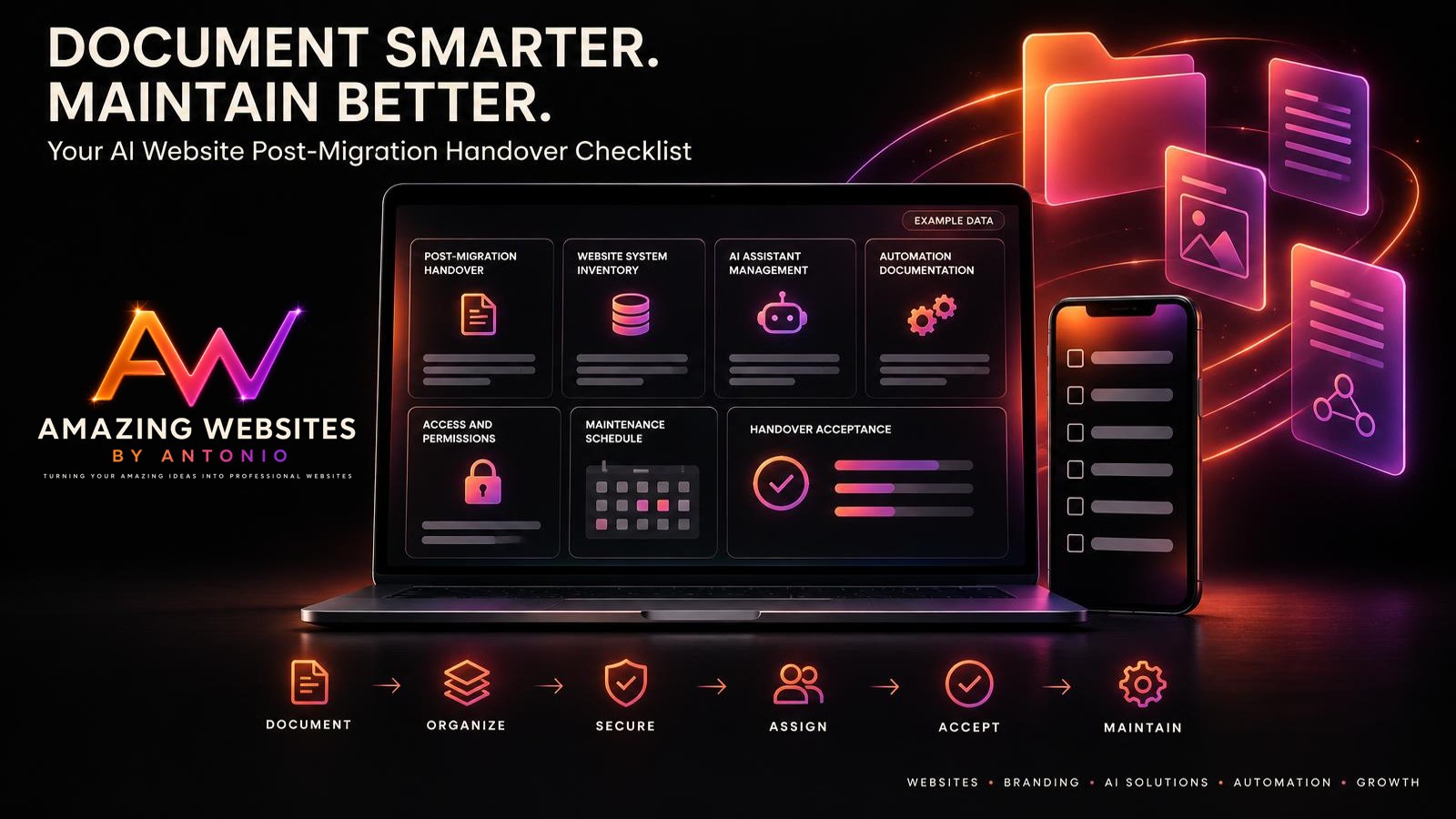
DOCUMENT → ORGANIZE → SECURE → ASSIGN → DEMONSTRATE → ACCEPT → MAINTAIN
WHY POST-MIGRATION HANDOVER IS IMPORTANT
A website migration can be technically complete without being operationally ready.
For example:
Your Contact form may work correctly.
But nobody knows where its submissions are stored.
Your AI assistant may provide accurate answers.
But nobody knows how to update its knowledge.
Your automation may work perfectly.
But nobody knows which external service controls it.
Your website may have a recovery procedure.
But the responsible person cannot find it.
These situations create unnecessary maintenance risks.
A GOOD HANDOVER MAKES IMPORTANT INFORMATION ACCESSIBLE TO THE RIGHT PEOPLE WHEN THEY NEED IT.
POST-MIGRATION STABILIZATION VS. HANDOVER
| Stabilization | Handover |
|---|---|
| Monitors system reliability | Organizes ongoing responsibility |
| Identifies post-launch problems | Documents maintenance procedures |
| Verifies operational performance | Confirms access and support readiness |
| Resolves migration-related issues | Transfers or confirms ownership |
| Supports transition readiness | Supports routine maintenance |
Both activities are important.
A system should not be considered fully handed over simply because it passed technical testing.
THE SEVEN ESSENTIAL HANDOVER DOCUMENTS
A professional handover package can include seven important documents.
1. WEBSITE SYSTEM INVENTORY
A list of important website features, platforms, and integrations.
2. ACCESS AND PERMISSIONS REGISTER
A record of authorized administrators and their responsibilities.
Do not include passwords or API secrets in the register.
3. AI ASSISTANT MANAGEMENT GUIDE
Instructions for maintaining approved knowledge and testing responses.
4. AUTOMATION AND INTEGRATION REGISTER
A list of connected workflows, triggers, actions, and owners.
5. WEBSITE MAINTENANCE SCHEDULE
A plan for recurring website checks and updates.
6. SUPPORT AND RECOVERY GUIDE
Instructions for responding to common problems and serious disruptions.
7. HANDOVER ACCEPTANCE RECORD
Documentation confirming that ongoing responsibilities have been accepted.
YOUR WEBSITE MAINTENANCE RESPONSIBILITY MATRIX
Even a solo entrepreneur benefits from clearly assigned responsibilities.
| Website Area | Responsibility | Example Review Frequency |
|---|---|---|
| Website Platform | Review platform notices and updates | Monthly |
| Contact Form | Verify inquiry workflow | Weekly |
| AI Assistant | Review approved answers | Monthly or after changes |
| Automations | Review workflow results and errors | Weekly |
| Integrations | Check connections and permissions | Monthly |
| Data Protection | Review access and retention needs | Periodically and after changes |
| Domain and Subscriptions | Review renewals and billing | Monthly |
| Backup and Recovery | Confirm recovery readiness | According to risk and platform capability |
These frequencies are illustrative and should be adjusted to the importance of each system.
HOW TO ORGANIZE YOUR WEBSITE ACCESS INFORMATION
A handover document should identify where access is managed without revealing secret credentials.
EXAMPLE ACCESS REGISTER
| System | Responsible Owner | Access Information |
|---|---|---|
| Website Platform | Business Owner | Managed through authorized platform account |
| Domain Provider | Business Owner | Managed through registrar account |
| AI Assistant | Assigned Administrator | Managed through AI service account |
| Automation Platform | Assigned Administrator | Managed through automation service |
| Email Notifications | Business Owner | Managed through approved email settings |
| Payment Integration | Authorized Account Owner | Managed through payment provider |
IMPORTANT SECURITY RULE:
Never paste passwords, API keys, recovery codes, or private customer information into ordinary website documentation.
Use an appropriate secure credential manager and restrict access to authorized people.
YOUR AI ASSISTANT HANDOVER CHECKLIST
Before completing the handover of an AI assistant, verify that the maintenance owner understands:
- The assistant's intended purpose
- The approved knowledge sources
- How knowledge is updated
- How representative questions are tested
- What the assistant should not claim
- How customers reach human assistance
- How incorrect responses are documented
- How privacy-sensitive situations are handled
- Which service provides the assistant
- Who is responsible for ongoing review
AN AI ASSISTANT NEEDS MORE THAN AN INITIAL CONFIGURATION. IT ALSO NEEDS CLEAR ONGOING OWNERSHIP.
YOUR AUTOMATION HANDOVER WORKFLOW
Consider a Contact form automation.
CUSTOMER SUBMITS CONTACT FORM
↓
FORM VALIDATES SUBMISSION
↓
INQUIRY IS STORED
↓
NOTIFICATION WORKFLOW RUNS
↓
BUSINESS OWNER RECEIVES NOTIFICATION
↓
CUSTOMER INQUIRY IS READY FOR FOLLOW-UP
The handover should explain:
- Which system handles the Contact form
- Where inquiry records are stored
- Which automation sends notifications
- Where errors can be reviewed
- Who maintains the integration
- How to test the workflow
- What to do when the automation fails
This information helps future maintenance become more organized.
YOUR HANDOVER READINESS SCORECARD
Use this illustrative scorecard to evaluate preparation.
Assign:
- 2 points: Requirement completed and verified
- 1 point: Partially completed
- 0 points: Not completed
| Handover Category | Maximum Points |
|---|---|
| System Inventory Complete | 2 |
| Configuration Documentation Available | 2 |
| Access and Permissions Reviewed | 2 |
| AI Assistant Documentation Complete | 2 |
| Automation Documentation Complete | 2 |
| Maintenance Schedule Established | 2 |
| Security and Data Responsibilities Defined | 2 |
| Support and Recovery Information Available | 2 |
| Outstanding Issues Documented | 2 |
| Handover Acceptance Recorded | 2 |
| Total | 20 |
Illustrative Interpretation
| Score | Suggested Interpretation |
|---|---|
| 18–20 | Generally ready for handover |
| 14–17 | Minor preparation gaps |
| 10–13 | Significant documentation or ownership gaps |
| 0–9 | Handover preparation is incomplete |
IMPORTANT:
This scorecard is a planning aid, not a guarantee of operational readiness.
Missing critical access, recovery, security, or business continuity requirements must be resolved independently of the total score.
YOUR AI WEBSITE HANDOVER DASHBOARD
A dashboard can help track the completion of handover activities.
FICTIONAL DASHBOARD EXAMPLE
| Metric | Example |
|---|---|
| Website Systems Documented | 12 |
| Integrations Documented | 8 |
| Administrative Access Reviews Complete | 6 |
| Maintenance Procedures Prepared | 10 |
| Support Contacts Verified | 5 |
| Outstanding Handover Issues | 2 |
| Critical Handover Issues | 0 |
| Handover Status | Pending Final Acceptance |
These figures are fictional and do not represent actual Amazing Websites By Antonio operations.
The dashboard should support a clear decision about whether the new system is ready for routine management.
POST-MIGRATION HANDOVER READINESS CHECKLIST
Use this checklist to review the most important handover requirements.
Handover readiness review
- Website platform and system inventory documented
- Domain, hosting, and subscription responsibilities confirmed
- Administrative access and permissions reviewed
- Credentials and recovery information stored securely
- AI assistant knowledge and maintenance procedures documented
- Automations and integrations documented
- Contact Form testing procedure available
- Monitoring and maintenance schedule established
- Data protection and recovery responsibilities assigned
- Support contacts and troubleshooting guidance available
- Outstanding issues and owners recorded
- Final handover acceptance documented
Review outstanding items before completing the handover. Critical requirements should not be skipped. When all items are complete, review supporting evidence and obtain the necessary acceptance before closing the handover.
COMPLETE AI WEBSITE POST-MIGRATION HANDOVER CHECKLIST
SECTION 1 — WEBSITE INFORMATION
- Website platform is documented.
- Domain and hosting arrangements are recorded.
- Important website features are inventoried.
- Relevant configurations are documented.
- Technical reference materials are organized.
SECTION 2 — ACCESS AND PERMISSIONS
- Required administrative accounts are identified.
- Access permissions are reviewed.
- Credentials are stored securely.
- Multi-factor authentication is reviewed.
- Access recovery procedures are available.
SECTION 3 — AI ASSISTANT
- AI assistant purpose is documented.
- Approved knowledge sources are identified.
- Configuration requirements are recorded.
- Human handoff is documented.
- Ongoing AI review responsibility is assigned.
SECTION 4 — AUTOMATIONS AND INTEGRATIONS
- Active automations are inventoried.
- Workflow triggers are documented.
- Expected actions are described.
- Connected services are identified.
- Automation maintenance procedures are available.
SECTION 5 — MAINTENANCE AND MONITORING
- Routine maintenance schedule is established.
- Contact Form testing instructions are available.
- Monitoring procedures are documented.
- Backup and recovery responsibilities are assigned.
- Issue reporting process is defined.
SECTION 6 — DATA AND SECURITY
- Important data locations are documented.
- Data access permissions are reviewed.
- Retention responsibilities are identified.
- Security review procedures are established.
- Privacy incident guidance is available.
SECTION 7 — SUPPORT AND CONTINUITY
- Support contacts are recorded.
- Troubleshooting instructions are prepared.
- Critical workflows are identified.
- Escalation procedures are documented.
- Business continuity requirements are reviewed.
SECTION 8 — ACCEPTANCE
- Handover documentation is reviewed.
- Administrative access is verified.
- Important maintenance tasks are demonstrated.
- Outstanding issues are documented.
- Handover acceptance is recorded.
SECTION 9 — LONG-TERM DOCUMENTATION
- Documentation review schedule is established.
- Integration changes will be recorded.
- Support contacts will be maintained.
- Lessons learned are documented.
- Documentation ownership is assigned.
COPY-READY AI WEBSITE POST-MIGRATION HANDOVER TEMPLATE
BUSINESS NAME:
[Enter Business Name]
WEBSITE:
[Enter Website Address]
HANDOVER ID:
[Enter Identifier]
RELATED MIGRATION ID:
[Enter Identifier]
HANDOVER DATE:
[Enter Date]
PREPARED BY:
[Enter Name]
SECTION 1 — WEBSITE SYSTEM OVERVIEW
WEBSITE PLATFORM:
[Enter Platform]
DOMAIN PROVIDER:
[Enter Provider]
HOSTING ARRANGEMENT:
[Enter Details]
IMPORTANT WEBSITE FEATURES:
[List Features]
SYSTEM CONFIGURATION REFERENCES:
[List References]
SECTION 2 — ACCESS AND PERMISSIONS
AUTHORIZED ADMINISTRATORS:
[List Roles or Names]
ACCOUNT OWNERS:
[List Owners]
ACCESS PERMISSIONS:
[Describe Permissions]
SECURE CREDENTIAL STORAGE LOCATION:
[Enter Approved Reference, Not Secrets]
ACCESS RECOVERY PROCEDURE:
[Describe Procedure]
SECTION 3 — AI ASSISTANT MANAGEMENT
AI ASSISTANT NAME:
[Enter Name]
BUSINESS PURPOSE:
[Describe Purpose]
APPROVED KNOWLEDGE SOURCES:
[List Sources]
CONFIGURATION REQUIREMENTS:
[List Requirements]
HUMAN HANDOFF PROCEDURE:
[Describe Procedure]
AI REVIEW OWNER:
[Enter Name]
AI REVIEW SCHEDULE:
[Enter Schedule]
SECTION 4 — AUTOMATIONS AND INTEGRATIONS
AUTOMATION NAME:
[Enter Name]
WORKFLOW PURPOSE:
[Describe Purpose]
TRIGGER:
[Describe Trigger]
EXPECTED ACTIONS:
[List Actions]
CONNECTED SERVICES:
[List Services]
ERROR MONITORING METHOD:
[Describe Method]
MAINTENANCE OWNER:
[Enter Name]
SECTION 5 — WEBSITE MAINTENANCE
ROUTINE MAINTENANCE SCHEDULE:
[Enter Schedule]
CONTACT FORM TESTING PROCEDURE:
[Describe Procedure]
WEBSITE MONITORING PROCEDURE:
[Describe Procedure]
BACKUP RESPONSIBILITIES:
[Describe Responsibilities]
RECOVERY PROCEDURE REFERENCE:
[Enter Reference]
SECTION 6 — DATA AND SECURITY
IMPORTANT DATA LOCATIONS:
[List Locations]
AUTHORIZED DATA ACCESS:
[List Roles]
RETENTION RESPONSIBILITIES:
[Describe Responsibilities]
SECURITY REVIEW PROCEDURES:
[Describe Procedures]
PRIVACY INCIDENT RESPONSE REFERENCE:
[Enter Reference]
SECTION 7 — SUPPORT INFORMATION
PRIMARY SUPPORT CONTACT:
[Enter Contact]
PLATFORM SUPPORT INFORMATION:
[Enter Reference]
COMMON TROUBLESHOOTING PROCEDURES:
[List Procedures]
ESCALATION REQUIREMENTS:
[Describe Requirements]
BUSINESS CONTINUITY REFERENCE:
[Enter Reference]
SECTION 8 — OUTSTANDING ISSUES
ISSUE 1:
[Describe Issue]
SEVERITY:
Critical / High / Medium / Low
ASSIGNED OWNER:
[Enter Name]
CORRECTIVE ACTION:
[Describe Action]
TARGET DATE:
[Enter Date]
STATUS:
Open / In Progress / Resolved / Accepted Exception
SECTION 9 — HANDOVER ACCEPTANCE
DOCUMENTATION COMPLETE:
Yes / No / Partially
ADMINISTRATIVE ACCESS VERIFIED:
Yes / No
MAINTENANCE TASKS REVIEWED:
Yes / No
CRITICAL REQUIREMENTS SATISFIED:
Yes / No / Not Verified
HANDOVER DECISION:
Accepted / Conditionally Accepted / Additional Work Required
ACCEPTED BY:
[Enter Name]
ACCEPTANCE DATE:
[Enter Date]
SECTION 10 — LONG-TERM MANAGEMENT
ONGOING MAINTENANCE OWNER:
[Enter Name]
DOCUMENTATION OWNER:
[Enter Name]
NEXT MAINTENANCE REVIEW:
[Enter Date]
NEXT ACCESS REVIEW:
[Enter Date]
NEXT DOCUMENTATION REVIEW:
[Enter Date]
LESSONS LEARNED:
[List Lessons]
FINAL HANDOVER STATUS:
In Progress / Accepted / Blocked / Closed
EXAMPLE AI WEBSITE POST-MIGRATION HANDOVER SCENARIO
The following scenario is fictional.
Situation: A Solo Entrepreneur Hands Over a Migrated Contact Form and AI Assistant to Routine Maintenance
A solo entrepreneur has migrated a Contact form and AI assistant to a new platform.
The migration has been validated.
The new workflows have completed their required stabilization checks.
Now the entrepreneur wants to organize everything needed for ongoing maintenance.
Step 1 — Document the New Systems
The entrepreneur records the website platform, Contact form service, AI assistant provider, and relevant integrations.
Step 2 — Review Administrative Access
The entrepreneur confirms that the required accounts are accessible and appropriately protected.
Step 3 — Document Contact Form Maintenance
Instructions are prepared for testing submissions, checking inquiry storage, and reviewing notifications.
Step 4 — Document AI Assistant Management
The entrepreneur records approved knowledge sources, testing procedures, and human handoff requirements.
Step 5 — Organize Automations
The active notification workflow is documented with its trigger, expected actions, and connected services.
Step 6 — Prepare Maintenance Schedules
The entrepreneur establishes appropriate recurring checks.
Step 7 — Review Data Protection
Important data locations, access responsibilities, and retention requirements are documented.
Step 8 — Prepare Support Guidance
The entrepreneur records troubleshooting instructions and relevant platform support contacts.
Step 9 — Complete the Handover Review
The documentation package is reviewed, and important maintenance tasks are demonstrated.
Step 10 — Accept Ongoing Responsibility
The entrepreneur records the handover decision and begins routine website management.
LESSON:
Even when the same person develops and maintains a website, a structured handover creates valuable documentation and reduces dependence on memory.
YOUR 30-DAY AI WEBSITE POST-MIGRATION HANDOVER IMPLEMENTATION PLAN
WEEK 1 — ORGANIZE WEBSITE INFORMATION
- Document the website platform.
- Review domain and hosting responsibilities.
- Inventory important features.
- Record relevant configurations.
- Organize technical documentation.
GOAL: Create a clear overview of the systems that need ongoing management.
WEEK 2 — DOCUMENT AI AND AUTOMATIONS
- Identify AI assistant knowledge sources.
- Document AI maintenance requirements.
- Inventory automations.
- Record integration dependencies.
- Prepare workflow testing instructions.
GOAL: Make AI and automation maintenance easier to understand.
WEEK 3 — PREPARE SECURITY AND SUPPORT
- Review administrative access.
- Confirm secure credential storage.
- Document data protection responsibilities.
- Prepare troubleshooting guidance.
- Establish monitoring and recovery procedures.
GOAL: Ensure that important systems can be maintained and supported responsibly.
WEEK 4 — REVIEW AND ACCEPT HANDOVER
- Review the documentation package.
- Verify required access.
- Demonstrate important maintenance tasks.
- Document outstanding issues.
- Record handover acceptance.
- Establish future documentation reviews.
GOAL: Transition the migrated website systems into organized routine maintenance.
THE AI WEBSITE POST-MIGRATION HANDOVER FRAMEWORK
DOCUMENT
Record important website systems and configurations.
↓
ORGANIZE
Make maintenance information easy for authorized people to find.
↓
SECURE
Protect credentials, permissions, and important business information.
↓
ASSIGN
Establish responsibility for website maintenance and support.
↓
DEMONSTRATE
Verify that important maintenance tasks can be performed.
↓
ACCEPT
Record the handover decision.
↓
MAINTAIN
Keep documentation and responsibilities current.
FINAL THOUGHTS
Creating a professional business website is an exciting accomplishment.
It represents your creativity.
Your services.
Your brand.
And your commitment to helping customers.
But as your business grows, your website will continue evolving.
You'll introduce new tools.
Upgrade your AI assistant.
Improve your automations.
Connect new services.
And migrate important features to better platforms.
These changes can create exciting opportunities.
But successful website management doesn't end when the migration is complete.
It's important to organize the information needed to maintain those improvements.
That's why an AI website post-migration handover checklist matters.
It helps you document your systems.
Organize access information.
Establish maintenance responsibilities.
Prepare support procedures.
Protect important business information.
And make ongoing website management easier.
A SUCCESSFUL WEBSITE HANDOVER ISN'T JUST ABOUT FINISHING A PROJECT.
IT'S ABOUT MAKING SURE THE RIGHT INFORMATION, RESPONSIBILITIES, AND SUPPORT RESOURCES ARE AVAILABLE FOR WHAT COMES NEXT.
Document your systems.
Organize your workflows.
Protect your information.
Assign responsibilities.
And keep your documentation current.
Because professional website management isn't just about building and launching new technology.
IT'S ABOUT MAKING SURE THAT TECHNOLOGY CAN BE MAINTAINED SUCCESSFULLY LONG AFTER LAUNCH.
DOCUMENT YOUR SYSTEMS.
ORGANIZE YOUR RESPONSIBILITIES.
PREPARE FOR LONG-TERM SUCCESS.
KEEP BUILDING BETTER WEBSITES.
Amazing Websites By Antonio
Turning Your Amazing Ideas Into Professional Websites