A Practical Guide to Monitoring Migrated Website Features, Detecting Problems Early, Supporting Customers, and Maintaining Reliable Business Operations
Imagine you've just completed an important upgrade to your professional business website.
Maybe you've migrated your Contact form to a new platform.
Transferred customer inquiry records.
Introduced a new AI assistant.
Rebuilt an automation.
Updated your integrations.
Or moved important website functionality to a more reliable system.
You've carefully planned the migration.
Protected your information.
Tested your replacement features.
Validated your records.
And confirmed that the new system meets its initial requirements.
Congratulations!
But here's another important question:
WHAT HAPPENS AFTER YOUR NEW WEBSITE SYSTEM GOES LIVE?
Will everything continue working tomorrow?
What about next week?
Will your Contact form continue accepting inquiries?
Will notifications arrive correctly?
Will your AI assistant continue providing accurate information?
Will your automations handle real business activity?
And what happens if an unexpected problem appears after launch?
These are important questions because even a carefully tested migration can encounter new challenges during everyday operation.
That's where an AI website post-migration stabilization plan becomes valuable.
AN AI WEBSITE POST-MIGRATION STABILIZATION PLAN IS A STRUCTURED PROCESS FOR MONITORING, SUPPORTING, AND IMPROVING NEWLY MIGRATED WEBSITE SYSTEMS DURING A DEFINED PERIOD AFTER LAUNCH.
It helps you confirm that your new tools continue working reliably.
Instead of assuming everything is fine because the migration passed its initial tests, you continue observing the results.
Instead of waiting for customers to report serious problems, you establish appropriate monitoring.
And instead of ending the migration project immediately, you define when the new system is stable enough to transition into routine maintenance.
For AI-powered websites, post-migration stabilization may involve:
- Contact form reliability
- Customer inquiry storage
- Email notifications
- AI assistant accuracy
- AI knowledge updates
- Automation performance
- Third-party integrations
- Website navigation
- Mobile usability
- Accessibility
- Page loading performance
- Data synchronization
- Security and privacy
- Customer support
- Error monitoring
- Business continuity
The good news?
YOU DON'T NEED A LARGE TECHNICAL SUPPORT TEAM TO CREATE A PROFESSIONAL WEBSITE STABILIZATION PLAN.
Even a solo entrepreneur can establish a practical monitoring schedule, issue tracker, and clear process for responding to unexpected problems.
In Blog #139, we're exploring 50 strategies to help you keep your migrated website systems reliable after launch.
PART 1: UNDERSTAND POST-MIGRATION STABILIZATION
1. Know What Stabilization Means
Stabilization is the period after a migration when a business closely observes the new system to confirm that it operates reliably under normal conditions.
2. Understand Why Stabilization Matters
Some problems appear only after real customers begin using the new system.
3. Separate Migration Validation From Stabilization
Validation confirms that defined requirements were met during testing.
Stabilization evaluates whether the new system continues meeting those requirements after launch.
4. Establish a Defined Stabilization Period
Choose an appropriate observation period based on business risks, system complexity, and activity levels.
5. Identify the Systems That Require Monitoring
Focus on features and integrations affected by the migration.
PART 2: CREATE YOUR STABILIZATION MONITORING PLAN
6. Identify Critical Website Functions
List the features customers and business operations depend on.
7. Define Monitoring Indicators
Choose measurable signals that reveal important problems.
8. Establish Normal Operating Expectations
Document what successful operation looks like.
9. Assign Monitoring Responsibilities
Identify who reviews results and responds to issues.
10. Establish a Monitoring Schedule
Choose appropriate daily, weekly, or event-based checks.
PART 3: MONITOR CUSTOMER WORKFLOWS
11. Test Contact Form Availability
Confirm that customers can access and submit important forms.
12. Verify Inquiry Storage
Check whether submissions appear in the intended private location.
13. Review Email Notifications
Confirm that expected notifications are delivered.
14. Monitor Important Navigation Paths
Check whether visitors can reach relevant pages and services.
15. Evaluate Customer Feedback
Review relevant reports of unexpected website behavior.
PART 4: MONITOR AI ASSISTANT PERFORMANCE
16. Test Important AI Questions
Use representative questions to check accuracy.
17. Review AI Knowledge Availability
Confirm that the assistant can access approved business information.
18. Monitor Incorrect or Unsupported Responses
Document responses that could mislead customers.
19. Verify Human Handoff
Ensure customers can reach appropriate assistance when needed.
20. Review AI Configuration Changes
Monitor whether updates affect expected behavior.
PART 5: MONITOR AUTOMATIONS AND INTEGRATIONS
21. Review Automation Triggers
Confirm that relevant events activate the intended workflows.
22. Check Automation Completion
Verify that expected actions finish successfully.
23. Monitor Integration Errors
Review available error messages and failed connection events.
24. Investigate Duplicate Actions
Identify unexpected repeated notifications or record creation.
25. Verify Data Synchronization
Check whether required information remains consistent between connected systems.
PART 6: MONITOR WEBSITE PERFORMANCE AND RELIABILITY
26. Review Website Availability
Monitor whether important pages remain accessible.
27. Evaluate Page Loading Performance
Use comparable measurements to identify unusual changes.
28. Check Mobile Functionality
Test representative mobile customer journeys.
29. Review Accessibility
Check whether important accessibility requirements continue being met.
30. Monitor Security and Privacy Concerns
Review unexpected access behavior, permissions, and data handling issues.
PART 7: CREATE A POST-MIGRATION ISSUE RESPONSE PROCESS
31. Establish an Issue Reporting Method
Create a consistent place to document problems.
32. Classify Issue Severity
Distinguish critical failures from minor defects.
33. Assign Issue Owners
Identify who is responsible for investigation and resolution.
34. Document Corrective Actions
Record the changes made to address each issue.
35. Verify That Fixes Work
Retest affected workflows after corrective actions.
PART 8: PROVIDE POST-MIGRATION SUPPORT
36. Establish a Support Contact
Make it easy for affected users to report problems.
37. Prepare Troubleshooting Guidance
Document common issues and appropriate first steps.
38. Communicate Significant Problems
Notify affected users when necessary.
39. Maintain a Recovery Procedure
Keep an approved response plan for serious failures.
40. Review Support Trends
Look for repeated problems that may indicate a larger issue.
PART 9: EVALUATE STABILIZATION READINESS
41. Review Monitoring Results
Evaluate whether important functions have remained reliable.
42. Check Outstanding Issues
Identify unresolved problems and their severity.
43. Confirm Data Integrity
Review relevant reconciliation and synchronization results.
44. Verify Operational Readiness
Ensure routine support and maintenance responsibilities are established.
45. Apply Stabilization Exit Criteria
Determine whether the new system is ready to leave the heightened monitoring period.
PART 10: TRANSITION TO ROUTINE WEBSITE MANAGEMENT
46. Document Stabilization Results
Prepare a summary of monitoring activities and findings.
47. Obtain Appropriate Approval
Record the decision to close the stabilization period.
48. Update Maintenance Procedures
Incorporate new tools and integrations into routine website management.
49. Document Lessons Learned
Identify what the migration and stabilization process revealed.
50. Continue Long-Term Monitoring
Maintain appropriate ongoing checks after stabilization ends.
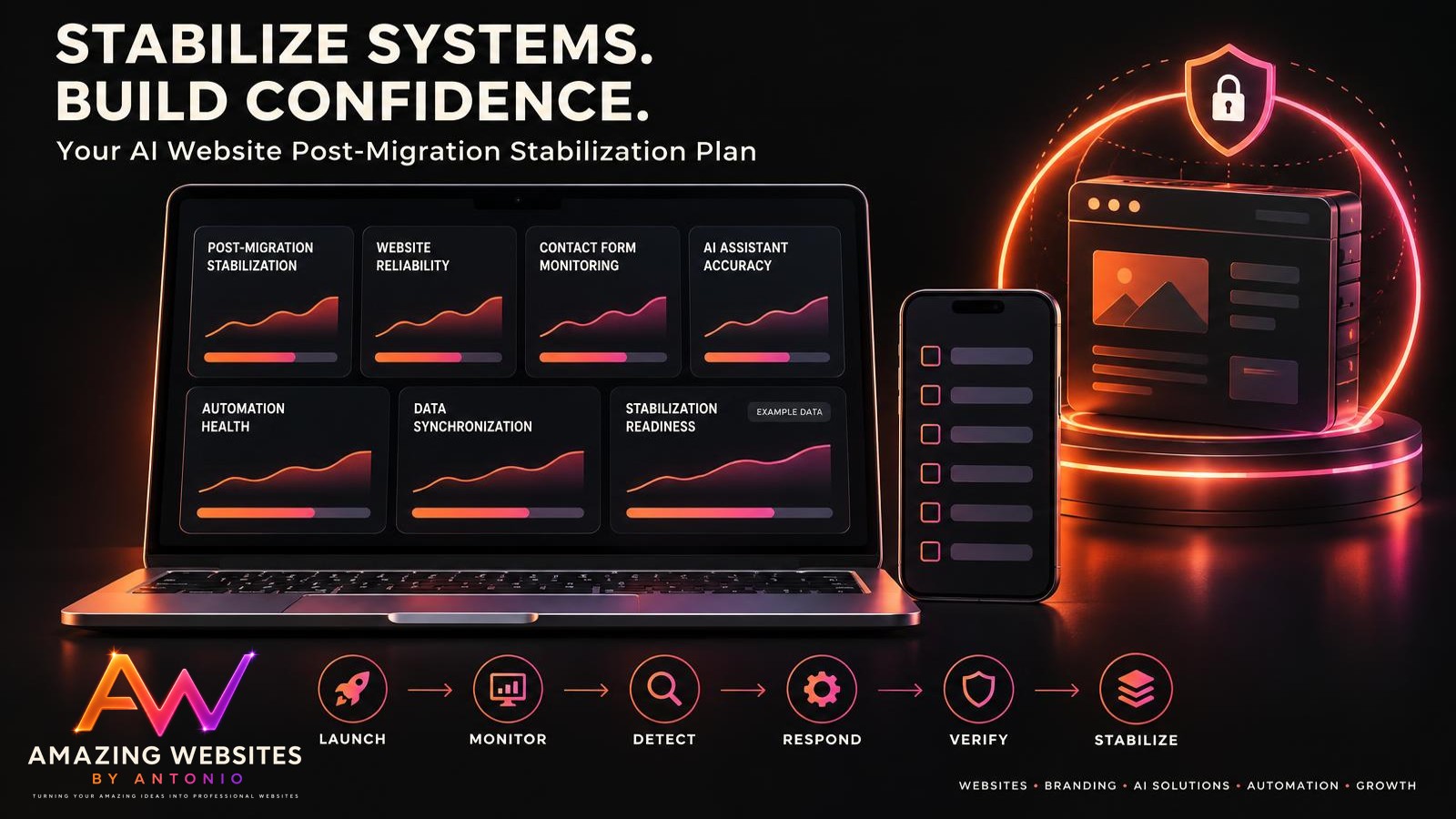
LAUNCH → MONITOR → DETECT → RESPOND → VERIFY → STABILIZE → MAINTAIN
MIGRATION VALIDATION VS. POST-MIGRATION STABILIZATION
These activities work together but answer different questions.
| Migration Validation | Post-Migration Stabilization |
|---|---|
| Checks whether migration requirements were met | Checks whether the new system remains reliable |
| Reviews transferred data | Monitors ongoing data integrity |
| Tests defined workflows | Observes workflows during everyday operation |
| Supports initial acceptance | Supports transition to routine maintenance |
| Documents migration defects | Tracks operational issues after launch |
IMPORTANT:
Passing migration validation doesn't eliminate the need for appropriate post-launch monitoring.
THE FIVE MOST IMPORTANT STABILIZATION AREAS
1. CUSTOMER CONTACT RELIABILITY
Customers should be able to reach your business through the intended channels.
Monitor:
- Contact Form availability
- Successful submissions
- Inquiry storage
- Notification delivery
- Follow-up workflow availability
2. AI ASSISTANT RELIABILITY
Your AI assistant should continue using approved information appropriately.
Monitor:
- Response accuracy
- Important question coverage
- Human handoff
- Unsupported answers
- Knowledge updates
3. AUTOMATION RELIABILITY
Your automations should perform the actions they were designed to complete.
Monitor:
- Trigger execution
- Workflow completion
- Failed actions
- Duplicate events
- Integration availability
4. WEBSITE PERFORMANCE
Your website should continue providing a usable experience.
Monitor:
- Page availability
- Loading performance
- Navigation
- Mobile usability
- Accessibility
5. DATA AND SECURITY
Important information should remain appropriately protected and available.
Monitor:
- Data synchronization
- Record completeness
- Access permissions
- Unexpected errors
- Privacy concerns
YOUR POST-MIGRATION MONITORING MATRIX
| Website Area | What to Monitor | Example Frequency |
|---|---|---|
| Contact Form | Submission and storage success | Daily during early stabilization |
| Email Notifications | Expected delivery | Daily or event-based |
| AI Assistant | Representative answer accuracy | Several times per week |
| Automations | Trigger and action completion | Daily or event-based |
| Data Synchronization | Missing or duplicate records | Daily |
| Website Navigation | Important links and pages | Weekly |
| Mobile Usability | Important customer journeys | Weekly |
| Security and Privacy | Relevant access and error signals | Continuous where supported |
These frequencies are examples.
Choose a monitoring schedule appropriate to the business's risks, traffic, and available resources.
YOUR POST-MIGRATION ISSUE SEVERITY MATRIX
| Severity | Example | Suggested Response |
|---|---|---|
| Critical | Major customer data exposure or essential service unavailable | Immediate protective action and escalation |
| High | Important Contact Form or automation failure | Prompt investigation and recovery |
| Medium | Partial functionality issue with a usable alternative | Schedule corrective action based on impact |
| Low | Minor visual issue without meaningful workflow impact | Record and address through routine improvement |
IMPORTANT:
Severity should be based on actual business impact.
A privacy or security incident may require immediate action even if only a small number of records or users are involved.
YOUR STABILIZATION STATUS DASHBOARD
A dashboard helps organize monitoring results.
Consider tracking:
- Days since migration
- Critical workflows monitored
- Successful Contact Form tests
- AI assistant test accuracy
- Automation completion rate
- Data synchronization discrepancies
- Website availability
- Open issues by severity
- Issues resolved
- Stabilization exit readiness
FICTIONAL DASHBOARD EXAMPLE
| Metric | Example |
|---|---|
| Days Since Migration | 14 |
| Critical Workflows Monitored | 8 |
| Contact Form Tests Passed | 14 of 14 |
| AI Assistant Tests Passed | 27 of 30 |
| Automation Tests Passed | 19 of 20 |
| Data Synchronization Discrepancies | 1 |
| Open Critical Issues | 0 |
| Open High Issues | 1 |
| Stabilization Status | In Progress |
These figures are fictional and do not represent actual Amazing Websites By Antonio website performance.
The stabilization period remains open because an important issue still requires investigation.
HOW TO MEASURE AUTOMATION COMPLETION RATE
An automation completion rate can help identify workflow reliability.
AUTOMATION COMPLETION RATE = (SUCCESSFUL REQUIRED WORKFLOW COMPLETIONS ÷ TOTAL ELIGIBLE WORKFLOW EVENTS) × 100
FICTIONAL EXAMPLE
A workflow receives 100 eligible events.
It completes successfully for 97 events.
Completion rate:
97 ÷ 100 × 100 = 97%
However, the remaining three events still need investigation.
A high overall completion rate should not override a serious failure affecting an essential business process.
STABILIZATION READINESS CHECKLIST
Use this checklist to organize your review before ending heightened post-migration monitoring.
Stabilization exit review
- Critical customer workflows have passed required tests
- Required data reconciliation and synchronization checks are complete
- No unresolved critical security, privacy, or data integrity issues remain
- AI assistant and automation checks meet their defined criteria
- High-severity issues have been resolved or formally addressed under an approved exception
- Monitoring results cover an appropriate observation period
- Recovery and support procedures are documented
- Routine maintenance responsibilities have been assigned
- Required stakeholder communication is complete
- Final stabilization review and approval are documented
Continue reviewing outstanding items. Do not end stabilization while critical requirements remain unresolved. When all items are complete, confirm the supporting evidence and obtain the required approval before closing stabilization. Checklist completion does not replace evidence-based approval.
WHEN SHOULD THE STABILIZATION PERIOD END?
A stabilization period should not end simply because a certain number of days have passed.
Instead, review whether defined exit criteria have been satisfied.
EXAMPLE EXIT CRITERIA
- Critical customer workflows operate as required.
- Important data reconciliation checks are complete.
- No unresolved critical incidents remain.
- AI assistant behavior meets the required test criteria.
- Automations and integrations function reliably.
- Monitoring coverage is sufficient.
- Support procedures are documented.
- Routine maintenance responsibilities are assigned.
- Final approval is recorded.
IMPORTANT:
The appropriate observation period depends on the system.
A low-traffic website may require a longer period to observe enough real activity.
A business-critical migration may require more extensive evidence.
COMPLETE AI WEBSITE POST-MIGRATION STABILIZATION CHECKLIST
SECTION 1 — STABILIZATION PLANNING
- Migration completion is documented.
- Stabilization period is defined.
- Critical website features are identified.
- Monitoring indicators are selected.
- Responsibilities are assigned.
SECTION 2 — CUSTOMER WORKFLOWS
- Contact Form availability is checked.
- Inquiry storage is verified.
- Notifications are tested.
- Important navigation is reviewed.
- Customer feedback is monitored.
SECTION 3 — AI ASSISTANT
- Representative questions are tested.
- Approved knowledge sources are available.
- Incorrect responses are documented.
- Human handoff works as intended.
- AI configuration changes are reviewed.
SECTION 4 — AUTOMATIONS
- Triggers are monitored.
- Workflow completion is verified.
- Integration errors are reviewed.
- Duplicate actions are investigated.
- Data synchronization is checked.
SECTION 5 — PERFORMANCE AND SECURITY
- Important pages remain accessible.
- Page loading performance is reviewed.
- Mobile functionality is checked.
- Accessibility requirements are evaluated.
- Security and privacy concerns are reviewed.
SECTION 6 — ISSUE MANAGEMENT
- Issue reporting method is available.
- Severity categories are defined.
- Issue owners are assigned.
- Corrective actions are documented.
- Fixes are retested.
SECTION 7 — SUPPORT AND RECOVERY
- Support contact is established.
- Troubleshooting guidance is available.
- Significant issues are communicated appropriately.
- Recovery procedures are documented.
- Support trends are reviewed.
SECTION 8 — EXIT REVIEW
- Monitoring results are evaluated.
- Critical issues are resolved.
- Data integrity is confirmed.
- Routine operations are ready.
- Exit criteria are satisfied.
SECTION 9 — CLOSURE
- Stabilization results are documented.
- Final approval is recorded.
- Maintenance procedures are updated.
- Lessons learned are captured.
- Ongoing monitoring is scheduled.
COPY-READY AI WEBSITE POST-MIGRATION STABILIZATION PLAN TEMPLATE
BUSINESS NAME:
[Enter Business Name]
WEBSITE:
[Enter Website Address]
STABILIZATION PLAN ID:
[Enter Identifier]
RELATED MIGRATION ID:
[Enter Identifier]
DATE CREATED:
[Enter Date]
PREPARED BY:
[Enter Name]
SECTION 1 — MIGRATION OVERVIEW
MIGRATED FEATURE OR SYSTEM:
[Enter Name]
SOURCE SYSTEM:
[Enter Name]
DESTINATION SYSTEM:
[Enter Name]
MIGRATION DATE:
[Enter Date]
VALIDATION STATUS:
Accepted / Conditionally Accepted / Pending / Not Accepted
SECTION 2 — STABILIZATION PERIOD
START DATE:
[Enter Date]
PLANNED REVIEW DATE:
[Enter Date]
STABILIZATION OWNER:
[Enter Name]
MONITORING FREQUENCY:
[Enter Frequency]
CRITICAL BUSINESS FUNCTIONS:
[List Functions]
SECTION 3 — MONITORING PLAN
CONTACT FORM MONITORING:
[Describe Checks]
AI ASSISTANT MONITORING:
[Describe Checks]
AUTOMATION MONITORING:
[Describe Checks]
DATA SYNCHRONIZATION MONITORING:
[Describe Checks]
WEBSITE PERFORMANCE MONITORING:
[Describe Checks]
SECURITY AND PRIVACY MONITORING:
[Describe Checks]
SECTION 4 — EXPECTED OPERATING RESULTS
CONTACT FORM SUCCESS CRITERIA:
[Enter Criteria]
AI ASSISTANT SUCCESS CRITERIA:
[Enter Criteria]
AUTOMATION SUCCESS CRITERIA:
[Enter Criteria]
DATA INTEGRITY REQUIREMENTS:
[Enter Requirements]
WEBSITE AVAILABILITY EXPECTATIONS:
[Enter Expectations]
SECTION 5 — ISSUE MANAGEMENT
ISSUE REPORTING METHOD:
[Enter Method]
SEVERITY CATEGORIES:
[Define Categories]
ISSUE OWNER:
[Enter Name]
ESCALATION PROCEDURE:
[Describe Procedure]
CORRECTIVE ACTION PROCESS:
[Describe Process]
SECTION 6 — CUSTOMER SUPPORT
SUPPORT CONTACT:
[Enter Contact]
AFFECTED USERS:
[List Users]
COMMUNICATION REQUIREMENTS:
[List Requirements]
TROUBLESHOOTING GUIDANCE:
[Enter Guidance]
CUSTOMER FEEDBACK PROCESS:
[Describe Process]
SECTION 7 — RECOVERY READINESS
RECOVERY PLAN REFERENCE:
[Enter Reference]
RECOVERY OWNER:
[Enter Name]
IMPORTANT DEPENDENCIES:
[List Dependencies]
RECOVERY TRIGGERS:
[List Triggers]
RECOVERY TEST STATUS:
[Enter Status]
SECTION 8 — MONITORING RESULTS
REVIEW PERIOD:
[Enter Period]
CONTACT WORKFLOW RESULTS:
[Enter Results]
AI ASSISTANT RESULTS:
[Enter Results]
AUTOMATION RESULTS:
[Enter Results]
DATA INTEGRITY FINDINGS:
[Enter Findings]
PERFORMANCE FINDINGS:
[Enter Findings]
OPEN ISSUES:
[List Issues]
SECTION 9 — STABILIZATION EXIT REVIEW
CRITICAL REQUIREMENTS MET:
Yes / No / Not Verified
OUTSTANDING CRITICAL ISSUES:
[List Issues]
MONITORING EVIDENCE SUFFICIENT:
Yes / No
ROUTINE MAINTENANCE READY:
Yes / No
EXIT DECISION:
Approved / Extend Stabilization / Remediation Required
APPROVED BY:
[Enter Name]
DECISION DATE:
[Enter Date]
SECTION 10 — CLOSURE AND HANDOFF
FINAL STABILIZATION STATUS:
In Progress / Extended / Completed / Blocked
MAINTENANCE OWNER:
[Enter Name]
UPDATED DOCUMENTATION:
[List Documents]
LESSONS LEARNED:
[List Lessons]
REMAINING ACTIONS:
[List Actions]
NEXT ROUTINE REVIEW DATE:
[Enter Date]
EXAMPLE AI WEBSITE POST-MIGRATION STABILIZATION SCENARIO
The following scenario is fictional.
Situation: A Business Owner Stabilizes a New Contact Form and AI Assistant
A business owner has migrated a Contact form and AI assistant to a new platform.
The migration validation report confirms that the required records and initial workflows meet their acceptance criteria.
Now the owner begins a stabilization period.
Step 1 — Define Critical Workflows
The owner identifies Contact Form submissions, inquiry storage, email notifications, and AI assistant responses as important functions.
Step 2 — Establish Monitoring
The owner creates a schedule for checking these functions.
Step 3 — Review Contact Form Activity
Safe test submissions confirm that inquiries continue reaching the correct location.
Step 4 — Monitor Notifications
The owner notices that one expected notification was delayed.
Step 5 — Investigate the Issue
The owner reviews the notification workflow and identifies a configuration problem.
Step 6 — Apply a Correction
The owner updates the affected configuration using the platform's supported procedures.
Step 7 — Retest the Workflow
Additional tests confirm that the notification process now meets its defined requirements.
Step 8 — Review AI Assistant Accuracy
The owner tests representative customer questions and documents the results.
Step 9 — Evaluate Stabilization Exit Criteria
The owner reviews monitoring evidence, outstanding issues, and routine support readiness.
Step 10 — Close Stabilization
After the required criteria are satisfied, the owner documents the decision and transitions to routine website maintenance.
LESSON:
A successful migration is only the beginning.
Post-migration stabilization helps confirm that new website systems remain dependable during everyday business use.
YOUR 30-DAY AI WEBSITE POST-MIGRATION STABILIZATION PLAN
WEEK 1 — ESTABLISH MONITORING
- Confirm migration acceptance status.
- Identify critical workflows.
- Define monitoring indicators.
- Establish issue reporting procedures.
- Begin scheduled checks.
GOAL: Detect important post-migration problems early.
WEEK 2 — MONITOR CUSTOMER AND AI WORKFLOWS
- Review Contact Form functionality.
- Verify inquiry storage.
- Check notifications.
- Test representative AI questions.
- Review customer feedback.
GOAL: Confirm that important customer-facing features remain reliable.
WEEK 3 — REVIEW AUTOMATIONS AND PERFORMANCE
- Monitor automation completion.
- Investigate integration errors.
- Review data synchronization.
- Check website performance.
- Evaluate security and privacy concerns.
GOAL: Identify operational problems that may not appear during initial migration testing.
WEEK 4 — EVALUATE STABILIZATION READINESS
- Review monitoring results.
- Resolve outstanding issues.
- Verify critical requirements.
- Confirm routine maintenance readiness.
- Record the stabilization decision.
GOAL: Determine whether the new system is ready for routine operations or requires additional monitoring.
IMPORTANT:
This 30-day plan is an example.
Some migrations require longer stabilization periods based on risk, complexity, and available evidence.
THE AI WEBSITE POST-MIGRATION STABILIZATION FRAMEWORK
LAUNCH
Activate the validated replacement system.
↓
MONITOR
Observe important customer and operational workflows.
↓
DETECT
Identify unexpected errors or performance changes.
↓
RESPOND
Investigate and address problems.
↓
VERIFY
Confirm that corrective actions work.
↓
STABILIZE
Evaluate reliability across an appropriate observation period.
↓
MAINTAIN
Transition to routine website management.
FINAL THOUGHTS
Creating a professional business website is an exciting accomplishment.
It represents your creativity.
Your services.
Your brand.
And your commitment to helping customers.
But as your business grows, your technology needs may change.
You may move to better platforms.
Upgrade your AI assistant.
Replace outdated automations.
Transfer customer information.
Or introduce new integrations.
These improvements can create exciting opportunities.
But completing a migration is only part of the process.
It's also important to make sure that your new systems continue working after launch.
That's why an AI website post-migration stabilization plan matters.
It helps you monitor important features.
Detect unexpected problems.
Protect customer workflows.
Review AI assistant performance.
Evaluate automations.
Respond to issues.
And transition to routine maintenance with greater confidence.
A SUCCESSFUL WEBSITE MIGRATION ISN'T JUST ABOUT GETTING A NEW SYSTEM ONLINE.
IT'S ABOUT MAKING SURE THAT SYSTEM CONTINUES WORKING RELIABLY FOR YOUR CUSTOMERS AND BUSINESS.
Start with your most important workflows.
Choose meaningful monitoring indicators.
Document unexpected issues.
Verify corrective actions.
And establish clear stabilization exit criteria.
Because professional website management isn't just about launching new technology.
IT'S ABOUT KEEPING THAT TECHNOLOGY RELIABLE LONG AFTER LAUNCH.
MONITOR YOUR SYSTEMS.
PROTECT YOUR WORKFLOWS.
VERIFY YOUR RESULTS.
KEEP BUILDING BETTER WEBSITES.
Amazing Websites By Antonio
Turning Your Amazing Ideas Into Professional Websites